🌸 SPRING SALE — Fresh Start, Fresh Savings
Spring Into SavingsSpring Pricing 🌼
AI Tools

Atoms Review (2026): Honest Take After Testing

Stefan
10 min read
#Ai tool

Table of Contents

Atoms screenshot

What Is Atoms?

Honestly, I was pretty skeptical about Atoms when I first heard about it. The idea of turning a simple idea into a full-blown app or website in minutes, without writing a single line of code, sounds almost too good to be true. But I figured I’d give it a shot—mainly out of curiosity—and see if it actually lives up to the hype or if it’s just another no-code tool overpromising what it can deliver.

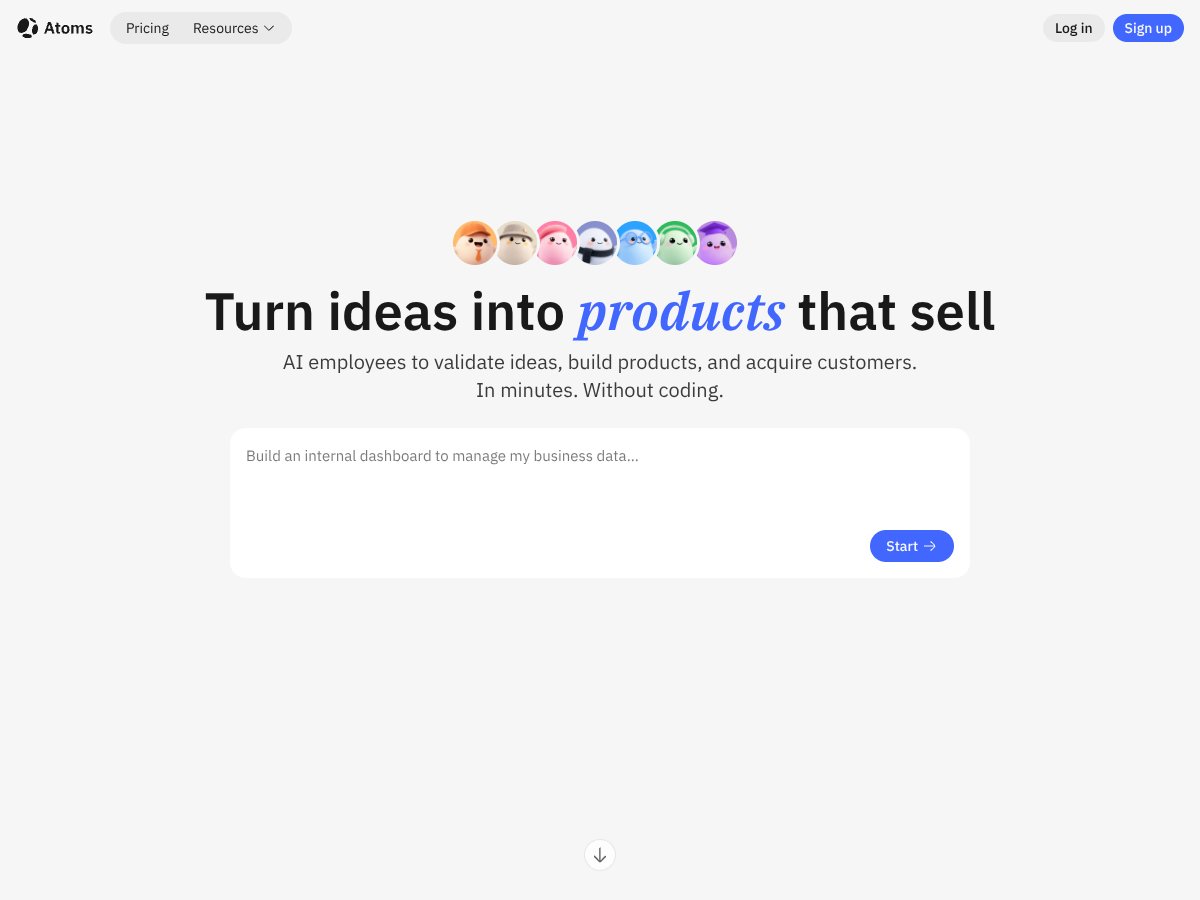
So, what does Atoms actually do? In plain English, it’s a platform that claims to take your natural language descriptions—basically what you tell it you want—and then automatically generate functional web apps, dashboards, landing pages, or even SaaS products. It’s like having an AI team that plans, builds, tests, and deploys your software for you, all without you needing to know how to code. The catch is, it’s marketed mainly towards solo founders, entrepreneurs, or non-technical teams who want to rapidly prototype or launch products without hiring developers.

The problem it’s trying to solve is pretty clear: software development can take weeks or months, especially for small teams or individuals without coding skills. Atoms promises to cut that down to minutes, which sounds appealing but also raises some eyebrows—how good can it really be? Behind the scenes, it appears to be developed by a team with some decent backing, given the recent funding rounds and the ambitious scope. I couldn’t find detailed info about the founders or the company’s history, but the platform’s approach suggests they’re trying to position themselves as an AI-powered alternative to traditional web builders and app development tools.

My initial impression? Well, I was surprised to find that it actually does what it advertises—at least on a surface level. When I signed up, the interface was straightforward enough, and I could start describing an app or website idea pretty quickly. That said, the platform’s capabilities are still a bit fuzzy around the edges. It’s not a fully polished, polished end-to-end system that handles every possible use case, and I think that’s important to keep in mind. It’s more like an early-stage prototype of what AI-driven app building might look like, with all the caveats that come with that.

What I want to be clear about: Atoms isn’t a magic wand. It doesn’t mean you can just tell it “make me a social media app,” and it will deliver a fully functional, polished product without any further input or tweaking. It’s more like a fast starting point—something that might generate a decent first draft, which then needs your review, testing, and possibly some manual editing. So, don’t expect it to replace a skilled developer overnight, but if you’re looking for a way to quickly prototype or validate an idea, it’s worth exploring.

The Good and The Bad

Atoms interface
Atoms in action

What I Liked

  • Rapid prototyping capabilities: Atoms can turn a simple idea into a functional app in just minutes. That’s a game-changer for validating concepts quickly without the usual weeks of development.
  • No coding required: The multi-agent AI workflow handles planning, building, and deploying, which makes it accessible for non-technical founders and solo entrepreneurs. It really democratizes app creation.
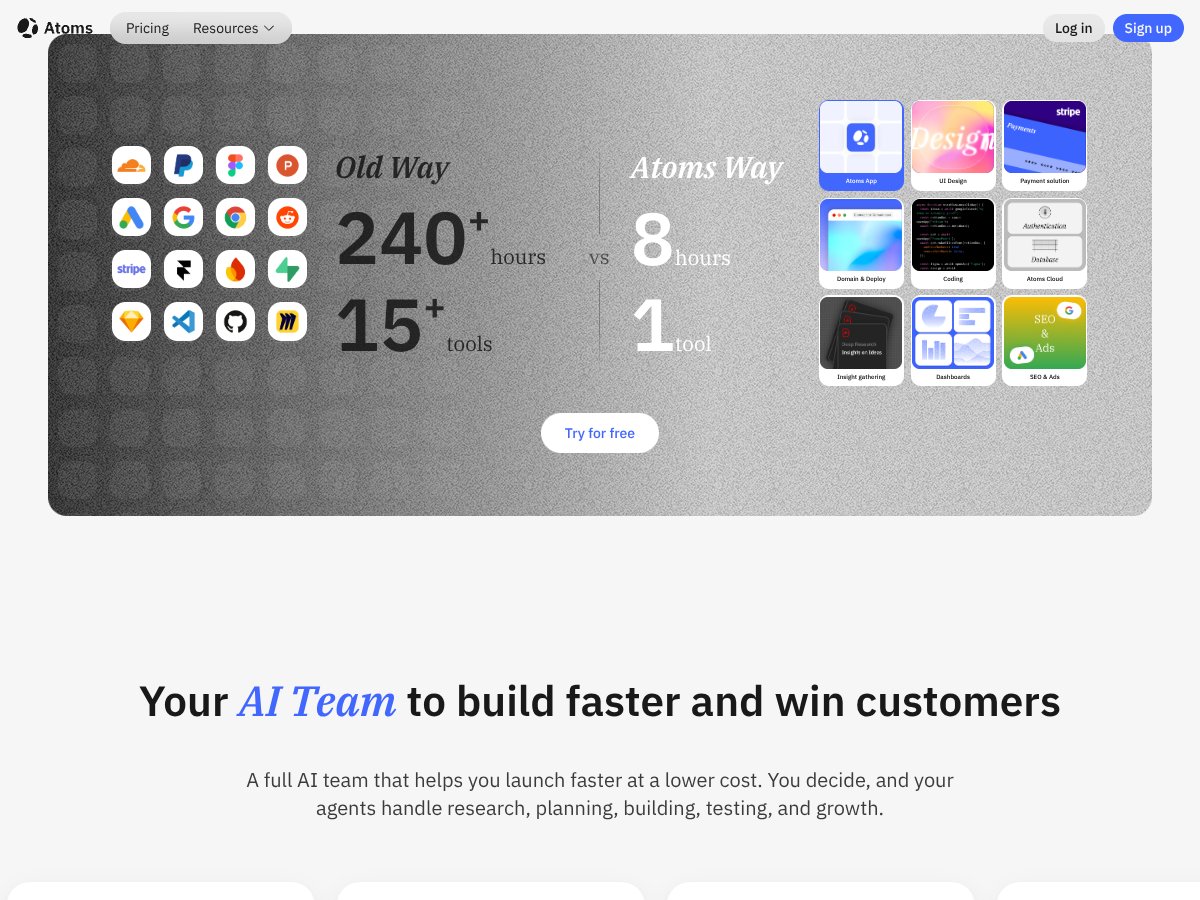
  • Full-stack output with backend support: Unlike many no-code tools, Atoms delivers not just front-end pages but also backend features like authentication, databases, and deployment, saving a lot of hassle.
  • One-click deployment and hosting: The integrated deployment process simplifies launching live products, reducing the typical technical overhead.
  • Multiple build variants and export options: The Race Mode generates several versions for selection, and the clean code export or GitHub sync ensures you retain control and flexibility.
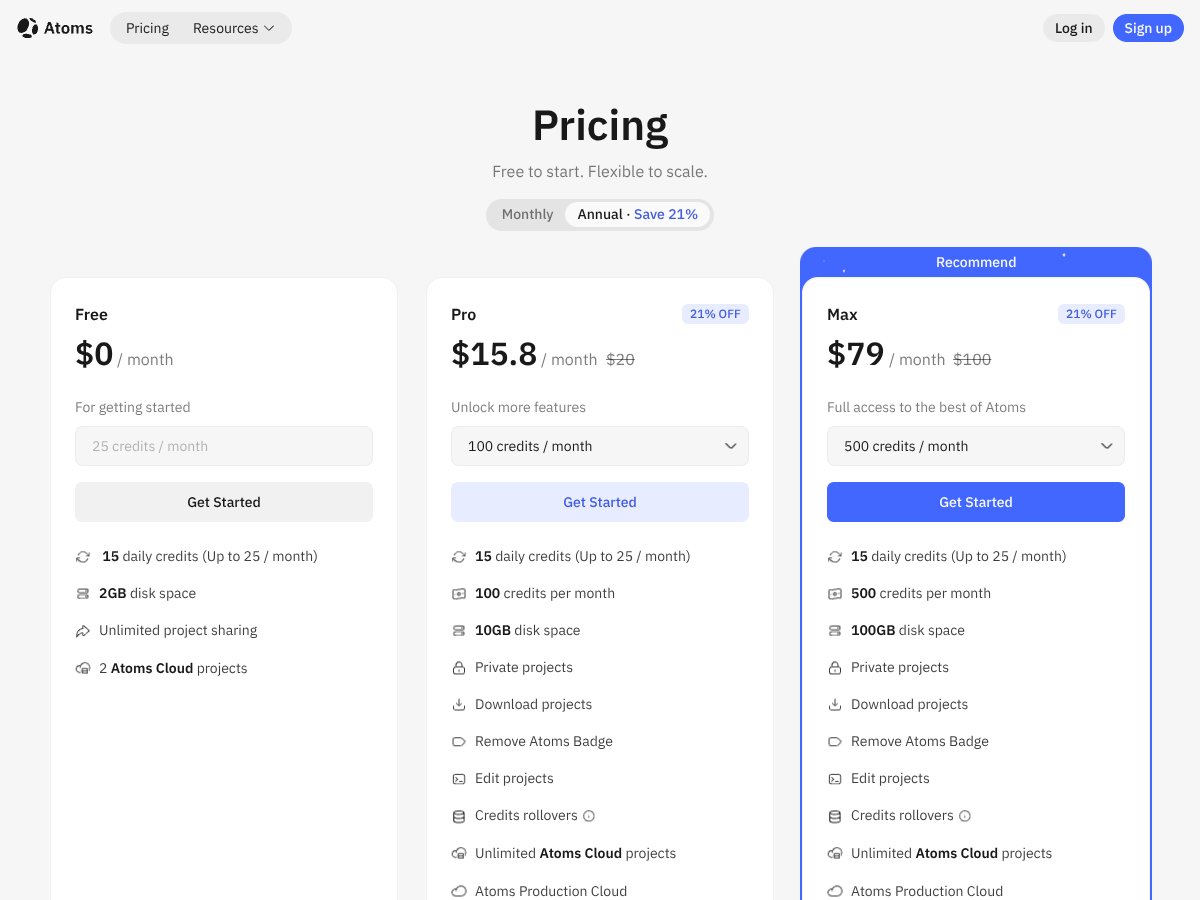
  • Affordability: Starting at around $15.80/month with a free tier, it offers a compelling value for small teams or solo founders wanting to experiment without breaking the bank.

What Could Be Better

  • Limited feature transparency: The platform’s core features aren’t fully detailed on the website. Features like integrations, customizability, or advanced controls aren’t clearly advertised, which makes it hard to gauge its capabilities upfront.
  • Early-stage product with potential bugs: User feedback indicates occasional bugs and instability, especially with AI features. This might be frustrating if you’re relying on it for critical launches.
  • Usage limits and scaling concerns: The credit system in paid plans could be a bottleneck. Heavy users may find themselves constrained unless they upgrade frequently, which could get costly.
  • Lack of detailed use case guidance: The platform seems flexible, but without clear templates or workflows, new users might struggle to understand the best way to leverage Atoms for specific projects.
  • Limited integrations and API support: Unlike more mature no-code platforms, Atoms doesn’t seem to offer extensive third-party integrations, which could limit its utility for complex workflows.

Who Is Atoms Actually For?

Atoms is ideally suited for solo entrepreneurs, early-stage startups, or small teams who want to rapidly validate ideas and launch basic SaaS products without hiring developers or learning to code. If you’re a non-technical founder with a clear app concept—say, a niche marketplace, internal dashboard, or simple SaaS tool—Atoms can cut your development time from months to minutes.

For example, if you’re a solo marketer wanting to create a lead generation app with custom forms, user authentication, and a dashboard, Atoms can handle that quickly. Similarly, a small team wanting to prototype an internal tool for managing assets or customer data can benefit from its full-stack output without the overhead of traditional development.

It’s best for those who want control over the visual and functional aspects but don’t have the time or resources to learn coding or manage complex cloud infrastructure. If your goal is to test a business idea fast, iterate quickly, and go live without fuss, Atoms offers a compelling solution.

Who Should Look Elsewhere

Atoms interface
Atoms in action

If you’re looking for a platform with deep third-party integrations, advanced customization, or enterprise-grade features, Atoms might fall short. It’s not yet mature enough for large-scale, complex projects requiring extensive API connections or custom backend logic beyond basic features.

Additionally, if you prefer a platform with a well-established ecosystem, extensive templates, and a large user community, alternatives like Bubble or Replit could serve you better. Those platforms also tend to have more comprehensive support and longer track records.

Finally, if your primary need is detailed design control or specific compliance/security standards, Atoms’ current feature set and transparency may leave you disappointed. It’s best suited for rapid prototyping and simple SaaS products, not for building enterprise-grade solutions.

How Atoms Stacks Up Against Alternatives

Bubble

  • Bubble is a visual, drag-and-drop platform that focuses heavily on building web apps with complex workflows. It offers a true no-code experience for creating fully functional SaaS products, but it can have a steeper learning curve for beginners.
  • Pricing starts at $25/month for the personal plan, which is higher than Atoms’ entry-level. For more advanced features, plans go up significantly, making it less affordable for solo founders just starting out.
  • Choose this if... you need intricate workflows and a highly customizable UI, and don’t mind spending time learning the platform.
  • Stick with Atoms if... you want rapid prototyping with minimal fuss, especially if you’re non-technical or need quick deployment without much customization.

Replit

  • Replit is primarily a coding environment that supports many programming languages, allowing users to write, run, and deploy code directly in the browser. It’s great for those comfortable with coding and wanting more control over the backend.
  • Their free tier provides basic hosting and collaboration, with paid plans starting at $7/month for additional features. However, it’s more developer-centric, not a true no-code builder.
  • Choose this if... you’re a developer or want to learn coding as part of building your app.
  • Stick with Atoms if... you prefer a no-code, AI-driven approach that doesn’t require programming skills and offers faster turnaround times.

V0.dev

  • V0.dev is similar to Atoms in leveraging AI to generate full-stack apps from natural language. It emphasizes quick deployment and AI-assisted workflows, but may be less mature and feature-rich than Atoms.
  • Pricing info is less transparent, but it often charges per build or credit-based plans, which can add up quickly for larger projects.
  • Choose this if... you want a straightforward, AI-driven platform with similar goals but are okay with less polish or support.
  • Stick with Atoms if... you want a more established platform with integrated hosting, backend services, and a proven workflow.

Bubble

  • Bubble is a powerful no-code platform for building complex web applications with drag-and-drop UI and logic. It’s highly customizable but can be more time-consuming and requires some learning curve.
  • Pricing starts at $25/month, which is higher than Atoms’ starting plan. It’s suitable for more complex apps but might be overkill for simple MVPs.
  • Choose this if... you need highly customizable workflows and a complex app structure with lots of integrations.
  • Stick with Atoms if... you want faster, simpler SaaS MVPs with less setup and fewer technical hurdles.

Bottom Line: Should You Try Atoms?

Atoms interface
Atoms in action

Overall, I’d give Atoms a solid 7 out of 10. It’s a pretty impressive tool for solo founders or non-technical teams looking to quickly turn ideas into usable web apps without coding. The platform’s biggest strength is speed — you can get a prototype or even a production-ready product up and running in hours. However, being early-stage means occasional bugs and some limitations in customization.

If you’re someone who’s got a clear idea and wants to validate or launch fast without learning to code, Atoms is worth trying. The free tier is definitely worth exploring to see if it fits your workflow, and the paid plans are reasonable for what they deliver, especially compared to building from scratch.

That said, if you need complex custom workflows, deep UI customization, or are willing to spend more time tweaking your app, platforms like Bubble might serve you better. Conversely, if you’re a developer comfortable with code and want full control, Replit or traditional coding might still be the best route.

In the end, I recommend giving Atoms a shot if your goal is rapid MVP creation without technical hassle. If your project demands heavy customization or complex backend logic, consider other options.

Common Questions About Atoms

  • Is Atoms worth the money? It’s a good value for solo founders and small teams wanting quick app deployment. However, it may feel limited for larger or more complex projects.
  • Is there a free version? Yes, Atoms offers a free tier with basic features and limited credits, which is good for experimenting before upgrading.
  • How does it compare to Bubble? Atoms is faster for simple MVPs and easier for non-technical users, while Bubble offers more customization but takes longer to master.
  • Can I get a refund? Refund policies depend on the platform’s terms, but typically, subscription cancellations prevent future charges; check their policies for refunds on specific plans.
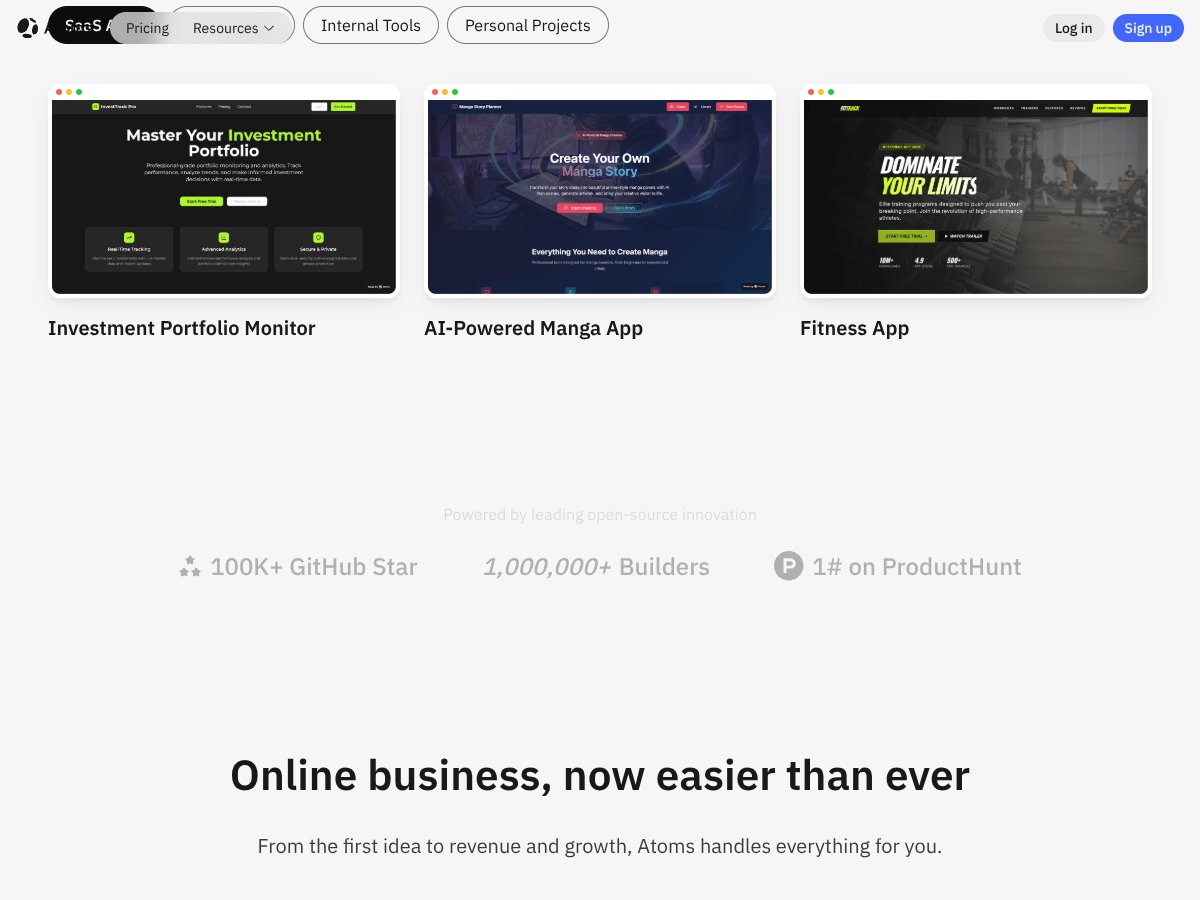
  • What kind of apps can I build with Atoms? You can create websites, landing pages, dashboards, SaaS tools, and internal apps—essentially full-stack apps without writing code.
  • Is the AI always accurate? Not always—like all AI tools, it can make mistakes, especially on complex or highly customized features. Always review generated code or designs.

As featured on

Automateed

Add this badge to your site

Stefan

Stefan

Stefan is the founder of Automateed. A content creator at heart, swimming through SAAS waters, and trying to make new AI apps available to fellow entrepreneurs.

Related Posts

FaceSymmetryTest Review – Honest Look at Free AI Tool

FaceSymmetryTest Review – Honest Look at Free AI Tool

FaceSymmetryTest is a fun online tool

Stefan
Sweep Review – An AI Assistant for JetBrains IDEs

Sweep Review – An AI Assistant for JetBrains IDEs

Sweep enhances productivity in JetBrains IDEs

Stefan
AI Song Maker Review – Simple & Creative Music Generation

AI Song Maker Review – Simple & Creative Music Generation

easy way to create music with AI

Stefan

Create Your AI Book in 10 Minutes