Table of Contents
Putting together an author press kit can feel weirdly intimidating. I get it—one minute you’re excited about your book, and the next you’re staring at a blank page thinking, “Where do I even start?” I’ve been there. And honestly, most of the examples you find online don’t help much. They’re either too vague or so cluttered you can’t tell what’s actually important.
What helped me was breaking the whole thing into simple pieces and copying the parts that work—without overcomplicating it. In the steps below, I’ll show you what to include, how to lay it out, and a few “real world” details that make journalists’ lives easier (which, in turn, makes you more likely to get coverage).
Ready? Here’s what we’re covering.
Key Takeaways
- Study successful author press kits (like J.K. Rowling and Celeste Ng) to see what actually gets included: bios, book details, headshots, and easy-to-find media assets.
- Your press kit should include: a short author bio, professional headshots, current book info, positive reviews/testimonials, and clear contact details.
- Use a clean, simple layout. You can embed it on your site or offer a downloadable PDF—either way, it should be easy to navigate.
- Make downloads painless: put your kit on a dedicated page, use working links, and test file load times so you’re not sending journalists on a scavenger hunt.
- Add FAQs and talking points so journalists can quickly find angles for reviews, interviews, and podcasts.
- Update your press kit regularly with new visuals, new milestones, and any corrections—stale info hurts your credibility.
Step 1: Review Examples of Successful Author Press Kits
When I was putting mine together, I didn’t start by “writing everything.” I started by borrowing structure. The fastest way to get ideas is to look at author press kits that already work—ones where you can tell the author (or their team) actually thought about how journalists use the information.
Take J.K. Rowling, for example. What I noticed right away is that her kit doesn’t make you hunt. You can find press releases for upcoming projects, high-resolution headshots, and detailed book descriptions. That accessibility matters. Journalists are on tight deadlines, and the easier it is to grab what they need, the more likely they’ll actually use it.
Celeste Ng’s kit for Little Fires Everywhere is another good model. I like how she adds personal context and discussion points. It’s not just facts—it gives media people something to talk about. That’s the difference between “Here’s my book” and “Here’s a story you can cover.”
Here’s what I recommend you look for as you review a few kits: author bio length (usually short but specific), how book info is presented (title, publication date, formats, price), and whether images are ready-to-download. Also pay attention to formatting—do they use clear headings? Are links obvious? If something feels easy to use, write it down. You’ll reuse those patterns.
Step 2: Include Essential Components for an Author Press Kit
Before you start building your press kit, make sure you’ve got the core pieces. I’ve seen (and made) the mistake of creating a beautiful PDF that’s missing one key thing—usually contact info or usable images. Then you end up sending extra emails to fill gaps. Don’t do that.
- Short Author Bio: Aim for a concise paragraph (or two max) that tells people who you are and why you’re credible. Mention your most relevant achievements and what makes your voice distinct. If you want a starting point, check out these short author bio examples from successful authors.
- High-Resolution Headshots and Book Images: Include professional headshots and book cover images that are actually usable. In my experience, journalists prefer files that are at least 300 dpi (or high-quality originals). If you only have a tiny Instagram-sized image, you’ll hear about it later.
- Current Book Information: Make it easy to copy/paste. Include title, genre, format options (ebook/paperback/audiobook), page count if you have it, release date, selling price, and purchase links. If you can, link to major retailers (and your own site, if you sell direct).
- Testimonials and Reviews: Add a few credible quotes. These can come from reputable media, well-known bloggers in your genre, or influencers who match your audience. Keep them short—think pull-quote length.
- Contact Info & Social Media Links: Include your email address, website URL, and active social profiles. A lot of authors underestimate how often journalists check social media for context. One stat to keep in mind: about 78% of authors use social media regularly, so it’s a strong place to stay discoverable. (And yes, journalists do look.)
If you cover these basics, you’re giving media everything they need without making them “do the work” for you. That’s how your press kit becomes a tool—not just a document.
Step 3: Choose a User-Friendly Design and Format
Content matters most, sure. But I’ve learned the hard way that presentation affects results. If your kit is hard to read or confusing to navigate, people won’t stick around long enough to use it.
One option I like is an interactive online press kit on your website. Journalists can quickly browse sections or download what they need. The big benefit? No one has to open a file just to find your bio or grab a headshot.
If you go this route, keep the structure simple: clear headings, short paragraphs, and spacing that makes scanning easy. Use fonts that match your branding, but don’t go wild. You want “professional and readable,” not “art project.”
If you’re not tech-savvy, a downloadable PDF can work great. You can host it on your site or use a storage platform like Dropbox or Google Drive. Just make sure the file name is clear (example: AuthorName_PressKit_2026.pdf) and the download link is easy to find.
Here’s the truth: your press kit doesn’t need flashing animations. It needs to feel straightforward and trustworthy. That’s what makes people actually grab it and share it.
Step 4: Provide Easy Access and Sharing Options
Here’s one of those “underrated but important” parts: access. If someone has to click through five menus or wait forever for a file, they’ll move on. I don’t blame them.
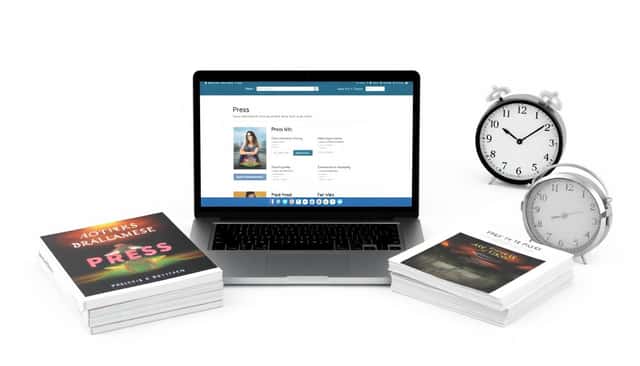
Start by hosting your press kit where people expect it. Put it on a clearly labeled “Press” or “Media” page. Better yet, link to it from your main navigation or footer. That way, it’s not buried where only you can find it.
For file sharing, use direct download links or cloud storage for larger assets. Dropbox and Google Drive are common because they’re easy for journalists to download without asking permission or dealing with email attachment limits. And yes, attachment frustration is real—we’ve all been there.
Social sharing buttons also help, especially if your press kit page includes updates or launch announcements. With over 78% of authors using social media at least weekly (source), it’s smart to make it effortless for readers and media to spread your work.
Before you publish, test everything yourself. Open the links on your phone and your laptop. Download the PDF. Make sure the images actually show up and aren’t blurry. Broken links are an instant trust killer.
Step 5: Prepare Your Press Kit for Media Engagement
A press kit isn’t just for “having.” It’s for helping media quickly decide what to do with your book. That means you should anticipate the questions people ask most often.
I recommend including a FAQ section with basics like genre, page count, target audience, and publication date. Journalists often skim first, so keep answers short and easy to spot. If someone can find your answer in 10 seconds, they’re more likely to keep reading.
Also include story angles and ready-to-use talking points. This is where you can be helpful without being pushy. Think: themes in your book, the inspiration behind it, what research you did (if relevant), and any personal background that connects to the story. Give them quotes they can pull for reviews, podcast intros, or feature articles.
One practical tip: include both a short and long book blurb. The short version is great for quick mentions; the longer one is better for reviews and interviews. If you want to help search and discovery, use keywords naturally related to your category—without stuffing.
If you write children’s books, don’t just stop at the cover and summary. Include visual-friendly elements and prompts tied to the story. For example, you can add a section with topics for kids to write about that align with your themes. It gives teachers, bloggers, and parents something actionable.
And yes, contact details should be obvious. No tiny print. No hiding your email behind a contact form. Make it easy to reach you so you can respond fast when opportunities come in.
Step 6: Regularly Update Your Author Press Kit
Think of your author press kit like a living document. It’s not something you build once and forget. I treat it like I treat my own website updates: check it regularly so it stays accurate.
At minimum, review your kit every few months. Update anything that changes—new book releases, fresh accolades, upcoming events, new interviews, or corrections. Outdated info doesn’t just look sloppy. It can cost you opportunities because journalists won’t risk using incorrect details.
Also update visuals. If your headshot is old (or you’ve changed your look significantly), swap it out. The same goes for book covers if you have new editions. High-resolution images make you look like a professional, and media people notice that.
Keep an eye on what other authors are adding as they grow. Maybe they include an author Q&A video, a one-page media release, or a “quick facts” section. You don’t have to copy everything, but it’s worth stealing good ideas when they clearly help.
My rule of thumb: set a reminder once a quarter for a quick check-in. It takes less time than you think, and it prevents the awkward situation where someone downloads your kit and finds reviews from years ago.
FAQs
Your author press kit should include your professional author bio, high-resolution author and book images, recent press releases (or a news section), contact details, book excerpts (if you have permission), and reviews or endorsements. It should also make it easy for media to download and share everything.
I update mine every few months, or immediately when something major changes—like a new book launch, a new award, or a big media feature. That keeps everything timely and prevents the “wait, that’s not current anymore” problem.
Host it as a downloadable PDF (or separate files) on your official website. Put it on a dedicated Media or About section page and include direct download links. That way, media representatives can grab what they need quickly without emailing you for access.
Keep the layout clean and scannable. Use headings, bullet points, and plenty of white space so people can skim fast. Stick to professional fonts and colors that match your author branding, and make sure links and downloads work on real devices.



