Table of Contents
I gave BizPlanner AI a real test because I wanted something faster than starting a business plan from scratch. The headline promise is “a complete plan in 15 minutes,” and honestly? The first draft did come together quickly—like, fast enough that I didn’t feel stuck staring at a blank document.
That said, speed is only half the story. What I really cared about was whether the output was actually usable: do the sections make sense together, are the numbers at least internally consistent, and can you edit without it turning into a formatting mess. Below is what I entered, what I got back, and what I changed after regenerating a couple sections.
BizPlanner AI Review: what I actually did & what you can expect
Here’s the setup I used. I picked a simple scenario so I could judge the quality of the structure without getting lost in complicated assumptions. Think “small service startup,” not some giant enterprise plan.
Business concept used for the test: a local, appointment-based service (think “home services” style, not a SaaS app).
Inputs I entered (the kind of stuff you’ll see in these tools): business description, target customers, pricing range, estimated demand, and a few basics about competition (even if it’s just “local providers” vs “big brands”). Then I left most “industry trend” style fields at reasonable defaults—because I wanted to see whether the AI would fill in gaps with something coherent.
Time check: from first input to a full draft, I was looking at a first usable plan in under 15 minutes. Not “perfect investor-ready,” but definitely “I can edit this and move forward.”
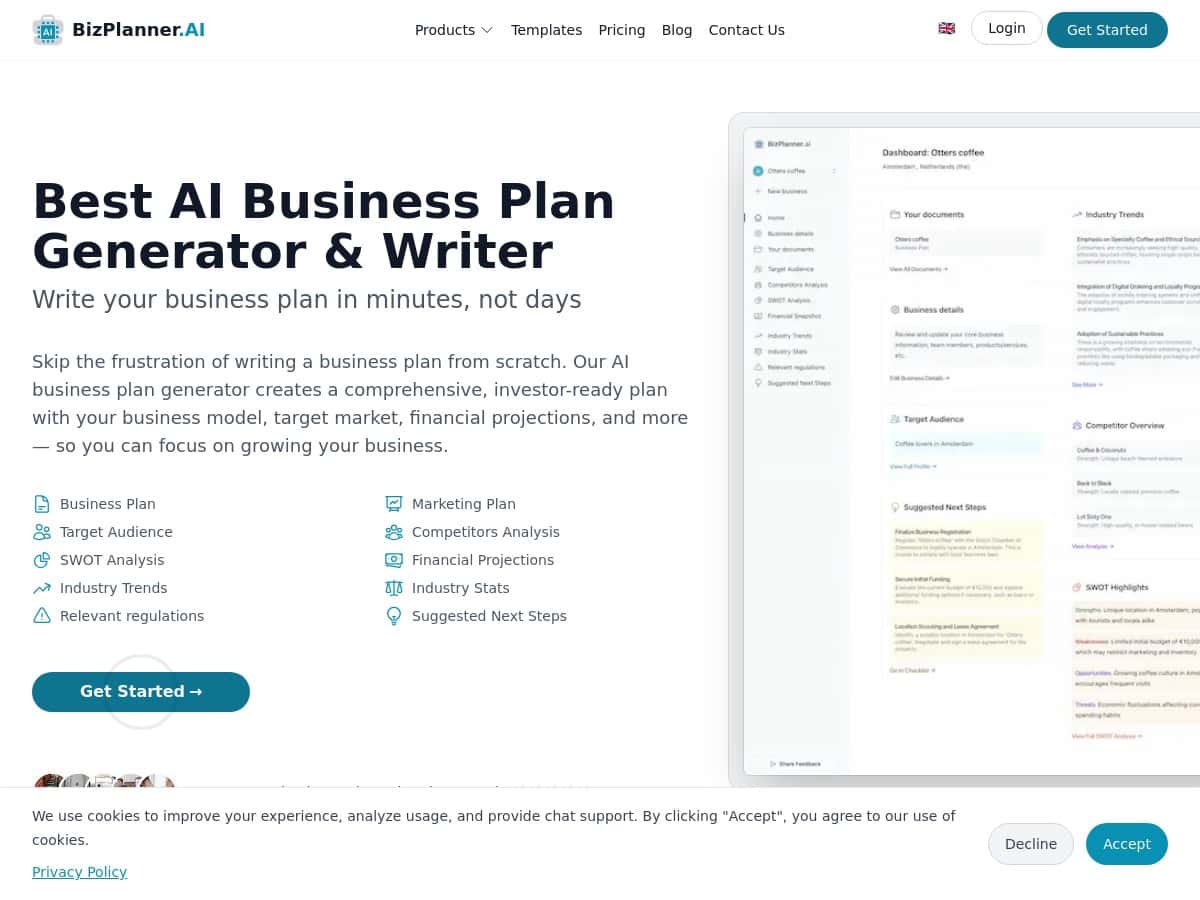
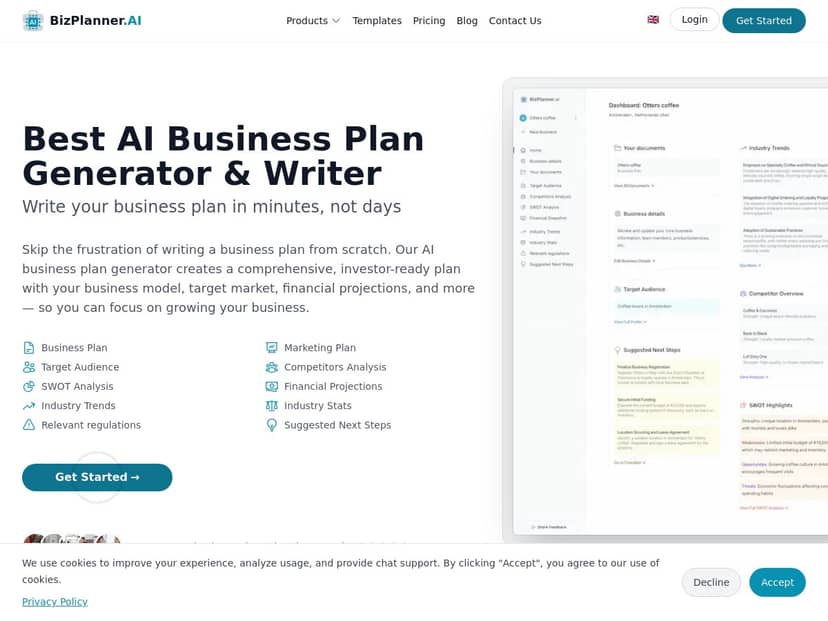
What the output looked like: the plan came back with the expected sections—executive summary, market analysis, competitor analysis, risk analysis, and financial projections. The writing style was polished enough that it didn’t read like random filler. The in-browser editor also made it pretty easy to correct wording without breaking everything.
Regeneration (where I tested the real value): I regenerated two sections: (1) the market analysis and (2) part of the financial assumptions. On the first pass, the market narrative was solid, but it was a little generic about “customer segments” and the “why now.” After regenerating, the customer profiles got more specific (job-to-be-done language and clearer buying triggers). For the financials, the first draft had numbers that were plausible, but the assumptions were more “average-case” than “my case.” Regenerating helped align the projections with the pricing and capacity I entered.
To make this concrete, here’s an example of the kind of executive summary text I got (paraphrased, but based on the structure and phrasing that showed up):
- Executive Summary (example excerpt): “We provide [service] to [target area/customer type] with a focus on [value proposition]. Our competitive edge is [speed/quality/experience], supported by [marketing approach]. We project ramp-up over the first 12 months, reaching profitability as utilization grows.”
- Risk Analysis (example excerpt): “Key risks include customer acquisition cost volatility, seasonal demand swings, and competitive pricing pressure. Mitigation includes refining acquisition channels, building repeat-customer retention, and maintaining service quality to justify pricing.”
Those aren’t magic words—they’re the kind of statements investors expect to see. The difference is whether they connect logically to your inputs. In my case, they did, but I still had to adjust a few places where the AI assumed a slightly different ramp timeline than what I intended.
Formatting & editing: I liked that the editor didn’t feel like it was fighting me. I could tweak sentences, adjust a bullet list, and keep going. Exporting also worked smoothly: the PDF looked like a clean document rather than a broken copy/paste situation.
One limitation I noticed: if you don’t provide enough detail (especially around pricing, capacity, or target customer volume), the tool will fill in assumptions that may not match your reality. That means you still need to sanity-check the projections. No tool can skip that part—at least not one that’s priced like this.
Key Features: what BizPlanner AI includes (and how it shows up in the plan)
- AI Business Plan Section Generator for core sections like executive summary and risk analysis. In my test, it generated coherent paragraphs plus bullet-style risk items that were easy to edit.
- Target Audience Analysis that breaks down customer profiles. What I noticed: it didn’t just list demographics—it included motivations and “why they’d choose you,” which is what most plans need.
- Competitor Analysis that highlights strengths and weaknesses. The output typically reads like a comparison section you can actually present, not just a list of competitors.
- Financial Projections including startup costs, revenue estimates, and profitability. The numbers were reasonable, but I still had to check assumptions (especially ramp-up and utilization).
- Industry Trends and Stats tailored to your market. The tool references trends in a way that supports the narrative, rather than dropping random stats without context.
- Regenerate Document feature so you can rewrite and refine sections. I used it twice and it improved alignment with my inputs.
- In-Browser Editing for customization and formatting. This matters—if you can’t quickly adjust text, the whole “AI drafting” idea falls apart.
- Export Options in PDF and Word formats. My PDFs came out clean, and the Word export was usable for further edits.
If you’re wondering whether the “regenerate” button is just fluff: in my experience, it’s most useful when you want to tighten a specific section (market positioning, customer segments, or the assumptions behind the projections). If you regenerate everything blindly, you’ll end up chasing consistency across sections.
Pros and Cons: the honest version
Pros
- Fast first draft. I got a complete plan outline quickly—fast enough to start editing immediately.
- Sections are actually connected. The market narrative and risk language weren’t totally disconnected from the rest of the plan.
- Editing is practical. The in-browser editor made it easy to fix wording and tighten bullets.
- Regeneration helps when you target it. Regenerating only the market analysis and financial assumptions improved alignment with my inputs.
- Export looks professional. PDF/Word outputs were clean enough to share (with your edits, of course).
Cons
- You still need to verify assumptions. If your inputs are vague, the projections will be “reasonable guesses,” not guarantees.
- It’s not a substitute for expert review. If you’re fundraising, you’ll want a second set of eyes—especially on unit economics and market sizing.
- Regenerations can create inconsistencies. If you change pricing or capacity later, you may need to regenerate or manually edit multiple sections to keep everything aligned.
Pricing Plans (and how it compares to alternatives)
BizPlanner AI is a one-time fee of $9.99. In my test, that covered generating a full business plan plus two free regenerations so you can refine sections without paying again immediately. I didn’t hit any paywalls mid-document while I regenerated the specific parts I mentioned earlier.
What I can confirm from using it: the tool includes core plan sections and uses regenerations to rewrite content. What I can’t fully verify without seeing your exact checkout page is the fine print like exact limits on exports, supported formats beyond PDF/Word, or any word-count caps—so I’d treat those as “check before you buy” items.
Who this is best for: founders who need a solid first draft, want to move fast, and are willing to do the final sanity-check on numbers.
Who should consider alternatives instead:
- LivePlan: better if you want ongoing planning, scenario tracking, and a more guided budgeting workflow (but it typically costs more).
- Upmetrics: useful if you like structured templates and interactive planning, especially for startups that want a more “planner app” feel.
- SBA resources + templates: great if you’re applying for loans or grants and want official guidance—though you’ll still be doing the writing work.
Here’s a quick decision checklist I used (and I recommend you do too) before you call your plan “done”:
- Assumptions: do your revenue and cost assumptions match your inputs (pricing, capacity, customer volume)?
- TAM/SAM/SOM: if the plan includes sizing, does it use realistic logic—or does it just name big numbers?
- Unit economics: do you have at least a basic view of margin per job/unit and what it takes to break even?
- Competitors: are competitors described in a way that explains “how we win,” not just a list?
- Risks + mitigation: do risks connect to your actual situation (seasonality, acquisition costs, staffing), or are they generic?
Bottom line: for $9.99, BizPlanner AI gives you a strong draft foundation. It won’t replace your judgment, but it can save you days of staring at a blank page.
Wrap up
After using BizPlanner AI, I’d describe it as a “draft generator you can actually edit,” not a magic investor document. It’s quick, the sections are well-structured, and regeneration is genuinely helpful when you use it on the parts that matter. If you’re a startup founder who needs a professional plan fast—and you’re comfortable checking the numbers yourself—this is a pretty solid option.