Table of Contents
If you’ve ever felt overwhelmed by all the noise about book funnels, you’re not alone. Figuring out how to set one up can seem super confusing and frustrating, especially if tech stuff makes your brain hurt.
Good news, though—you’re about to find out exactly how a book funnel actually works, step by step, without any confusing jargon. By the time you’re finished reading, you’ll know exactly how to get more readers eager to grab your book.
Ready to finally tackle this funnel thing? Let’s jump right into the steps.
Key Takeaways
- Pick the best funnel type based on your goal—free giveaways for list building or low-cost offers for generating sales.
- Clearly set one main goal, like email sign-ups or sales, and make sure every step of your funnel supports that goal.
- Create your book around a specific problem or desire your audience genuinely cares about.
- Your funnel page should be simple and clear—highlight a benefit, have a strong call-to-action, and include quick opt-in forms.
- Use easy tools like Wix, ConvertKit, or Gumroad for your funnel pages, email automations, and payments.
- Set email automation with a welcome sequence to deliver promised content immediately and build a genuine relationship.
- Regularly test different headlines, visuals, buttons, and pricing to find what gives you better results.

Step 1: How Do I Choose the Right Funnel Type for My Book?
Choosing the right book funnel depends on your overall goals and the type of content you’re offering readers. For example, if you want to build your author email list rapidly, a free book funnel (a giveaway of your ebook or first few chapters) makes perfect sense. However, if you’re aiming for immediate monetization, a sales book funnel with a clear upsell or special offer is the way to go.
Here are a few popular funnel types that’ll help you decide:
- Free Plus Shipping Funnel: Readers pay only shipping costs for a physical book. Great for establishing credibility and breaking even on ads.
- Lead Magnet Funnel: Offers a free resource such as an ebook, audiobook, or bonus material in exchange for an email subscription.
- Tripwire Funnel: A low-priced book ($0.99-$7.99) to convert casual browsers into paying customers.
- Membership Funnel: Offer exclusive content to generate recurring revenue through subscriptions.
An effective strategy is to choose more than one funnel type over time, testing to see what resonates best with your readers. Keep in mind that the average sales funnel conversion rate is around 2.35%, but well-tailored book funnels can hit 5% or higher—so don’t stress if initial numbers look low. Improving your funnel is an ongoing, iterative process.
Step 2: How Do I Clearly Define the Goal of My Book Funnel?
Clearly defining your book funnel’s goal is the backbone of successful book marketing. Ask yourself a simple yet important question: “What exactly do I want readers to do once they enter this funnel?” The answer could be subscribing to your email list, purchasing a low-priced offer, or even signing up for a premium course or coaching session.
Here are some clear and practical goals to focus on:
- Email list building: Offering valuable freebies in exchange for email addresses. Many authors have successfully grown huge followings by consistently providing meaningful content.
- Breaking even on paid ads: Using the funnel to cover the costs of your advertising budget, so your marketing expenses pay for themselves.
- Increasing brand recognition: Getting your name out there and establishing yourself as an expert or trusted storyteller.
- Driving impulse purchases: Offering attractive discounts or time-sensitive sales to encourage quick conversions.
Once you set this primary funnel goal, it’s easier to craft engaging landing pages, emails, and follow-up sequences designed to hit your target. Knowing your aim upfront lets you strategically pick content, offers, and promotions that’ll resonate best with your target audience. For instance, if you’re writing fiction, you might use creative writing prompts for the winter season to attract the right audience to your funnel.
Step 3: How Do I Write a Book That Solves My Audience’s Problem?
Writing a book that solves your audience’s specific problem is the most effective way to ensure your funnel resonates deeply. Successful book funnels aren’t just flashy marketing—they must genuinely deliver content that readers find useful, relevant, or enjoyable.
Here’s how to make sure your book directly targets your audience’s needs:
- Identify their biggest struggles or interests: Conduct surveys, read social media comments, or explore discussion forums where your target readers hang out to get a clear picture of their concerns or desires.
- Narrow down the focus: Instead of addressing too many topics, make your book specific and actionable. Readers prefer detailed solutions over general information.
- Provide clear, practical answers: Deliver step-by-step guides, realistic examples, and actionable insights so readers can apply your ideas effectively. For example, if readers want to publish traditionally but don’t know how, you could share in-depth tips about publishing a book without using an agent.
- Craft relatable stories and examples in your narrative: Real-life anecdotes and experiences humanize your book, making readers genuinely connect to your material.
Remember, solving a reader’s problem builds trust and rapport, encouraging them to take further action within your funnel. Whether your book is fiction or nonfiction, always think of your reader’s perspective—give them genuine value above everything else.
Step 4: How Do I Create Effective Book Funnel Pages That Convert?
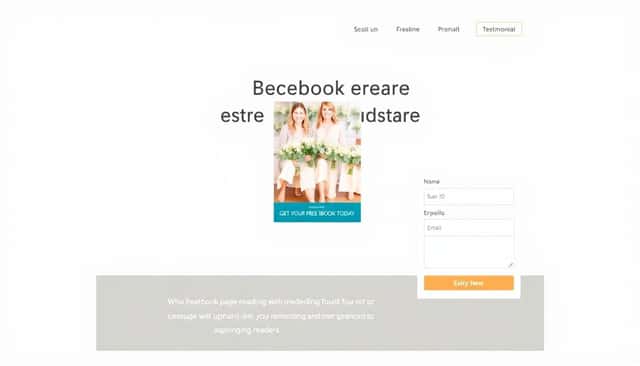
The key to effective book funnel pages is simplicity, clarity, and a clear value proposition right off the bat.
Your landing page is where you need to grab their attention fast and explain exactly why readers should care about your book.
Focus headlines on problems or desires that readers have, offering your book as the answer they’re looking for.
Make sure your call-to-action (CTA) buttons are easy to spot with short, direct messaging like “Get Your Free Ebook Today” or “Claim Your Discount.”
Here’s exactly what you’ll need to build effective pages:
- Dedicated Landing Page: Include a visually appealing book cover, a short but compelling blurb, reader testimonials if you have them, and a clear CTA.
- Opt-in Form: Stick to basics—just name and email—to avoid form friction (people leaving because forms are too long).
- Sales Page (for paid funnels): Give more detailed info, highlight key benefits of your book, author credibility, and emphasize any bonuses or limited-time offers.
- Thank You & Upsell Pages: After opt-ins, provide opportunities to upsell related products or gently suggest sharing your book funnel with friends.
Keep in mind that optimized landing pages can boost your conversions by up to 300%, according to recent studies by Wordstream.
So try experimenting with your landing page design, headings, and even colors to find the best combination that works for your audience.
Step 5: What Are the Best Tools and Platforms I Can Use for My Book Funnel?
The best funnel tools I’ve seen authors use are simple, affordable, and don’t require coding or heavy technical skills.
First up, a reliable landing page builder is essential—tools like Squarespace and Wix are user-friendly and ideal for authors who want stunning, conversion-optimized pages without tech headaches.
Then you’ll need an email marketing platform, and MailerLite or ConvertKit are excellent options since they’re author-friendly, affordable, and easy to automate with funnels.
You might also consider sales funnel specialists like ClickFunnels if you’re looking for advanced upsell pages, sales automation, or built-in payment integration.
If your book funnel involves ebooks, whitepapers, or exclusive guides, don’t underestimate the power of beautifully formatted materials—use user-friendly software like Atticus or even Canva to design polished PDF downloads that’ll impress readers.
And if you plan to sell ebooks directly off your site, Gumroad or Payhip are perfect (and simple) payment solutions.
With the right combination of landing pages, emails, and sales tools, your funnel becomes way less intimidating and way more effective.
Step 6: How Do I Set Up Email Automation for My Book Funnel?
Setting up automated emails is pretty straightforward, but it takes careful planning to get right.
Start by mapping out what happens once someone enters your funnel.
Immediately after a reader signs up, they’ll need a welcome email delivering whatever you promised—an ebook, first chapters, or bonus materials.
A good welcome series typically has 3-5 emails delivered over the first week.
Here’s what a strong initial email automation sequence looks like:
- Email 1 (Immediate): Deliver the promised content and briefly introduce yourself. Set clear expectations about what they’ll get from you.
- Email 2 (after 1–2 days): Follow up by offering more value—extra tips, a relevant blog post, or deeper insights related to your book’s topic.
- Email 3 (2 days later): Build connection by sharing something personal or storytelling—something that personally connects you with your reader’s needs or emotions.
- Email 4 (about 1–2 days later): Introduce your paid product or next step—maybe a discounted offer or another helpful resource to keep momentum going. You might encourage readers interested in different genres to check out your specialized guides—for example, how children’s book authors can get started with creating children’s literature.
- Email 5 (final email, 1–2 days later): Softly nudge readers who haven’t taken any action yet by reminding them about your offer, gently expressing urgency or highlighting testimonials and user results.
Btw, according to Forrester’s research, effective lead nurturing generates about 50% more sales leads at 33% lower cost per lead—so email automation is absolutely worth your time.
Step 7: What’s the Best Way to Test and Improve My Book Funnel Performance?
Honestly, testing is probably the least-sexy part of funnel building, but it’s also the most essential.
Call it optimizing, call it fine-tuning—whatever—just make sure you DO it.
Your number-one friend here is A/B testing, meaning you’ll simultaneously test two versions of your funnel (say, different headlines or colors, maybe different CTAs) to see which one works better.
Here are the things you’ll definitely want to test:
- Headlines and Subheads: Test emotional vs straightforward versions to see what resonates most.
- Book Cover Visuals: You’d be surprised how big of a difference changing a cover graphic can make.
- CTA Button Colors and Text: Small tweaks here can lead to big results—I’ve seen cases where just changing button color increased conversions by 30%!
- Email Subject Lines and Copy: Run different versions to find out what gets you higher opens and clicks.
- Pricing and Offers: See whether visitors prefer discounts, bonuses, or bundled products.
- Mobile Optimization: Titbit for ya—optimizing for mobile can boost your mobile conversions by up to 160%, per Wordstream.
Also, pay attention to cart abandonment—industry averages hover at nearly 70%.
If that’s happening on your paid book funnel, consider adding retargeting ads; tools like Facebook Ads or Google Remarketing can boost your conversions by 147% just by reminding visitors who left without purchasing to return and give your funnel another chance.
Track the important numbers (take it from me: traffic, opt-in rates, cart abandons, email opens, clicks, sales conversions) religiously.
Running regular performance checks lets you quickly address weaknesses and continuously boost results.
FAQs
Common book funnel types include free-plus-shipping offers, lead magnet funnels, direct sales funnels, and webinar funnels. Each type suits different goals, budgets, and audience preferences. Pick a funnel aligned to your goals and strategy.
Choose funnel tools based on ease-of-use, integration with email marketing software, affordability, and flexibility for customization. Popular tools like ClickFunnels, LeadPages, and Thrive Architect are user-friendly and provide reliable solutions for book funnels.
Track metrics like click-through rates, conversion rates, email open rates, landing page bounce rates, and overall funnel ROI. Regularly monitor these numbers to identify bottlenecks and opportunities to boost your funnel’s results.
Include a compelling headline, clear benefits of the book, an engaging visual, concise book summary, testimonials, and a clear call-to-action. Keep it short and straightforward to maintain attention and maximize conversions.