Table of Contents
If you’re trying to get more attention for your book, a book trailer is one of those tools that can actually move the needle. I’ve seen the difference firsthand: when people scroll past your cover, a short video gives them something they can feel in 10 seconds—mood, voice, vibe. And yes, it can outperform a wall of text or a basic ad, especially on social media where nobody’s sticking around long.
In my experience, the best trailers don’t try to “explain the whole plot.” They tease the promise of the story. Think: a movie trailer, but for readers who want to know, “Is this my kind of book?”
Below, I’ll walk you through how I plan, script, and assemble a trailer that’s tight, clear, and easy to share—plus the little tweaks I tested to improve clicks.
Key Takeaways
- Keep it short (and structured). I aim for 45–75 seconds for most promos. That usually means: hook (0–10s), setup (10–25s), stakes + tone (25–45s), proof + CTA (45–75s). Under two minutes is the safe ceiling.
- Match visuals + music to your genre. Don’t use “generic cinematic” if you’re writing romance, and don’t use cheerful music for horror. I also add captions because a lot of people watch with sound off—especially on Instagram and TikTok.
- Make the CTA specific. “Read more” is vague. I prefer something like “Pre-order on Amazon” or “Get the first chapter free”, and I show the link/cover text for 2–3 seconds so people don’t miss it.

A book trailer is a short, engaging video that promotes your book. It’s basically a mood + hook package: you show the setting, the emotional tone, and the reason someone should care—without turning it into a spoiler-filled summary. Done well, it helps readers “get” your book faster than they would from a description alone.
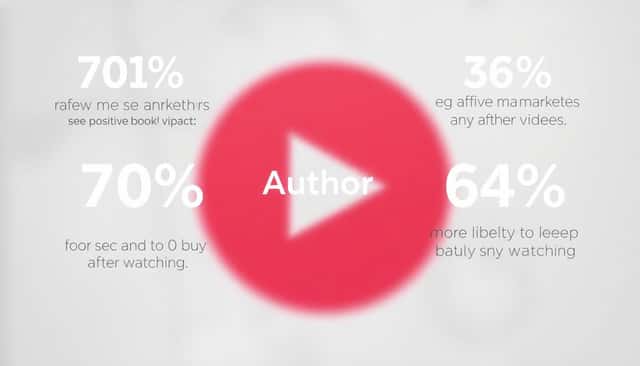
I’ll be honest: the marketing stats can be helpful, but they’re not magic. They’re a nudge that video tends to perform. For example, eliteauthors.com reports that 70% of marketers see positive results from video campaigns (eliteauthors.com). Another source, thefussylibrarian.com, states that readers are 64% more likely to purchase after seeing a trailer (thefussylibrarian.com). I treat these as general motivation—then I focus on what I can control: clarity, pacing, and the CTA.
1. What a Book Trailer Really Is (and Why It Helps)
At its core, a book trailer is a miniature advertisement. But what makes it work is that it combines visual storytelling + sound design + short text to communicate your book’s vibe quickly.
Here’s what I’ve noticed: people don’t need the plot. They need the feeling. If your thriller trailer feels tense, your romance trailer feels warm, and your fantasy trailer feels immersive—people click because they recognize themselves in the mood.
2. Plan Like a Producer: Pick 1–2 “Core Promises”
Before you touch Canva or any editor, I recommend writing down your book’s core promises. Not themes in general—actual promises your audience cares about.
Examples:
- Thriller: “Fast-paced mystery,” “unreliable narrator vibes,” “danger in every chapter.”
- Romance: “Meet-cute to slow burn,” “emotional payoff,” “chemistry-first.”
- Fantasy: “Magic system intrigue,” “found family,” “epic stakes.”
Then build your trailer around those promises. Everything else is just support.
3. Script Your Trailer (Use a Real Timeline, Not Vibes)
This is where most trailers get weak—people write paragraphs and then wonder why the video feels slow.
Instead, I script by time. Here’s a simple 60-second storyboard I’ve used for promos:
- 0–8s (Hook): Big tone statement + visual. Example text overlay: “Some secrets don’t stay buried.”
- 8–20s (World + Character): Show setting + who we’re following. Example: “A small town. A missing person. No one’s telling the truth.”
- 20–40s (Stakes): Escalate quickly. Use 3–4 rapid shots or image cuts with short lines.
- 40–52s (Proof / Credibility): One line review snippet or “Book X in the series” or “Award-winning author” (only if true).
- 52–60s (CTA): Title + buy link. Example overlay: “Pre-order today” + where.
Quick script excerpt (fill-in-the-blank style):
“When [inciting incident] happens, [main character] has to decide: trust the truth… or survive the lie. This is a [genre] story about [core promise #1] and [core promise #2]. If you love [specific reader interest], you’ll want to meet [character name].”
Then end with the CTA. No rambling.
4. Pick Visuals + Music That Fit Your Genre (and Your Audience’s Expectations)
Sure, “matching mood” sounds obvious. But here’s what I actually do: I choose visuals and music based on how my target readers already expect the genre to feel.
Genre-to-vibe cheat sheet:
- Horror / Thriller: darker palette, heavier shadows, slower motion; music with tension (minor keys, low drones), subtle sound effects.
- Romance: warmer lighting, softer transitions, close-up emotional moments; music that feels light-to-emotional, not “action trailer” energy.
- Fantasy / Sci-fi: layered textures, maps or worldbuilding graphics; music with atmosphere + progression (so it doesn’t feel random).
Practical audio settings I recommend:
- Keep music at about -18 to -12 LUFS for typical editing workflows (you want it present but not overpowering).
- If you add voiceover, aim for voice to be 6–10 dB louder than the music when it’s speaking.
- Fade music in/out over 0.5–1.0 seconds so cuts don’t feel jarring.
Also: avoid copyrighted tracks unless you’re sure you have rights. That’s a fast way to lose your trailer later.
5. Make It With Simple Tools (Or Hire Help—But Know What You’re Paying For)
If you’re starting out, tools like Canva and Animoto can get you a clean result without learning video editing for weeks. I used templates early on because the layout structure matters more than people think.
If you hire someone, ask what’s included:
- Script writing help or just editing?
- Custom typography / titles or template-only?
- Captions and multiple formats (9:16, 16:9)?
A “professional-looking” trailer isn’t just pretty—it’s readable on a phone in under a second.
6. The Best Length: 45–75 Seconds (Usually)
I don’t love the “under two minutes” rule because it’s too broad. In practice, 45–75 seconds is a sweet spot for most book trailers.
Why? Viewers decide quickly. If you’re still introducing characters at 90 seconds, you’ve already lost them.
My pacing target: a new visual every 1–3 seconds, with text overlays that last 1.5–2.5 seconds.
7. Add a Call-to-Action That Doesn’t Feel Like a Guess
End with one clear next step. Not five.
Here are CTAs that work because they’re specific:
- “Pre-order on Amazon”
- “Read the first chapter free”
- “Get your copy today (link in bio)”
Also, I recommend showing the title + CTA on screen long enough to read. For me, that’s about 3 seconds for the final card.
8. Promote It Where Readers Actually Hang Out
Don’t just upload and hope. I treat promotion like a checklist:
- Website: embed the trailer near the book description (top third of the page).
- Amazon/retailer pages: if supported, add the trailer link or embed.
- Social: post native video when possible (not just a link).
- Email: include the trailer in a launch email and a reminder email.
And yes—hashtags matter, but they’re not a substitute for a good hook.
9. My “Make It Better” Checklist (Before You Hit Publish)
- Hook in 0–10 seconds: can someone tell the genre instantly?
- No spoilers: no “and then the twist happens” energy.
- Readable text: high contrast, not tiny fonts.
- Captions on: I always add them for social.
- Audio quality: no muffled dialogue, no music overpowering everything.
- CTA visible: title + where to buy are easy to spot.
- Exports: 9:16 for Stories/Reels/TikTok and 16:9 for YouTube/Facebook.
10. Common Concerns (Costs, Time, and “Will This Even Work?”)
Let’s talk real life. Yes, video can cost time. But you don’t need fancy gear to start.
If you’re worried about money, you can DIY with stock footage + your own cover art + a solid script. If you’re worried about time, use a template structure and focus on pacing and readability.
And if you’re worried it won’t work—here’s what I’ve learned: it usually comes down to one of three things: the hook is too slow, the message is too vague, or the CTA is unclear. Fix those and you’ll see improvement.
11. Use Data Without Making Stuff Up
I like using numbers in my posts because it gives people a reason to take action. But I also don’t throw random percentages into the void.
Use the stats you can point to. For example:
- eliteauthors.com: 70% of marketers report positive results from video campaigns (eliteauthors.com).
- thefussylibrarian.com: readers are 64% more likely to purchase after seeing a trailer (thefussylibrarian.com).
Then connect it to your own goal: “If you’re interested in [genre], watch this trailer and grab your copy.” Simple.
12. Optimize for Platforms: Format, Thumbnails, Captions
This is one of the biggest “hidden” factors. A trailer that looks great on a laptop can flop on a phone.
What I optimize for:
- Format: export 9:16 for Shorts/Reels/TikTok and 16:9 for YouTube.
- Thumbnail: choose one frame where the title is readable. I keep overlay text to 3–5 words max.
- Captions: turn them on by default. Even if your music is great, captions keep retention up for silent viewers.
- Speed: test load time and playback. If it buffers, people bounce.
And yes, I’ve tested posting times. Sometimes the difference isn’t the trailer—it’s whether your audience is online.
13. Branding That Doesn’t Distract
Branding should help people recognize you, not steal attention from the story.
Here’s what I keep consistent:
- Author name placement (same corner every time)
- Font family for title cards
- Color palette (based on your cover)
Also include your website or social handles subtly—like a small footer or end-card. People want a next step.
14. Testimonials: Use Them Sparingly, Make Them Specific
Testimonials can work, but only if they’re short and believable.
I recommend:
- One quote max (or two very short ones)
- Include the reviewer name or handle (if you have permission)
- Use quotes that match the reader promise (e.g., “couldn’t put it down” for thrillers)
Don’t cram in 10 reviews. That turns your trailer into a scrollable ad instead of a teaser.
15. Test Trailer Styles (Then Double Down)
Try different approaches, but keep your core message the same.
Common formats that can work:
- Animated text overlays over your cover + key scenes
- Narrated slideshow (great for short budgets)
- Stock footage montage with sound effects
- Voiceover trailer if your voice matches the genre vibe
My rule: change one major variable at a time. If you swap the script and the thumbnail and the music all at once, you won’t know what actually caused the change in performance.
16. SEO for Video: Keywords, Tags, and a Description That Converts
Video SEO is real. Not because it’s “magic,” but because your description and tags help platforms understand what your trailer is about.
YouTube description structure I use:
- First line: the book title + author + genre. (This shows in previews.)
- 2–3 lines: a short hook summary (no spoilers).
- Link(s): buy link, newsletter link, or “free first chapter.”
- Hashtags: 3–5 relevant ones (don’t spam).
- Timestamp (optional): if you have distinct sections.
Example optimized description (copy/paste template):
[Book Title] by [Author]. A [genre] story about [core promise #1] and [core promise #2].
In this trailer, you’ll get a taste of the tone, the stakes, and what makes the story addictive—without spoilers.
Grab your copy: [Amazon/Book link]
Free first chapter: [link]
#BookTrailer #YourGenre #IndieAuthors
Keyword ideas by genre (starter sets):
- Thriller: “book trailer thriller,” “mystery novel trailer,” “suspense book,” “dark romance thriller” (if applicable)
- Romance: “romance book trailer,” “second chance romance,” “slow burn romance,” “contemporary romance”
- Fantasy: “fantasy book trailer,” “epic fantasy,” “magic adventure,” “worldbuilding fantasy”
Use these naturally in the description. Don’t keyword-stuff—readers can tell.
17. Track Performance and Make One Change at a Time
Most platforms give you basic analytics: views, watch time, shares, clicks. I check those before I assume the trailer “failed.”
If you’re not getting views, try:
- Thumbnail change (readability + stronger hook text)
- Description rewrite (first line matters)
- Posting time + day (seriously, it changes results)
If you’re getting views but not clicks, try:
- Stronger CTA card (more specific)
- Shorten the video by 5–15 seconds
- Move the title earlier so people don’t forget what they clicked
18. Bundle the Trailer With Other Content
A trailer performs better when it’s part of a mini launch package.
Pair it with:
- Behind-the-scenes posts (how you wrote the opening scene)
- Cover reveal + trailer
- Author Q&A or a short “why I wrote this” clip
- Reader incentive: “Watch the trailer + comment your favorite trope”
In my experience, this creates more touchpoints, and touchpoints are what turn casual viewers into actual readers.
19. Small Creative Tricks That Actually Increase Retention
These aren’t gimmicks—they’re attention tools.
- Animated text overlays for key lines (not everything, just the important bits)
- Quick cuts when the stakes rise (1–2 frames faster than you think)
- Sound effects at transitions (subtle whooshes, door creaks, page flips)
- Curiosity questions like: “What would you do if you found the truth first?”
If your trailer feels memorable, it’s usually because the pacing and the message are crisp—not because you used 12 effects.
20. Launch It With a Plan (Not Just a Post)
Here’s a launch schedule approach that’s realistic for most authors:
- 3–5 days before: teaser post (one quote or one scene)
- Release day: trailer post + link in bio + pinned comment with the buy link
- 1–2 days after: reminder email or short “final call” story
- Week 1: share reactions, reviews, or reader screenshots
Then follow up with an offer if you have one—free chapter, bonus scene, or a limited-time discount (if it fits your strategy).
FAQs
A book trailer is a short video that promotes your book. It helps readers understand your tone and genre faster, which can increase interest and support your author brand.
Start with your book’s main appeal (1–2 core promises). Write a short, time-based script (hook, stakes, CTA). Use visuals and music that match your genre, add captions, and end with a specific call-to-action like “Pre-order on Amazon” or “Get the first chapter free.”
Most effective trailers land between 30 seconds and 2 minutes. If you want a practical target, aim for 45–75 seconds so you keep attention without rushing the message.