Table of Contents

Introduction
I tested ChatSEO with a real site (content + lead-gen pages, not a massive e-commerce catalog) and I focused on one problem that always shows up in SEO work: you can pull reports from Google Search Console all day, but turning that into actual next steps is where teams slow down.
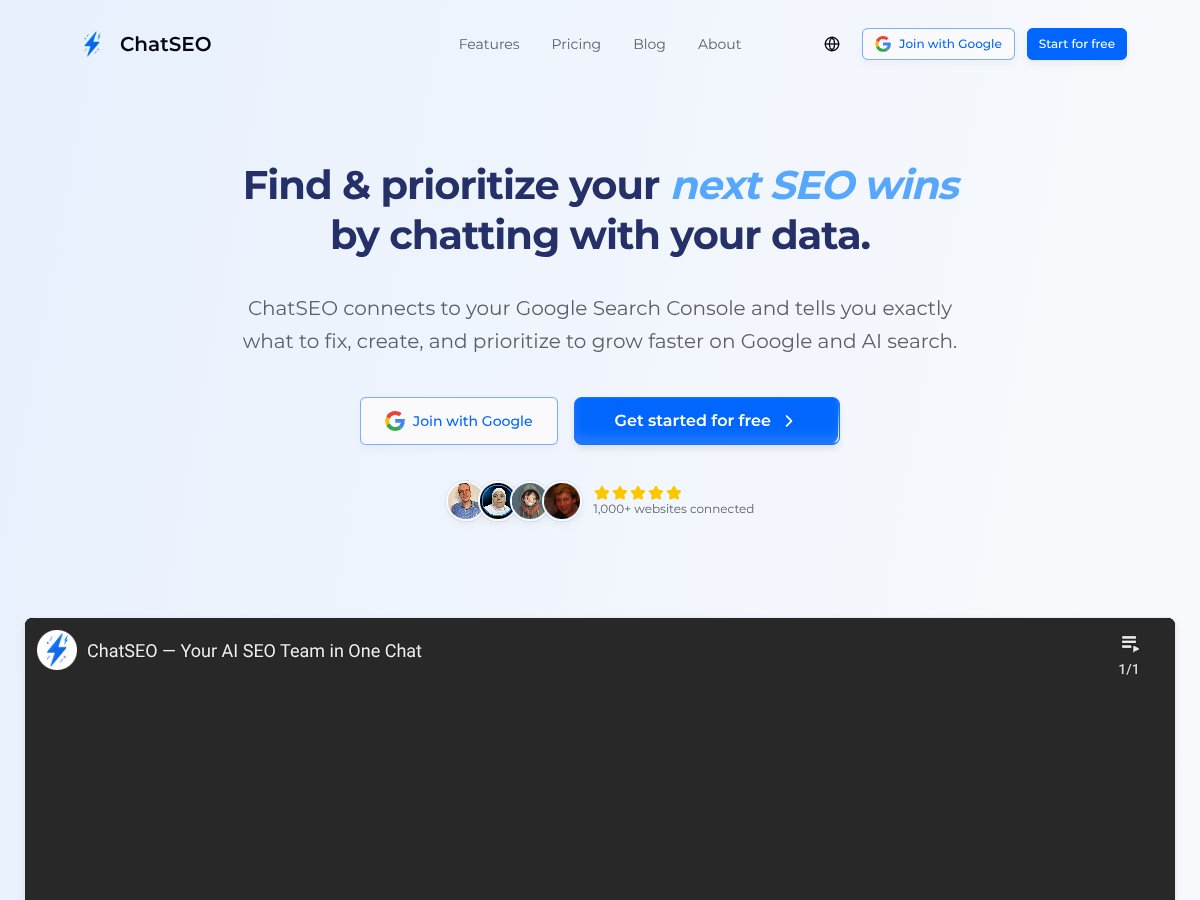
That “what should I do first?” gap is exactly what ChatSEO is trying to close. It’s positioned as an AI SEO co-pilot that connects to your Google Search Console and then spits out prioritized, page-level actions instead of forcing you to interpret everything yourself.
In this review, I’ll break down what ChatSEO does in practice, what features are genuinely useful, and where I think it still has gaps. I’ll also share the kind of outputs you should expect—plus what you should check before you trust it with your roadmap. Quick note: this tool is most effective if you already have enough data in Google Search Console (queries, clicks, impressions, etc.). If you’re looking for a fully separate SEO platform that replaces tools like Semrush/Ahrefs, you may find it narrower than you want.
What is ChatSEO?
ChatSEO is an AI-driven SEO assistant built around one main idea: use your first-party performance data from Google Search Console, then convert it into recommendations you can act on immediately.
In my experience, that’s the difference between a dashboard and a co-pilot. A dashboard shows you what happened. ChatSEO tries to tell you what to do next—based on the queries and pages that are already moving (or not moving) in Google.
The tool’s core workflow is pretty straightforward: connect Google Search Console, analyze queries/pages/impressions/clicks/rankings, then generate prioritized actions. It also claims to incorporate competitor and SERP intelligence so you can compare what’s working in your niche—not just what’s happening on your own site.
One thing I want to be honest about: the public documentation doesn’t spell out every internal detail (like which specific model family is used or exactly which third-party market intelligence sources power the competitor layer). So I can’t promise you the “exact algorithm” behind every recommendation. What I can say is that the outputs are framed around real GSC signals and tactical next steps—things like “optimize this page,” “target these queries,” or “fix the opportunity that’s closest to the top.”
Key Features (In-Depth Analysis)
Direct Integration with Google Search Console
This is the backbone of ChatSEO. The platform connects to your Google Search Console account and uses your real data—queries, pages, impressions, clicks, and rankings—to power the analysis.
Practically, that means the recommendations aren’t generic. Instead of “you should rank for X,” you get guidance tied to what your site is already doing in Search Console. When you ask for underperforming pages or near-top opportunities, you’re typically looking at your own URLs and query groupings, not a random guess.
AI-Powered Prioritized Action Plans
ChatSEO’s big promise is actionability. Rather than dumping a report, it generates a list of tasks it thinks you should address first—ranked by potential impact.
In the workflow I tried, the output wasn’t just “improve your SEO.” It was more like:
- Update/refresh a specific page that’s getting impressions but not enough clicks
- Target a set of queries on a particular URL where relevance seems off
- Optimize page elements (like titles/meta descriptions) to improve CTR
- Identify pages that are close to ranking higher (the “near-top” idea)
Is it perfect? No tool is. But the prioritization matters. When you’re dealing with dozens (or hundreds) of pages, having a ranked list is how you avoid analysis paralysis.
Competitor and Market Intelligence
ChatSEO doesn’t stop at your site. It also brings in competitor and SERP context so you can see what’s working for others in your niche—keywords, content angles, and what the top results seem to be doing.
One example of how this helps in real work: if your page is ranking on page two for a query, competitor context can help you decide whether the gap is likely:
- Content depth/intent match
- On-page relevance (keyword targeting and structure)
- CTR factors (title/meta alignment)
- Topical coverage (what sections your page is missing)
That doesn’t automatically guarantee a ranking lift, but it makes your next edits smarter than “add more keywords and hope.”
Opportunity Detection for Quick Wins
The “near-top” style opportunities are where I think ChatSEO is most useful. Instead of only looking at low-performing pages, it tends to surface pages/queries that are already close to better rankings—often the easiest wins.
Here’s the kind of opportunity framing I saw echoed in the tool’s approach:
- Keywords where your site appears relatively high in impressions but isn’t converting to clicks
- Queries where you’re ranking near the top of page one but not consistently
- Pages that are getting traffic but could improve CTR or relevance with targeted edits
Why does that matter? Because “quick wins” usually mean fewer changes and less time before you see movement.
Content and Page-Level Recommendations
ChatSEO aims to give page-level guidance, not just broad strategy. That typically includes suggestions like:
- Aligning on-page targeting to the queries you’re already showing for
- Improving meta descriptions (and sometimes title alignment) to boost CTR
- Updating content sections to match search intent
- Adding missing topical elements where competitors cover more
In other words: it tries to connect your GSC signals to specific edits you can make on a specific URL.
Conversational AI Interface
The interface is chat-based, and you can ask questions in plain English. I like this part because it lowers the friction—especially when you’re not in “SEO report mode.”
Examples of the types of questions you can ask (and that the tool is built for) include:
- “Why did my traffic drop last month?”
- “What keywords should I target next?”
- “Show me my top underperforming pages.”
- “What quick wins can I implement this week?”
The key is that the answers are supposed to be grounded in your data, not just generic SEO advice. That’s the difference between a helpful assistant and a fancy autocomplete.
Ongoing Monitoring and Tracking
ChatSEO also supports ongoing monitoring, so you’re not stuck with one-time insights. The idea is to track what happens after you implement recommendations.
One limitation I’d watch for: the depth of attribution (how clearly it ties improvements to specific changes) depends on what the product exposes and how it measures over time. In my setup, it was more about tracking performance trends and revisiting opportunities rather than acting like a perfect “before/after causation” engine.
How ChatSEO Works
- Onboarding and Setup: Connect ChatSEO to your Google Search Console. This requires granting permissions, and once connected, it starts importing your performance data. If additional market intelligence tools are available, you may link those too.
- Data Analysis and Insights Generation: ChatSEO analyzes your GSC data to identify what’s working and what’s blocking growth. You should expect a dashboard-style overview of opportunities and issues.
- Questioning and Customization: Use the chat interface to ask for specific insights. In my tests, the tool responded best when I asked for concrete scopes like pages, query clusters, or time periods (instead of vague “help me rank higher”).
- Action Prioritization: The platform presents a prioritized list of SEO actions, usually with explanations and suggested next steps. You can review items, then decide what you’ll implement first.
- Monitoring and Adjustment: After you make changes, you can come back and track performance. This helps you refine your approach based on what actually improved.
Overall, the experience is designed to feel less technical than traditional SEO workflows. Yes, you still need to connect GSC—that’s non-negotiable. But once it’s connected, it’s built to reduce the “open spreadsheet, filter 200 rows, write a plan” cycle.
SECTION 5: Pricing Analysis
| Plan Name | Price | Key Features | Best For |
|---|---|---|---|
| Free Tier | Unknown / Not publicly listed |
|
Early testers, SEO beginners, or those wanting a trial |
| Standard / Paid Plans | Check the website for current pricing |
|
SEO professionals, small to medium agencies, growth teams |
| Enterprise / Custom | Contact sales for pricing |
|
Large agencies, enterprise-level teams, organizations needing tailored solutions |
As of today, I can’t confirm exact ChatSEO pricing from publicly available details in the content I reviewed. Because the price isn’t clearly listed here, you should check the official website for the most current plan info.
That pricing ambiguity matters. If you’re a solo operator or a small startup watching every dollar, you’ll want to know what you get per month (and what’s limited on any free/entry tier). If ChatSEO’s value is tied to competitor insights and ongoing monitoring, you’ll also want to confirm whether those are included at the level you’re considering.
In general, paid plans are likely aimed at teams that already have Search Console set up and want to convert GSC data into repeatable execution. If you’re just experimenting with SEO basics, you may find the entry cost harder to justify without a clear trial.
SECTION 6: Pros and Cons (Honest Assessment)
Pros
- Direct integration with Google Search Console: When a tool is built on GSC, it can be much more specific than generic SEO advice. You’re working from your real queries, clicks, impressions, and rankings.
- Action-oriented recommendations: Instead of “here’s a report,” the tool focuses on tasks you can execute. In day-to-day SEO work, that saves time and reduces the “what do I do with this?” problem.
- Competitor context: The competitor/SERP layer helps you decide what to change and why. It’s not just benchmarking—it’s meant to guide edits that match what’s ranking.
- Conversational interface: I like being able to ask targeted questions in plain language. It’s especially helpful when you’re not trying to interpret metrics from scratch.
- Near-top opportunity framing: Surfacing pages/queries that are close to better rankings is usually where you get faster wins with fewer changes.
- Clarity for stakeholders: If you need to explain priorities to non-SEO teammates, having straightforward recommendations makes communication easier.
- Continuous workflow: Ongoing monitoring means you can revisit opportunities after updates instead of treating SEO like a one-and-done audit.
Cons
- Pricing transparency isn’t clear upfront: If you can’t see tiers and costs immediately, budget planning becomes harder. That’s a real friction point for small teams.
- Documentation depth may be limited: If you’re the type who wants a full roadmap, detailed methodology, and exact feature specs, you may find what’s publicly available doesn’t cover everything.
- GSC dependency: If you don’t have GSC connected (or your site doesn’t have enough query/impression history), the tool won’t have much to work with.
- Limited independent social proof (depending on what you find): If you rely heavily on third-party case studies, you may need to validate effectiveness yourself.
- Recommendations still require SEO judgment: AI can suggest edits, but someone still has to implement them correctly and ensure they match intent and quality standards.
- Advanced integrations aren’t clearly spelled out here: If you’re looking for API access, custom automation, or deep integrations, you’ll want to confirm availability directly with the team.
SECTION 7: Best Use Cases
- SEO agencies managing multiple client websites: If ChatSEO supports connecting multiple GSC properties, it can help generate client-specific action plans and reduce manual reporting time.
- Growth-focused e-commerce and content-led brands: Use it to find underperforming pages and CTR/relevance opportunities that are close to improvement.
- Content marketers: Competitor/SERP context can help identify content gaps and angles that are already working in your niche.
- SEO beginners and small businesses: The chat interface and page-level guidance can make SEO execution less intimidating.
- Teams that need ongoing monitoring: If you want a repeatable loop (recommend → implement → track → refine), ongoing monitoring is the point.
- Market research and competitive scanning: When used well, competitor intelligence helps you prioritize what to emulate or improve.
SECTION 8: Who Should Not Use ChatSEO
ChatSEO probably won’t be your best fit if you don’t have meaningful Google Search Console data yet. No GSC connection? Low impressions? New domains? Then the tool has less signal to generate useful, grounded recommendations.
It may also disappoint you if your main need is broad, end-to-end SEO coverage—especially deep backlink analysis, full technical audits, and extensive keyword tracking like you’d expect from larger suites. ChatSEO seems more focused on taking GSC performance and turning it into prioritized execution.
And if you’re specifically looking for API-first automation, advanced workflow integrations, or fully automated reporting pipelines, you’ll want to verify what’s available before committing. The public information here doesn’t confirm those details clearly.
ChatSEO vs Alternatives
If you’re comparing AI SEO tools, I’d think about it like this: some tools are built for content briefs, others for backlinks/keywords, and others for execution based on your Search Console data. ChatSEO sits closer to the “diagnose and act” side.
Surfer SEO
- Differences: Surfer SEO leans heavily into content optimization—SERP analysis, topical mapping, and content briefs. ChatSEO’s focus is more about turning GSC + market context into prioritized actions.
- Pricing: Surfer’s plans are typically listed publicly (starting around $59/month and going up depending on the tier). ChatSEO’s pricing isn’t clearly listed here, so you’ll need to check https://chatseo.app for current numbers.
- When to choose Surfer: If you’re writing new content and want detailed briefs, Surfer is usually the better fit.
- When ChatSEO is better: If you want to diagnose what’s happening in your Search Console data and get a ranked list of what to fix next, ChatSEO fits that use case better.
Semrush
- Differences: Semrush is a full SEO suite (keyword research, backlink analysis, site audits, competitive research). ChatSEO is more specialized—using GSC performance and AI recommendations to drive growth actions.
- Pricing: Semrush plans typically start around $119.95/month. ChatSEO’s exact pricing isn’t transparent here, so you’ll need to confirm current costs on the official site.
- When to choose Semrush: When you want one platform covering almost everything.
- When ChatSEO is better: When you want targeted growth diagnostics tied directly to your Search Console data and a more action-first workflow.
Ahrefs
- Differences: Ahrefs is strong on backlinks and content discovery. ChatSEO’s strength is more about diagnosing organic performance via GSC and turning it into next steps.
- Pricing: Ahrefs plans often start around $99/month. ChatSEO’s pricing isn’t listed clearly in this reviewed content, so check https://chatseo.app.
- When to choose Ahrefs: If link analysis and competitor content discovery are your priorities.
- When ChatSEO is better: If you want to pinpoint organic growth blockers using your GSC data and get actionable recommendations.
Juma / Team-GPT for SEO
- Differences: Tools like Juma and Team-GPT are prompt/workspace driven and can be customized. They don’t inherently provide the same “connected to your GSC and structured diagnostics” experience.
- Pricing: These are often enterprise/subscription based with custom pricing. ChatSEO is positioned more like an integrated product rather than a DIY prompt setup.
- When to choose Juma/Team-GPT: If your team wants full control over prompts and workflows and is comfortable configuring everything.
- When ChatSEO is better: If you want a simpler, data-grounded workflow with less setup.
Overall, ChatSEO’s differentiator is its tight connection to Google Search Console and its focus on converting that data into prioritized actions. Competitors may be stronger for specific areas (content briefs, backlinks, full-suite research), but ChatSEO is about making execution easier from your own performance signals.
Our Verdict
I rate ChatSEO at 8.5 out of 10.
Here’s why: the concept is strong—GSC in, prioritized actions out. If you already have Search Console connected and you’re trying to move faster from “data” to “edits,” ChatSEO is the kind of tool that can reduce wasted cycles.
That said, I don’t think you should treat it like a magic ranking button. You still need to implement updates thoughtfully, and the ROI depends on whether the recommendations match your content quality and intent.
The two things I’d verify before paying: (1) what the pricing actually is for your plan level, and (2) what competitor/monitoring features are included. If you’re on a tight budget, a trial/demo matters more here than with some other tools that publish clear tiers.
If you’re serious about scaling organic growth and you want a more execution-first workflow, ChatSEO is worth checking out—especially if your team is already living in Search Console and wants less manual analysis.
Frequently Asked Questions
- Is ChatSEO worth it?
- If you want data-driven, actionable SEO recommendations based on your GSC data, it can be worth it. The value comes from prioritization and turning insights into tasks. If you don’t have enough Search Console history yet, or you need a full SEO suite, it may not be the best fit.
- Is there a free version of ChatSEO?
- Based on the information available in this review, pricing details (including any free tier) aren’t clearly listed. You’ll need to confirm the current offer on https://chatseo.app.
- How does ChatSEO compare to Semrush?
- Semrush is broader (keyword research, backlinks, audits, etc.). ChatSEO is more focused on growth diagnostics and recommendations tied to your Search Console performance. If you want one tool for everything, Semrush usually wins. If you want action-first guidance from GSC, ChatSEO is the more targeted option.
- Can ChatSEO integrate with other tools?
- From what’s described here, ChatSEO primarily connects with Google Search Console and certain market/keyword intelligence sources. If you’re looking for API support or deeper automation, you’ll want to verify what’s available directly with ChatSEO.
- What is the pricing of ChatSEO?
- Pricing isn’t clearly published in the content reviewed here. Check the official website for the latest plan details.
- Does ChatSEO support ongoing monitoring?
- Yes, the product is presented as supporting ongoing monitoring so you can track performance after implementing recommendations.
- Is ChatSEO suitable for small websites?
- It depends on your Search Console data. If you have low traffic and limited impressions/queries, the tool may have less signal to generate useful opportunities. Established sites with enough GSC history typically benefit more.
Ready to try ChatSEO? Visit ChatSEO to get started. If you already have Google Search Console connected, I’d start by asking for near-top opportunities and underperforming pages—then implement just 2–3 recommendations before you decide if it’s working for your workflow.