Table of Contents
What Is ChewIQ, Really?
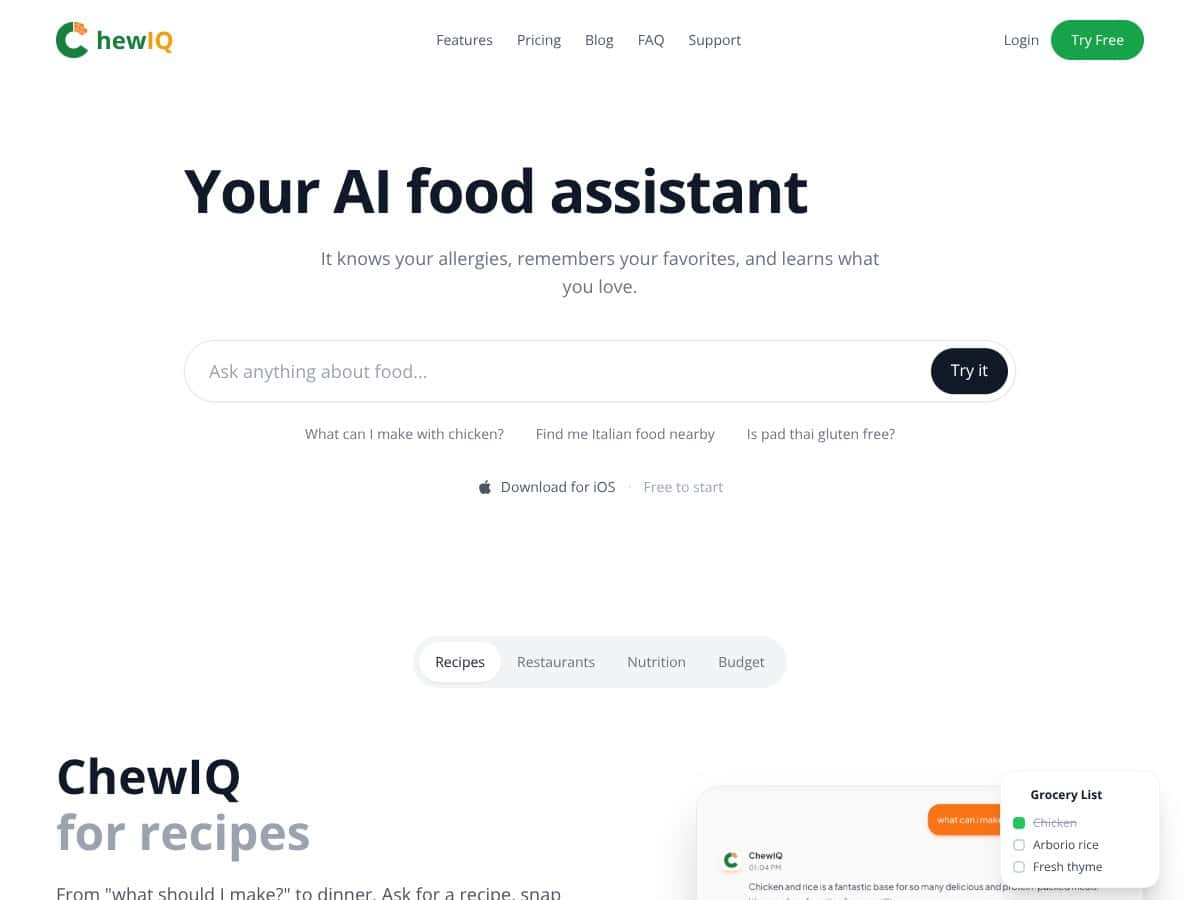
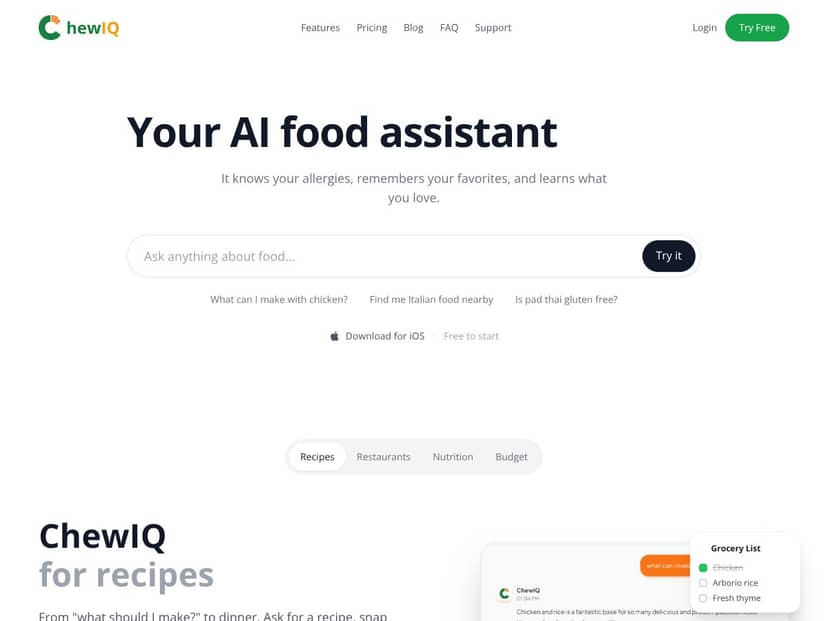
I went into ChewIQ pretty skeptical. I’ve seen a lot of “one app to do everything” pitches, and food apps are notorious for being vague about what’s actually included. ChewIQ claims it can help with allergies, recipe ideas, restaurant recommendations, and nutrition tracking—basically a full food assistant in your pocket. That’s a lot to promise, so I wanted to see what it actually looks like when you use it.
Here’s what it’s positioned to do, based on what I saw in the app experience: it’s an AI-powered food companion that’s meant to (1) remember your allergies and preferences, (2) generate recipes based on what you want to eat or what you have on hand, (3) suggest restaurants that align with your dietary needs, and (4) help with nutrition tracking using either photo logging or chat-style/natural language input.
In practical terms, the “all-in-one” angle matters most when you’re trying to avoid doing the same thing across multiple apps. If you’ve ever had to bounce between a recipe site, a nutrition tracker, and then an allergy check while you’re hungry, you already know the pain. ChewIQ is trying to reduce that friction by keeping everything in one chat-style workflow—at least, that’s the idea.
One thing I couldn’t verify during my initial check: who’s behind it. The website I found didn’t show a team page, developer credentials, or much company detail. I also didn’t see a clear help center with step-by-step onboarding. That doesn’t automatically mean it’s bad, but it does make me more cautious—especially for an app that touches allergy-related decisions.
My first session was quick to start. I was able to explore without immediately creating an account, which I appreciated. The interface is simple: a chat-style input plus navigation tabs. The tradeoff? Some features felt like they were still being shaped. I didn’t find thorough onboarding tutorials, so I had to figure out how to prompt it and where outputs were stored by trial and error.
So what should you expect? ChewIQ doesn’t feel like it’s a fully mature “database + integrations” product yet. It feels more like a smart chatbot with added food features. If you’re expecting deep, polished integrations or the kind of reliability you’d get from long-established nutrition platforms, you might be disappointed.
ChewIQ Pricing: Is It Worth It?
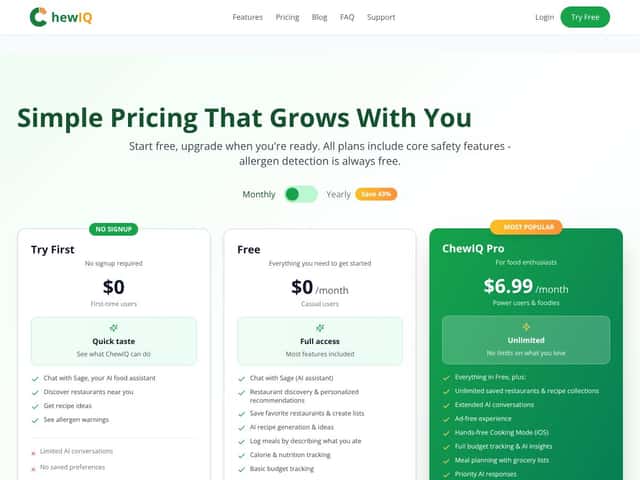
- Basic recipe generation
- Limited AI conversations
- No saved preferences
- Access to allergen scanning and basic features
- Unlimited AI conversations
- Save preferences and favorites
- Advanced recipe customization
- Grocery list management
- Restaurant recommendations
- Allergen detection included
| Plan | Price | What You Get | My Take |
|---|---|---|---|
| Free Tier | $0 | Good for testing the core idea, but it’s not built for people who want personalization to stick. If you hate redoing the same prompts, you’ll feel the limits fast. | |
| Full Access / Paid Plans | Starting at $0/month (free trial), then tiered plans available on website |
Here’s the honest part: the pricing section I saw didn’t list exact tier names, exact monthly/yearly prices, or hard caps like “X recipes/day” or “Y scans/month.” It also didn’t clearly spell out what “unlimited” means in practice (sometimes apps mean “unlimited until you hit a throttling limit”).
If you’re the type who will actually use recipe generation, grocery lists, and restaurant suggestions repeatedly, paying can make sense because those are the features that typically benefit most from saved preferences. My suggestion: start with the free tier first, then decide after you’ve used it for a real week of meal planning. If you only want occasional recipe ideas, you may not need to upgrade. If you’re managing allergies and want consistency, the paid tier’s “save preferences” piece is the main reason to consider it. |
The Good and The Bad
What I Liked
- Recipe ideas that fit your constraints: The recipe generation is the most immediately useful part. When I asked for options that matched a specific dietary preference (and included constraints like avoiding certain ingredients), the output felt relevant enough to use as a starting point instead of generic inspiration.
- Allergen scanning as a built-in workflow: The allergen scanning feature is positioned as part of the same flow as recipes and restaurant ideas, which is exactly what I want when I’m trying to avoid ingredient guesswork. That said, I treated it like “helpful info,” not like a medical label—because nothing in an app should replace ingredient lists or staff confirmation.
- Grocery list + preference memory (on paid): The saved preferences and favorites are what make this feel less like a one-off chatbot. Once preferences are saved, you don’t have to keep restating everything every time you want a meal idea.
- Restaurant recommendations with dietary context: The restaurant suggestions are meant to consider your allergy profile and dietary needs. I noticed the biggest value here comes from not having to manually cross-check menus while you’re out—though you still need to verify with the restaurant.
- Hands-busy cooking tools: The timers/voice-style cooking support is the kind of feature I actually appreciate in day-to-day use. It’s small, but when you’ve got food in the pan, it’s nice not to keep tapping.
- Free tier lets you test the vibe: I liked that I could start exploring core features without committing. If you’re just curious, that matters.
What Could Be Better
- Feature limits aren’t transparent: The pricing table mentions “limited AI conversations” on the free tier, but it doesn’t give a clear number (like “10/day” or “30/month”). I also didn’t see specific caps for things like recipe generation frequency or how often allergen scanning is available on each plan.
- No clear onboarding depth: I couldn’t find detailed tutorials or step-by-step onboarding guides. That means your first week can feel a little like guesswork—especially if you’re trying to set up allergy preferences correctly.
- UX can feel cluttered: It’s not terrible, but it doesn’t feel “effortless” either. Some logging and navigation steps could be smoother, and I found myself searching for where certain outputs were stored.
- Limited integrations (at least on the surface): There aren’t obvious integrations with major health/diet apps. If you want a “connect everything” setup, you may have to stick with standalone tools for the parts ChewIQ doesn’t cover.
- Potential cost friction for heavy users: If you’re using it daily—especially for allergies plus restaurant browsing—your subscription decision shouldn’t be based on vague value. The tier details need to be clearer so you can see whether it’s worth it for your actual usage.
Who Is ChewIQ Actually For?
ChewIQ makes the most sense for people who want one place to handle meal ideas and allergy-aware decision-making. If you’re dealing with food allergies, avoiding certain ingredients, or you just have specific dietary goals (keto, vegetarian, vegan, gluten-free, etc.), ChewIQ’s “prompt once, get ideas” approach can save time.
It’s also a good fit if you’re the type who likes exploring new restaurants but hates the mental load of reading every menu item like it’s an exam. The app’s restaurant recommendations and allergen scanning are built for that “I need help now” moment.
For home cooks, the recipe generation and grocery list workflow are the practical wins. What I liked most is that when preferences are saved (paid tier), suggestions can get more consistent instead of starting from scratch every time.
If you’re not willing to spend a little time setting up your preferences and learning how to prompt effectively, you might not get the best results. This is one of those apps where your inputs matter.
Who Should Look Elsewhere
If your main goal is straightforward calorie counting or detailed macro tracking, ChewIQ might feel like overkill—or just not precise enough for what you need. In those cases, apps like MyFitnessPal (with its massive food database and established tracking flow) are usually a better match.
Also, if you want a highly polished experience with lots of community features and social proof, ChewIQ isn’t there yet. I didn’t see a strong ecosystem of testimonials or visible user feedback during my checks, which makes it harder to trust long-term quality.
And if you only want quick recipes or restaurant reviews, you may be happier with simpler tools. For restaurant reviews and menu browsing, Yelp can be more direct. For recipe planning, dedicated meal planning apps might be easier. ChewIQ’s strength is the combination—recipes + allergy awareness + restaurant suggestions + nutrition logging—so if you don’t need that mix, you might not want to pay for it.
How ChewIQ Stacks Up Against Alternatives
Yummly
- What it does differently: Yummly is mainly recipe discovery and personalization. It’s great for finding recipes based on your tastes and dietary needs, but it doesn’t really cover restaurant finding or allergen scanning in the same “single assistant” way.
- Price comparison: Free with optional premium features at around $4.99/month or $49.99/year.
- Choose this if... you want a strong recipe recommendation engine and meal planning support.
- Stick with ChewIQ if... you want restaurant recommendations and allergen-aware features alongside recipes.
AllTrails Food & Drink
- What it does differently: AllTrails is built around outdoor trail navigation, and the Food & Drink section is more about finding places near where you’re exploring—not managing allergies, tracking nutrition, or generating recipes.
- Price comparison: Free with optional subscription for ad-free experience; premium plans around $29.99/year.
- Choose this if... you’re planning hikes and want nearby dining options.
- Stick with ChewIQ if... you want allergy scanning and personalized recipe generation that goes beyond just restaurant listings.
MyFitnessPal
- What it does differently: MyFitnessPal is heavily focused on calorie counting and diet tracking. It’s strong because the tracking workflow is mature and the food database is huge. ChewIQ’s angle is more “assistant + context,” not “track everything with maximum precision.”
- Price comparison: Free with optional premium subscription at $9.99/month or $79.99/year.
- Choose this if... your priority is detailed nutrition tracking and logging.
- Stick with ChewIQ if... you want recipe ideas plus allergy-aware restaurant discovery and photo-style nutrition logging.
Yelp
- What it does differently: Yelp is built for reviews, ratings, and menu browsing. It doesn’t aim to generate personalized recipes or provide allergen scanning as a core feature.
- Price comparison: Free.
- Choose this if... you mostly want honest restaurant feedback and quick browsing.
- Stick with ChewIQ if... you want dietary-aware recommendations tied to your preferences (not just reviews).
Mealime
- What it does differently: Mealime is more about structured meal planning and recipe suggestions with automatic shopping list generation. It’s not focused on restaurant discovery or allergen scanning.
- Price comparison: Free with premium plan at $7.99/month.
- Choose this if... you want easy, structured weekly meal plans.
- Stick with ChewIQ if... you want recipes plus restaurant discovery, nutrition logging, and allergen-aware scanning.
Bottom Line: Should You Try ChewIQ?
After using ChewIQ, I’d put it at a solid 7/10. It’s genuinely useful as an all-in-one food assistant—especially if you care about personalized recipe ideas and you want allergy-aware support built into the same workflow.
The big selling points for me are the overall concept (recipes + restaurants + logging in one place) and the fact that you can start free. The free tier is the right move if you’re still deciding whether it fits your routine.
That said, if your top priority is precision calorie/macro tracking, I don’t think ChewIQ replaces the best dedicated nutrition trackers. And if you want a super polished, highly transparent subscription experience with clear feature caps, you might find the current pricing details frustrating.
If you’re dealing with allergies or specific dietary goals and you want a single assistant that helps you plan meals and eat out more confidently, ChewIQ is worth trying—just don’t treat allergen scanning as a substitute for checking ingredient labels or confirming with staff.
Common Questions About ChewIQ
- Is ChewIQ worth the money? If you’ll actually use saved preferences, restaurant recommendations, and allergen scanning regularly, it can be worth it. If you only want occasional recipe ideas, the free tier may be enough.
- Is there a free version? Yes—there’s a free tier on iOS and web, with limited AI conversations and reduced personalization (like no saved preferences).
- How does it compare to MyFitnessPal? ChewIQ is more of an assistant for recipes, restaurants, and allergy-aware context. MyFitnessPal is more focused on detailed calorie counting and diet tracking.
- Can I scan menus for allergens? ChewIQ supports allergen scanning (including via photo/menu style input), but you should still verify with the restaurant or official ingredient lists.
- Is there a refund policy? Refund policies depend on where you subscribe (Apple App Store or web). Check the platform’s policy before purchasing upgrades.
- Can I use ChewIQ offline? Most features require an internet connection, especially anything involving AI responses, restaurant search, or photo-based logging.
- Does it support multiple diets? Yes. You can customize recipe preferences for different diets like keto, vegetarian, and vegan.




