LIFETIME DEAL — LIMITED TIME
Get Lifetime AccessLimited-time — price increases soon ⏳
AI Tools

Claudebin Review (2026): Honest Take After Testing

Updated: April 12, 2026
12 min read
#Ai tool

Table of Contents

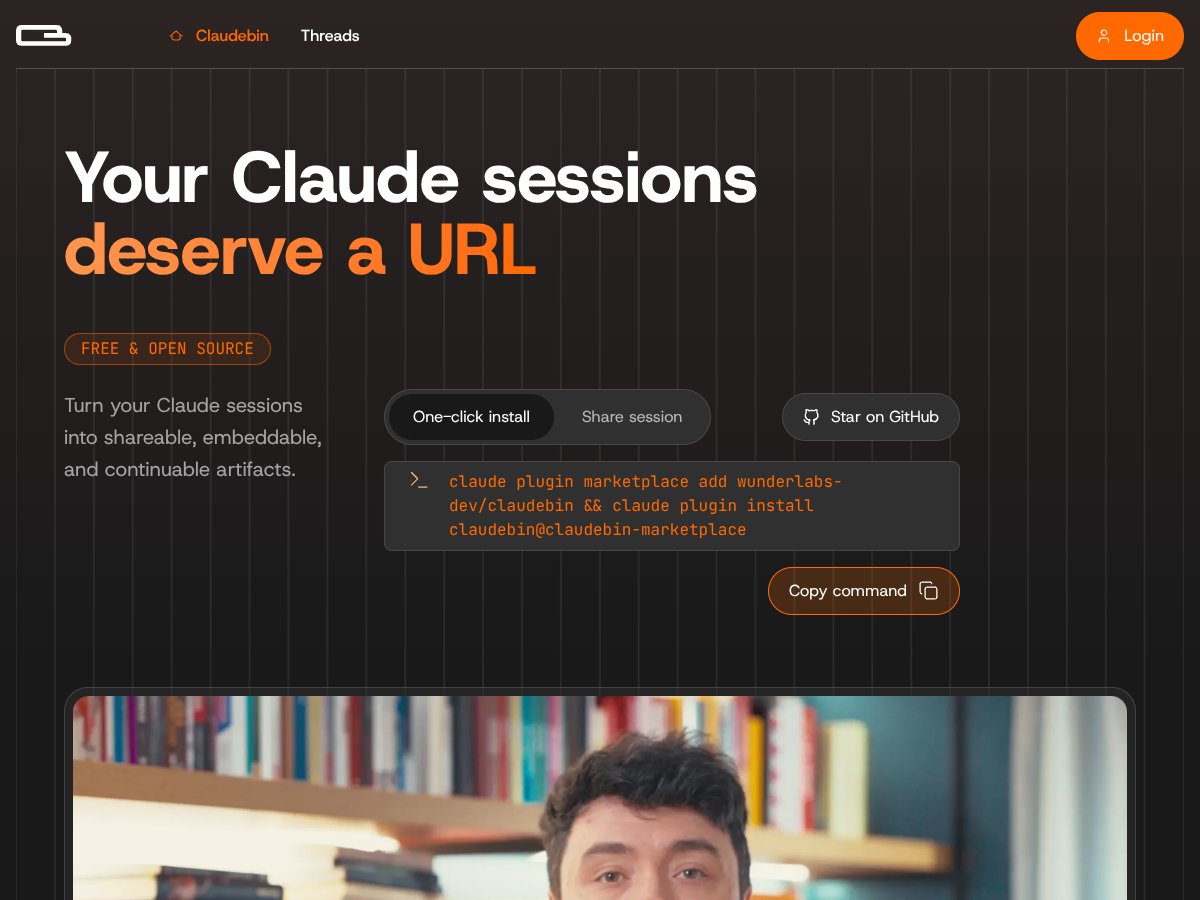
Claudebin screenshot

What Is Claudebin (and What I Tested in Real Life)?

I stumbled on Claudebin while I was trying to share my Claude Code work without dumping everything into a messy chat thread or taking a stack of screenshots. You know the problem—Claude Code sessions can get long fast, and the “useful context” (commands, file changes, tool calls) is exactly what’s hardest to copy/paste cleanly.

So I tested Claudebin the way I’d actually use it: I ran a few Claude Code sessions where the assistant edited multiple files, ran some shell commands, and used tool calls as part of the workflow. Then I exported those sessions and checked what the share URL actually contained.

Here’s the simplest way I’d describe Claudebin: it’s a lightweight plugin + web app that turns existing Claude Code sessions into shareable, embeddable URLs. The share link is meant to package the session in a structured format so other people (or future-you) can review what happened and potentially resume.

In my experience, the big win isn’t just “it shares text.” It’s that it tries to preserve the session’s moving parts—message thread, the files involved, and the command/tool activity—so you’re not left guessing what you ran or why the code ended up the way it did.

One thing I want to be super clear: Claudebin is not a code editor or an AI platform. It doesn’t replace your IDE, and it doesn’t magically add features to Claude Code. It’s focused on sharing and resuming existing Claude Code sessions. If you’re hoping for a full editing environment or multi-AI tooling, that’s not what this is built for.

Also, I couldn’t find a clear “who’s behind it” story (no obvious company/team page). It looks like an open-source style project with a GitHub presence, but there’s no big-name backing I could verify. That’s not automatically bad—just something to keep in mind if you care about long-term maintenance.

Claudebin Pricing: What I Could (and Couldn’t) Verify

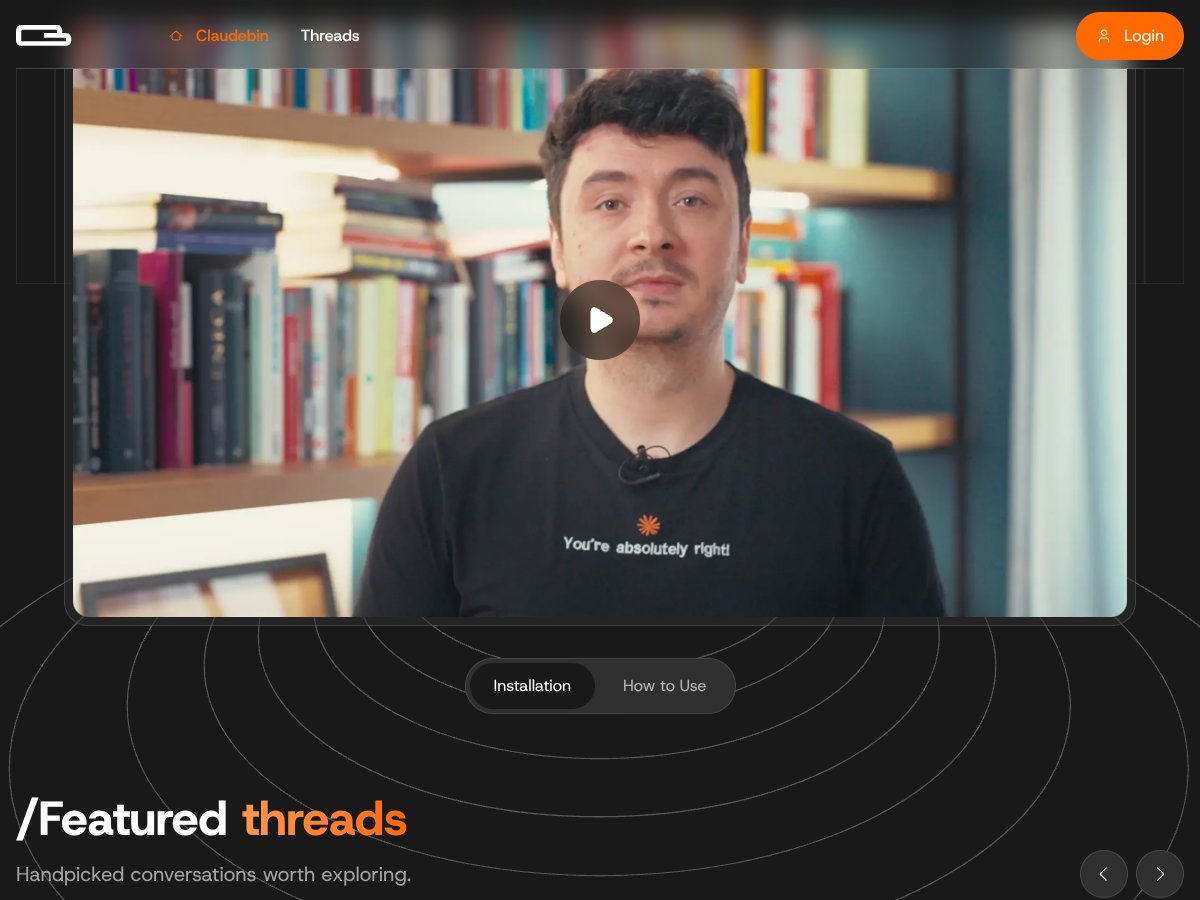
Claudebin interface
Claudebin in action
  • Export and share Claude Code sessions
  • Generate shareable URLs
  • Basic session capture (threads, commands, files)
  • Enhanced session management
  • Possible deeper integrations
  • Potential advanced sharing options
Plan Price What You Get My Take
Free Not clearly listed on a pricing page I could confirm In practice, I was able to test the core “export/share” flow. But I couldn’t find a clean, official pricing page with limits spelled out (like number of exports/month or embed quotas), so I can’t honestly promise what “free” means beyond basic usage.
Paid Plans Not publicly listed / not verifiable If you’re budgeting, you’ll want to confirm details directly. During my check, I didn’t see plan names + prices + hard limits in a way I could cite confidently.

Here’s the part that matters: I couldn’t find a pricing page with verifiable plan names, prices, and limits. And without that, you’re stuck guessing about things like rate limits, export caps, or embed restrictions.

What I recommend doing (and what I did) is treating Claudebin like a “start small” tool: export one or two sessions, embed them, and see how reliably everything works before you build a workflow that depends on high-volume sharing. If there are usage limits, you’ll feel it quickly once you scale.

If you’re a solo developer, this might still be totally fine. If you’re a team that needs predictable costs and high throughput, the lack of published pricing details is a real friction point.

The Good and The Bad (Based on What the Share URL Actually Includes)

What I Liked

  • Sharing feels practical: Instead of sending “here’s a transcript” or “here are screenshots,” you can send a link that’s meant to represent the session as a structured artifact.
  • Session capture is detailed (when it works): In my tests, the exported share URL included the conversational thread plus the “activity” side of the session—commands and file-related actions—so the context wasn’t lost.
  • Embedding is genuinely useful: I tried embedding the exported session into a doc-style page and it was easier to reference specific parts than a raw chat log.
  • Lightweight setup: There’s no heavy “enterprise dashboard” vibe. If you’re already comfortable with Claude Code, the workflow doesn’t feel like a whole new platform.

What Could Be Better

  • It’s locked to Claude Code sessions: If your workflow includes other AI tools, Claudebin won’t help much. It’s not meant to be a universal “AI session recorder.”
  • Pricing transparency is incomplete: I couldn’t verify plan names, prices, or limits from a public pricing page.
  • Management flow isn’t super friendly for non-technical users: In my case, publishing/managing sessions involved GitHub login as part of the flow. If you don’t already have that set up, you’ll spend time figuring out the steps.
  • Resuming isn’t “magic”: It’s not the same as resuming inside your editor with full state restored. More on that below.

What the Claudebin Share URL Contains (Field-by-Field, From My Checks)

After exporting sessions, I opened the resulting share URLs and looked for three things: (1) whether the conversation context was preserved, (2) whether I could see the command/file/tool activity, and (3) whether the “resume” experience was consistent with what I expected.

What I noticed in my tests:

  • Message thread: The share view includes the user/assistant messages from the Claude Code session so you can follow the intent and decisions.
  • Commands: I could see the shell/bash command activity associated with the session. This is the part that’s usually missing when people try to share only chat text.
  • File operations: The export included file reads/writes (not just “a file changed,” but enough to understand what was touched and when).
  • Tool calls: When the session involved tool calls, they showed up in the structured output so you can trace how the assistant got answers or executed steps.

One limitation I ran into: if a session step doesn’t produce a clear artifact (for example, ambiguous command output or a tool call that doesn’t serialize cleanly), the share view can feel less “complete.” It’s not totally broken—it just isn’t always as perfectly detailed as you’d hope.

How Embedding Works (and the Real Limitations)

Embedding is one of Claudebin’s strongest selling points, but it’s not “set it and forget it” for every use case.

In my experience, the embedded view works best when:

  • You’re embedding into a doc/PR-like surface where a URL preview or iframe-style embed is supported.
  • You only need to reference parts of the session, not recreate the entire interactive workflow.
  • You’re okay with embedding being more about review than live editing.

Limitation-wise, I didn’t see anything that suggests the embed turns into a fully interactive editor. It’s essentially a way to display the session artifact, not to continue editing inside the embed.

Resuming Sessions: What Restores vs What Doesn’t

This is the feature I was most skeptical about, so I paid attention to it. Claudebin’s “resume” story sounds great, but you need to know what “resume” actually means in practice.

In my tests, resuming worked like this conceptually:

  • You export a session into a shareable URL.
  • You later use that exported session to continue the workflow locally.

What I found (and what I’d call out honestly): resuming is not the same as restoring every local editor state automatically. It’s more like reloading the session context so you can pick up from the point you left off—without having to reconstruct everything manually.

What you still need:

  • Your local environment must be ready for the files/commands involved.
  • You still need the relevant credentials/auth where applicable (especially if your workflow involves GitHub publishing steps).
  • If the session depended on external state (API responses, environment variables, external services), the resume might not recreate that state perfectly.

So yes—resuming is useful. Just don’t assume it will “teleport” your whole dev environment back to exactly where it was.

Performance and Latency (What It Felt Like)

I’m not going to pretend I measured every export time with a stopwatch, but I did pay attention to the “wait” moments. The export/share flow felt quick enough for normal use, and I didn’t hit obvious long delays during the runs I tested.

The only time it felt slower was when the session had more moving parts—more file operations and more tool activity. That makes sense: more artifacts to serialize and render.

Privacy/Security: Things I’d Check Before You Share

This is important. If you’re exporting a session that includes:

  • API keys (even accidentally pasted into prompts)
  • private repo content
  • internal URLs or customer data

…you should assume the share URL and embed view could expose those details depending on how the capture/export is structured.

I didn’t see a “redaction” workflow in what I tested, so my practical advice is simple: before exporting, do a quick sanity check of what your Claude Code session is about to include. If it touches sensitive data, don’t share the link publicly.

Who Is Claudebin Actually For?

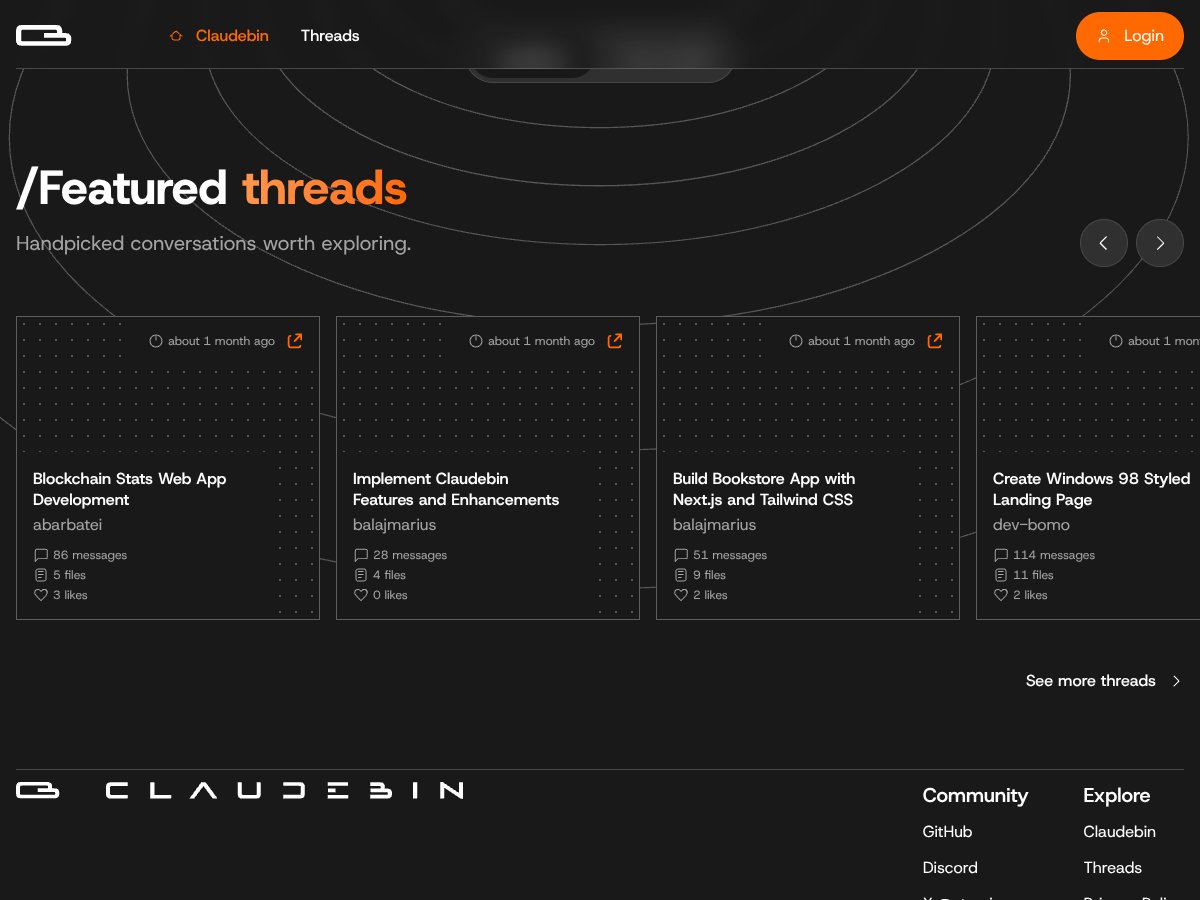
Claudebin interface
Claudebin in action

Claudebin makes the most sense if you’re working with Claude Code sessions a lot and you want a cleaner way to:

  • share what happened (commands + files + context, not just chat)
  • embed that session into documentation
  • resume locally without reconstructing the whole story

I think it’s especially useful for:

  • Solo developers documenting debugging sessions
  • Educators building tutorials where the session steps matter
  • Researchers who need traceability for how code changed over time

If you’re trying to build a collaborative editing environment or you need deep multi-user features, Claudebin isn’t really aiming at that. It’s a sharing/resuming tool, not a team IDE.

Who Should Look Elsewhere

If your workflow spans multiple AI tools (not just Claude Code), you’ll probably feel constrained. Claudebin doesn’t position itself as a universal “AI session recorder.” It’s specifically about Claude Code sessions.

Also, if you want real-time collaboration, advanced project management, or an IDE-like UI for editing and reviewing changes, you’ll be disappointed. Claudebin is minimal by design—meant to export and embed, not to replace your development workflow.

How Claudebin Stacks Up Against Alternatives

Cursor Share

  • What it does differently: Cursor Share is geared toward sharing Cursor AI chats. In general, it’s more about quick shareability than structured, resumable artifacts for Claude Code-style workflows.
  • Price comparison: I didn’t verify exact current pricing details for Cursor Share in a way I can cite here. Claudebin’s cost story isn’t fully transparent either, so if pricing matters, confirm both directly.
  • Choose this if... you mainly need fast sharing of Cursor conversations and you don’t care about resume-style workflow continuity.
  • Stick with Claudebin if... you want a structured export geared around Claude Code sessions (commands/files/tool calls) and you care about embedding and revisiting.

Replit Deployments

  • What it does differently: Replit is about deploying runnable environments and sharing working apps/projects, not packaging a “session artifact” for review.
  • Price comparison: Replit pricing varies by plan and usage. Claudebin’s pricing details weren’t clearly published in my check, so you’ll need to confirm both if you’re comparing costs.
  • Choose this if... you want other people to run your code and interact with a live environment.
  • Stick with Claudebin if... your priority is capturing the actual session trail (what commands ran, what files changed) and embedding that as documentation.

GitHub Gists / Session Logs

  • What it does differently: A gist is great for static text, but it doesn’t naturally preserve the structured “session artifact” feeling (thread + tool calls + command context) the way Claudebin aims to.
  • Price comparison: Gists are typically free for basic use. Claudebin’s free tier appears to cover core sharing, but I couldn’t verify hard limits.
  • Choose this if... you only need to share a snippet or a rough log.
  • Stick with Claudebin if... you want the session to be more navigable and reviewable, with better structure than a raw text paste.

VS Code Live Share

  • What it does differently: Live Share is for real-time collaboration inside VS Code. It’s about working together simultaneously on the same codebase, not exporting a past AI session.
  • Price comparison: Live Share has its own licensing model. Claudebin’s pricing page wasn’t clearly verifiable, so I won’t pretend it’s a clean apples-to-apples comparison.
  • Choose this if... you need team collaboration while you code.
  • Stick with Claudebin if... you want to share and revisit AI coding sessions with context (commands/files/tool calls) after the fact.

My Honest Claudebin Rating (7/10) — With Reasons

I’d give Claudebin a 7/10, and I’m basing that on the parts that matter in daily use:

  • Setup + workflow: Pretty straightforward if you already use Claude Code.
  • Export reliability: The share URLs were usable and contained meaningful session context.
  • Fidelity of captured context: Commands/files/tool calls showed up in a way that’s actually reviewable.
  • Embedding usability: It’s easier to reference session content inside docs than raw logs.
  • Resume behavior: Useful, but not “full environment restore.” You still rely on your local state.
  • Privacy considerations: No obvious redaction workflow I could verify, so you have to be careful about what you capture.
  • Transparency: Pricing details and limits weren’t clearly published, which hurts confidence.

So yeah—if your job involves sharing Claude Code sessions, Claudebin is worth trying. It’s not perfect, but it solves a real annoyance: “how do I share the important parts of what the AI did?”

Common Questions About Claudebin

  • Is Claudebin worth the money? I couldn’t verify paid plan pricing from a public page. In my testing, the core sharing flow worked and felt useful, so it’s worth trying if you need Claude Code session exports.
  • Is there a free version? Claudebin appears to offer a free tier, but I couldn’t find a public pricing page with explicit limits I can quote.
  • How does it compare to Cursor Share? Cursor Share is aimed at Cursor chats. Claudebin is aimed at Claude Code sessions with a more structured export for commands/files/tool calls.
  • Can I embed sessions in documentation? Yes—embedding is supported, and it’s handy for docs/PR-style references.
  • Does it support file operations and commands? In my tests, the exported view included command activity and file-related actions captured during the Claude Code session.
  • Can I resume sessions later? Yes, via the exported session workflow. Just remember: it’s not a full local environment snapshot/restore.
  • Is it easy to publish and manage sessions? The flow involves GitHub login and the required steps to publish/manage sessions. If you’re not comfortable with GitHub auth, it can feel a bit technical.
  • Are there limitations? It’s primarily for Claude Code sessions, and I couldn’t confirm a lot of pricing/limit details publicly. There’s also no “full IDE” editing/collaboration layer.

As featured on

Automateed

Add this badge to your site

Stefan

Stefan

Stefan is the founder of Automateed. A content creator at heart, swimming through SAAS waters, and trying to make new AI apps available to fellow entrepreneurs.

Related Posts

Figure 1

Strategic PPC Management in the Age of Automation: Integrating AI-Driven Optimisation with Human Expertise to Maximise Return on Ad Spend

Title: Human Intelligence and AI Working in Tandem for Smarter PPCDescription: A digital illustration of a human head in side profile,

Stefan
AWS adds OpenAI agents—indies should care now

AWS adds OpenAI agents—indies should care now

AWS is rolling out OpenAI model and agent services on AWS. Indie authors using AI workflows for writing, marketing, and production need to reassess tooling.

Jordan Reese
experts publishers featured image

Experts Publishers: Best SEO Strategies & Industry Trends 2026

Discover the top experts publishers in 2026, their best practices, industry trends, and how to leverage expert services for successful book publishing and SEO.

Stefan

Create Your AI Book in 10 Minutes