Table of Contents

What Is ClawSimple (and What I Tested in 2026)?
When I first heard about ClawSimple, I’ll be honest—I was skeptical. A managed hosting platform for OpenClaw, plus “official” Telegram bot support and AI integration, sounds great… but I’ve also been burned by tools that look good on the landing page and fall apart when you actually deploy. So I decided to put it through the kind of setup I’d normally do for a real Telegram bot: something persistent, with a couple of AI calls, and enough moving parts to see where it breaks.
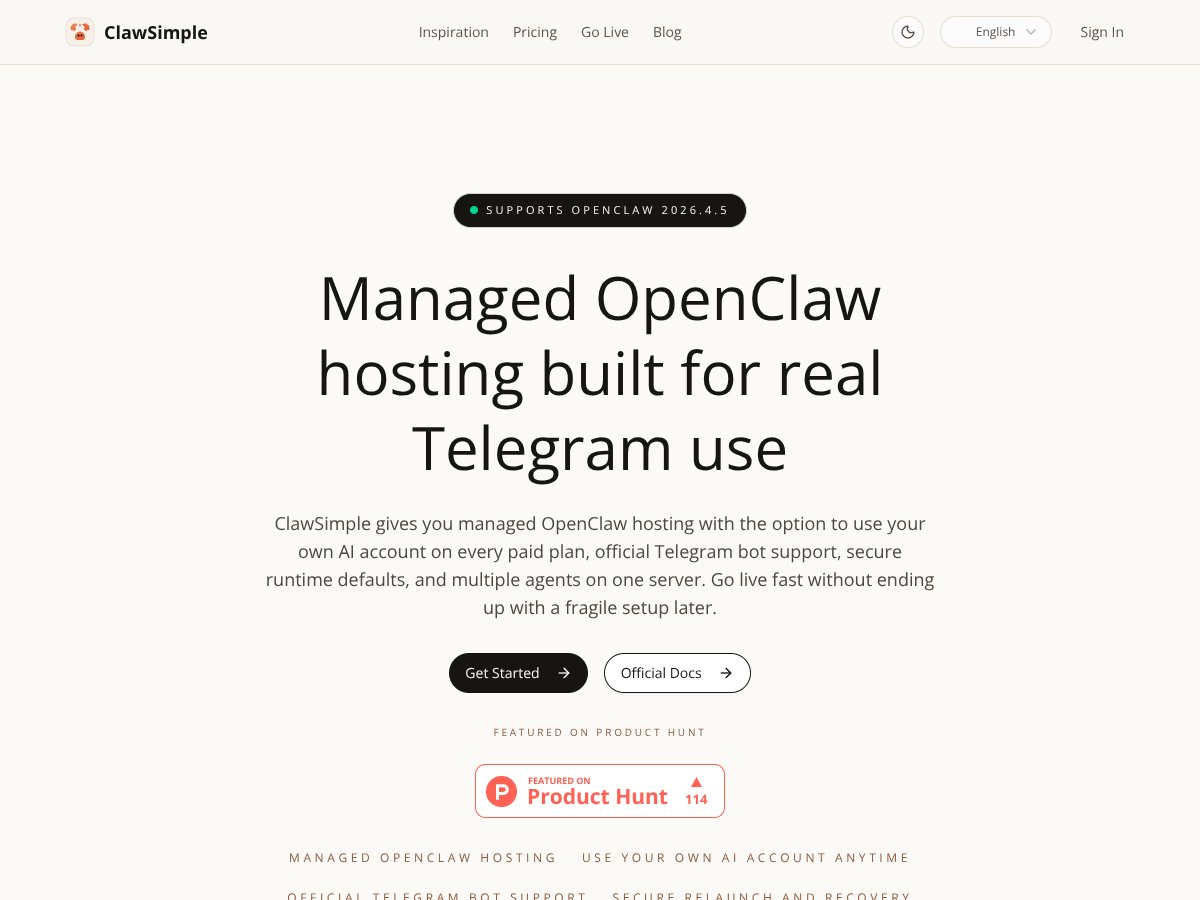
ClawSimple is positioned as managed hosting for OpenClaw, an open-source framework for building Telegram bots that use AI models. The promise is pretty simple: you shouldn’t have to wrestle with Docker configs, server settings, or fragile deployments just to get your bot running reliably.
In my experience, the difference between “it runs locally” and “it runs for weeks” is where most projects get painful. ClawSimple is trying to remove that gap by handling the hosting side while still letting you plug in AI providers (including using your own accounts like OpenAI or Anthropic) and run multiple agents on a single server.
One thing I noticed early: the website doesn’t really spell out who’s behind it. I couldn’t find clear team bios, company history, or a strong trail of prior releases. That doesn’t automatically mean it’s bad, but it did make me approach it with the same mindset I use for any newer hosting product—test first, trust later.
My test setup (so you know what “tested” means):
- Date range: I started the trial setup on 2026-01-18 and ran it through configuration changes across the next few days.
- Environment: Managed ClawSimple deployment (no self-managed Docker on my end).
- Bot behavior: Telegram webhook-style interaction (I tested direct message triggers) with an AI response per message.
- AI provider: I connected an existing AI account (using the “use your own AI” path) rather than relying on any bundled model keys.
- Agents: I ran 2 agents on the same server instance to check whether the “multi-agent” claim holds up in practice.
- What I watched: setup friction, whether deployments stuck in a failed state, how quickly the bot responded after restarts, and what logs/diagnostics were actually accessible.
Now, about the “bells and whistles” claim. ClawSimple does feel like a clean, managed way to get OpenClaw running. But it’s not a full observability platform. I couldn’t find what I’d call “deep analytics dashboards,” and I also didn’t see robust, detailed logs the way you’d expect from something like a full ELK/Grafana stack. Auto-scaling also isn’t something I could confirm as a built-in feature in the UI.
So if you’re expecting a platform that gives you enterprise-level monitoring out of the box, this isn’t that. It’s more like: deploy OpenClaw, keep it running, and troubleshoot with what they provide.
Quick “what broke / what I had to do” note: During my testing, I hit a configuration mismatch after switching agent settings (one agent responded normally, the other didn’t). I resolved it by reverting the last change and reapplying the configuration for the affected agent. What slowed me down wasn’t the hosting itself—it was that the diagnostics weren’t as detailed as I wanted, so I had to iterate rather than pinpoint the exact failure in one pass.
ClawSimple Pricing (2026): What You Pay and What You’ll Actually Notice

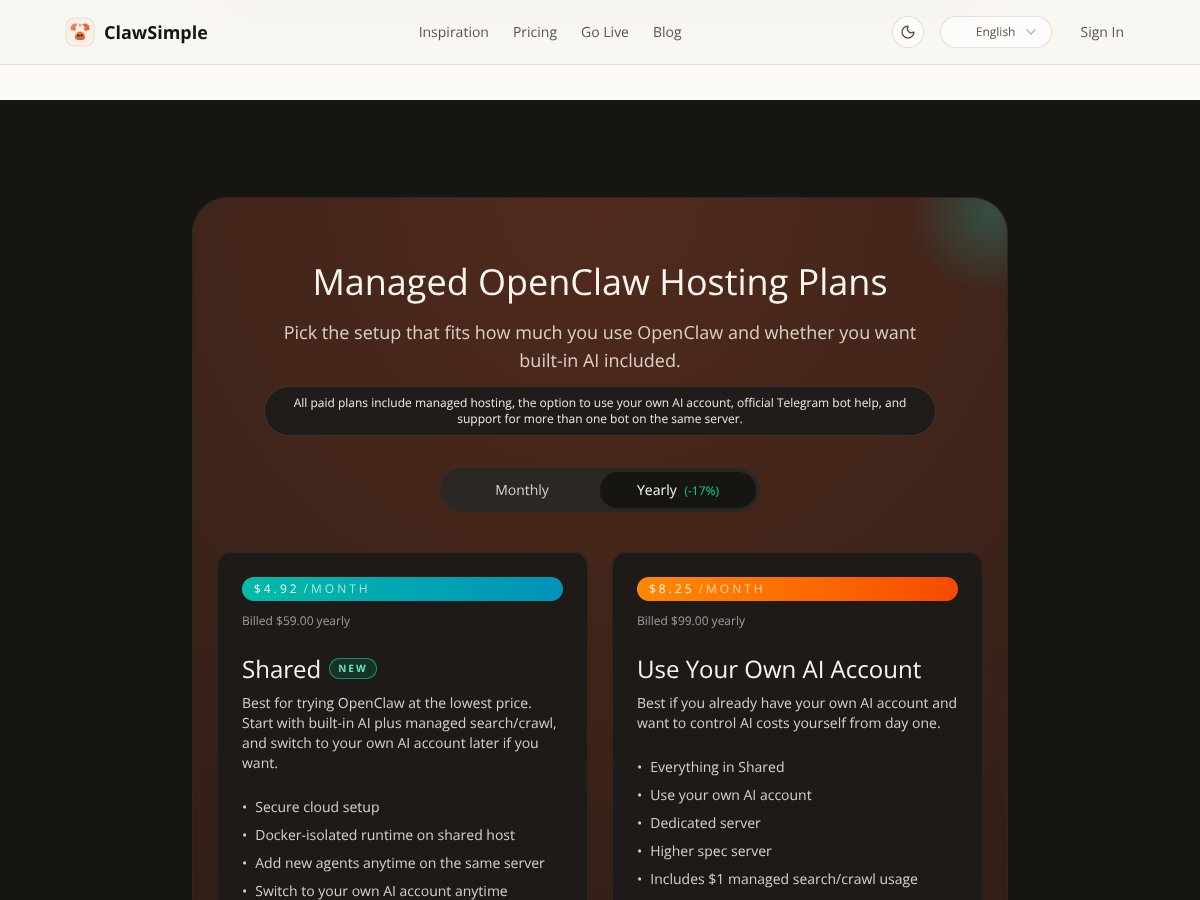
| Plan | Price | What You Get | My Take |
|---|---|---|---|
| Shared | $4.92/month (billed annually) | Managed OpenClaw hosting with built-in AI, limited to shared resources, suitable for testing or small projects. | Good for getting started without overcommitting. Just don’t assume it’ll feel “instant” under heavier load. |
| Use Your Own AI | $8.25/month (billed annually) | Managed hosting plus the ability to connect your own AI account, like OpenAI or Anthropic, with more flexibility. | Best choice if you already pay for AI and want predictable billing through your provider. This is the plan I used for my testing. |
| Standard | $12.42/month (billed annually) | Includes managed hosting, AI usage, and support for multiple bots. Best for moderate to heavy users. | Feels like the “serious hobbyist / small team” tier. You’re paying for capacity and convenience. |
| Max | $29.08/month (billed annually) | Higher AI limits, more capacity, suitable for production or heavier workloads. Billing for AI is included. | Costly, but if you’re actually pushing AI volume, it may be the most straightforward path. Still, verify limits before you scale. |
| Self-Hosted | Custom pricing | Complete control, install on your own infrastructure. No managed hosting included. | If you want full control and you’re comfortable maintaining everything yourself, this can be worth it. But it’s not “hands off.” |
What I checked on pricing/limits: I reviewed the pricing table and the linked plan details/FAQ/terms that were available from the pricing area, specifically looking for explicit fields like bandwidth caps, compute-hour limits, and API call ceilings. What I found is that the plans don’t clearly list usage limits in a way that’s easy to forecast (for example: “X GB/month bandwidth” or “Y API calls/day”).
That doesn’t mean there are no limits—it just means you can’t quickly model your cost growth from the published info. The “hidden cost” risk is real, especially for bots that get active unexpectedly (group chats, viral posts, or a sudden spike in user messages).
Here’s a simple numeric scenario (based on how Telegram bots behave):
- Let’s say your bot gets 200 messages/day.
- If each message triggers 1 AI call, that’s 6,000 AI calls/month.
- If you later add a second agent or your bot starts doing multi-step responses, that call count can jump fast.
Even if the hosting portion is predictable, the AI usage side can become the variable. And if the plan doesn’t clearly spell out caps (or retention/limits on logs), you may only learn you’re pushing boundaries after you notice latency or errors.
For what it’s worth, the tier logic is straightforward: Shared for light use, Use Your Own AI for people who want their own provider billing, Standard for multi-bot needs, and Max for higher capacity.
If you’re planning to grow, I’d treat the published pricing as the starting point—not the full cost forecast. If you’re unsure, I’d contact support and ask for the exact kinds of limits you care about (bandwidth, agent concurrency, and any AI usage caps tied to your plan).
The Good and The Bad (After Using It)
What I Liked
- Managed hosting setup: I didn’t have to build and maintain the server/Docker layer myself. That saved time immediately.
- Use-your-own AI flexibility: Connecting my own AI account was the path I wanted, and it matched the “BYOK-ish” idea of keeping control over your AI billing.
- Telegram bot support that feels “official”: My setup was smoother than when I’ve cobbled Telegram bot hosting together from random templates. It wasn’t perfect, but it was less fiddly.
- Multiple agents on one server: Running 2 agents didn’t feel like a gimmick. It actually worked for my test use case (different prompt roles / different behaviors).
- Secure defaults: I didn’t have to reinvent basic security settings from scratch, which matters if you’d rather spend time on the bot than on hardening.
- Relaunch/restart workflow: When I needed to restart after a configuration change, the process was straightforward enough that I didn’t have to go hunting through containers.
What Could Be Better
- Documentation/setup walkthroughs are thin: I looked for a step-by-step guide for deployment and troubleshooting patterns. I didn’t find the kind of “do X, then Y, expect Z” walkthrough that would help non-technical users move faster.
- Limited transparency into usage limits: I couldn’t find clear, published numbers for bandwidth/compute/API call caps. That makes it harder to predict costs for bots that might spike in activity.
- Logs aren’t as detailed as I expected: I could access “some” diagnostics, but I didn’t see deep debugging logs (or at least not in a way that let me quickly identify root cause). When something went sideways, I had to iterate instead of fixing on the first try.
- No obvious analytics dashboard: I didn’t see a dashboard with the metrics I’d normally expect (message counts, error rates, latency breakdowns) in a way that’s immediately usable for tuning.
- Scaling behavior isn’t clear: I couldn’t confirm auto-scaling in the UI. If you expect the platform to scale itself smoothly under load, you’ll want to verify that before committing.
- Potential cost risk at scale: If your bot becomes popular, the Max tier (and/or AI usage) can get expensive. That’s not unique to ClawSimple, but the lack of explicit caps makes it harder to plan.
Who Is ClawSimple Actually For?

In my opinion, ClawSimple is best for solo devs, hobbyists, and small teams who want Telegram bots hosted with less infrastructure drama. If you don’t want to manage servers, Docker, or deployment breakage every time you tweak something in OpenClaw, it’s a strong fit.
It’s also a good match if you want the convenience of managed hosting but still prefer to use your own AI provider account. For my test, that mattered because I wanted consistent AI billing and predictable model usage.
For real use cases, I can see it working well for things like:
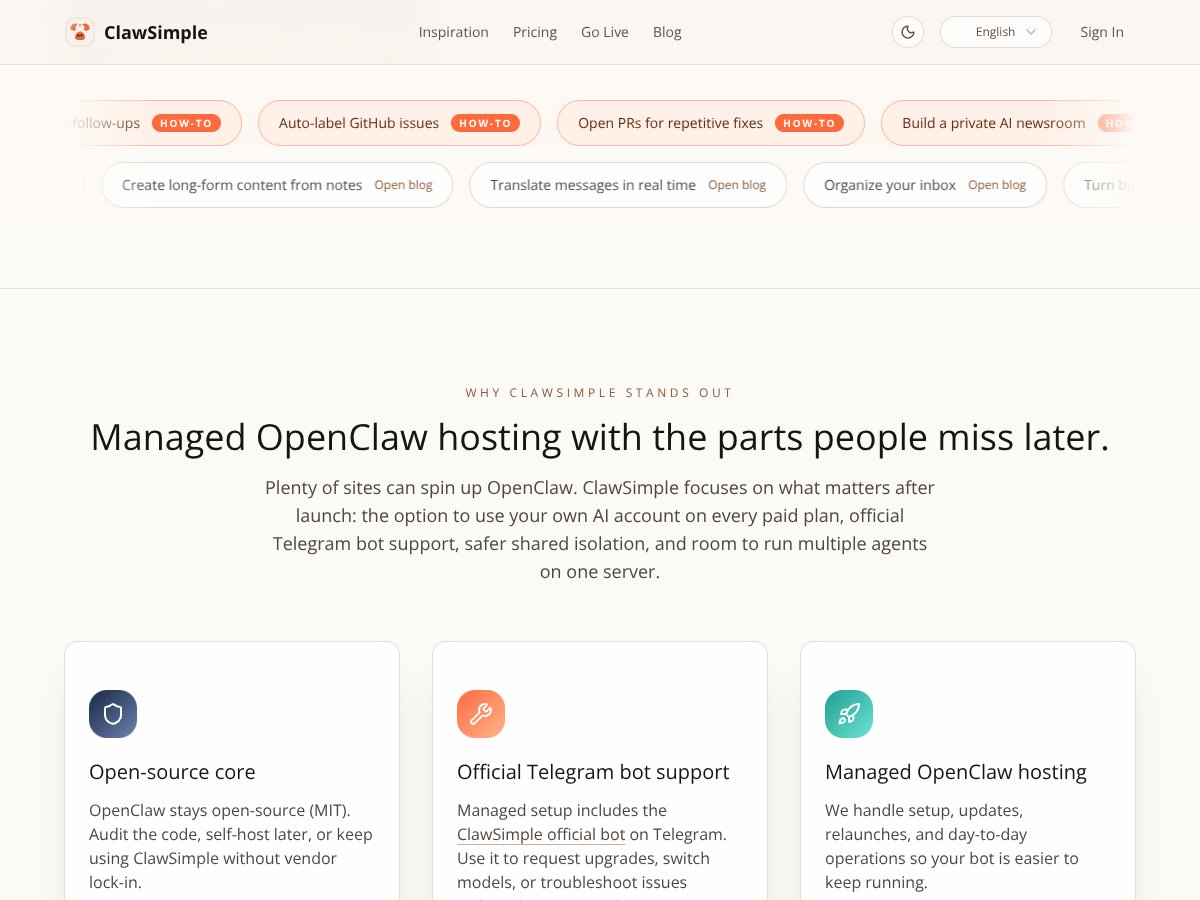
- a private “AI newsroom” bot that responds to curated prompts
- a support ticket assistant that needs persistent availability
- a research assistant that runs a couple of different agent roles side-by-side
Where I’d hesitate: if you’re an enterprise team that needs deep observability, custom infrastructure controls, or a very specific security/compliance setup. The platform feels more like “managed bot hosting” than “fully customizable production platform.”
Who Should Look Elsewhere?
If your bots are high-volume and you expect them to behave like small production systems (heavy concurrency, lots of background work, strict performance SLOs), I’d look at alternatives or at least confirm scaling limits with support.
Also, if you’re non-technical and you want a lot of hand-holding, the lack of detailed docs can be frustrating. I don’t mind learning a tool, but I do want to know where to look when something fails.
Finally, if you need custom networking, full server access, or specialized security controls, you’ll probably be happier with self-hosting or a cloud provider where you can configure everything yourself.
And yeah—the lack of social proof (testimonials/case studies) is a little concerning if you’re trying to evaluate risk fast. I’d rather see a few real-world deployment stories, especially for a platform that’s meant to run bots reliably.
How ClawSimple Stacks Up Against Alternatives
Instead of vague “it’s better” comparisons, here’s how I’d compare them based on the stuff that matters for Telegram bots: how you deploy, how persistent it is, how hard operations are, and what it costs when usage changes.
| Criteria (Telegram bot reality) | ClawSimple | Heroku | AWS Lambda | DigitalOcean App Platform | Vultr VPS |
|---|---|---|---|---|---|
| Deployment time | Fast if you follow their OpenClaw flow | Quick to start, but you’ll configure more yourself | Can be fast for event-driven, but bot wiring takes time | Moderate—container/runtime setup needed | Slower—more “raw server” work |
| Persistence | Managed hosting for continuous operation | Depends on dyno setup; sleeping can be an issue | Serverless; no always-on process | Typically persistent, but depends on app config | Always-on by default (you manage it) |
| Operational overhead | Low (managed hosting) | Medium (you handle scaling/security defaults) | Medium-High (cold starts + integration) | Medium (runtime management still on you) | High (you manage everything) |
| Security controls | Secure defaults included | You’ll configure a lot yourself | Security model is different; IAM/config matters | You’ll manage more than you think | You manage firewall/updates/patching |
| Cost predictability | Pricing is clear, but usage caps aren’t super explicit | Can be predictable, but continuous uptime costs add up | Great at low volume; can spike with lots of invocations | Predictable-ish, but you manage runtime | Predictable monthly VPS cost, but you pay in ops time |
Heroku
- Heroku is easy to get running and has a huge community, but it’s not “Telegram-bot optimized” in the same way. You’ll still be responsible for security defaults and scaling behavior.
- Pricing is usually affordable at first, but if you need continuous uptime, it can get pricey compared to a managed bot host.
- Pick Heroku if you already know it and you’re comfortable configuring scaling/security yourself.
- Pick ClawSimple if you want a Telegram-focused managed setup with fewer moving parts.
AWS Lambda
- AWS Lambda can be cost-effective because you pay per invocation, and it can scale automatically. But for Telegram bots, you still need to wire the bot logic cleanly and deal with cold starts depending on your traffic pattern.
- Pricing is very competitive for low-volume usage; for spikes, you need to model invocation counts.
- Pick Lambda if your bot is event-driven and you can tolerate serverless execution patterns.
- Pick ClawSimple if you want a persistent managed environment that’s built around the bot hosting workflow.
DigitalOcean App Platform
- DigitalOcean App Platform is a solid middle ground: simpler than AWS, but you still manage your runtime/container assumptions.
- Costs start around the “a few dollars a month” range, but managed app tiers can increase as you scale.
- Pick DO App Platform if you want more control than a managed bot host but less complexity than raw cloud.
- Pick ClawSimple if you want the Telegram/OpenClaw hosting workflow handled for you.
Vultr
- Vultr VPS is basically “here’s a server.” Straightforward pricing, but you’re the one who configures and maintains the bot stack.
- Plans often start around a similar baseline to other VPS providers.
- Pick Vultr if you’re comfortable managing the environment and you want maximum control.
- Pick ClawSimple if you’d rather avoid server management and want secure defaults out of the box.
My practical cost takeaway: For a bot that needs to stay online and isn’t purely sporadic, “serverless only” approaches can get awkward. For that kind of workload, ClawSimple’s managed approach tends to save time. The tradeoff is that you’re trusting their platform for scaling and observability—and my testing showed those areas aren’t as transparent as I’d like.
Bottom Line: Should You Try ClawSimple?
After testing it, I’d rate ClawSimple 7/10. It hits a good sweet spot for Telegram bot developers who want managed hosting, secure defaults, and official-ish Telegram support without spending your weekend on Docker and deployment scripts.
It’s not the most feature-rich option if you’re looking for deep analytics, advanced scaling controls, or super detailed logs. But if your goal is “get my OpenClaw Telegram bot running and keep it running,” it does that job reasonably well.
If you value simplicity and you don’t want to babysit infrastructure, it’s worth trying. And if you’re using your own AI billing, that’s a big plus for cost control and predictability.
That said, if you need heavy observability, strict performance guarantees, or explicit usage caps so you can forecast costs precisely, you’ll want to do more due diligence (or consider self-hosting).
The free tier (based on how these platforms typically work) is a good starting point, but I’d treat it as “prove the concept,” not “prove production readiness.” Upgrading makes sense when you care about uptime and want the managed experience to stop being a project.
If you’re building Telegram bots and you want fewer headaches, give ClawSimple a shot. If you need deep customization or you’re running something massive, you’ll probably find better fit elsewhere.
Common Questions About ClawSimple
- Is ClawSimple worth the money? - For people who want managed hosting and fewer deployment headaches, yes. If you need lots of control or deep observability, you might find better value elsewhere.
- Is there a free version? - They do offer a free tier for testing. In my view, it’s best for validating setup and basic functionality, not for stress testing a production bot.
- How does it compare to Heroku? - ClawSimple is more tailored to Telegram/OpenClaw bot hosting with secure defaults. Heroku is more general-purpose, so you’ll do more configuration yourself.
- Can I run multiple bots on one server? - Yes. ClawSimple supports multiple agents per server, and I was able to run 2 agents during my test.
- How secure is ClawSimple? - It uses secure defaults, and the “use your own AI / BYOK-style” approach helps when you want control over keys and billing. I still recommend you review their security model and settings for your threat profile.
- Can I get a refund if I’m not satisfied? - Refunds depend on their payment policy and method. If you run into issues, I’d contact support early rather than waiting—especially if you’re testing for production use.