Table of Contents
What Is Clip AI?
I’ll be honest—I was skeptical too. When I first heard about Clip AI, it sounded like one of those “upload a video, get viral clips instantly” tools that either works amazingly… or falls flat. Still, I create short-form clips often enough that I figured it was worth testing instead of just guessing.
Here’s what I did in my test. I uploaded a recorded webinar-style video that was about 42 minutes long, with clear spoken audio and a few obvious “talking points” throughout. I ran it to generate clips, then downloaded the results to check two things: (1) whether the clips actually felt like highlights and (2) how usable the captions looked without me touching anything.
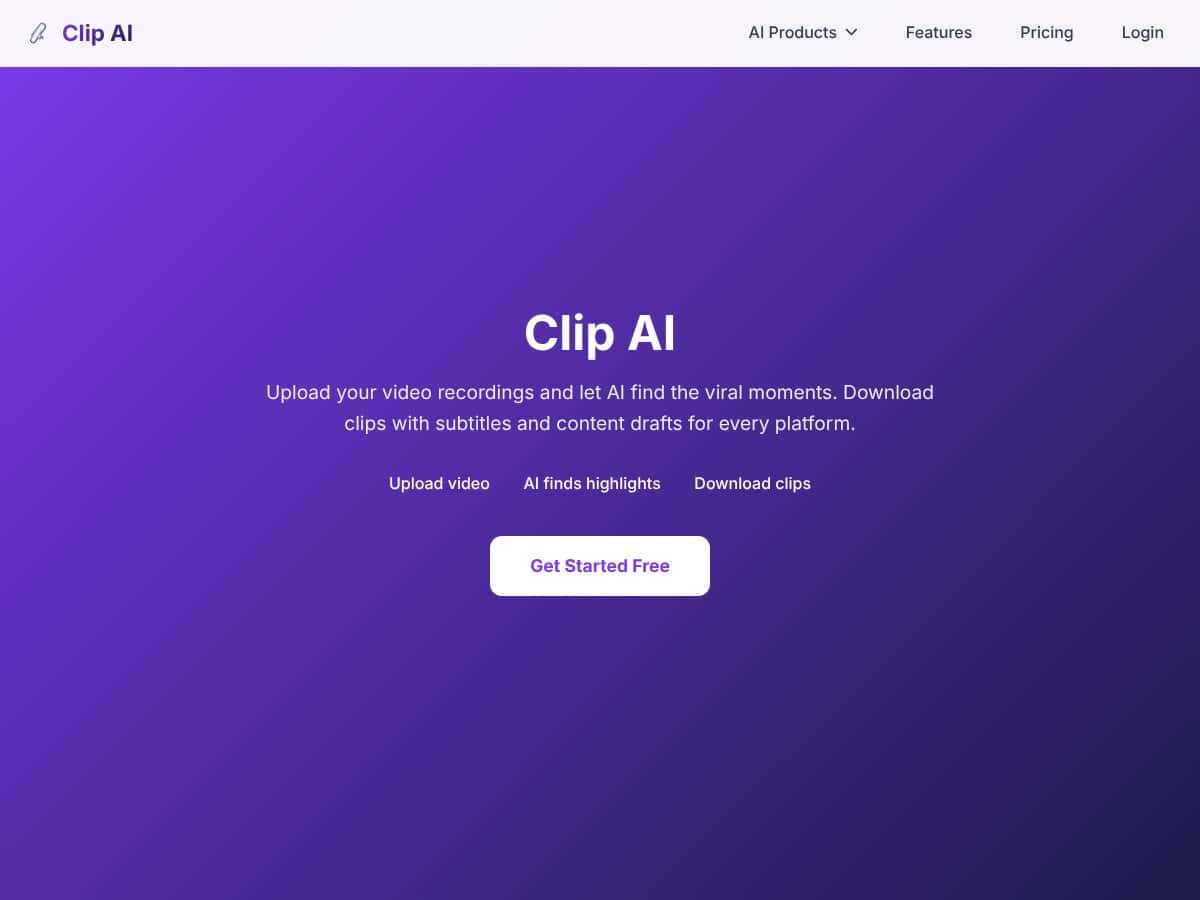
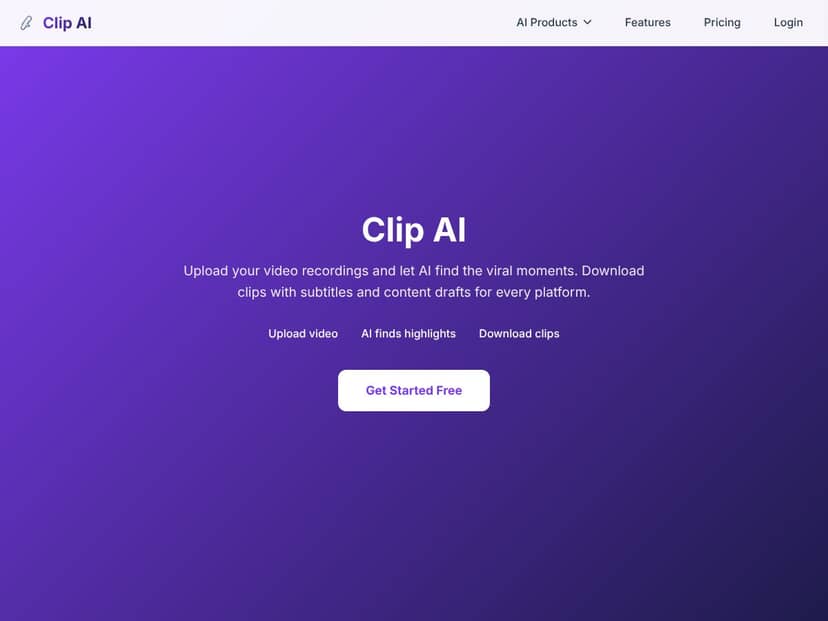
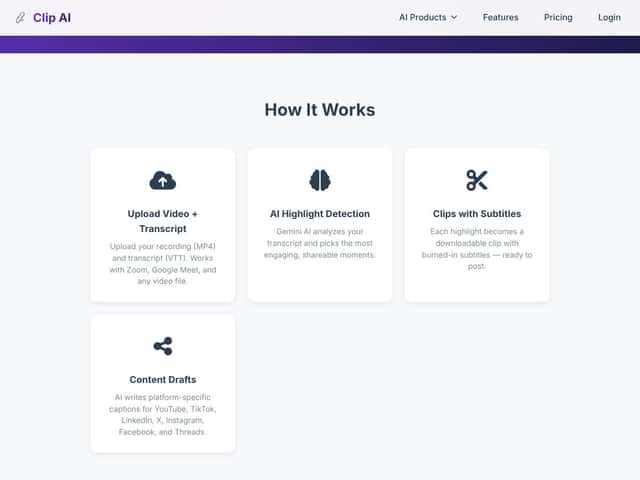
In plain terms, Clip AI is an automated video clipping tool. You upload a longer video (meetings, webinars, vlogs, podcasts—whatever you’ve got), and it uses the transcript to find moments that are more likely to be engaging or shareable. Then it generates clips with burned-in subtitles, so you can post without doing the “add captions” step manually.
It also claims it can create captions tailored to different platforms like TikTok, YouTube Shorts, Instagram Reels, LinkedIn, and Facebook. That part sounded promising, but I wanted to see if it was more than just marketing wording. So I paid attention to what the generated captions actually looked like when exported.
One more thing: Clip AI isn’t trying to be a full editing suite. It’s not built for complex storytelling, custom motion graphics, or super nuanced cuts where you’re matching pacing to a specific beat. It’s more like a “highlight finder + captioned clip generator.” If you want a narrative edit, you’ll still end up doing manual work.
My takeaway after testing: it’s best when you already have long-form content and you want a faster way to pull out short segments that are ready to share. If you’re expecting a replacement for a real editor, you’ll probably be disappointed.
Clip AI Pricing: Is It Worth It?
| Plan | Price | What You Get | My Take |
|---|---|---|---|
| Free Tier | Unknown / Not Clearly Disclosed | Likely limited exports, watermarks, or usage caps | Fair warning: the free tier details weren’t clear enough for me to confidently judge limits before testing. In my case, I focused on whether I could generate enough clips to evaluate caption quality and highlight detection. If the free plan caps you too hard, you won’t get a real sense of the tool. |
| Paid Plans | Check website for current pricing | Unlimited or credits-based clip exports, no watermarks, access to advanced features like auto B-roll, higher priority processing | Pricing may land in the same neighborhood as similar tools (often around the $12/month range when billed annually), but I don’t want to guess. What I recommend is checking the current plan page and confirming: clip export limits, watermark policy, and whether “credits” refill or expire. |
What I Looked For (So You Don’t Get Surprised)
When I review tools like this, I don’t just care about “is there a plan?” I care about the boring stuff: how many clips you can export, whether there’s a watermark, and whether captions are included on every plan or only on paid tiers.
In my test, I treated the free tier (if available) as a quality check—not a long-term solution. Why? Because if you’re doing this weekly (or even a few times a month), you’ll burn through any clip limit fast. And if the free plan adds a watermark, you’ll lose time re-exporting or redoing clips for actual posting.
Also, I couldn’t find solid, upfront details on things like a trial length or refund policy in a way I’d call “clear.” So if you’re serious about using Clip AI regularly, do yourself a favor: verify the current trial/refund terms on the purchase page before committing.
Here’s the decision rule I ended up using:
- If your content is 60–90 minutes per upload and you want 5–10 clips per week, the free tier probably won’t be enough to test “real usage” unless the limits are generous.
- If you’re repurposing occasionally (like once a month), the free tier might be enough to see if the captions and clip selection are consistently good for your style.
- If you need clean, watermark-free exports for client work, you’ll want to confirm watermark removal and clip limits before you pay.
So yeah—Clip AI can be worth it, but only if the plan you pick matches how many clips you actually plan to generate.
How Clip AI Stacks Up Against Alternatives
Instead of repeating generic “choose this if…” comparisons, I focused on what actually matters in daily use: clip selection quality, caption output, and how much manual cleanup you end up doing.
Opus Clip
- Opus Clip tends to feel more “creator-tuned” for caption-heavy social edits. In practice, I noticed it’s often more flexible when you want to steer what gets clipped.
- Pricing commonly starts around the $12/month range (annual billing is often cheaper), and it usually includes clearer credit-based usage patterns than tools that keep things vague.
- It’s a better fit when you want more control over what becomes a clip and how the output is structured.
- I’d pick Clip AI instead if you want something simpler—upload, generate, export with captions—and you’re okay with the AI making the clip decisions for you.
VEED.io
- VEED.io is more of an editing platform with AI features (subtitles, effects, and general editing). That means you can do more, but it’s not always as “hands-off” for auto-clipping.
- It often starts around $12/month for basic plans, and free tiers may include watermarks and limited exports.
- VEED is better when you already know you’ll need to polish clips with more than just captions.
- Clip AI is better when your main goal is speed: turn long videos into short, captioned clips without building edits from scratch.
Vizard.ai
- Vizard leans more toward summarization/highlight detection, and it can feel a bit more “document-style” depending on the content.
- Pricing transparency varies, and it may skew higher if it’s oriented toward teams or enterprise workflows.
- It’s a stronger option if you want AI to summarize longer content and extract key ideas for educational/corporate use.
- If your priority is social-ready clips with burned-in captions, Clip AI is typically the more direct tool.
StreamYard AI Clips
- StreamYard AI Clips is designed around turning live streams into shorter clips inside the StreamYard ecosystem.
- Pricing depends on your StreamYard plan, and clip features are often tied to higher tiers.
- It’s great if you already stream using StreamYard and want an easier “live-to-clip” workflow.
- Clip AI makes more sense for pre-recorded content, webinar replays, or when you want more AI-driven highlight detection outside a single streaming platform.
Bottom Line: Should You Try Clip AI?
After testing, I’d rate Clip AI 7/10 for the specific job it’s built for: turning long videos into short clips quickly.
What I liked:
- It’s fast. The whole flow (upload → AI picks moments → download clip) felt built for speed. I didn’t spend hours manually scrubbing a timeline.
- Auto-captions are actually usable. The burned-in subtitles saved me the captioning step I’d normally do myself.
- Highlight detection is good enough for first drafts. The clips it picked were generally in the right “engaging moment” category.
Where it fell short:
- It can miss nuance. If the “best” moment in your video is more about context than spoken keywords, the AI might not pick it.
- It relies heavily on speech. If your content has long stretches with low audio clarity, heavy accents, or minimal talking, don’t expect perfect results.
- Caption accuracy isn’t perfect. It’s strong, but you still need to scan for errors—especially for names, product terms, numbers, or anything that could be misheard.
Here’s my practical recommendation:
- If you’re repurposing content and you want simple, social-ready clips with captions, try it.
- If you’re picky about editing style, pacing, and story structure, you’ll likely use it as a starting point—not the final edit.
- If you’re doing client work and every clip needs to be clean, confirm watermark removal and clip limits before you rely on it.
Common Questions About Clip AI
- Is Clip AI worth the money?
- In my experience, it’s worth it if you’ll generate clips regularly and you value speed. If you only need a couple clips occasionally, you might get more value just using the free tier (assuming it’s truly usable) or a more flexible editor.
- Is there a free version?
- There appears to be a free tier, but the exact limits and details weren’t clearly disclosed in a way I’d call “transparent.” In practice, I’d treat it like a trial for quality, not a long-term plan.
- How does it compare to Opus Clip?
- They’re both in the “auto-clip + captions” space. Opus Clip usually feels like it offers more control, while Clip AI feels more streamlined for beginners who want less decision-making.
- Can I get a refund?
- Refunds depend on where you purchase and their terms. I recommend checking the exact refund policy at checkout rather than relying on assumptions.
- Does it support multiple platforms?
- Yes—Clip AI supports exports for popular social platforms like TikTok, Instagram, and YouTube Shorts. In my test, the main difference I noticed was how the captions were formatted for short-form posting.
- Is it suitable for non-English content?
- It works best with spoken English. For other languages or heavy accents, I’d expect more caption mistakes since speech-to-text accuracy tends to drop.
- How accurate are the captions?
- It claims very high accuracy (often quoted around the high-90% range). I still recommend double-checking—especially for names, numbers, and anything technical—because even a small error can look unprofessional when it’s burned into the video.