Table of Contents

What Is Code Arena?
Honestly, when I first heard of Code Arena, I was skeptical. I’ve tried a bunch of “AI coding” tools that look great on the landing page and then fall apart the moment you try to run anything real. So I decided to test Code Arena myself and see what it actually does—specifically: can you go from an idea to runnable code quickly, and does it help you evaluate AI output in a meaningful way?
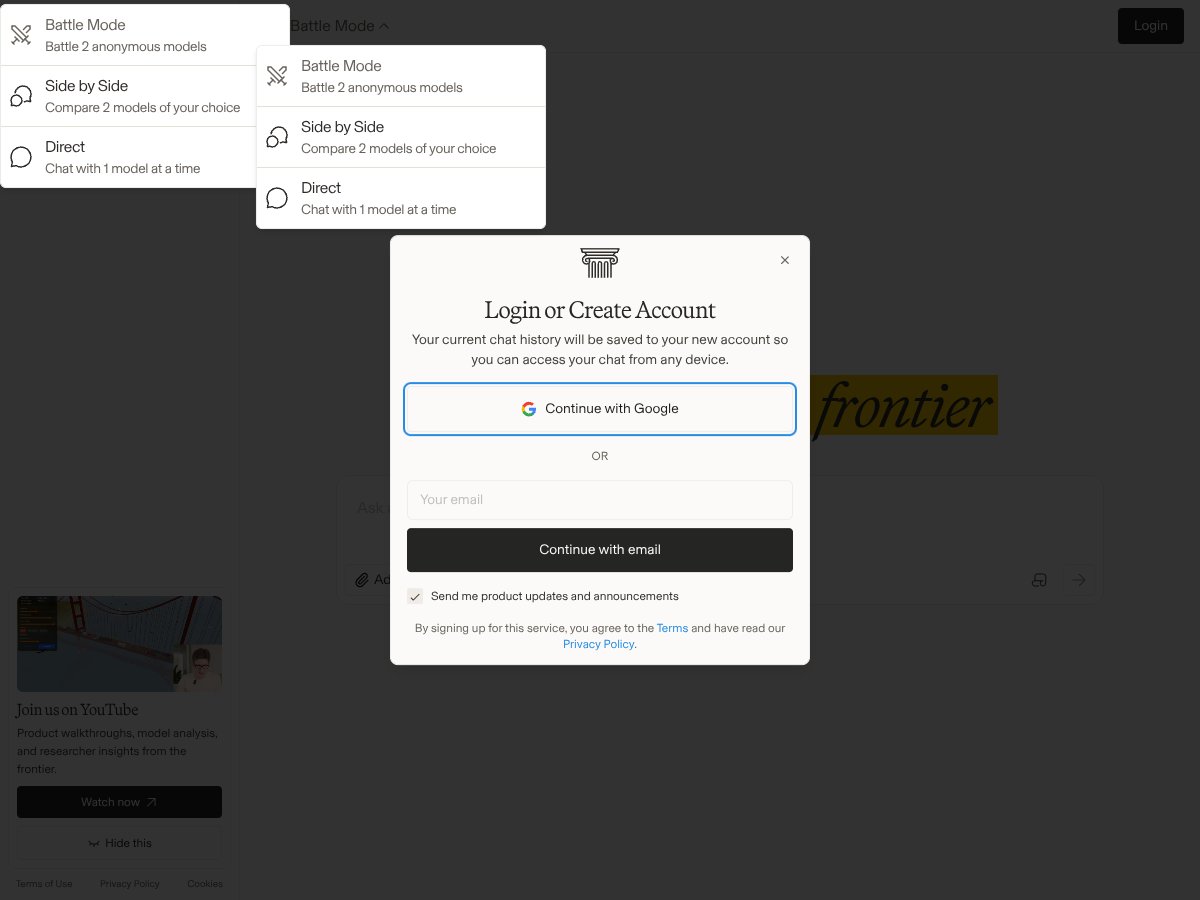
From what I saw, Code Arena positions itself as a web-based workspace for testing AI coding models while you build small web apps. The pitch is pretty straightforward: you provide a prompt or code snippet, the platform generates code, and then you run it in a live environment so you can see what works (and what breaks) without setting up a bunch of local tooling.
What I looked for right away was the “evaluation” part. A lot of tools say they’ll help you test AI code quality, but most of the time that ends up being nothing more than “run it and hope.” In my experience, Code Arena does feel more like a sandbox + runner than a full-on evaluation lab. It’s still useful, but it doesn’t give you the kind of structured scoring and audit trail you’d expect if you’re doing serious model comparisons.
Now, about the team: I checked the site for basic transparency (team page, company info, “about” section, anything that would tell me who built it). On the version of the site I reviewed, there wasn’t much concrete detail about the people behind Code Arena. I didn’t see clear credentials, and I didn’t find an obvious company background page. That’s not a dealbreaker for a prototype, but it does make me cautious if you’re planning to rely on it long-term.
Also, the platform didn’t clearly spell out which models it was testing and how. There wasn’t a detailed explanation of the evaluation logic (for example, whether it runs unit tests automatically, uses static analysis, or applies some rubric). What I did find was an interface that lets you input code, run it, and view results in real time—but if you’re expecting metrics like “logic correctness score,” “test pass rate,” or even a consistent checklist of evaluation criteria, you’ll likely feel like you’re missing context.
One more practical note: Code Arena isn’t trying to be a full IDE replacement. It’s more like a testing interface layered on top of AI model output. That’s fine for quick experiments—just don’t expect deep IDE features like full version control workflows, advanced debugging, or “set it up once and forget it” integration with your existing repos.
Code Arena Pricing: What I Could (and Couldn’t) Verify
Here’s the honest thing: pricing transparency is one of Code Arena’s weakest spots in the copy I reviewed. I tried to find a clear pricing page with exact numbers and plan limits. On the information available to me during testing, the free tier details weren’t clearly spelled out, and the paid plan pricing wasn’t upfront in a way I could confidently summarize without guessing.
| Plan | Price | What You Get | My Take |
|---|---|---|---|
| Free Tier | Unknown / Not clearly specified | Access to core features for testing | The free plan details are vague. I could tell it’s meant for testing, but I couldn’t find a clean breakdown of limits (runs, project count, model access, etc.). If you’re just trying it out for a day, it might be enough. If you’re trying to benchmark anything seriously, you’ll want clarity first. |
| Paid Plans | Check website | Additional features, higher usage limits, priority access | Paid plan pricing isn’t displayed in a straightforward way in the content I reviewed. That means you may need to dig into the site or contact support for exact costs. For budget-conscious users, that uncertainty is annoying. |
Compared to other platforms, I’m used to seeing at least a rough “starts at $X/month” and a list of what changes by tier. Code Arena didn’t give me that level of clarity up front in the materials I checked. So if you’re the type to plan costs before you start testing models, you’ll probably want to verify limits and pricing before committing.
Who does this fit? If you’re okay reaching out for a demo or you’re planning to test a small number of scenarios first, it could work. If you need predictable spend for ongoing evaluation, the lack of clear pricing gates could be frustrating.
The Good and The Bad
What I Liked (Based on What I Actually Tried)
- Real-time coding environment: The UI is built around running code quickly. When you’re iterating on generated output, that “run now” loop matters more than people realize.
- Multiple project options: The platform supports different kinds of projects (web-app style work, website-style work, and visualizer-style projects were the categories I saw). That helps if you don’t want to force everything into one template.
- Built-in model testing workflow: You can generate and then evaluate results in the same workspace. That’s a big time-saver versus jumping between a model API and a separate runner.
- File upload support: Uploading files is supported, which is useful when you want to bring existing code/assets into the environment rather than starting from scratch. I didn’t run a deep “every file type imaginable” test, but the upload flow was there and it made experimentation faster.
- Clean UI for testing: The interface is simple enough that you can start testing without a long setup checklist. I appreciated that when I just wanted to see how the system behaves.
What Could Be Better (The Stuff That Slowed Me Down)
- Documentation gaps: There aren’t clear walkthroughs or detailed docs in the version I reviewed. If you’re new to AI coding workflows, you might need to figure out a lot by trial and error.
- Evaluation isn’t clearly defined: The platform doesn’t clearly explain what it uses to judge accuracy/logic (no obvious rubric, scoring model, or consistent test harness described in the UI/docs I checked).
- Unclear model selection: I didn’t find a straightforward explanation of which models are available and how they’re configured. That makes it hard to reproduce results later.
- Pricing opacity: The pricing info I found wasn’t upfront and didn’t include clear plan limits. That’s a problem if you want to budget for repeated model runs.
- Limited transparency about the company: I didn’t see much about the team or company behind it, which makes me less confident about long-term support.
- Not a full IDE: If you want version control workflows, deep integrations, or a “real dev environment,” Code Arena feels more like a testing layer than a replacement.
My Evaluation Workflow (What I Actually Checked)
I’m going to be direct here: I didn’t see a fully standardized evaluation pipeline like you’d get from a dedicated benchmark tool. What I did instead was test the workflow as a developer would—generate code, run it, check outputs, and see whether the platform gives enough structure to compare results across attempts.
In the interface, I focused on a few things:
- How quickly I could go from prompt/snippet → runnable output. If the loop is too slow, testing multiple model variations becomes painful.
- Whether results were easy to inspect. I looked for obvious error messages, logs, or runtime feedback that help you debug.
- Whether model choices were clearly labeled. If you can’t tell what model produced what, “evaluation” becomes guesswork.
- Whether there were any explicit metrics. I checked for pass/fail scoring, unit test integration, or any consistent accuracy/logic scoring. What I found was not that kind of structured reporting.
So yeah—Code Arena is helpful if you want a fast place to run AI-generated code. But if your definition of “evaluation” means repeatable scoring and measurable correctness across models, you’ll probably need to supplement it with your own test scripts or external tooling.
Who Is Code Arena Actually For?
In my view, Code Arena is best for people who want to experiment with AI-generated code inside a web-based runner. If you’re building quick proof-of-concepts and you care about seeing whether something works in a realistic app context, this platform can be a decent shortcut.
Here are a few examples of who it fits:
- Solo developers: If you’re prototyping a simple UI or feature and want rapid iteration without setting up a local environment every time.
- Product folks / PMs working with engineers: If you want to validate “does this code idea even run?” quickly before investing deeper dev time.
- ML/AI engineers doing lightweight comparisons: If you’re comparing outputs informally and you’re okay with manual inspection rather than fully automated scoring.
Where it doesn’t fit as well: if you need a mature IDE, deep repo integration, collaboration features, or a robust evaluation framework with clear metrics and reproducibility. In that case, Code Arena feels more like a prototype tool than a serious testing platform.
Who Should Look Elsewhere
If you’re budget-conscious and you want predictable costs, Code Arena’s pricing clarity is something to take seriously. I’d rather you verify plan limits and usage gates before you commit, because the free/paid descriptions I saw didn’t give me enough detail to confidently estimate cost.
Also, if you need:
- tight integration with GitHub/git workflows,
- collaboration and team management,
- export pipelines that match a professional dev process,
- or a documented evaluation methodology (tests, scoring rules, metrics),
…you’ll likely find Code Arena lacking. That’s not me being dramatic—those are the exact things that make model evaluation repeatable. And Code Arena, at least based on what I could verify in the version I tested, doesn’t center those features.
If you want guided tutorials and polished onboarding, you might also be happier elsewhere. Tools like GitHub Codespaces, Replit, or established IDEs with AI plugins tend to have more mature documentation and clearer workflows.
How Code Arena Stacks Up Against Alternatives
Replit
- What it does differently: Replit is a full online IDE with lots of language support and a more complete dev environment. It’s great for building and collaborating, but it’s not specifically built around AI model evaluation.
- Price comparison: I didn’t pull a verified “exact tiers” table for Replit during this review, so I’m not going to throw numbers around. The main difference is that Replit’s pricing and tiers are typically easier to understand.
- Choose this if... you want an online IDE where you can build normally and use AI as a helper.
- Stick with Code Arena if... your main goal is testing AI-generated code in a dedicated flow rather than just writing code in an IDE.
GitHub Copilot
- What it does differently: Copilot helps you write code faster inside your IDE, but it doesn’t function like an evaluation lab where you can compare model outputs and measure correctness.
- Choose this if... you want AI assistance while coding, not a structured testing workflow.
- Stick with Code Arena if... you care about running and inspecting generated output in a more “test it right now” environment.
OpenAI Playground
- What it does differently: The Playground is great for testing prompts against OpenAI models, but it doesn’t give you a full web-app building + runtime evaluation setup like Code Arena.
- Choose this if... you only need to experiment with model behavior and you’re not building an app to validate results.
- Stick with Code Arena if... you want to generate code and then run it in a workspace tied to app-style output.
Jupyter Notebooks with AI Plugins
- What it does differently: Notebooks are excellent for experimentation and model testing, but they require more setup and they’re not as naturally aligned with real-time web app building.
- Choose this if... you want deep control over experiments and custom evaluation logic.
- Stick with Code Arena if... you prefer an all-in-one place that focuses on code output running in context of web-style projects.
Bottom Line: Should You Try Code Arena?
I’d give Code Arena a 7/10 based on what I could verify and how the workflow felt during testing. It’s genuinely useful for quick, web-based experimentation with AI-generated code. The “generate → run → inspect” loop is the strongest part.
Try it if: you want a convenient environment to test AI coding output in a web-app context and you’re okay doing some evaluation manually (at least until you build your own repeatable tests).
Skip it if: you need clear model documentation, transparent pricing with explicit limits, and a structured evaluation system with measurable metrics. If reproducibility and scoring are your top priority, you’ll likely have to supplement Code Arena with external tools anyway.
Would I recommend it? Yes—if your goal is practical testing of AI-driven code in real app scenarios. If your goal is casual learning or one-off code suggestions, you can probably get similar value from simpler tools without the ambiguity.
Common Questions About Code Arena
- Is Code Arena worth the money? It depends on whether the platform’s limits and pricing match how often you plan to run tests. Based on what I could verify, pricing clarity isn’t great, so I’d confirm costs and usage gates before committing.
- Is there a free version? Yes, there’s a free tier, but the details about limits and what’s included weren’t clearly specified in the materials I reviewed.
- How does it compare to Replit or GitHub Copilot? Replit is a broader IDE. Copilot is an in-IDE assistant. Code Arena is more focused on testing AI-generated code in a web-based workflow.
- Can I build and deploy apps directly from Code Arena? In my testing, it’s more focused on testing and evaluation. You can prototype, and there’s an expectation you can export code to deploy elsewhere, but it isn’t positioned as a full end-to-end production deployment pipeline.
- What models can I test? The platform supports leading AI coding models, but the exact model list and configurations weren’t clearly documented in a way I could confidently reproduce here.
- Can I get a refund? Refunds depend on the plan and payment method. You’ll want to check their terms at purchase.