Table of Contents
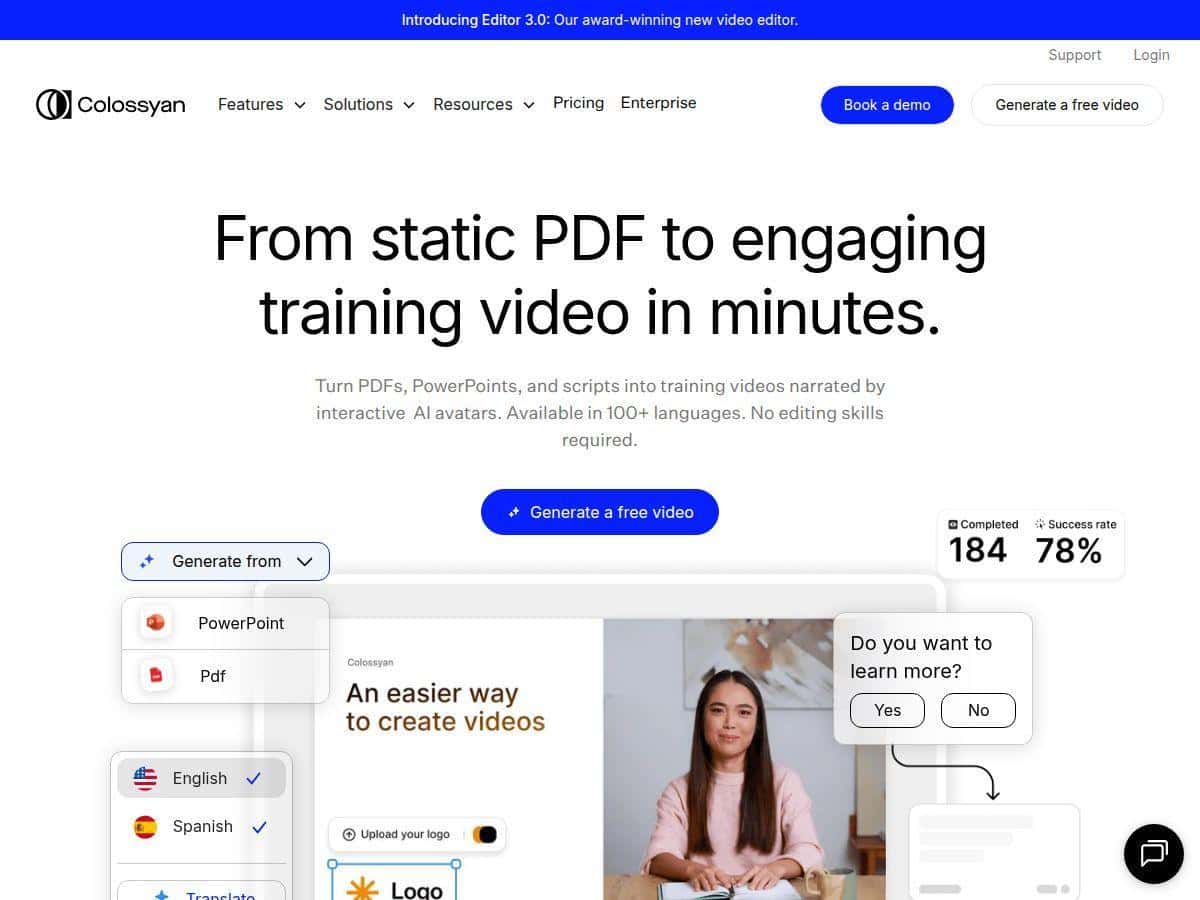
If you’ve ever stared at a blank screen thinking, “I need a video… and I need it yesterday,” you’ll probably get why people are excited about Colossyan Creator. I tested it specifically to see how fast it is to go from script to something you can actually publish—and how realistic the results look in 2026.
In my case, I made a short tutorial-style video and a second explainer with a different AI avatar and voice language. The big win was speed: I didn’t have to book a shoot, set up lighting, or edit dozens of timeline cuts. But I also hit a couple of limitations (mostly around fine control of motion and how clean the “lip-sync” feels with certain sentence rhythms). So yeah—impressive, but not magic.
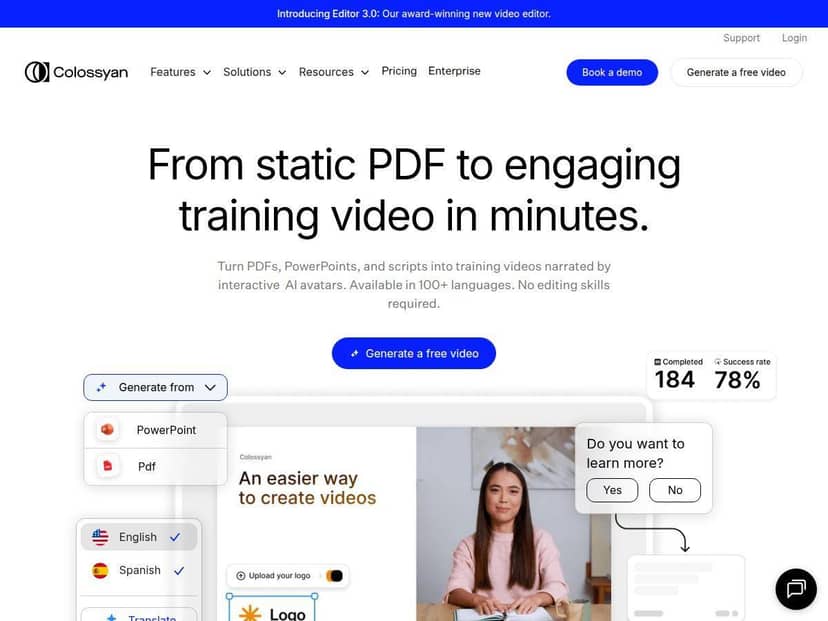
Colossyan Review: What I Actually Tested (and What I Noticed)
I spent a few focused sessions testing Colossyan Creator with the goal of answering two questions: (1) how quickly can I produce a publishable video, and (2) how much control do I get over quality details?
My test workflow (script → avatar → voice → export)
- Video #1 (tutorial-style): I started with a short script (about 220–260 words). I selected an AI avatar, generated narration, and reviewed the timing. Then I exported the final video after a quick pass on wording and pacing.
- Video #2 (explainer-style): Same general structure, but I switched to a different avatar and used a different voice/language setting to see how the delivery changed. The auto translation option was especially useful here because I didn’t want to rewrite the entire script manually.
What stood out right away
- It’s fast. The “from idea to draft video” part is genuinely quick. I could iterate without re-rendering an entire editing timeline every time.
- Avatar + voice pairing is the whole game. Once you pick an avatar and voice, the rest of the experience feels like polishing. If your script has awkward phrasing or super short fragments, the delivery can feel a bit off.
- Multi-language is practical, not just a checkbox. I didn’t just test “can it translate?” I tested whether the translated voice sounded natural enough for a real audience. In my case, it was usable for training-style content and social explainers.
Where it didn’t feel perfect
- Fine motion control is limited. You can adjust the experience, but it’s not the same level of control you’d get in a full editor like Premiere/After Effects. If you need very specific gestures or camera moves, you’ll probably want to do some extra work.
- Lip-sync and pacing vary by script. With certain sentence lengths, the mouth movement can look slightly “robotic.” It’s not always noticeable, but if you’re picky (like I am), you’ll want to tighten the script or shorten long compound sentences.
- Not every feature is equally polished. Things like interactive elements (quizzes/branching) are powerful, but you’ll want to test them end-to-end before relying on them for a course release.
Key Features: What You’ll Actually Use
- AI Video Creator (scripts, PDFs, prompts) — Turn text into a video without building a full storyboard manually.
- PPT import — Useful if your content already lives in slide decks. I found it helps when you’re repurposing training materials.
- Screen recording + narration — Good for tutorials where you want “show me the steps” plus a voiceover.
- 200+ AI avatars — Enough variety to match different tones (formal training vs. casual marketing).
- 600+ AI voices — The voice library matters more than people think. Different accents can completely change how “real” the video feels.
- Auto translation — Handy if you need multilingual versions quickly (especially for training and internal comms).
- Brand Kits — Keeps colors/styles consistent so you’re not reinventing the look every time.
- Collaboration tools — Helpful for teams who need review cycles (drafts, comments, approvals—whatever your process looks like).
- Interactive videos — Quizzes and branching paths make it more than a “watch-only” asset.
- API and Zapier integrations — If you automate content workflows, this is where it gets interesting.
- SCORM export — Important if you’re delivering training through an LMS. This is one of those “you’ll be glad you checked” features.
Pros and Cons (Based on Real Use)
Pros
- Easy to get started. I didn’t need a long tutorial to make my first draft. The UI basically guides you through script/asset/voice choices.
- Multilingual voices feel genuinely usable. It’s not just “translated words”—the voice options and accents help you tailor the tone.
- Team-friendly workflow. Collaboration is a big deal when multiple people review content. This is one of the reasons it fits training and enterprise use cases.
- Customization is strong for an AI-first tool. Avatars + voice options + brand kit controls are enough to create a consistent series without starting from scratch.
- Speed is the main advantage. If your goal is “publish more videos with fewer delays,” Colossyan delivers.
Cons
- Free plan limitations are real. You’ll likely hit the “minutes” cap quickly. For testing, it’s fine. For ongoing production, you’ll probably upgrade.
- Advanced features cost more. Some of the deeper workflow options (and higher output limits) are tied to higher tiers, which can add up fast if you produce lots of content.
- There’s a learning curve—just not the usual one. The learning curve isn’t editing skills. It’s learning how to write scripts that match the voice cadence and how to review outputs efficiently.
- Support/documentation can feel uneven. When I looked for specifics on certain workflow behaviors, I sometimes had to experiment rather than rely on a super clear “do X, then Y” reference.
Pricing Plans: What I’d Budget For
Pricing can change, so I’m describing what’s typically presented at the time of writing for Colossyan Creator. In short: there’s a free trial, then paid plans with video minute limits.
Starter plan: around $19–$27/month (depending on billing options). It includes 10–15 minutes of video generation for that period, plus access to many avatars.
Business plan: around $70–$87/month. This is where you typically get higher limits (often described as unlimited minutes), plus more advanced capabilities like custom avatars and more production flexibility.
Enterprise: custom pricing for larger organizations (usually with admin/security/workflow requirements).
What “10–15 minutes” means in practice: it’s not “10–15 minutes you can export whenever.” It’s tied to your generation allowance for the billing period. If you’re doing multiple drafts while you test pacing and voice, those minutes can disappear faster than you expect—especially if you’re iterating on the same script.
If you’re comparing plans, I’d also check whether higher tiers include features like SCORM export, collaboration depth, and interactive video capabilities—those are the things that matter most once you move beyond simple marketing clips.
Wrap up
Colossyan Creator is one of those tools that makes sense immediately: you feed it a script, pick an avatar and voice, and you get a video draft fast. In my experience, it’s especially strong for training, internal updates, and explainer content where “good enough + quick turnaround” beats “perfect cinematic edit.”
That said, if you need super granular control over motion, or you’re extremely picky about lip-sync realism across every sentence, you may still want a traditional editor in your workflow. But if speed, multilingual voices, and team-friendly production are your priorities, Colossyan is worth a serious look.