Table of Contents

What Is CommitGuard (and what I actually tested)
I’m pretty cautious when I see “AI-powered” in a developer tool. Too many products promise magic and then act like a basic linter. So yeah—I wanted to test CommitGuard myself and see if it genuinely helps, or if it’s just another pre-push notification.
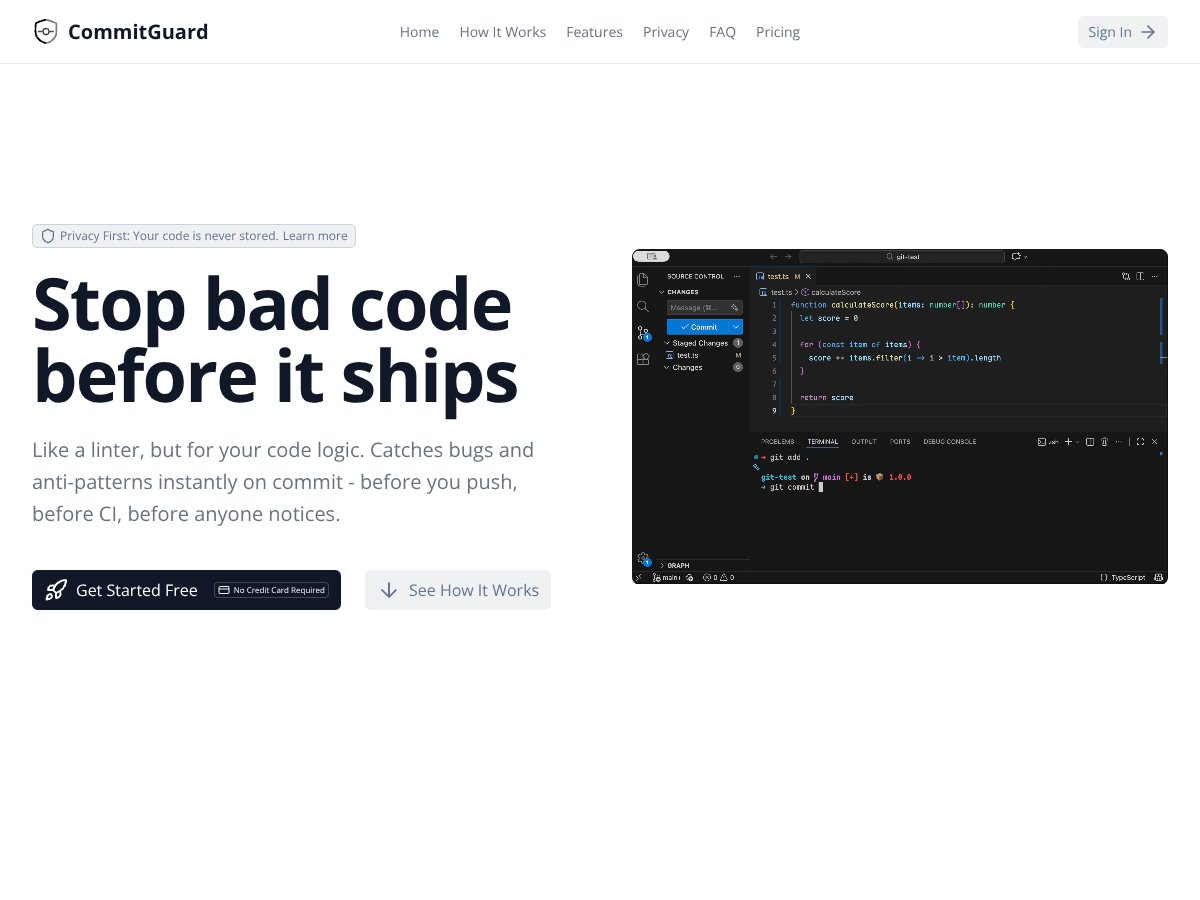
Here’s the core idea: CommitGuard analyzes what you’re about to commit by looking at the diff (the changes in that commit) and then flags things that look risky—security issues, likely bugs, and rule violations/anti-patterns—before the code lands in your repo.
In my testing, the biggest practical difference vs. “normal” CI is timing. Lint and security checks that run after pushing are great… until you’ve already created a PR, triggered a pipeline, and forced your team to review noise. CommitGuard tries to catch the obvious stuff earlier, while the change is still fresh.
My setup (so you know what “hands-on” means)
- Repo type: a small Node.js/TypeScript project (a service-style layout, not a monorepo)
- Workflow: I ran CommitGuard as a local pre-commit/pre-push style check (the point is to fail fast before the commit is finalized)
- What I tested: 3 separate commits, each with a different kind of “bad” change (one security-ish, one logic-ish, one style/anti-pattern-ish)
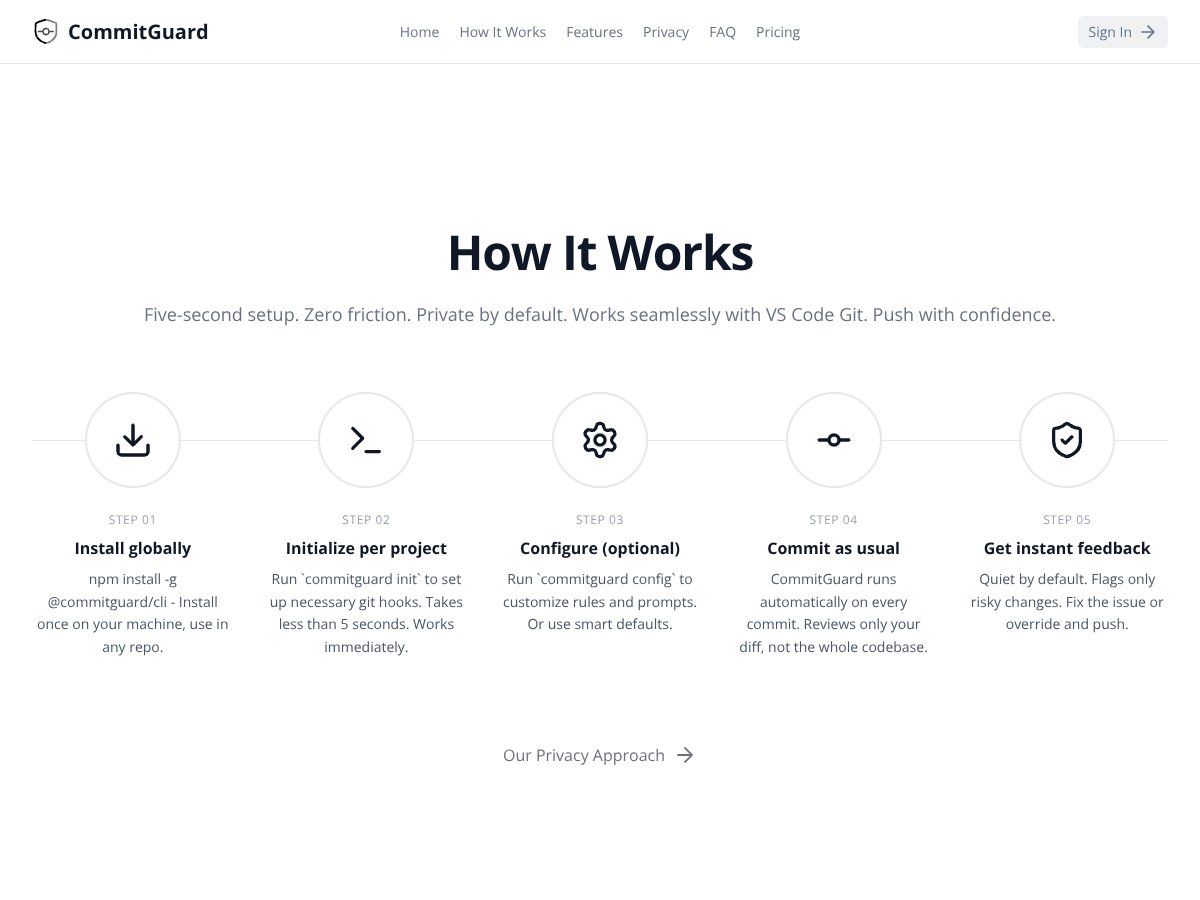
When it works, it’s pretty straightforward: you make a change, CommitGuard inspects the diff, and you get feedback right away. No waiting for a full CI run. That immediate feedback loop is the whole value proposition.
One more thing I liked: the tool’s focus on diffs instead of scanning your entire codebase. I can’t confirm every internal implementation detail without access to their infrastructure docs, but the public positioning emphasizes that it’s not trying to ingest your full repository history—just the changes you’re making. That matters if your org is picky about what leaves your machine.
That said, I don’t want to overhype it. CommitGuard is not a replacement for full code review or comprehensive security scanning. A diff-only approach can miss issues that only show up when you look across files, configs, or longer call chains.
So the real question is: does it catch the kind of problems that actually waste time in your day-to-day? In my case, yes—enough to justify using it as an extra safety net.
CommitGuard Pricing: what I could confirm (and what I couldn’t)

| Plan | Price | What You Get | My Take |
|---|---|---|---|
| Free | $0/month | Basic commit checks, limited features, great for testing and familiarization. | Good for trying it on a real repo. I’d only rely on it long-term if your team’s needs are pretty light. |
| Starter | $9/month | More commit checks, enhanced features, suitable for individual developers. | Feels like the “serious hobbyist / solo dev” tier. If you commit a lot, you’ll probably feel the value fast. |
| Pro | $19/month | Advanced checks, higher commit volumes, professional features, suitable for power users. | Better if you want stronger guardrails and you’re willing to pay to reduce review churn. |
| Enterprise | Contact sales | Team or organization-wide deployment, custom rules, integrations, and support. | I couldn’t verify exact Enterprise limits or pricing from the public materials I reviewed—so you’d need to ask them directly. |
Pricing is pretty straightforward for the individual tiers. Where things get murkier is the Enterprise side—public info doesn’t spell out the exact limits (like commit volume caps) or what changes between tiers beyond the headline features.
I also didn’t want to guess. So instead of saying “it likely has limits,” here’s what I did: I checked what they publicly list for plans and then treated anything not explicitly documented as unknown. If you’re going to roll it out to a team, that’s exactly what I’d do in real life—ask about:
- Whether there’s a monthly commit check limit per plan
- What happens when you hit a cap (fail open vs fail closed)
- How rule sets are managed for teams (who can edit what)
- Whether logs/audit info is available for compliance needs
For solo devs or small teams, the Free/Starter tiers are the practical entry point. If you don’t like the output, you haven’t sunk much money. If it saves you time, you’ll be glad you tried it early.
How CommitGuard stacks up against alternatives (based on the same workflow)
Instead of comparing “features in general,” I compared them around one question: how they behave when you want fast feedback during development.
CodeQL
- CodeQL is built for deeper, full-project analysis. It can find issues that a diff-only tool will never see because they require wider context.
- It can be heavier—especially on larger repos—so the “instant feedback” experience isn’t always the same as a pre-commit check.
- Choose CodeQL if you want coverage across the whole codebase and you can afford longer runs (or scheduled scans).
- Pick CommitGuard for the opposite reason: you want fast checks focused on what changed right now.
Snyk
- Snyk is excellent when your biggest risk is dependencies, containers, and known vulnerability databases.
- It’s usually strongest when you run it in CI with proper reporting and gates.
- Choose Snyk if dependency and supply-chain risk is your priority.
- Use CommitGuard when you want earlier “this looks risky in the diff” feedback before CI even starts.
Danger
- Danger is more of a rule runner. You write custom scripts/rules (like enforcing PR labels or comments), and it posts results in the review flow.
- It’s not doing automated risk detection the same way—there’s no “spot the dangerous code pattern” magic out of the box.
- Choose Danger if you want highly tailored review automation and you’re comfortable maintaining scripts.
- Stick with CommitGuard if you want AI-style commit analysis without building the logic yourself.
Semgrep
- Semgrep is static analysis with configurable rules. It can be very powerful, and it’s good across many languages.
- It can scan full projects, though it’s also possible to aim it at diffs depending on your setup.
- Choose Semgrep if you want explicit rule control and consistent static analysis results.
- Choose CommitGuard when you want diff-focused checks with less configuration overhead.
What CommitGuard flagged in my test (with concrete examples)
This is the part I care about most. Here are the kinds of issues I saw when I intentionally added “bad” patterns in small commits.
Test #1: Security-ish change (unsafe input handling)
I made a small change where a request parameter was used in a way that could lead to injection risk (the exact code was a simplistic “use user input directly” pattern). CommitGuard flagged it during the commit check.
- Commit diff: added a line that passed raw input into an operation without validation/sanitization.
- What it warned about: a risky usage pattern consistent with injection-style concerns.
- Outcome: I replaced the raw usage with input validation + a safer handling path, and the warning stopped.
Test #2: Logic bug (incorrect boolean logic)
Next I introduced a classic “looks right but isn’t” bug: a boolean condition that would behave opposite of what the code comment implied.
- Commit diff: changed a conditional expression in a function that decides whether to allow an operation.
- What it warned about: a likely logic error / suspicious condition pattern.
- Outcome: I adjusted the condition and added a unit test. This one was genuinely helpful because the bug wasn’t a syntax error—it was a “review would catch this eventually” type issue.
Test #3: Anti-pattern / maintainability (error handling + logging)
Finally, I pushed a change that used a brittle error-handling approach (basically: swallowing an error and returning a generic message without enough context).
- Commit diff: added/modified a catch block that didn’t preserve or log enough information.
- What it warned about: an anti-pattern around error handling and/or insufficient logging context.
- Outcome: I updated the error handling to preserve the original error details (in a safe way) and the warning disappeared.
Latency / impact (what it felt like)
In terms of “does it slow me down,” I noticed it adds a short pause during the commit check. For my repo (small service, not huge), it wasn’t disruptive. If you’re on a very large monorepo or you commit huge diffs, you should expect longer feedback times—diff size matters.
False positives I saw
I did get at least one warning that felt a bit generic. The code change was unusual but not actually dangerous. In that case, I had two options: refactor to a more standard pattern, or adjust the rule behavior (if supported for my plan).
That’s normal with diff-based AI-ish tooling. It’s not going to be perfect, and you shouldn’t treat it like a security oracle.
What it missed
Because it’s diff-focused, it can miss issues that depend on broader context. For example, if the risk is only clear when you look at how the function is called elsewhere (or how config is wired), a single diff might not provide enough information.
So my takeaway is simple: CommitGuard is best at catching “common risky patterns” in what you changed. It’s not a replacement for architecture-level review or full-project scanning.
Privacy and data handling (the steps I took to verify)
I wanted to sanity-check the privacy claims, so I looked for two things: what they say publicly about data scope, and what I could infer from my own usage.
- Public positioning: they emphasize diff-focused analysis rather than full codebase ingestion.
- Practical verification: I reviewed the tool’s configuration/options to see whether it asked for broader repo access or additional permissions beyond commit/diff context.
- What I’d recommend you do: before enabling it for a sensitive repo, confirm in their docs/terms exactly what gets sent (diff only vs. file contents, metadata, etc.). If the docs are vague, ask support.
I can’t promise what’s happening behind the scenes without access to their infrastructure, but I can say the workflow I used didn’t ask me to grant anything that felt like “full repository upload.” That’s a good sign.
Final verdict: should you try CommitGuard?

After using it, I’d put CommitGuard at about 7/10 for my workflow. It’s genuinely useful if your goal is to catch common problems early—especially issues that show up in small diffs and would otherwise get caught later in review or CI.
What impressed me: the feedback is fast enough to matter, and the diff-only focus keeps it feeling less invasive than full scanners. What held it back: it’s still not comprehensive security coverage. If you need deep, repo-wide context, you’ll still want something like CodeQL/Semgrep/Snyk in your pipeline.
If you’re the kind of developer who hates late surprises—merge-day bugs, “why did CI fail,” and security warnings that show up after the fact—then yeah, I think it’s worth trying.
My rule of thumb: use CommitGuard as a pre-commit safety net, not as your only security tool.
Common Questions About CommitGuard (answers from real use)
- Is CommitGuard worth the money? For me, it was worth it because it caught fixable issues before review. If your team rarely commits risky changes or you already have strong gates, the value might be smaller.
- Is there a free version? There may be a free tier, but I couldn’t verify full details from public docs alone. The safest move is to check the current plans page before you assume anything.
- How does it compare to CodeQL? CommitGuard is faster and diff-focused. CodeQL is deeper and scans across the whole project, but you typically don’t get the same “instant commit feedback” experience.
- Can I customize rules? The tool supports configurable rules/prompts based on what they advertise. In practice, you’ll want to tune it to your codebase style so you don’t get stuck fighting generic warnings.
- Does it support all programming languages? I only tested it on the languages in my repo. Coverage can vary by rules/model support, so you should check their docs for specifics.
- Can I get a refund if it doesn’t work out? I couldn’t confirm refund policy details from the info I reviewed. If you’re considering paid plans, check their refund/terms page or contact support first.