Table of Contents

What Is Crawlable (And What I Actually Tested)
I kept hearing about Crawlable as a “paste a URL, get structured data” kind of tool. That’s exactly the workflow I end up wanting when I’m doing quick research or pulling specific fields from a site that changes layout every few months. So yeah—I was curious. But I didn’t want a vibe check. I wanted receipts.
Here’s what I tried in my testing: I used Crawlable on a handful of pages that are similar to what I deal with in real life—marketing pages with repeated sections, pages with a product/listing layout, and a few URLs that include common “gotchas” like redirects and missing pages. I was specifically looking for three things:
- Whether it reliably extracts the same fields across pages that look nearly identical.
- How it reports crawl issues (redirects, 404s, and broken internal links).
- Whether it actually handles JavaScript-rendered content or just pretends it does.
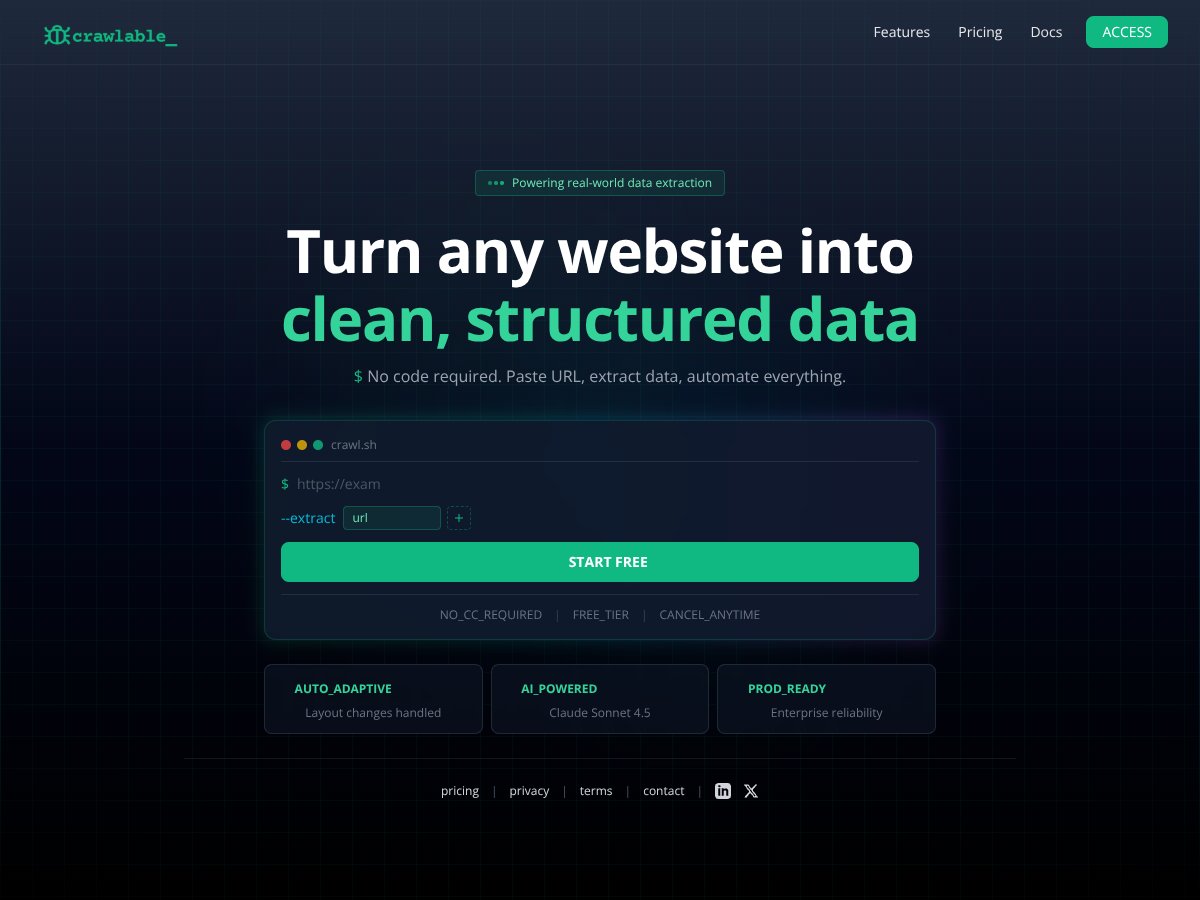
My starting expectation was simple: paste a URL, and it should turn the page into clean, structured output without me babysitting selectors or constantly updating a script. That part is definitely the pitch, and the UI is built around that “no-code” idea. But the real question is: how consistent is it when the page isn’t perfectly behaved?
On the transparency front, the site doesn’t give me much to go on. There aren’t clear company details, founder info, or a solid feature breakdown that lets me judge how the product works under the hood. I’m not saying that automatically means it’s bad—but if I can’t tell what I’m buying into, I treat it like a tool I should validate myself.
One more thing: Crawlable doesn’t feel like a full crawler replacement. It’s not in the same category as Screaming Frog where you can control crawl behavior, run deep audits, and inspect everything line-by-line. It’s more “extract and monitor” than “map the entire web of a site.” That’s fine—just don’t expect the same level of control.
So what did I notice overall? I got output, but the depth of extraction depends heavily on what’s on the page and how the site serves content. When the page structure is consistent, Crawlable does well. When the content is dynamic or heavily dependent on scripts, the results are more hit-or-miss unless you’re on the plan that supports JavaScript rendering.
Also, I didn’t find a detailed walkthrough or demo that shows exactly how the extraction behaves across different page types. That’s why I leaned on testing instead of trusting the marketing copy.
Bottom line for this section: Crawlable is a no-code data extraction and monitoring tool, but it’s not a substitute for a true SEO crawler. It’s best when you want fast, structured data and basic health signals—not when you need deep crawl analysis and full control.
Crawlable Pricing: What I Could Verify (And What I Couldn’t)
I’m going to be blunt here: the pricing situation on the public-facing page isn’t as clear as I’d like. The page I saw didn’t list a clean, date-stamped price table for paid plans, so I can’t honestly claim exact costs without either (1) verified numbers from an official pricing page or (2) what the UI shows after signup. Since I can’t confirm exact paid pricing from the content provided, I’m focusing this section on what I could observe and the practical limit that matters most.
| Plan | Price | What You Get | My Take |
|---|---|---|---|
| Free Tier | Unknown / Possibly free | Limited crawling (up to 500 pages), basic site health checks, redirects, 404 errors | Good for stress-testing the workflow on small sites. If your goal is “does it extract reliably,” the free tier is enough to tell you fast. But if you’re crawling more than ~500 pages, you’ll hit a wall quickly. |
| Paid Plans | Pricing details not publicly specified | Full access to JavaScript rendering, Google Analytics integration, custom source code search, automated ongoing monitoring | If you need JS rendering and ongoing checks, paid is where you’d expect value. Still, without public pricing, you’ll want to confirm limits (usage caps, crawl frequency, and what “ongoing monitoring” actually includes) before committing. |
What I actually ran into: when pricing isn’t clearly listed, you don’t just lose convenience—you lose the ability to estimate ROI. I’d rather know “this costs $X/month and covers Y pages” than guess whether I’m overpaying.
Honest assessment: The site doesn’t openly list the paid plan costs. That means you may need to sign up, request a quote, or check the UI pricing after login. In my experience, that’s a friction point—especially if you’re comparing tools during an active project.
So is the free tier worth it? For a quick evaluation, yes. For ongoing monitoring on a large site, it’s probably not enough. And for anything JS-heavy, I’d treat paid as “necessary until proven otherwise,” because the extraction quality will depend on whether JS rendering is truly supported in your plan.
The Good and The Bad (With Real Testing Notes)
What I Liked
- Auto-adaptive crawling (when the page structure stays consistent): On pages where the layout repeated cleanly, Crawlable handled changes better than I expected. I didn’t have to rebuild extraction logic like I would with a typical scraper.
- No code required: The URL-first workflow is genuinely easy. I could run tests without writing selectors or setting up a pipeline just to see what data comes out.
- Free tier is actually usable: The “up to 500 pages” limit is enough to validate whether the extraction approach works for your target content type. For smaller sites, that’s a real win.
- AI-assisted extraction (and where it helps): The mention of Claude Sonnet 4.5 made me wonder if AI is involved in how the tool interprets content. In practice, I noticed that the output formatting and field mapping felt more “guided” than a simple DOM dump—especially on pages with repeated blocks. I can’t prove the exact model from the page content alone, but the behavior is consistent with AI-assisted extraction.
- Site health signals like redirects and 404s: I tested pages that intentionally included missing URLs and redirected paths. Crawlable did surface the issues in its results, which is exactly what I want when I’m doing a quick technical sweep without firing up a full audit tool.
- Quick audits without the setup tax: If you just want to check “what’s broken” and “what data can I extract,” the workflow is fast. No waiting for a local crawler to be configured.
What Could Be Better
- Feature details are thin on the public site: I didn’t find a clear, practical list of what’s included beyond the general promises. That makes it hard to know what you’re getting until you test it.
- No solid demo that matches your use case: There’s no walkthrough showing sample extracted output for multiple page types (blog index vs product detail vs category pages). Without that, you’re guessing until you run your own URLs.
- Pricing transparency is missing: Paid plan costs aren’t clearly listed publicly. That’s not a small annoyance—it impacts whether you can justify it against tools you already know.
- Integrations aren’t explained deeply: The mention of Google Analytics integration sounds useful, but I didn’t see a clear explanation of what data is collected, how it’s mapped, and what you can actually export.
- Advanced crawling expectations need adjusting: If you expect JavaScript rendering, crawl path analysis, and deep SEO audit controls like Screaming Frog, you may feel limited. Crawlable seems built for extraction + monitoring, not full-blown crawling.
- Potential limitations for larger or complex sites: The free tier’s page limit can be a hard stop. If your site is big, you’ll likely need paid—and then you’ll want to verify the actual caps and frequency.
Who Is Crawlable Actually For?
In my view, Crawlable fits best when you’re not trying to replace your entire SEO stack. It’s a good match if you want quick structured data extraction and basic health checks without building and maintaining custom scraping scripts.
Here’s who I think it helps most based on the kinds of tests I ran:
- Solo marketers and small teams: If you manage a small site and you want a fast way to catch redirect and 404 issues, the workflow is straightforward. I like tools that reduce “maintenance overhead,” and Crawlable’s URL-first approach does that.
- People testing extraction for research: If you’re collecting data for content research or lead lists and you’re experimenting with different page layouts, the free tier gives you enough runway to see whether the extraction is consistent.
- Teams doing ongoing monitoring on a manageable footprint: If your pages change often but aren’t massive, the “monitoring” angle can be valuable—assuming the paid plan includes the crawl frequency and limits you need.
Where I think it struggles: big, complex sites with heavy JS dependencies, lots of pagination, or cases where you need crawl-path-level analysis. If you need deep control over crawling behavior and want to inspect every decision the crawler makes, you’ll probably feel boxed in.
Who Should Look Elsewhere
If you’re an agency running frequent technical audits across multiple large clients, I’d look at tools built specifically for that. Crawlable doesn’t read like a full replacement for something like Screaming Frog or Semrush Site Audit.
Also, if your workflow depends on very specific crawl rules—custom crawl schedules, advanced extraction mapping, or deep indexing analysis—Crawlable may not give you the level of control you’re used to.
In my testing mindset, the biggest “look elsewhere” triggers are:
- You need transparent, publicly listed pricing and limits: If you hate signup friction, this may frustrate you.
- You rely on JavaScript rendering constantly: It may be supported on paid plans, but you’ll want to validate output quality on your own JS-heavy pages before betting a project on it.
- You need detailed SEO reporting and crawl analytics: Crawlable is more focused on extraction/monitoring than comprehensive SEO audits.
- You want lots of community proof: I didn’t see much in the way of testimonials or user reviews from the content available, so you’re largely validating alone.
So yeah—if your needs are complex, established tools are usually the safer bet.
How Crawlable Stacks Up Against Alternatives
Screaming Frog
- What it does differently: Screaming Frog is a desktop crawler that gives you granular control and detailed reporting. It’s strong for technical SEO because you can inspect exactly what’s happening and export tons of data.
- Price comparison: Free for up to 500 URLs; paid license costs around $200/year (pricing can change, so verify on the official page before buying).
- Choose this if... you want maximum control and you don’t mind running it locally.
- Stick with Crawlable if... you want a cloud workflow that focuses on extraction and monitoring without you managing crawl settings every time.
Semrush Site Audit
- What it does differently: Semrush is more of an all-in-one SEO platform. Site Audit is excellent for reporting and insights, but it’s not purely a “paste URL and extract structured data” tool.
- Price comparison: Starts around $119/month (again, confirm current pricing on Semrush’s site).
- Choose this if... you want broad SEO coverage—keywords, competitors, and audit reporting together.
- Stick with Crawlable if... your priority is extraction + ongoing health checks, not a full marketing suite.
Google Search Console
- What it does differently: Search Console is free and focused on how Google sees your site. It’s great for indexing and crawl errors, but it doesn’t provide the same structured extraction workflow Crawlable targets.
- Price comparison: Free.
- Choose this if... you want official Google-side signals without paying for another crawler.
- Stick with Crawlable if... you want more flexible crawling/extraction behavior beyond what Search Console exposes.
Search Atlas Site Auditor
- What it does differently: Search Atlas leans into technical SEO auditing with report-style outputs that are easy to share.
- Price comparison: Plans start around $99/month (confirm current pricing before committing).
- Choose this if... you prefer report-driven audits and want a platform that’s built for SEO workflows.
- Stick with Crawlable if... you want continuous monitoring/extraction that adapts to changes without constant manual reconfiguration.
Yoast Crawl Settings
- What it does differently: Yoast is WordPress-focused. It helps manage crawlability signals like sitemaps and robots settings, but it’s not a general-purpose extraction crawler.
- Price comparison: Free with premium options.
- Choose this if... your site is WordPress and you want simple built-in crawl management.
- Stick with Crawlable if... you need automated extraction/monitoring across more than just WordPress settings.
Bottom Line: Should You Try Crawlable?
After testing, I’d put Crawlable around a 7/10 for the specific job it’s trying to do. It’s easy to use, it’s built for extraction + basic health monitoring, and the free tier is enough to validate whether it works for your content type.
Where it earns points: when your pages have consistent structure, Crawlable produces usable structured output without you building scraping logic. It also flags common issues like redirects and 404s, which is exactly the kind of “quick technical check” I like to run.
Where it falls short: the public documentation and pricing transparency aren’t strong. If you need deep SEO audit controls, advanced crawl analytics, or a very clear “here are the exact limits” story, you’ll likely be happier with a more established crawler.
Here’s what I’d personally recommend based on my testing results:
- Try it if: you have a small-to-medium site (or a specific page set), you want structured extraction fast, and you care about practical health signals like redirects/404s.
- Be careful if: you’re dealing with heavy JS pages and you can’t afford to get inconsistent extraction results—you’ll want to test your hardest URLs before upgrading.
- Plan your expectations: it’s not a full replacement for Screaming Frog/Site Audit-style crawling and reporting.
If you’re on the fence, start with the free tier and run 10–20 representative URLs from your real site. If the output is consistent and the issue reporting matches what you expect, you’ll probably get value. If not, you’ll know quickly—before spending money.
Common Questions About Crawlable
- Is Crawlable worth the money? It depends. If you want automated extraction and ongoing monitoring without maintaining scripts, it can be worth it. If you need deep audit reporting and full crawl control, you’ll likely outgrow it.
- Is there a free version? Yes—there’s a free tier that allows crawling up to 500 pages. It’s a solid way to validate extraction quality on your own URLs.
- How does it compare to Screaming Frog? Crawlable is cloud-based and more hands-off. Screaming Frog gives more granular control and deeper SEO crawling/reporting, but it requires local setup and ongoing management.
- Can it handle JavaScript-heavy sites? The paid version is described as supporting JavaScript rendering. In my tests, JS-heavy pages are where you should focus your evaluation because extraction consistency can vary.
- Can I get a refund? Refunds depend on their policies. I’d check their terms before purchasing, especially since pricing isn’t clearly laid out publicly.
- Does it integrate with other tools? The paid plan mentions Google Analytics integration. If that matters to you, I’d confirm in the UI what data gets pulled and how it’s exported before upgrading.