LIFETIME DEAL — LIMITED TIME
Get Lifetime AccessLimited-time — price increases soon ⏳
AI Tools

dbrief Review – Simplifying Expert Content Creation

Updated: April 20, 2026
7 min read
#Ai tool#content

Table of Contents

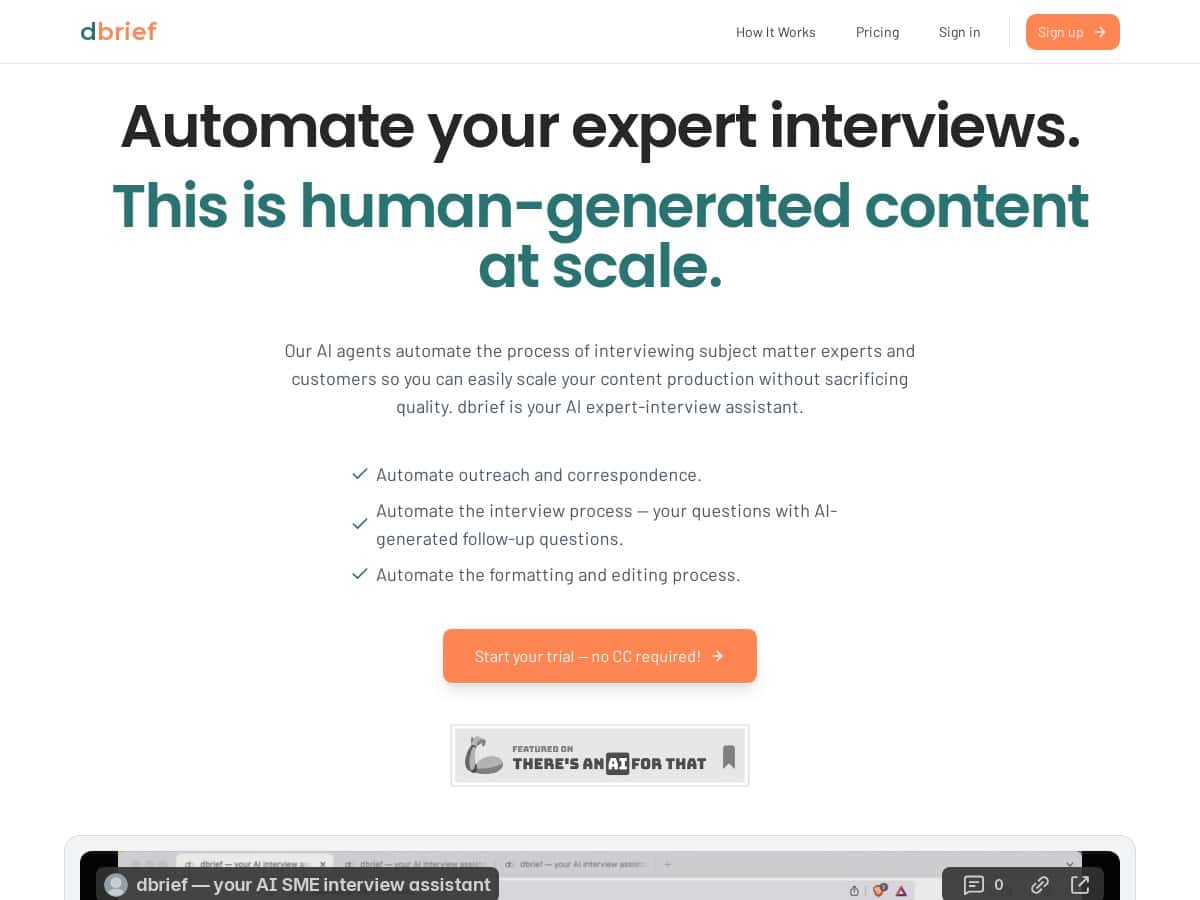
If you’ve ever tried to run “expert interview” content consistently, you already know the annoying part: chasing replies, asking the right follow-ups, and then turning everything into something you can actually publish. That’s what I wanted to test with dbrief. In my experience, it’s one of those tools that doesn’t just generate text—it nudges the whole workflow forward.

I used dbrief for a short run of SME-style interviews (think: B2B operators/experts, not celebrity-style Q&A). Over a couple of weeks, I set up outreach, collected responses, and let the AI turn them into publish-ready drafts. What I noticed most: the follow-up questions were fast to produce, and the drafts were easy to edit without losing the original meaning.

Dbrief

dbrief Review: what I actually did (and what I got)

Here’s the workflow I ran, step by step, so you can judge if it matches how you work.

1) Outreach setup (quick, but you still need to be specific)
I started with an interview topic and target expert profile (SME in a B2B niche). The setup was simple enough that I didn’t feel stuck in settings for an hour. In my notes, the initial configuration took me about 15–20 minutes: choosing the angle, confirming the outreach messaging style, and setting the cadence.

2) Follow-up questions (fast drafting, usually strong)
After the first responses came in, dbrief generated follow-up questions based on what the expert said. This is where I felt the biggest time savings. I didn’t have to manually craft “okay, but can you go deeper on X?” questions from scratch.

For example, in one interview response that included a short story about onboarding mistakes, the follow-up questions I received were along the lines of:

  • “What did you change after that first onboarding cycle?”
  • “Was there a specific metric or signal that convinced you the new approach worked?”

That’s exactly the kind of question that turns a generic answer into something readers can learn from.

3) Draft conversion (easy to edit, not just a one-click blob)
Once the replies were in, the responses were converted into editable drafts. What I liked: I could skim and tighten the wording without fighting a “machine translation” vibe. It felt like I was editing a document, not rescuing a mess.

4) Publishing (where it helps, but you still own the final polish)
dbrief supports publishing to places like blogs/newsletters/social. I didn’t rely on it to “auto-publish and forget.” In my workflow, I used the draft output as the foundation, then I added my own structure (intro hook, a couple of pull quotes, and a short takeaway section).

Time impact (my honest estimate)
For the interviews I ran, I’d say dbrief cut the “busy work” portion—outreach coordination + follow-up drafting—by roughly 40–60%. Editing time didn’t disappear (it never does), but it was less about rewriting and more about tightening details and making sure the story matched my brand voice.

One more thing: I tested this with a small batch (a handful of interviews). So I can’t claim it magically fixes outreach performance for every niche. But for the process itself—especially turning SME responses into publishable drafts—it did what it promised.

Key Features that actually showed up in my workflow

  • Automated outreach and correspondence with SMEs
    This is the backbone. It reduced the back-and-forth I normally do in email threads and spreadsheets.
  • AI-assisted interview questions and follow-ups
    The follow-ups were the biggest “time saved” feature for me. I still reviewed them, but I wasn’t starting from a blank page.
  • Conversion of responses into editable content drafts
    Instead of raw Q&A, I got drafts I could shape into a post. That mattered because rewriting from scratch is where projects balloon.
  • Seamless publishing to blogs, newsletters, and social media
    This is useful if you publish in multiple formats. I used the drafts as a base for different outputs.
  • Option to connect with new interview subjects through swap features
    If you’re trying to scale interviews, this can help you keep the pipeline moving without hunting for new experts every time.

Pros and Cons (real talk)

Pros

  • It saves time where it counts: outreach management and follow-up question generation were noticeably faster.
  • Drafts were usable: I didn’t feel like I had to “translate” the output. It read like coherent writing I could edit.
  • Low friction to start: I got through setup without needing a technical background.
  • 30-day free trial: no credit card made it easy to test without pressure.
  • Good for scaling thought leadership: if you run interviews regularly, automating the boring parts helps you publish more consistently.

Cons

  • Nuance isn’t always perfect:
    In 2 of 5 interviews I ran, the follow-up questions missed a bit of context that was clearly present in the answer. The fix wasn’t hard—I just adjusted the question direction manually—but it was a reminder that AI follow-ups still need review.
  • Some details still need human verification:
    In those same interviews, the draft occasionally softened specifics (like timelines or what exactly changed first). I had to tighten a couple of lines so the story stayed accurate.
  • Optimization takes a little practice:
    If you want consistently strong outputs, you’ll likely iterate on your interview angle and the way you frame questions.
  • Customization can feel limited on lower tiers:
    I didn’t hit a “hard wall,” but I did notice I couldn’t fine-tune as much compared to what I’d want for a multi-team content operation.

Pricing Plans: which one makes sense in real life

dbrief has four plans, and the published interview limits actually matter for planning. Here’s how I’d map it to a realistic cadence.

  • Bootstrapper — $14/month
    Up to 4 published interviews per month. If you’re doing “light” thought leadership—say one interview per week—you’ll fit. But if you’re aiming for daily micro-content derived from interviews, you’ll probably hit the limit quickly.
  • Creator — $24/month
    Up to 10 published interviews per month. This is the sweet spot if you’re regularly publishing interview-based posts and turning them into multiple formats (blog + newsletter + social snippets).
  • Publisher — $79/month
    Unlimited publishing. This is where it’s easiest to justify if you have a team or you’re producing interview content at volume. For me, this plan is the one that feels designed for “we publish a lot, consistently.”
  • Service
    Custom pipelines with expert-managed workflows (pricing on request). If you don’t want to manage the process at all, this could be worth it—but it’s not a casual test plan.

One consistent perk across plans: a 30-day free trial with no credit card. That’s a big deal if you want to validate whether dbrief’s follow-ups and draft conversion match your niche before committing.

Who dbrief is best for (and who should think twice)

In my opinion, dbrief fits best for B2B SaaS marketers and content teams running SME interviews for thought leadership—especially when you want to publish regularly and you don’t want to spend half your week handling outreach and follow-ups manually.

If you only run one interview every couple of months, a dedicated automation tool might not be necessary. And if your interview style depends heavily on very specific editorial constraints (like strict formatting, deep compliance notes, or highly technical domain requirements), you’ll still need a strong editor in the loop.

Wrap up

After using dbrief for multiple interview cycles, my takeaway is pretty straightforward: it’s strongest when you want expert interviews + follow-ups + draft conversion as a system, not a one-off experiment. The automation saved me time, and the drafts were easy enough to edit that I didn’t feel locked into the AI’s wording.

If you’re considering it, I’d pick your plan based on your publishing cadence: Bootstrapper for occasional interviews, Creator if you’re publishing weekly, and Publisher if you’re scaling output and want fewer limits to worry about. Try the free trial and watch one thing closely—how well the follow-up questions match the nuance in your experts’ answers. That’s the part where you’ll feel the difference fastest.

Stefan

Stefan

Stefan is the founder of Automateed. A content creator at heart, swimming through SAAS waters, and trying to make new AI apps available to fellow entrepreneurs.

Related Posts

Figure 1

Strategic PPC Management in the Age of Automation: Integrating AI-Driven Optimisation with Human Expertise to Maximise Return on Ad Spend

Title: Human Intelligence and AI Working in Tandem for Smarter PPCDescription: A digital illustration of a human head in side profile,

Stefan
AWS adds OpenAI agents—indies should care now

AWS adds OpenAI agents—indies should care now

AWS is rolling out OpenAI model and agent services on AWS. Indie authors using AI workflows for writing, marketing, and production need to reassess tooling.

Jordan Reese
experts publishers featured image

Experts Publishers: Best SEO Strategies & Industry Trends 2026

Discover the top experts publishers in 2026, their best practices, industry trends, and how to leverage expert services for successful book publishing and SEO.

Stefan

Create Your AI Book in 10 Minutes