Table of Contents

Introduction
If you’ve ever tried to crank out a few social videos in a week, you already know the problem: the “editing” part is where time goes to disappear. Cutting clips, lining up transitions, fixing captions, and adjusting everything until it looks right can easily turn a 30-minute task into a full evening—especially if you’re not a video editor.
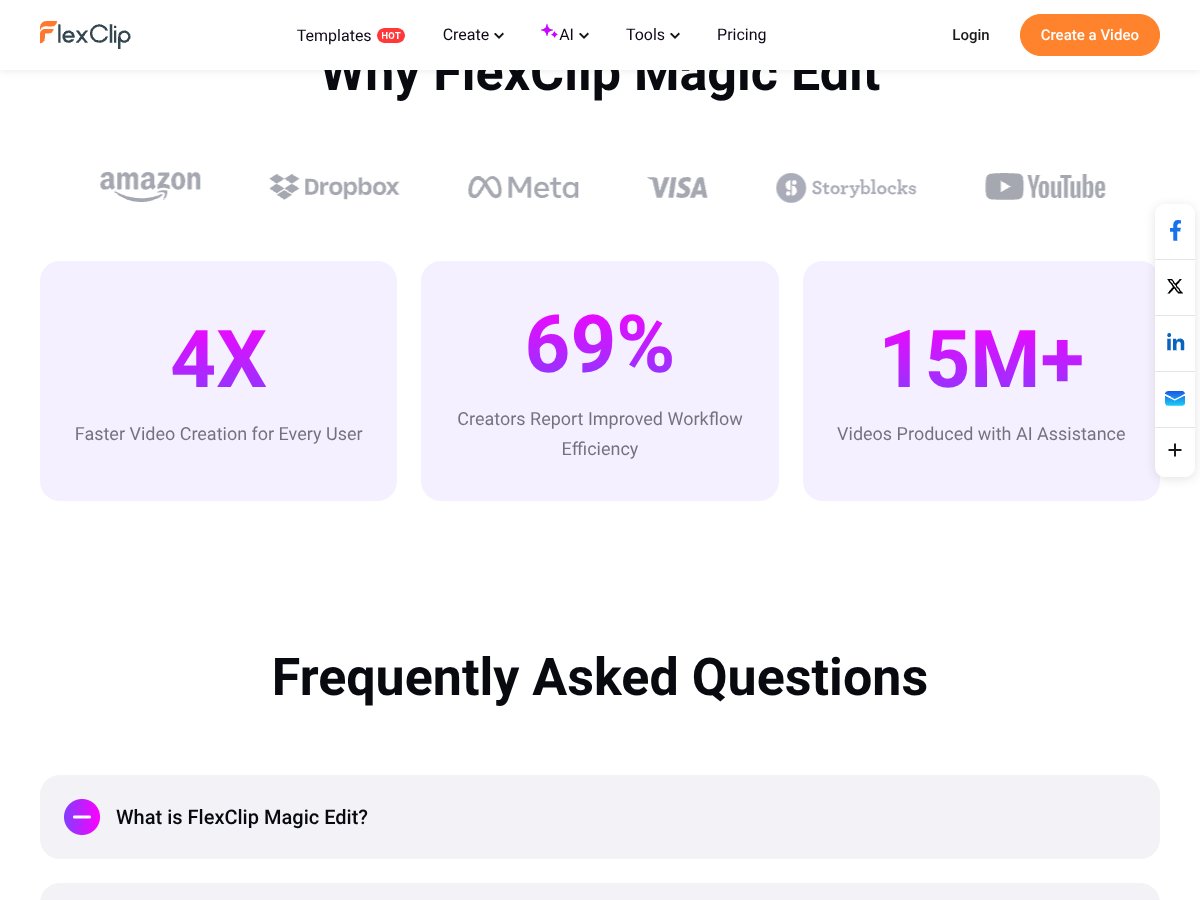
That’s why I was interested in FlexClip Magic Edit. It’s built to automate a lot of the boring steps and get you to a shareable result faster. FlexClip’s main pitch is that Magic Edit can help you create polished videos up to 3x faster than manual editing by handling things like clip selection, transitions, captions, and template matching.
In this review, I’m focusing on the real question: does it actually save time without making everything look generic? I’ll walk through what FlexClip Magic Edit is, how it works inside the editor, what features matter most, and the limits you should expect. One quick note up front: if you need frame-accurate editing, heavy compositing, or precise color grading, you’ll still want a desktop NLE like Premiere Pro or DaVinci Resolve.
What is FlexClip Magic Edit?

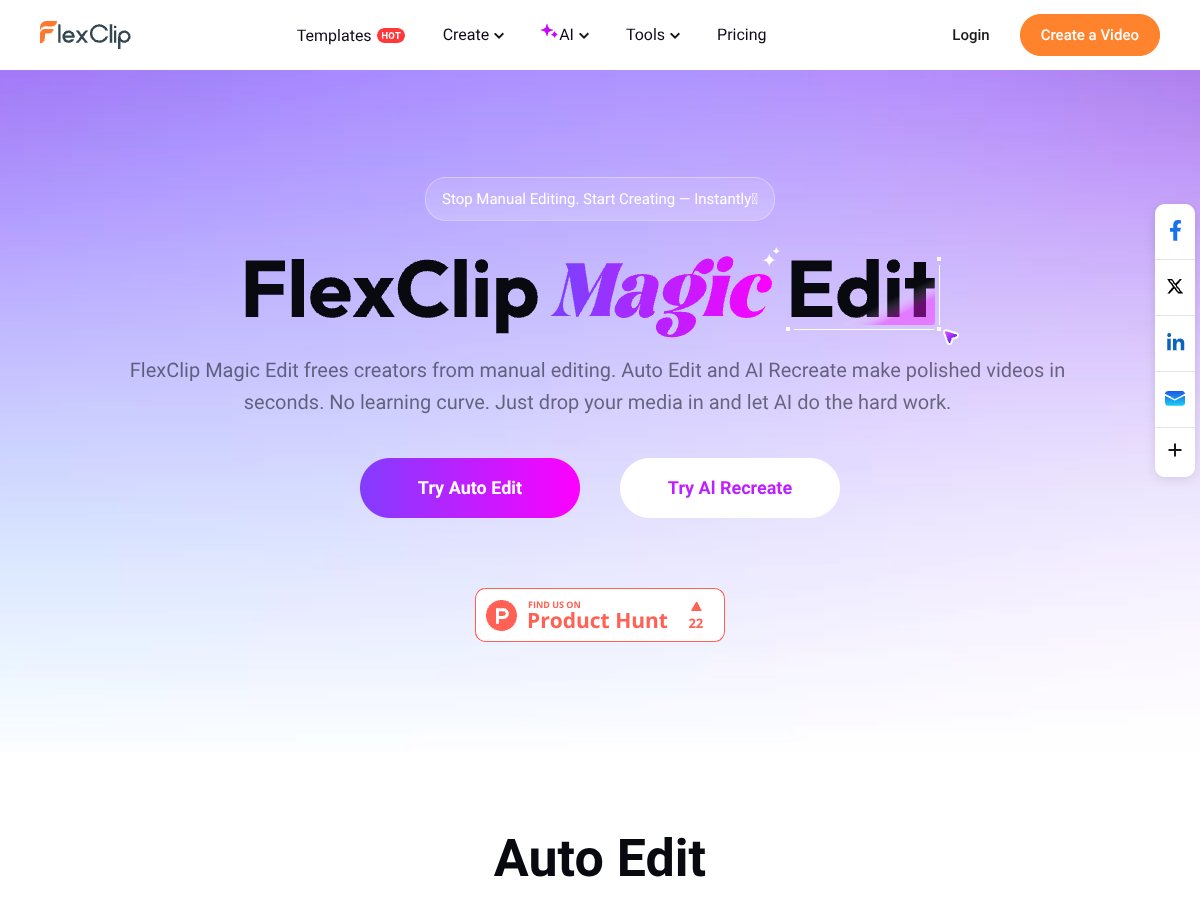
FlexClip Magic Edit is an AI editing workflow inside FlexClip that automates a bunch of the standard video steps. Instead of trimming every clip manually and building the timeline from scratch, you upload your media and the AI generates a cut based on templates—then it can add elements like transitions, captions/subtitles, and background music.
The way it’s positioned makes sense for creators who want speed. When you’re making short-form content, product promos, event recaps, or quick presentations, you usually don’t need complex timelines. You need something that looks clean and consistent fast. Magic Edit is designed to do exactly that: analyze your footage, sequence highlights, and apply an edit “style” using template matching.
FlexClip itself has been around in the online video creation space for a while, and the platform’s overall vibe is accessibility. It’s aimed at people who want professional-looking output without wrestling with a steep learning curve. Magic Edit fits that theme perfectly—automation first, manual control second.
Key Features (What I’d Actually Use)
AI Recreate & Magic Edit Engine
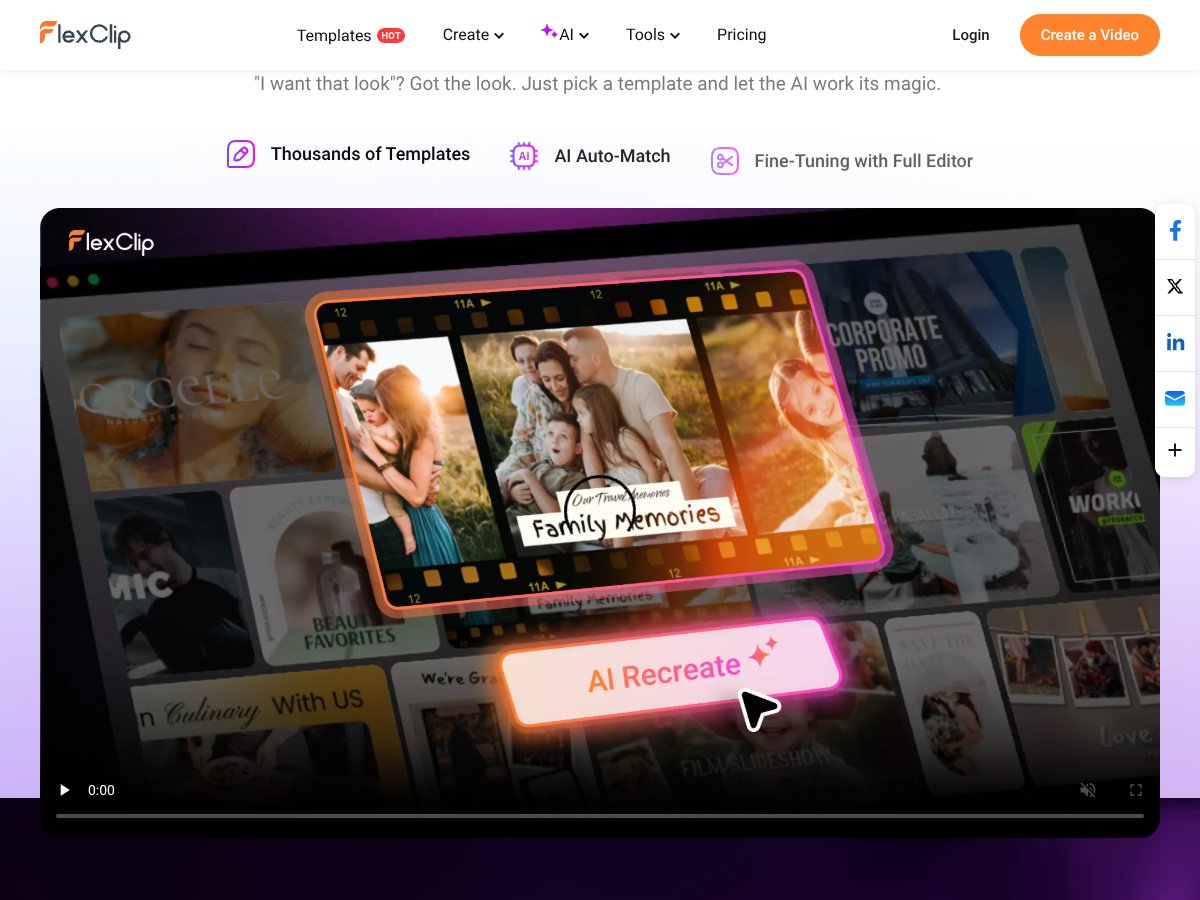
This is the “main event.” Magic Edit is built to take your uploaded clips and match them to a chosen template style. In practice, that means it tries to do the heavy lifting: arranging clips in a sequence, applying transitions, and layering in music and on-screen text/captions depending on the template.
What I like about this approach is that it’s not just trimming. It’s trying to create a complete “video package” from your raw footage—so you’re not stuck staring at an empty timeline wondering what to do next.
Still, don’t expect it to be perfect every time. If your footage has inconsistent audio, weird lighting changes, or moments that need a very specific story order, you’ll likely need some manual fine-tuning. That’s not a deal-breaker, but it’s important to plan for it.
Auto Edit
Auto Edit is the feature aimed at quick rhythm-based cutting. The idea is that it finds the more engaging parts of your footage (less “dead air,” fewer boring seconds) and trims/arranges them into a tighter edit.
In my experience with AI auto-edit tools in general, they tend to do best when your clips are already “structured” (clear start, clear key moments, decent audio). When footage is messy—like long unbroken takes, shaky handheld video, or audio that’s mostly background noise—Auto Edit can get a little too aggressive and cut away parts you might’ve wanted to keep.
So if you’re using Auto Edit, check the output end-to-end. The first draft is often good—but the best results usually come after a quick pass to adjust pacing and story flow.
Template-Based Editing (This is Where the Speed Comes From)
Templates are a huge part of why Magic Edit feels fast. Instead of starting from a blank timeline, you pick a style for your video—social, marketing, presentation, slideshow-ish formats—and the AI fills it with your clips.
Then you can tweak things. The UI supports manual adjustments so you’re not locked into whatever the AI guessed. For beginners, templates are basically training wheels. For experienced editors, they’re a shortcut.
One limitation I’d watch for: some templates emphasize “effects” over “meaning.” If your brand style is subtle and you need a clean, consistent look, you may want to test a couple templates before committing.
AI Subtitles & Captioning
FlexClip includes AI transcription for subtitles/captions. This matters because captions are one of those things that can be time-consuming to do manually—especially if you’re posting regularly.
In general, AI captioning performs best with clear speech, consistent mic levels, and minimal background noise. If your audio is noisy (events, crowded spaces, wind, cheap mics), you can expect some errors—usually minor word swaps or punctuation issues.
The good news: you can typically correct captions after the AI generates them, so you’re not starting from scratch. If you’re making content for platforms where viewers watch muted (hello, Instagram and TikTok), this feature is a big time saver.
Large Stock Asset Library
FlexClip gives you access to stock videos/images/music inside the editor, including assets via integrations like Storyblocks (and FlexClip’s own library). This is handy when your footage doesn’t cover everything you need—like b-roll backgrounds, transitions, or supporting visuals for text.
For marketers, this can be a real workflow advantage. Instead of hunting for assets in separate places, you can build a complete video using what’s already available.
Just remember: “stock-friendly” templates can sometimes make your video feel a little generic if you don’t swap in your own branded footage or customize the style.
Export Options (Including 4K on Higher Tiers)
Magic Edit is cloud-based, so exports happen through the browser. FlexClip supports high-resolution exports (including up to 4K on higher plans), which is useful if you’re repurposing content for bigger screens or want crisp quality.
One practical thing: because it’s cloud processing, your internet speed can affect how fast export finishes. If you’re on a slower connection, don’t be surprised if “a few minutes” turns into longer—especially for longer videos or 4K output.
Integrated AI Tools (More Than Just Editing)
Beyond Magic Edit, FlexClip offers other AI features like noise reduction, text-to-speech, background removal, and AI image generation. The benefit is convenience: you don’t have to bounce between tools just to fix one small problem.
That said, AI features can vary in quality depending on what you’re trying to do. In particular, text-to-speech and some effects may not sound/behave as naturally as premium tools—so it’s worth testing a couple variations before you lock in a voice or effect.
How FlexClip Magic Edit Works (Step-by-Step)

- Start in FlexClip: Log into your FlexClip account and open the Magic Edit tool. The flow is guided—so you’re not stuck looking for “the right button.”
- Upload your media: Drag and drop your clips/images. FlexClip’s limits are designed for typical short-form workflows (including the ability to upload multiple files). For most creators, this is enough for a single campaign video or a quick recap.
- Pick your workflow: Choose Auto Edit for a faster cut, or use a template to steer the overall style. The AI then analyzes your media and starts building the sequence.
- Review and fine-tune: After the AI generates the first version, you can switch to a timeline view for manual edits. This is where you adjust clip order, fix captions, and tweak transitions if something feels off.
- Export: Once it looks right, export at your chosen resolution. Depending on your plan, you may see watermarks or longer/shorter export limits.
Overall, Magic Edit is built around a simple idea: get you to a decent first draft quickly, then let you polish. That’s a smart approach for short videos. If you’re expecting “no human involvement at all,” you’ll probably be disappointed.
Pricing Analysis (Plans, Export Limits, and Watermarks)
Important: Pricing and plan rules can change. I can’t guarantee the exact current prices from memory, and the original content you provided didn’t include a source URL or a date-stamp. Before you commit, double-check on FlexClip’s official pricing page.
| Plan Name | Price | Key Features | Best For |
|---|---|---|---|
| Free | Free |
|
Testing the platform, trying templates, and generating short samples. If you need clean exports for client work, the watermark/export limits will likely be a problem. |
| Basic/Plus | Approximately $8–$15/month (billed annually) |
|
Small businesses and creators who post regularly and want better export quality without jumping straight to Pro. |
| Pro | Approximately $20–$40/month (billed annually) |
|
Agencies and teams producing higher-quality content at volume. |
Here’s how I’d think about it: if you’re experimenting, the Free plan helps you test the UI and see whether the AI edit style matches your taste. If you’re publishing to clients or brand channels, you’ll likely move up quickly because watermarks and export length limits aren’t ideal for real campaigns.
If you need 4K exports or you’re doing lots of projects, Pro is the logical jump. Just keep an eye on AI credits/quotas—some AI features can be limited even on paid tiers.
Pros and Cons (The Stuff You’ll Notice)
Pros
- Fast first drafts: Magic Edit can generate a full “ready to review” cut quickly by matching clips to templates and auto-adding transitions/captions depending on the workflow.
- Beginner-friendly editing: The interface is built around guided steps and drag-and-drop timeline adjustments. It feels closer to building a presentation than doing professional NLE work.
- Templates + assets: You’re not only relying on your footage—stock videos/images/music inside the editor help you fill gaps without extra downloading and re-uploading.
- Captions and accessibility: AI subtitles/captions reduce the manual captioning burden, which is especially useful for social posts.
- High-quality exports (up to 4K): If you pick the right plan, you can export at resolutions that work for more than just phone screens.
- Browser-based workflow: No install. That’s a big deal when you’re on different machines or collaborating with a team.
- Good value for many creators: Compared to buying and learning a full desktop editor, FlexClip can be a faster, cheaper entry point.
Cons
- AI edits can feel generic: Sometimes the pacing or styling won’t match your brand. You’ll likely do a manual pass for timing, layout, and story flow.
- Quotas/credits may limit heavy use: If you export a lot or use advanced AI features repeatedly, you may hit credit limits depending on your tier.
- Cloud speed depends on your connection: Slow internet can mean slower processing and exports, especially for longer videos and higher resolutions.
- Not a replacement for pro editing: If you need complex, frame-accurate work (advanced compositing, detailed grading, precise effects), desktop NLEs still win.
- AI tool quality varies: Some AI voices/effects won’t sound “premium” out of the box and may require tweaking.
- Less granular control: If you want to micromanage every frame, you might find the workflow limiting compared to a full timeline editor.
Best Use Cases for FlexClip Magic Edit
- Social media content creators: Short videos for TikTok/Instagram/Facebook benefit from quick template-based edits, captions, and stock b-roll.
- Small business marketing: Product promos, event highlights, and simple campaign videos are exactly the kind of content where “good fast” beats “perfect slow.”
- Educational and training content: Auto captions + presentation-style templates help you put together course clips and tutorials quickly.
- Event recaps and slideshow videos: Upload footage/images and generate highlight reels fast using template matching and auto-edit.
- Real estate agents: Property showcase videos can be built quickly with minimal effort—especially when you have consistent footage and branded overlays.
- Agencies managing multiple clients: When you need volume, a browser-based AI workflow can reduce turnaround time.
Who Shouldn’t Use FlexClip Magic Edit?
If your work requires highly customized, frame-accurate edits or advanced visual effects, Magic Edit probably won’t meet your expectations. Professional editors doing film-quality work—especially where color grading, compositing, and precise timing are non-negotiable—will be better served by desktop software like Adobe Premiere Pro, Final Cut Pro, or DaVinci Resolve.
Also, if you hate cloud workflows or you regularly work with spotty internet, the browser-based processing can be frustrating. Longer videos and 4K exports may take noticeably longer depending on your connection and processing load.
FlexClip Magic Edit vs Alternatives (Quick Comparison)
I’d treat these tools as “different flavors of AI video creation,” not direct clones. Here’s how they generally compare for the same goal: making videos fast with AI assistance.
| Tool | Best Strength | Template Customization | Auto-Captioning | Export/Workflow Style |
|---|---|---|---|---|
| Pictory.ai | Turning long-form content into short social videos with auto-highlights | Moderate (more about content conversion) | Yes (subtitles/captions as part of the workflow) | Long-to-short summarization workflow |
| InVideo | Large template library + AI-assisted marketing/social creation | High (template-first) | Typically supported for social workflows | Template-heavy, marketing-focused |
| Canva Video + AI Tools | Simple edits with strong design + AI add-ons | High (especially for branded graphics) | Usually included via AI features | Design-first, quick output |
| Descript | Text-based editing and transcript-driven workflows | Lower (different workflow model) | Yes (transcripts/subtitles) | Talking-head/audio-first editing |
| FlexClip Magic Edit | AI recreate + template matching for fast video assembly | Good (templates + manual timeline tweaks) | Yes (AI captions/subtitles) | Browser-based “AI draft + polish” approach |
Pictory.ai
- What it does differently: Pictory is more focused on converting long-form content (blogs, webinars, scripts) into short social clips by auto-highlighting key moments and adding subtitles.
- When I’d pick it over FlexClip: If your input is mostly text/long-form and you want the tool to summarize and extract highlights, Pictory’s workflow is a better fit.
- When FlexClip is the better choice: If you want template-based video creation from uploaded footage and more direct editing control inside the timeline, FlexClip usually feels more flexible.
InVideo
- What it does differently: InVideo leans hard into templates for marketing and social videos, with AI support to speed up creation.
- When I’d pick it over FlexClip: If you prefer a template-heavy approach where you pick a style and customize it quickly, InVideo can be a great option.
- When FlexClip is the better choice: If you want a more “AI builds the draft for me” editing engine (with Magic Edit style workflows) and a broader integrated AI toolkit, FlexClip is compelling.
Canva Video + AI Tools
- What it does differently: Canva combines simple video editing with AI features for image generation, background removal, and captioning—great for content that’s design-forward.
- When I’d pick it over FlexClip: If your videos are basically animated graphics, branded layouts, and quick edits, Canva can feel easier.
- When FlexClip is the better choice: If you want stronger “video assembly” automation from raw footage and a stock library built into a video editor, FlexClip tends to fit better.
Descript
- What it does differently: Descript is transcript-first. You edit by editing text, which is a lifesaver for podcasts, interviews, and talking-head content.
- When I’d pick it over FlexClip: If your content is mostly spoken and you want transcript-driven editing (and workflow around audio/video together), Descript makes more sense.
- When FlexClip is the better choice: If you care more about visual templates, quick video assembly, and captioning as part of a broader video workflow, FlexClip’s approach is better aligned.
All of these tools tend to offer free trials or freemium plans. My advice? Test with your own footage. AI behaves differently depending on audio quality, lighting, and how your clips are structured.
Our Verdict
My overall rating for FlexClip Magic Edit is 8.5/10—mainly because it’s genuinely built for speed. If you want a browser-based tool that can take your clips and produce a polished first draft quickly (with templates, captions, and basic AI help), it delivers.
Where it shines: small businesses, marketers, educators, and social media managers who need consistent output without spending hours in a timeline.
Where it doesn’t: highly complex edits, advanced compositing, and projects where you need strict frame-accuracy and deep control. In those cases, you’ll end up doing too much manual correction anyway.
One more honest take: the “worth it” factor depends on how much you value time. If you’re posting weekly, saving even 1–2 hours per video adds up fast. If you only make videos occasionally, the Free plan might be enough to see whether the workflow fits you.
Who should definitely try it:
- Small business owners and marketers who publish promotional videos regularly
- Educators creating quick course clips or presentation-style videos
- Social media managers managing frequent content turnaround
- Beginner creators who want professional-looking results with minimal editing knowledge
Who should look elsewhere:
- Professional editors who need advanced compositing, precise grading, or frame-accurate control
- Creators working on long-form or highly complex video projects
- Anyone who needs deep custom VFX that AI templates can’t handle
Is it worth the price at each tier?
For frequent creators and teams, paid tiers usually make sense because you get better exports and fewer restrictions than Free. If you’re just trying it out, start with the Free plan and see how much you actually need to correct the AI output.
Final honest take
Would I use FlexClip Magic Edit again? Yes—especially for social and marketing videos where speed matters. It’s not a replacement for pro editing, but it’s a strong “AI draft + quick polish” tool that helps you publish more consistently.
Frequently Asked Questions
- Is FlexClip Magic Edit worth it?
- If your goal is fast, AI-assisted video creation with minimal manual work, it’s a strong option. If you need highly detailed, frame-accurate edits, you’ll probably need more than Magic Edit can provide.
- Is there a free version of FlexClip Magic Edit?
- Yes. FlexClip offers a free plan with limitations like watermarks and export restrictions. Paid plans remove watermarks and expand what you can export.
- How does FlexClip Magic Edit compare to Pictory.ai?
- Pictory is more about converting long-form content into short clips using auto-highlighting and captions. FlexClip is more about template-driven editing from uploaded media, with AI handling the draft assembly.
- Can I use FlexClip Magic Edit for professional projects?
- Yes, especially with higher-tier plans that support better exports (including 4K). For complex post-production, though, desktop NLEs are still the safer choice.
- What is the pricing structure?
- FlexClip uses tiered plans: Free for testing, then paid tiers that typically remove watermarks and increase export quality/length and AI usage. Always verify the current plan details on FlexClip’s site.
- Does FlexClip integrate with other tools?
- Within FlexClip’s ecosystem, you’ll find multiple AI features that work together in the editor. For external integrations (like stock providers), it depends on the asset library options available in your plan.
- Can I export videos in 4K?
- Higher-tier plans support up to 4K resolution, while lower tiers may be capped at lower quality.
- Is my data safe with FlexClip?
- FlexClip follows standard security practices and provides privacy controls. If data handling matters for your workflow, review FlexClip’s privacy policy directly on their website.
Ready to try FlexClip Magic Edit? Visit FlexClip Magic Edit to get started.