Table of Contents
Have you been searching for FlippingBook alternatives for your digital publishing needs? You’re not alone. Many people are looking for other tools that can offer similar, or even better, features.
In the world of online publishing, having the right tool can make all the difference. Whether you’re creating a digital magazine, a catalog, or just a simple flipbook, the platform you use impacts how your content is received.
Luckily, there are plenty of great options out there. In this article, we’ll explore some of the best alternatives to FlippingBook, each with its own unique set of features.
FlippingBook Alternatives
Here are 16 ebook creation software that you should try out if you’re looking for FlippingBook alternatives.
1. AI Automateed

AI Automateed is a groundbreaking tool in digital publishing, redefining the creation of books with its one-click book writing capability. It’s a revolutionary choice for authors, educators, and content creators who are looking for efficiency and originality in their publishing endeavors.
The magic of AI Automateed lies in its simplicity and intelligence. By entering the book title, target audience, and desired tone, you have basically completed your work towards creating a book.
The tool automatically generates a structured outline with 15 chapters, each containing three subchapters. You then have the ability to edit this outline or proceed as is.
With a single click, AI Automateed then writes a book of approximately 90 pages. Each book is unique, 100% original, and tailored to your specifications.
The content is not only original but also fact-checked, proofread and edited automatically, ensuring reliability and quality. This feature is a game-changer, especially for those looking to produce content swiftly without compromising on authenticity.
Additionally, AI Automateed enriches the book with relevant images and a cover, so you don’t have to stress about the visual part of your book either. The final product is available for download as a PDF or Word document, providing users with convenient format options.
For those unsure about their book’s topic, AI Automateed offers idea generation for niches, topics, and titles, making it an end-to-end solution for book creation.
And the best thing of all is that there is a free trial, so you can try it out for yourself before you decide to purchase.
Feature Comparison with FlippingBook
- Automated Content Creation: The standout feature of AI Automateed is its ability to automate the entire book writing process, a significant advancement compared to FlippingBook’s focus on digital flipbooks. This automation includes generating a complete outline and writing the book content.
- Originality and Fact-Checking: AI Automateed ensures that each book is unique and fact-checked, offering a level of content originality and reliability that traditional publishing tools don’t provide.
- Ease of Use and Efficiency: The one-click operation of AI Automateed is incredibly user-friendly, making book creation accessible to everyone. This efficiency is unparalleled in digital publishing tools like FlippingBook, which require more user involvement in content creation.
- Ideal Users: AI Automateed is perfect for authors, educators, content creators, and anyone looking to quickly create original, high-quality books. It’s especially suited for those who appreciate AI-driven efficiency and innovation in content creation. FlippingBook, while effective for creating interactive digital publications, caters to a different aspect of digital publishing.
2. Relayto

Relayto is a great choice if you’re looking for something different from FlippingBook. It’s especially good for making PDFs much more interactive and lively.
Instead of just reading a PDF, Relayto lets you add cool stuff like videos, GIFs, and clickable links right into your document. This makes your PDFs a lot more fun and engaging.
One of the best things about Relayto is how easy it is to use. You don’t need to be a pro at design to make something that looks great. It’s all about dragging and dropping things where you want them. Even with simple skills, you can create something that looks really professional.
Relayto also makes it super easy to share your interactive PDFs.
You can send them out as special links, put them on your website, or share them on social media. This is really handy if you want lots of people to see and read your work.
In short, Relayto is perfect for making your PDFs more than just plain text and pictures. It’s all about adding cool features that make people want to read and interact with your content.
Feature Comparison with FlippingBook
- Interactivity and Multimedia Integration: Relayto excels in transforming standard PDFs into dynamic, interactive documents. Unlike FlippingBook, which focuses on the flipbook format, Relayto allows embedding of a wider range of multimedia elements like videos and GIFs directly into the document, enhancing reader engagement with varied interactive content.
- User Interface and Design Flexibility: While FlippingBook provides a specialized platform for creating flipbook-style publications, Relayto offers a more versatile design environment. Its intuitive interface simplifies the process of adding interactive elements, making it user-friendly for those without advanced design skills.
- Sharing and Accessibility: Relayto stands out with its seamless sharing capabilities. Publications can be easily distributed via unique links and integrated into websites, similar to FlippingBook. However, Relayto takes a step further by ensuring that these interactive documents are highly accessible and engaging, regardless of the platform they are viewed on.
- Analytics and Tracking: Like FlippingBook, Relayto offers analytics features, allowing creators to track engagement and reader interactions. This is particularly useful for understanding how audiences interact with the interactive elements within the documents.
- Target Audience: Relayto is particularly well-suited for professionals and businesses looking to elevate standard documents into interactive experiences. It’s ideal for those who want to go beyond the traditional flipbook format offered by FlippingBook and create more diverse, engaging content.
3. AnyFlip
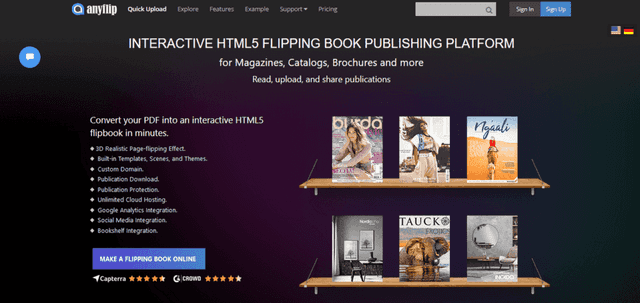
AnyFlip is a great alternative to FlippingBook for people who want to turn their PDFs into cool, interactive flipbooks. It’s pretty easy to use and offers a lot of useful features.
What makes AnyFlip special is how it lets you add things like videos, music, and links right into your flipbook. This can make your flipbook a lot more interesting than just regular pages.
It’s perfect for anyone who wants to make their documents more interactive and engaging, especially if you’re into creating magazines or catalogs.
AnyFlip is also really good for sharing your flipbooks. You can put them on your website, send them out in emails, or share them on social media. Plus, it’s got a nice feature that lets you see how people are reading and interacting with your flipbook, which can be super helpful.
In short, AnyFlip is a user-friendly tool that’s great for making your PDFs more lively and interactive. It’s especially good if you’re looking to create something that stands out and grabs people’s attention.
Feature Comparison with FlippingBook
- Interactive Elements: AnyFlip stands out for its ability to add cool interactive features like videos, music, and links into flipbooks. While FlippingBook also allows interactive elements, AnyFlip offers a broader range, making it great for more dynamic and engaging content.
- Ease of Use: AnyFlip is known for being user-friendly, making it easy for anyone to create an interactive flipbook. It’s straightforward and doesn’t require much technical know-how, which might be more appealing for beginners compared to FlippingBook.
- Sharing and Distribution: Both AnyFlip and FlippingBook let you share your flipbooks online, but AnyFlip makes it really simple to embed them in websites, send via email, or share on social media. This makes it a handy choice if you want to reach a lot of people easily.
- Analytics: Like FlippingBook, AnyFlip provides analytics so you can see how people interact with your flipbook. This feature is great for understanding your audience and making your next flipbook even better.
- Best for: AnyFlip is ideal for creators who want to make their PDFs super interactive and fun, especially for magazines and catalogs. FlippingBook is also good for interactive documents, but AnyFlip might have the edge if you’re looking for more engaging features.
4. Heyzine
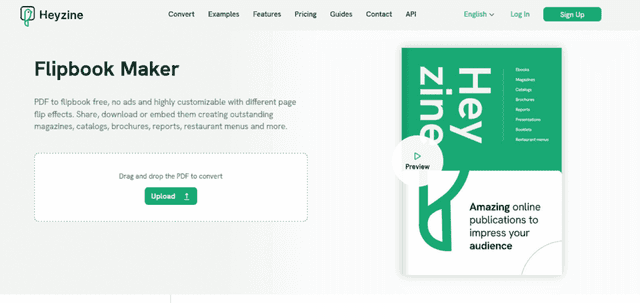
Heyzine offers a fresh perspective as an alternative to FlippingBook, especially for those seeking simplicity and elegance in their digital publications.
It specializes in converting PDFs into sleek, flipbook-style online publications with an emphasis on a clean and modern aesthetic.
What sets Heyzine apart is its emphasis on a minimalist and user-friendly design approach. This makes it a fantastic option for creators who value a straightforward, no-frills process for creating elegant and professional-looking flipbooks.
Heyzine’s flipbooks are smooth and visually appealing, ideal for showcasing portfolios, art books, or any content where design and presentation are key.
Another great feature of Heyzine is its responsiveness across devices. It ensures that flipbooks look great not just on computers, but also on tablets and smartphones, making your content easily accessible and enjoyable for all readers.
Feature Comparison with FlippingBook
- Design and Aesthetics: Heyzine focuses on minimalist and elegant design in its flipbooks, which is perfect for portfolios or art books. FlippingBook, while also offering visually appealing flipbooks, leans more towards a broader range of uses, including business and marketing materials.
- Ease of Use and Accessibility: Heyzine is incredibly user-friendly, ideal for those who want to quickly turn their PDFs into beautiful flipbooks without getting bogged down in complex features. FlippingBook offers more advanced functionalities, which might be more suited for users who need detailed customization.
- Device Responsiveness: One of the strengths of Heyzine is its excellent responsiveness across various devices, ensuring a smooth reading experience on tablets and smartphones as well as desktops.
5. Flipsnack

Flipsnack emerges as a notable FlippingBook alternative, especially for those who focus on creating high-quality, professional digital publications.
It’s a platform that prides in versatility and design options, and they offer a wide range of templates and customization features.
What sets Flipsnack apart is its rich template library, which serves variety of publishing needs—from magazines and brochures to reports and catalogs. This makes it an excellent choice for businesses and content creators who need to produce polished, professional-looking digital publications quickly and efficiently.
Flipsnack also stands out for its ease of use. The platform is intuitive, allowing users to drag and drop elements onto their pages, making the design process straightforward yet capable of producing intricate layouts.
It’s a great option for those who want the flexibility to design from scratch or use pre-designed templates.
Feature Comparison with FlippingBook
- Template Variety: Flipsnack offers an extensive range of templates, which is great for users who want quick, professional designs without starting from scratch. FlippingBook, while also providing design options, might have fewer templates compared to Flipsnack’s extensive collection.
- Customization and Flexibility: With Flipsnack, the level of customization available for each template is notable. Users have more freedom to tweak and personalize their publications, which might appeal more to those who want to add a unique touch to their work.
- Ease of Use: Both platforms are user-friendly, but Flipsnack particularly excels with its straightforward drag-and-drop interface. This feature is ideal for those who are new to digital publishing or prefer a more intuitive design process.
- Target Audience: Flipsnack is well-suited for a broad range of users, including businesses, educators, and marketers, who need to produce a variety of professional-looking publications. Its versatility makes it a strong choice for those who require diverse design options and ease of use. FlippingBook, while also versatile, tends to be more focused on specific types of interactive digital publications, particularly for marketing and business use.
- Sharing and Distribution: Both Flipsnack and FlippingBook offer robust options for sharing and distributing digital publications online. However, Flipsnack’s integration with various platforms and its ability to easily embed publications on websites and social media gives it an edge in terms of distribution versatility.
6. Isuu
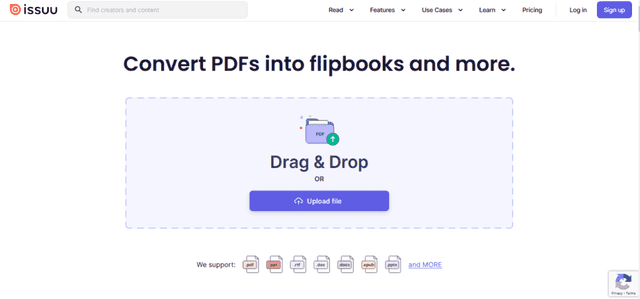
Issuu is a popular alternative to FlippingBook, especially for creators and publishers who want to reach a wide audience online. It’s known for turning PDFs into digital publications like magazines, catalogs, and brochures.
What makes Issuu stand out is its wide reach. Many people use Issuu to discover new content, so your work can get a lot of attention.
The platform is also really user-friendly. You just upload your PDF, and Issuu turns it into a sleek digital publication. It’s great for people who want a simple way to make their documents look professional online.
Issuu also offers cool features like embedding videos and links in your publications. This can make your content more interactive and engaging.
Plus, it’s easy to share your Issuu publications on social media or your website, which helps in getting more readers.
Feature Comparison with FlippingBook
- Audience Reach: Issuu is great for reaching a broad audience. It’s a well-known platform where lots of people go to read new stuff. FlippingBook is also good for sharing content, but Issuu might give you more exposure.
- Simplicity and User Interface: Uploading and publishing with Issuu is really straightforward. It’s perfect for anyone who wants to quickly turn their PDF into a nice-looking online publication. FlippingBook offers more customization, but Issuu wins on simplicity.
- Sharing and Distribution: Both Issuu and FlippingBook let you share your publications easily. However, Issuu’s strong online presence could mean your content gets seen by more people.
7. Marq

Marq offers a unique twist as an alternative to FlippingBook, focusing on customizable design and collaboration. It’s perfect for teams and individuals who want to work together on creating stunning digital publications.
One of the coolest things about Marq is how flexible it is. You can start from scratch or use one of their many templates to create anything from brochures to reports.
The platform allows multiple people to work on the same project, which is super helpful for teams.
Marq also stands out with its rich design features. You have a lot of control over how your publication looks, more so than with many other platforms. This makes it ideal for creating custom, brand-aligned content that really stands out.
Feature Comparison with FlippingBook
- Collaboration Features: Marq shines when it comes to teamwork. It lets multiple users edit and work on publications together, which is something FlippingBook doesn’t focus on as much. This makes Marq a better choice for collaborative projects.
- Design Flexibility: Marq gives you lots of creative freedom. You can really get into the details of your design, which is great if you want your publication to have a specific look or feel. FlippingBook has design options too, but Marq takes it to another level with more customization.
- Templates and Starting Points: Both Marq and FlippingBook offer templates to help you get started. However, Marq provides a wider range of customizable templates, catering to a variety of design needs.
8. Bynder
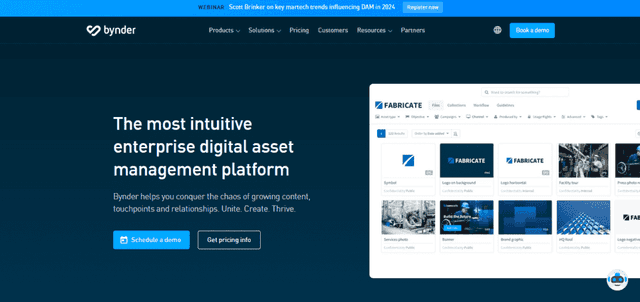
Bynder stands out as an alternative to FlippingBook, particularly for businesses and organizations looking for a comprehensive digital asset management system combined with publishing features.
It’s not just a tool for creating digital publications as it offers a holistic solution to manage and distribute your digital content efficiently.
What really sets Bynder apart is its asset management feature. It allows you to store, organize, and share all your digital content, including images, videos, and documents, in one place. This is especially useful for larger teams and organizations that handle a lot of digital content daily.
The publishing side of Bynder is equally impressive. You can create digital publications like brochures and catalogs, and it’s all integrated with your asset library.
This means you can easily use and reuse your stored content, ensuring brand consistency across all your publications. The platform also offers customizable templates, making it easy to maintain a consistent look and feel across your projects.
Another great thing about Bynder is its focus on collaboration and workflow. Teams can work together seamlessly, with features that streamline the review and approval process.
This makes it incredibly efficient for projects that require input from multiple people or departments.
Feature Comparison with FlippingBook
- Digital Asset Management: Bynder’s standout feature is its digital asset management system, which is something FlippingBook doesn’t offer. This makes Bynder a more comprehensive solution for organizations that not only need to create digital publications but also manage a wide range of digital content.
- Integration and Consistency: With Bynder, you get the advantage of integrating your digital asset library with your publishing tools. This integration ensures consistency in branding and design across all your publications, a feature that’s particularly valuable for businesses with extensive branding guidelines.
- Collaborative Workflows: Bynder excels in team collaboration and workflow management. It’s designed to facilitate teamwork, making it easier to collaborate on, review, and approve digital publications. While FlippingBook also allows for collaboration, Bynder’s approach is more suited for larger teams and complex projects.
- Target Audience: Bynder is ideal for larger organizations and businesses that require not just a publishing tool but also a way to manage a wide array of digital assets. FlippingBook, on the other hand, is more focused on the creation and distribution of interactive digital publications.
9. Visme

Visme emerges as a versatile FlippingBook alternative, particularly favored by those looking to create visually stunning and interactive content. It’s a platform that goes beyond basic digital publishing, offering extensive tools for creating presentations, infographics, reports, and more, in addition to eBooks and brochures.
The standout feature of Visme is its incredible specter of design capabilities. It offers a wealth of templates, graphics, and design elements that are easily customizable, making it a dream for visually creative projects.
Whether you’re designing an annual report or an interactive eBook, Visme gives you the tools to make it visually appealing and engaging.
What’s more, Visme is not just about looks, it’s also about engagement. You can add interactive elements like quizzes, surveys, and videos to your publications. This interactivity is key for keeping your audience engaged, especially in educational or marketing content.
Ease of use is another area where Visme really shines. Its intuitive drag-and-drop interface makes it accessible even to those who are not design professionals.
You can start with a template and tweak it to your liking, or build something entirely from scratch with relative ease.
Feature Comparison with FlippingBook
- Design and Creativity: Visme stands out for its extensive design capabilities and creative freedom. It offers a wider range of templates and design elements than FlippingBook, catering to more diverse content creation needs.
- Interactivity and Engagement: Both Visme and FlippingBook allow for interactive elements in publications, but Visme extends this functionality to a broader range of content types, like presentations and infographics, making it a more versatile tool for interactive content creation.
- User-Friendliness: Visme is known for its user-friendly interface, suitable for both beginners and experienced designers. This makes it a great choice for anyone looking to create professional-level designs without a steep learning curve.
- Content Variety: Visme’s versatility in creating various types of content, from reports to infographics and eBooks, makes it a more comprehensive tool compared to FlippingBook, which primarily focuses on flipbook-style publications.
- Ideal Users: Visme is perfect for marketers, educators, and businesses looking to create a range of visually engaging and interactive content. FlippingBook, meanwhile, is more tailored towards users focusing on creating and distributing interactive digital publications like catalogs and magazines.
10. Yumpu

Yumpu offers a distinctive experience as an alternative to FlippingBook, particularly excelling in converting PDFs into interactive online magazines and flipbooks.
It’s a great choice for publishers, marketers, and creators who want to bring their static PDFs to life in the digital world.
Yumpu’s strength lies in its simplicity and effectiveness in creating engaging digital publications. The process is straightforward: upload your PDF, and Yumpu transforms it into a visually appealing online magazine or flipbook.
This feature is particularly beneficial for users who want a hassle-free conversion without compromising on the quality of the end product.
Another notable aspect of Yumpu is its focus on reader engagement. The platform allows you to enhance your publications with interactive elements like audio, video, and clickable links. This capability significantly boosts the interactivity of your content, making it more engaging and immersive for the reader.
Additionally, Yumpu excels in distribution and reach. Once your publication is ready, it’s easy to share it across social media platforms, embed it on websites, or distribute it via email.
Yumpu also has a large reader base, which means your content has the potential to reach a wider audience.
Feature Comparison with FlippingBook
- Ease of Publication: Yumpu simplifies the conversion of PDFs to interactive flipbooks, making it a user-friendly option for those who want quick and easy publication. FlippingBook also offers easy publication but with more focus on customization and branding.
- Multimedia Integration: Both Yumpu and FlippingBook support multimedia elements, but Yumpu places a strong emphasis on enhancing publications with audio and video, making it ideal for creating highly interactive magazines and catalogs.
- Distribution and Visibility: Yumpu stands out with its broad distribution capabilities and built-in audience, offering great potential for visibility and reach. FlippingBook also allows for effective distribution, but Yumpu’s platform may provide wider exposure, especially for magazine publishers.
- Target Audience: Yumpu is especially well-suited for magazine publishers, marketers, and individuals looking to convert their PDFs into interactive online magazines quickly. FlippingBook, in contrast, is more versatile, catering to a broader range of digital publishing needs.
11. Paperturn
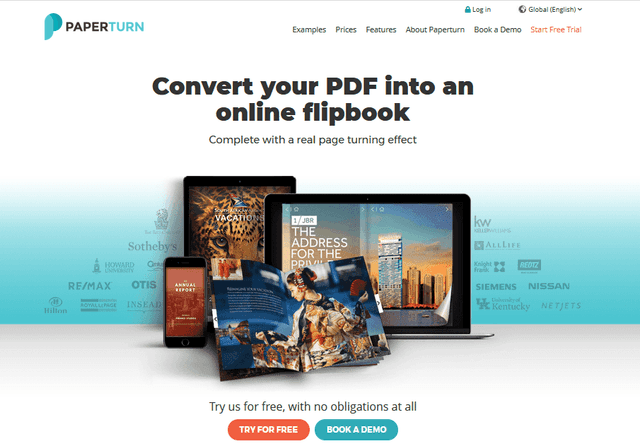
Paperturn offers an alternative experience to FlippingBook, focusing on simplicity and effectiveness for creating online flipbooks. Ideal for businesses and individuals, Paperturn helps in transforming PDFs into professional-looking, interactive flipbooks with ease.
What sets Paperturn apart is its straightforward approach to flipbook creation. Uploading your PDF to Paperturn quickly results in a sleek, page-turning flipbook.
This user-friendly process is a major plus for those who want to create flipbooks without navigating complex features or design tools.
Another strong point of Paperturn is its customization options. While it keeps things simple, it still offers a good range of customization features, like adding your logo, changing the background, and inserting links within your flipbook.
These features make Paperturn a flexible tool for creating branded content that aligns with your business or personal style.
Moreover, Paperturn’s flipbooks are known for their smooth page-turning effect and high-quality visuals, which enhance the reading experience.
The platform also excels in SEO optimization, making sure your flipbooks are easily discoverable by search engines, a key advantage for increasing visibility and reach.
Feature Comparison with FlippingBook
- Simplicity and User-Friendliness: Paperturn shines with its simple and straightforward flipbook creation process, making it accessible to everyone, regardless of their technical skills. FlippingBook, while also user-friendly, offers more advanced features and customization options.
- Customization for Branding: Paperturn provides essential customization tools that are easy to use, allowing for effective branding without overwhelming the user. FlippingBook, on the other hand, offers a broader range of customization options, catering to more specific branding needs.
- SEO Optimization: A unique feature of Paperturn is its focus on SEO optimization for flipbooks, which can help increase the visibility of your publications online. FlippingBook also supports SEO-friendly content, but Paperturn emphasizes this aspect more prominently.
- Ideal for: Paperturn is a great choice for businesses and individuals who need a quick and easy solution for turning PDFs into professional-looking flipbooks, with the added benefit of SEO optimization. FlippingBook caters to users who require more advanced interactivity and customization in their digital publications.
12. FlipBuilder
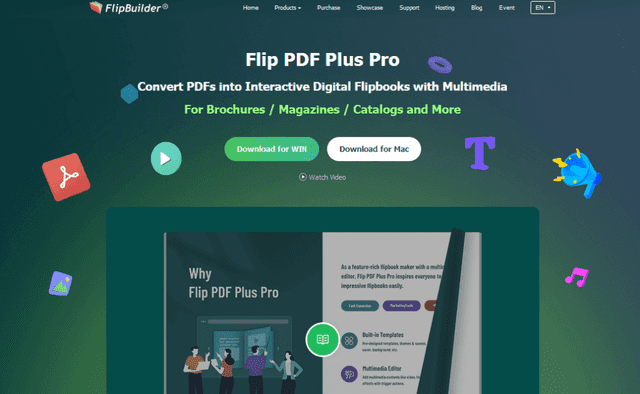
FlipBuilder stands out as a FlippingBook alternative, offering robust tools for creating interactive and visually appealing flipbooks. It’s a popular choice for those who want to convert PDFs into flipbooks with rich media content and customization options.
One of the key strengths of FlipBuilder is its flexibility. You can easily import a PDF and transform it into a flipbook, then enhance it with interactive elements like videos, audio, hyperlinks, and animations.
This level of interactivity is perfect for businesses, educators, and marketers looking to create engaging content that captures their audience’s attention.
FlipBuilder also excels in design customization. Users can choose from a variety of templates and themes to match their brand or style, and further personalize their flipbooks with background images, colors, and buttons.
This customization ability makes it an excellent tool for creating unique and branded content.
Moreover, FlipBuilder offers a user-friendly interface that simplifies the creation process.
This makes it accessible for users who may not have advanced technical skills but still want to produce professional-quality flipbooks.
Feature Comparison with FlippingBook
- Rich Media Integration: FlipBuilder allows for extensive integration of rich media elements, making it a strong option for creating highly interactive flipbooks. FlippingBook also supports interactive content, but FlipBuilder provides more options for embedding various media types.
- Customization and Personalization: With its wide range of templates and themes, FlipBuilder offers greater flexibility in customization, allowing users to create flipbooks that closely align with their brand or personal style. FlippingBook offers customization as well, but FlipBuilder takes it a step further with more detailed personalization options.
- User Interface: Both FlipBuilder and FlippingBook boast user-friendly interfaces, but FlipBuilder’s straightforward design tools may be more appealing to users who prefer a more guided and templated approach to flipbook creation.
- Ideal Users: FlipBuilder is particularly well-suited for users looking to create interactive, media-rich flipbooks, such as businesses and educators. FlippingBook, while also catering to a similar audience, is more focused on the overall digital publishing experience with a slightly different range of features.
13. MagLoft
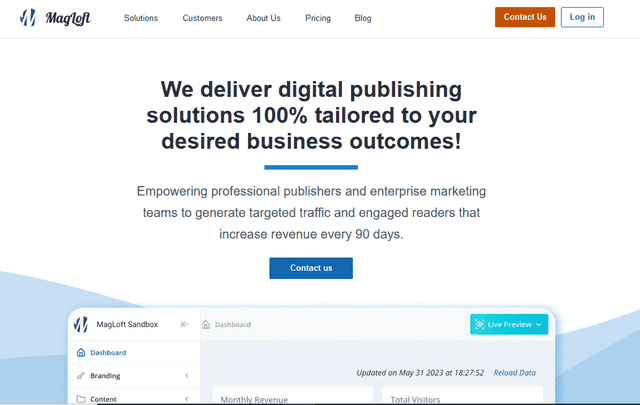
MagLoft offers a unique alternative to FlippingBook, specifically tailored for magazine publishers and content creators who are looking to digitize their publications. It stands out with its focus on creating stunning, interactive digital magazines.
One of MagLoft’s most impressive features is its comprehensive suite of tools for magazine layout and design. It offers a range of templates specifically geared towards magazines, which users can customize to fit their brand and style.
This makes it an ideal platform for both experienced publishers and those just starting in digital magazine creation.
In addition to its design capabilities, MagLoft also excels in interactivity. You can enrich your digital magazines with interactive elements like embedded videos, links, and social media widgets.
This level of interactivity is key for engaging modern audiences and gives MagLoft an edge, especially for those focused on dynamic and immersive content.
Another great aspect of MagLoft is its distribution and analytics features. Once your magazine is ready, MagLoft helps you distribute it across various platforms and provides insightful analytics on reader engagement.
This data can be invaluable for understanding your audience and refining future editions.
Feature Comparison with FlippingBook
- Specialization in Magazines: MagLoft is specifically designed for digital magazines, offering tailored templates and tools for this format. FlippingBook, while versatile, does not specialize to the same extent in magazine-specific features.
- Interactivity and Engagement: Both platforms support interactive elements, but MagLoft goes further in offering magazine-specific interactivity, which enhances the reader’s experience in a way that’s particularly relevant for magazine content.
- Distribution and Analytics: MagLoft not only assists in creating digital magazines but also in distributing them widely and tracking reader engagement, offering insights that are crucial for publishers. FlippingBook also offers distribution and analytics, but MagLoft’s focus on magazine analytics provides more specialized data for publishers.
- Ideal for: MagLoft is best suited for magazine publishers and content creators looking for a comprehensive solution for digital magazine creation, distribution, and analytics. FlippingBook, while also effective for various digital publications, caters more broadly to businesses and marketers for a range of digital content types.
14. ReadyMag
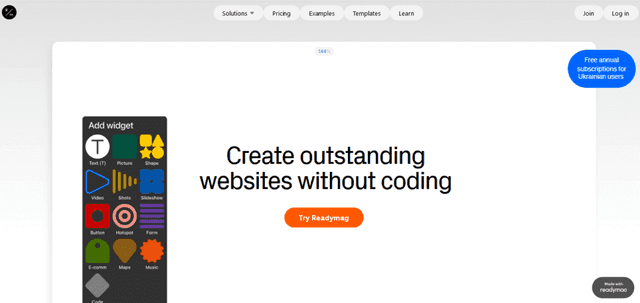
ReadyMag stands out as an innovative alternative to FlippingBook, particularly appealing to designers and creatives who prioritize aesthetic appeal and design freedom in their digital publications.
It’s a platform that excels in offering a canvas for expressive and visually stunning online content.
What sets ReadyMag apart is its design-centric approach. It provides an array of sophisticated design tools and features that allow for complete creative control.
Whether it’s for creating online magazines, websites, portfolios, or presentations, ReadyMag offers unparalleled flexibility in layout and design, making it a favorite among graphic designers and visual artists.
The platform is known for its intuitive interface, allowing users to experiment with typography, animation, and complex layouts without needing extensive coding skills. This empowers users to craft unique and immersive digital experiences that stand out in the crowded online space.
Another notable feature of ReadyMag is its responsive design capability. Publications created on ReadyMag automatically adjust to fit different screen sizes, ensuring a seamless viewing experience on any device.
Feature Comparison with FlippingBook
- Design Freedom and Creativity: ReadyMag shines in providing extensive design freedom, catering to users who want to push the boundaries of conventional digital publishing. While FlippingBook focuses on flipbook-style publications, ReadyMag offers a broader canvas for creative expression.
- User Interface and Experience: Both platforms are user-friendly, but ReadyMag stands out for creatives who want to delve into more intricate design elements. Its interface is tailored for an intuitive design process that encourages experimentation.
- Flexibility in Content Types: ReadyMag is versatile, suitable for various content types like magazines, websites, and portfolios. FlippingBook is more specialized in creating digital flipbooks, making ReadyMag a better choice for diverse creative projects.
- Ideal Users: ReadyMag is perfect for graphic designers, visual artists, and creatives looking to create visually rich and interactive online publications. FlippingBook, on the other hand, caters more to businesses and marketers focusing on interactive digital brochures and catalogs.
15. Joomag

Joomag serves as an excellent FlippingBook alternative, especially for those who are looking to create, distribute, and track interactive digital publications. It’s particularly favored by marketers, educators, and publishers for its comprehensive suite of features.
What makes Joomag stand out is its all-in-one platform that not only allows you to create engaging digital magazines, reports, and newsletters but also provides tools for distribution and analytics.
This makes it an ideal choice for users who want to manage the entire lifecycle of their digital publications in one place.
Joomag offers a rich set of design tools, including a variety of templates and customizable options. These tools enable users to create professional-looking publications with ease.
The platform also supports multimedia elements like videos, slideshows, and audio, enhancing the interactivity and appeal of the publications.
Another strong point of Joomag is its CRM (Customer Relationship Management) integration and marketing tools. These features are invaluable for businesses looking to capture leads, track reader engagement, and tailor their content based on audience insights.
Feature Comparison with FlippingBook
- Integrated Marketing and CRM Tools: Joomag goes beyond digital publishing by offering integrated marketing and CRM tools, something not typically found in FlippingBook. This integration is crucial for businesses focused on lead generation and customer engagement.
- Comprehensive Publication Management: Joomag provides an end-to-end solution for digital publication, from creation to distribution and analytics. While FlippingBook also offers similar functionalities, Joomag’s platform is more comprehensive, particularly in its tracking and analysis capabilities.
- Multimedia and Interactivity: Both Joomag and FlippingBook support interactive content, but Joomag offers a wider array of multimedia integrations, making it a more versatile choice for creating dynamic digital experiences.
- Ideal for: Joomag is best suited for businesses, marketers, and publishers who need a robust platform for not just creating but also distributing, managing, and analyzing their digital publications. FlippingBook, while effective for digital publishing, is more focused on the creation and sharing aspects.
16. Publuu

Publuu offers a compelling alternative to FlippingBook, especially for those seeking a blend of simplicity and advanced features in their digital publishing tool. It’s particularly popular among businesses and individual creators who want to turn their PDFs into interactive flipbooks with a professional look and feel.
A standout feature of Publuu is its user-friendly interface, which makes the process of creating a flipbook straightforward and enjoyable. You can easily upload a PDF and transform it into an elegant flipbook with realistic page-turning effects, which enhances the reading experience.
Publuu also excels in adding interactive elements to publications. Users can embed videos, links, and even image galleries, making their flipbooks more engaging and informative.
This level of interactivity is great for capturing and retaining reader interest.
Another strong point of Publuu is its built-in analytics tool. It gives valuable insights into how readers interact with your flipbooks, such as which pages they visit most and how long they spend on each page.
This data can be crucial for refining your content strategy and improving future publications.
Feature Comparison with FlippingBook
- Ease of Use: Publuu stands out with its intuitive and user-friendly interface, making it easy for anyone to create professional-looking flipbooks. FlippingBook also offers a user-friendly experience, but Publuu’s simplicity is particularly appealing to those new to digital publishing.
- Interactive Features: Both Publuu and FlippingBook allow for the inclusion of interactive elements like videos and links. However, Publuu’s straightforward approach to embedding these features makes it a strong choice for enhancing reader engagement.
- Analytics and Insights: Publuu’s analytics tools provide detailed insights into reader behavior, which is invaluable for content creators looking to understand their audience better. While FlippingBook also offers analytics, Publuu’s focus on detailed reader engagement metrics is a notable advantage.
- Ideal Users: Publuu is an excellent choice for small to medium-sized businesses, marketers, and individual creators who prioritize ease of use and insightful analytics in their digital publishing tool. FlippingBook, with its array of features, caters to a similar audience but may be more suited for users looking for a broader range of customization options.
Conclusion
We’ve looked at a bunch of different tools that are great alternatives to FlippingBook. Each one has something special to offer, whether it’s making your PDFs interactive, helping you design beautiful magazines, or even writing a whole book with just one click, like AI Automateed does.
Remember, the right tool for you depends on what you need. Maybe you want something simple, or maybe you need all the cool features. Whatever you’re looking for, there’s a tool out there that’s just right for your project.