Table of Contents
I’ve spent way too many late nights bouncing between PDFs, search results, and notes apps, trying to piece together what a paper actually says. That’s why I was curious about floatz—it’s positioned as a research assistant for scientific content, and the big question for me was simple: does it make reading and writing easier, or does it just add another tool to the pile?
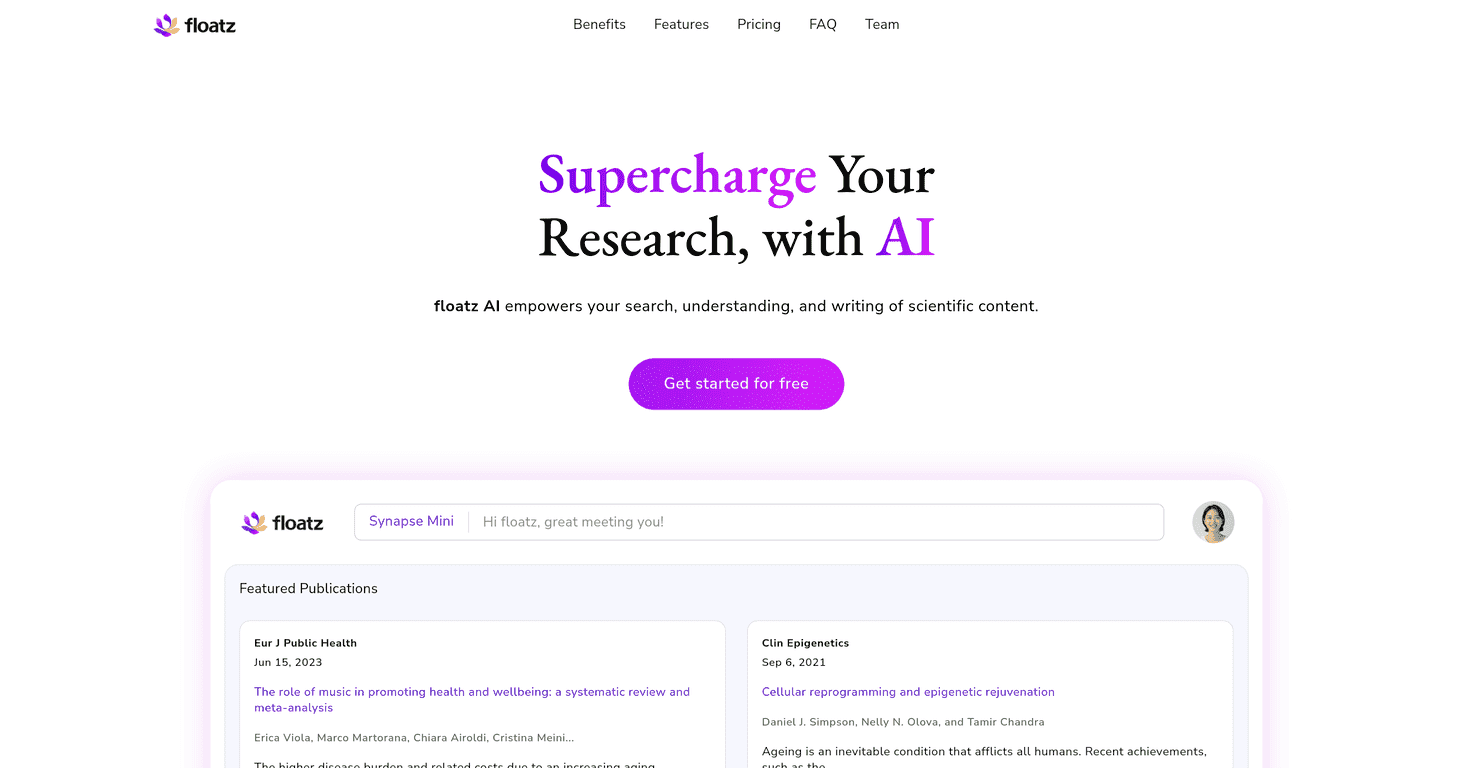
After testing it for typical research tasks—finding relevant papers, summarizing sections, and turning notes into something usable—I can see the appeal. Floatz AI is built around a chat-style workflow, and it leans hard into “ask, read, and iterate” instead of making you do everything manually.
floatz Review: What I Liked (and What Didn’t Quite Hit)
Let me start with what stood out immediately: Floatz AI doesn’t feel like a generic “AI chatbot.” The interface is geared toward research—so instead of getting vague answers, you’re nudged toward using sources, organizing your reading, and asking follow-up questions.
One of my favorite parts is the customizable chat experience. I tried switching between different dialogue styles and noticed it changes how the responses are framed. If you want a more “creative” brainstorming vibe for topic exploration, that’s there. If you want a stricter, more formal tone for writing or outlining, you can lean into that too. It’s not just cosmetic—it affects how the output reads.
Then there’s the PDF reader with AI chat. In my experience, this is the feature that actually saves time. Instead of manually searching through a PDF to find the exact sentence you need, I could ask questions about specific sections and keep moving. It’s the difference between “reading for an hour” and “reading with a target.”
Floatz also uses a multitask style approach, which I found helpful when I had a messy, multi-part question. For example, I’d ask something like: “Summarize the method, extract key results, and point out limitations.” Rather than treating it like one long prompt, it tends to break things down so you can review each part.
That said, it’s not magic. If you ask a super broad question, you’ll still need to guide it—better prompts lead to better summaries. And like any AI-based system, you should treat outputs as a draft or a study aid, not the final authority. I still double-checked key claims by going back to the paper text.
Key Features (Based on How I Used Them)
- Smart Research Chat for insightful answers
I used this for quick overviews and for drilling into specific parts of a study. It’s best when you ask targeted questions instead of “tell me everything.” - Customizable chat experiences with multiple modes
Switching modes affected the writing style and strictness. I preferred the stricter mode when turning notes into an outline, and the more flexible tone when I was exploring research angles. - Multitask Mode for breaking down complex questions
When I gave it multi-part tasks (methods + results + limitations), it helped keep my review organized instead of dumping everything into one block. - Interactive PDF Reader with AI Chat
This is the one I kept coming back to. I could query a PDF and get answers tied to what I was reading, which cut down on back-and-forth. - Research Libraries for organized paper saving
I liked having a place to save and revisit papers. If you’re juggling multiple topics, organization matters more than people think. - Fast and focused search for quick access to publications
Searching felt efficient for locating relevant studies quickly. Still, I found it worked best when I used specific keywords or narrowed the topic first.
Pros and Cons (Real-World Take)
Pros
- Feels purpose-built for research rather than a generic assistant. The workflow matches how students and researchers actually work.
- Helpful for summarizing and extracting—especially when you’re trying to move from “reading” to “writing.”
- Flexible plans (free + paid) so you can test it before committing.
- Updates and ongoing improvement—the product doesn’t feel abandoned.
Cons
- Free version limitations can be noticeable if you’re doing heavy, daily research. If you hit walls, it’s usually around access to more advanced capabilities.
- Advanced features cost extra. If you only need occasional summaries, the pricing may feel a bit steep.
- You still need to verify important details. I wouldn’t cite AI output blindly—always check the source paper.
Pricing Plans
Floatz AI offers three pricing options: a free Starter Plan with basic features, a Professional Plan at USD 9.99/month that includes advanced tools, and a customizable Teams/Institutional Plan for organizations that want tailored solutions.
If you’re a student or you’re just trying it out, the Starter Plan is a decent way to see whether the PDF chat and research workflow fit your style. If you’re doing regular literature review work, the Professional tier is where it starts to feel more worth it.
Wrap up
Overall, I’d describe Floatz AI as a practical research companion—especially if you spend a lot of time reading PDFs and trying to turn papers into notes, outlines, or drafts. The customizable chat modes and the interactive PDF reader are the standout pieces. Just remember: it’s there to help you work faster and think clearer, not to replace your judgment or the original text.
If you’re the kind of person who’s tired of hunting through PDFs manually, floatz is worth a serious look.
Promote floatz