Table of Contents

What Is Flowodo (and What I Actually Tested)?
I’ve tried my fair share of mind mapping tools over the years—everything from super basic “stick ideas in boxes” apps to full-on creative whiteboards. So when I first saw Flowodo, I was immediately curious about one thing: does the AI actually help, or is it just marketing?
Here’s what I tested: I opened Flowodo in a Chrome browser on my laptop (Windows 11, desktop). I ran a few prompts on different days to see how consistent the generation felt. I also checked the export settings and the plan limits, because those are the parts that usually make or break a tool for me.
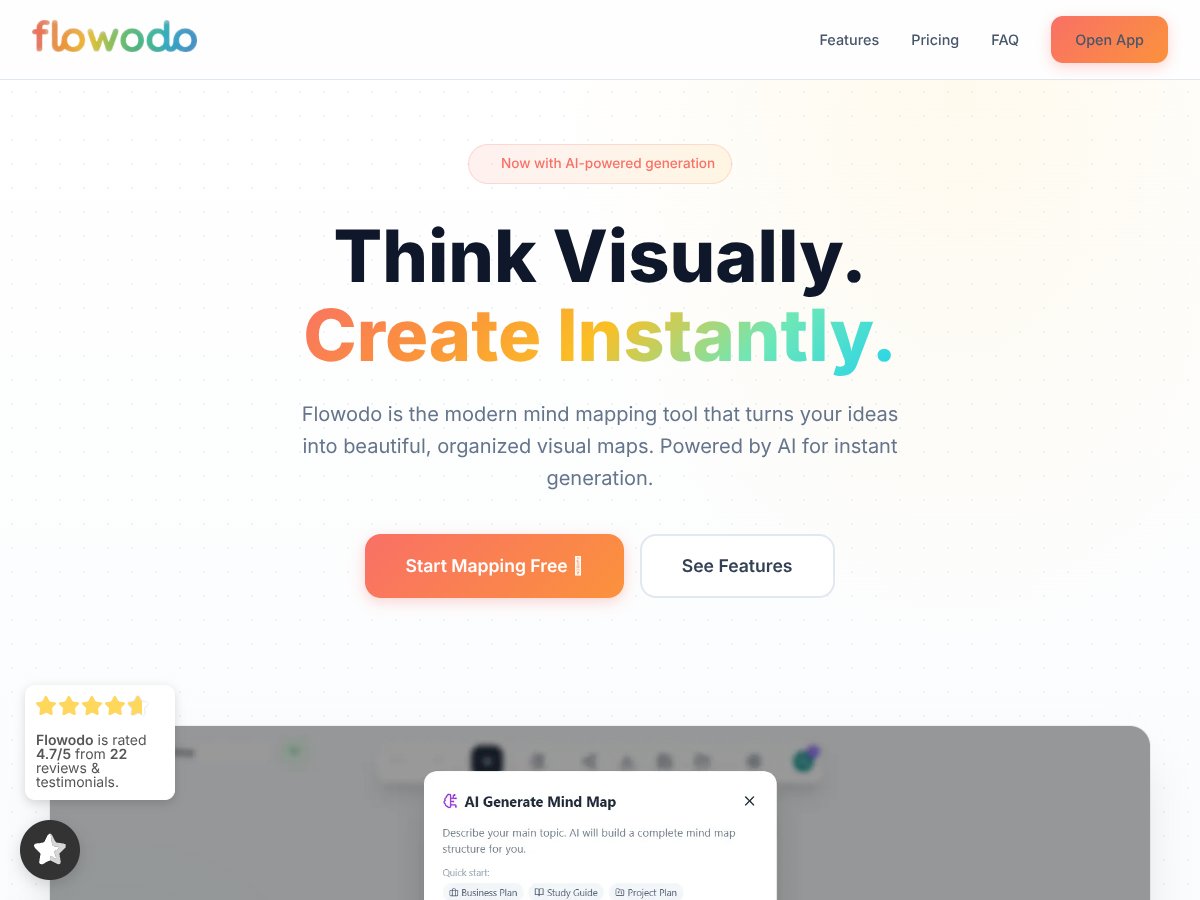
Flowodo is basically an online mind mapping app that turns a prompt into a structured visual map. Instead of starting with a blank canvas and manually building branches, you type (or paste) a topic and the AI generates a hierarchy for you. It’s meant to reduce the time you spend organizing your thoughts—especially when you’re stuck or you just want a solid starting point.
It’s designed for brainstorming, planning projects, and visualizing complex topics quickly. The problem it’s targeting is pretty real: traditional mind mapping tools can be either too overwhelming (too many controls) or too slow (you still have to build the structure yourself). Flowodo’s pitch is that it skips the “structure first” step by generating the map instantly.
Now, about the AI side—Flowodo suggests AI-powered generation, and my understanding is that it’s connected to Google’s Gemini. I couldn’t find enough public, company-level documentation to confidently claim the exact model and setup from a single source. What I did instead was check how it behaves in the product itself (especially around the Gemini key requirement on the Free plan). If you want a clean verification, you’ll want to confirm it in Flowodo’s own settings/docs at the time you sign up, because tooling details can change.
What I noticed during testing is that Flowodo does the core job: you describe a topic, and a map appears with a hierarchical structure you can edit. But it’s not trying to be a full collaboration suite. It’s mind mapping first. So if you’re expecting real-time team editing, threaded comments, or deep integrations—don’t assume it’s going to cover that. It’s more “quick visual thinking” than “team workspace.”
Flowodo Pricing: What You Pay (and the Real Limits)

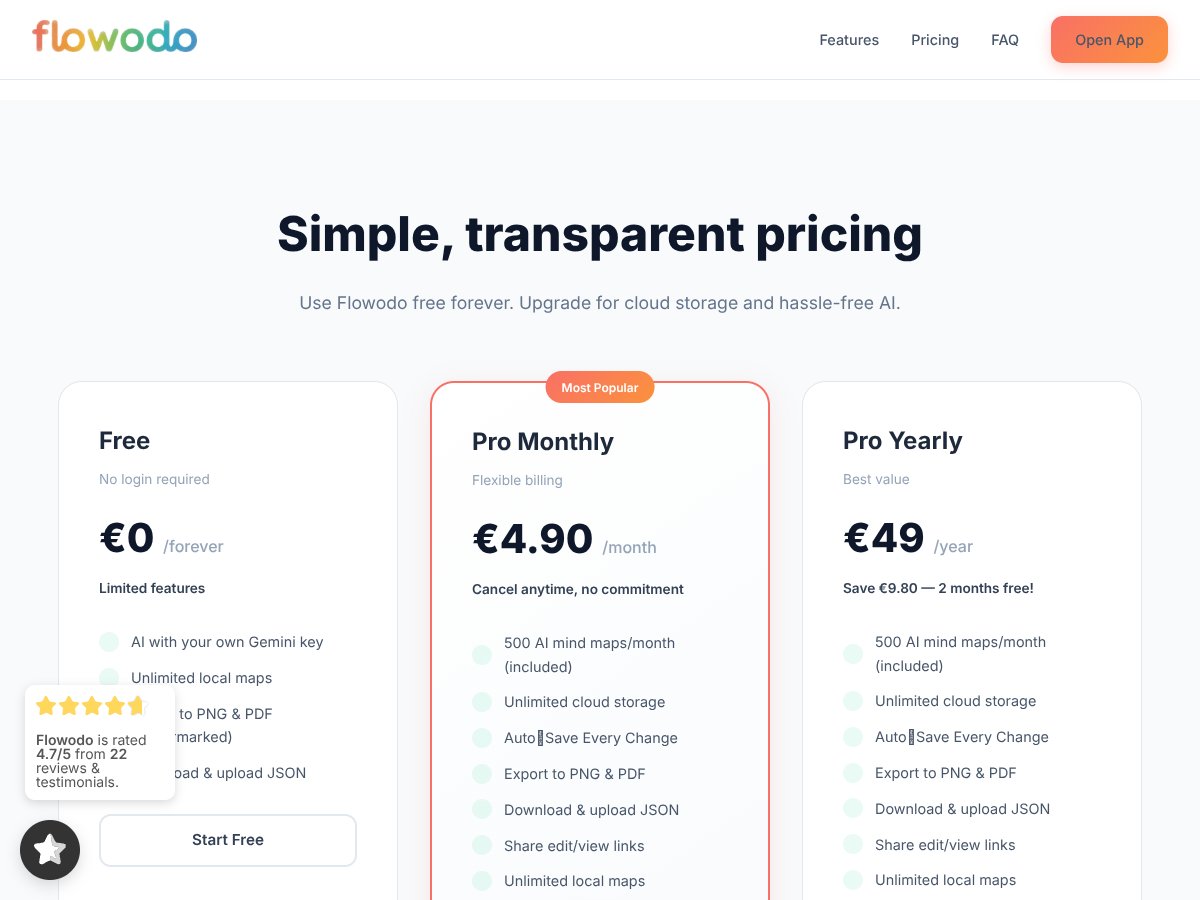
| Plan | Price | What You Get | My Take |
|---|---|---|---|
| Free | €0 / forever |
|
Honestly, it’s generous if you’re okay with two tradeoffs: (1) watermarked exports and (2) you providing your own Gemini key. For testing workflows and making personal maps, it’s a solid deal. If you need clean exports for client decks, the watermark will annoy you. |
| Pro Monthly | €4.90/month |
|
For solo users, this looks like the sweet spot. I like that you get cloud storage + auto-save (less “did I lose my work?” stress). The 500 AI maps/month limit is the main thing to watch if you generate a lot. If you’re doing heavy volume, you’ll want to track usage. |
| Pro Yearly | €49/year |
|
If you already know you’ll use it regularly, yearly pricing makes sense. In practice, saving ~€10 compared to monthly is meaningful—assuming you don’t hit the AI generation cap too quickly. |
Here’s the thing about Flowodo pricing: it’s simple on the surface, but the details matter. The Free plan is great for trying the AI mind mapping workflow. The Pro plan is what you want if you care about exporting without watermarks and you want cloud sync/auto-save.
Also, the “own Gemini key” requirement on Free is not just a footnote. If you don’t already have a Gemini API set up, that’s a real extra step. For some people it’ll be fine. For others, it’ll feel like friction.
The Good and The Bad (Based on Actual Use)
What I Liked
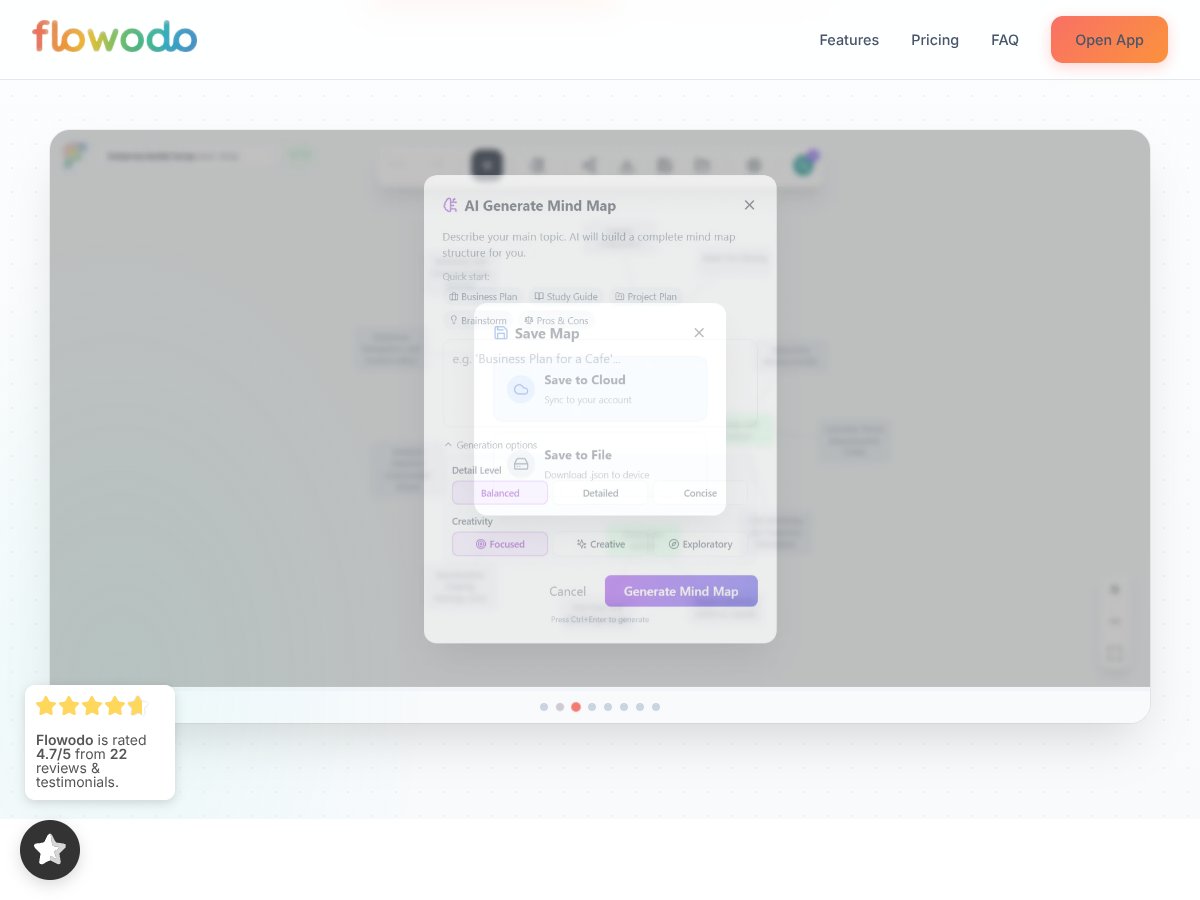
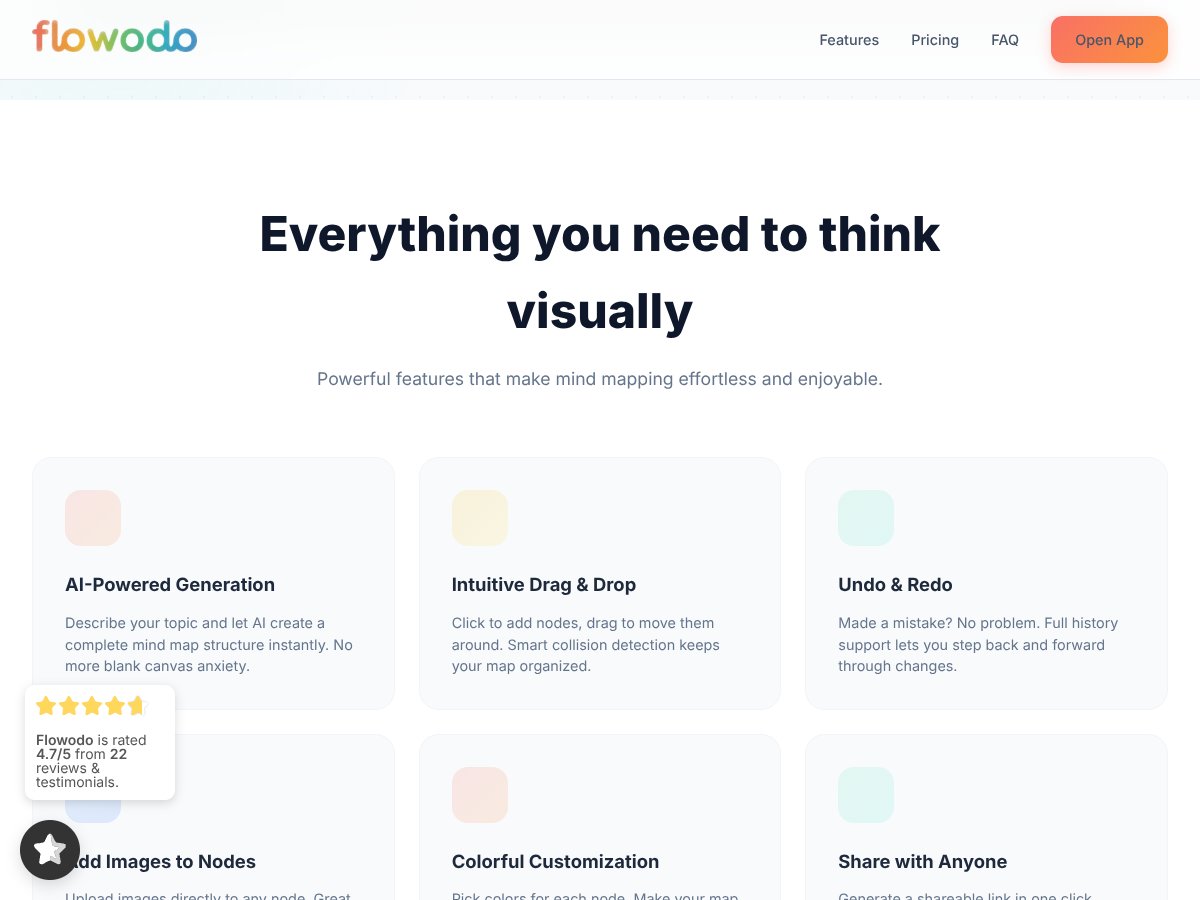
- AI Instant Generation (with editable output): When I typed prompts, Flowodo generated a hierarchical mind map immediately. It wasn’t just a flat list—it actually created parent/child branches that were usable right away. For example, with a prompt like “Plan a 4-week fitness routine for beginners”, I saw a main branch for the overall goal and then sub-branches for weekly structure (warm-up, workouts, recovery, progression). I didn’t have to build the skeleton from scratch.
- Clean, focused canvas: The interface stays out of your way. Drag-and-drop felt smooth in my testing, and when nodes got crowded, the layout didn’t feel chaotic. I wouldn’t call it “perfect auto-layout every time,” but it’s definitely not cluttered.
- Unlimited local maps on Free: This is a big deal. I could create multiple maps without worrying about a subscription wall. In my experience, that’s what makes a “try it first” plan actually useful.
- Export options that match the plan: PNG and PDF exports are available. On Free, exports are watermarked; on Pro, they’re watermark-free. I tested a couple exports and the text was readable at typical presentation sizes (not microscope-level perfect, but totally usable).
- No signup required for basic use: I didn’t hit an immediate “create an account first” barrier. That matters when you’re just trying to see if the tool fits your workflow.
- Cloud sync + auto-save (Pro): On Pro, the auto-save and cloud storage make it easier to switch devices. The main benefit I noticed: fewer “where’s my latest version?” moments.
What Could Be Better
- Free AI requires your own Gemini key: This is the biggest downside of the Free plan. If you’re not comfortable with API keys (or you don’t want to deal with quotas), you’ll feel it right away. In my tests, using your own key is what enables the AI generation on Free.
- Watermarked exports on Free: If you’re exporting to share with clients, teachers, or teammates, watermarks will get in the way. It’s fine for personal testing, but not ideal for anything “final.”
- Collaboration is limited: Flowodo isn’t trying to be Miro. I didn’t see the kind of deep collaboration features I expect from team whiteboards (real-time multi-user editing, robust commenting threads, etc.). You can share/edit links on Pro, but it’s not the same experience as a full collaborative workspace.
- No native integrations I could find: I didn’t find clear, native integrations with tools like Google Drive or Notion in the areas I checked (settings/integration-style menus). As of my testing date, I can’t point to an official “connectors” page. If integrations matter to you, verify before committing.
- Mind mapping focus only: If you want a broader whiteboard for flowcharts, diagrams, wireframes, etc., Flowodo may feel too narrow. It’s mind maps, and that’s the point.
AI Generation: Prompts I Used (and What the Maps Looked Like)
This is the part I care about most, because “AI mind map” can mean anything. So here are a few prompts I tried and what I noticed about the structure.
- Prompt: “Brainstorm marketing ideas for a new coffee subscription”
What I noticed: The map came out with clear top-level buckets (like product, pricing, channels, and retention). The branches were specific enough that I could edit quickly rather than starting over. - Prompt: “Create a study plan for learning Python in 6 weeks”
What I noticed: It generated a week-by-week hierarchy with sub-branches for topics and practice. I didn’t love every single node, but the overall structure was usable immediately. - Prompt: “Outline a project plan for launching an app from idea to release”
What I noticed: I saw stages that looked like discovery → build → testing → launch, with supporting tasks under each stage. It felt like a starter framework more than a perfect “do this exactly” plan.
Quick reality check: AI outputs aren’t flawless. Sometimes the hierarchy is close but not exactly how I’d organize it. The good part is that editing is fast. The annoying part is that you may still need to refine wording and rearrange a few branches to match your intent.
Who Is Flowodo Actually For?

Flowodo makes the most sense for solo users who want mind maps quickly. Think: students, freelancers, founders, and anyone who likes the “start with a structure” approach instead of building from a blank page.
In my experience, it’s especially handy when you’re trying to get unstuck. For example, if I’m outlining a strategy and I don’t want to spend 20 minutes just figuring out headings, the AI-generated hierarchy gives me a head start. Then I tweak it into something that actually matches how I work.
It’s also a decent fit for small teams on Pro if your “collaboration” needs are mostly sharing links and making edits—not heavy real-time teamwork with complex comment workflows.
But if your day-to-day is collaborative whiteboarding, constant feedback, and integrations across your stack, Flowodo might feel limiting. It’s not built to replace a full visual workspace.
Who Should Look Elsewhere?
If you need real-time team collaboration, threaded comments, or tighter integrations with tools like Slack or Google Workspace, you’ll probably be happier with Miro or Lucidspark-style platforms.
Also, if you want unlimited AI generation without thinking about API keys or usage limits, Flowodo’s model might feel awkward. The Free plan’s Gemini key requirement is the biggest friction point, and the Pro plan’s 500 AI maps/month cap is worth remembering if you generate constantly.
And if you’re looking for heavy-duty flowcharts, whiteboard diagrams, or full project management dashboards—Flowodo is too focused. It’s a mind mapping tool first, not an all-in-one workspace.
How Flowodo Stacks Up Against Alternatives

Quick note: pricing and plan tiers change a lot, so treat the comparisons below as “what I checked around the time of writing this review,” not permanent truth. If you’re on a tight budget, verify the current pricing on each provider’s site before you buy.
Miro
- What it does differently: Miro is a full online whiteboard built for teams—sticky notes, templates, and tons of collaboration features. It’s more like a shared visual workspace than a mind mapping generator.
- Price comparison: Miro commonly starts around €8/month per user (varies by plan and billing). That’s higher than Flowodo’s €4.90/month, but you’re paying for collaboration depth.
- Choose this if... you need real-time collaboration, integrations, and a wide template library for team work.
- Stick with Flowodo if... you want quick AI mind maps for solo use and you don’t want to manage a full whiteboard ecosystem.
MindMeister
- What it does differently: MindMeister is mind mapping-first with features around structure and sharing. It’s more mature for mind maps than many “AI-only” tools, and it can feel more complete for building presentations.
- Price comparison: MindMeister’s basic tier is often around €4.99/month (plan details vary). It can be slightly higher than Flowodo, depending on what you compare.
- Choose this if... you want a more established mind mapping workflow with collaboration and presentation-style features.
- Stick with Flowodo if... your priority is AI-generated map kickstarts and a simpler tool for quick thinking.
Whimsical
- What it does differently: Whimsical mixes mind maps, flowcharts, sticky notes, and wireframing. It’s aimed at design and visual storytelling.
- Price comparison: Whimsical often starts around $10/month (roughly €9), typically higher than Flowodo.
- Choose this if... you want multiple visual formats in one place.
- Stick with Flowodo if... you mainly want mind maps and you like the “prompt → structure → edit” workflow.
XMind
- What it does differently: XMind is more “serious mind mapping” with a desktop app vibe, offline support, and deep formatting options.
- Price comparison: It’s often a one-time purchase around €30 (or subscription options). Upfront cost can be higher, but you get offline and customization.
- Choose this if... you prefer desktop tools and want advanced formatting and offline access.
- Stick with Flowodo if... you want quick online AI-generated mind maps without paying for a desktop workflow.
Bottom Line: Should You Try Flowodo?
I’d rate Flowodo a 7/10 based on my testing. It’s simple, affordable, and genuinely useful if you want AI-assisted mind maps without turning it into a project management platform.
The biggest “yes” for me is speed. You get a structured starting point fast, and then you can edit without feeling like you’re fighting the UI. The biggest “no” is that it’s not built for heavy collaboration or deep integrations.
Who should try it? Solo creators, students, and anyone who wants to brainstorm quickly and cleanly. If you need real-time team workflows and advanced collaboration features, you’ll likely want alternatives.
Is the free tier worth it? In my opinion, yes—if you’re okay with watermarked exports and the Gemini API key step. If you want cleaner outputs and cloud sync, Pro is the better move.
Common Questions About Flowodo
Is Flowodo worth the money?
For most solo users, yes. The AI-generated mind maps and the cloud/auto-save features on Pro make it feel reasonably priced. If you’re only doing occasional maps and don’t mind watermarks, the Free plan can be enough.
Is there a free version?
Yes. Flowodo offers a Free plan with unlimited local maps and watermarked exports. For AI generation, you’ll need to provide your own Google Gemini API key.
How does it compare to Miro?
Flowodo is simpler and more focused on mind mapping with AI generation. Miro is a broader team whiteboard with tons of collaboration features. If you need team collaboration, Miro wins. If you want quick solo mind maps, Flowodo is the easier choice.
Can I use it on mobile?
Yes, Flowodo works in mobile browsers. It’s handy for quick brainstorming, but the experience is still more comfortable on desktop (at least in my testing).
Does it support exporting and importing?
Yes. You can export maps as PNG or PDF, and you can also use JSON for portability (download/upload). On Pro, you get watermark-free exports, and cloud sync is part of the package.
Can I get a refund?
I couldn’t confirm a specific refund window from Flowodo’s policy within the content I reviewed. If you want a sure answer, check Flowodo’s refund policy directly on their site before subscribing.