Table of Contents
If you’ve been trying to automate anything in your business—lead follow-ups, ticket triage, reporting, “who owns what” handoffs—you already know how messy it gets fast. I wanted something that didn’t require me to hire a full AI team just to get a basic agent running. That’s why I tested Flutch: to see whether it’s actually practical for real workflows, not just a polished demo.
In my experience, Flutch is best when you already know your process (or at least you can map it) and you want an AI layer that connects to the tools you’re using—like a CRM/ERP—without spending months building from scratch. The setup was quicker than I expected, and the analytics dashboard helped me understand what the agent was doing (and where it wasn’t).
Flutch Review: what I automated, what worked, and what I had to fix
Here’s what I actually tried. I picked two workflows that are common in a lot of companies, but still annoying enough that people don’t want to do them manually every day:
- Sales follow-up assistant: it took new lead info from the CRM, checked basic fields (company name, role, stage), then drafted a follow-up message and the next action (call / email / schedule).
- Support ticket triage: it looked at incoming ticket text, suggested a category and priority, and proposed a first response template based on the issue type.
Timeline (from my test cycle):
- Week 1: discovery + mapping the process. This part mattered more than I expected. If your workflow is vague, the agent will be too.
- Week 2: integrations + first agent draft. I connected my CRM and set up the “read” and “write” actions (what it can pull, and what it can update).
- Week 3: training/iteration. This is where I saw the biggest improvement. A few rules and examples tightened the output a lot.
- Week 4: limited rollout. I ran it on a subset of leads/tickets so I could compare outputs to what a human would do.
What I noticed immediately: Flutch doesn’t just “talk.” It pushes decisions into the workflow—like updating fields, generating drafts, and attaching suggested next steps. That’s the part that felt genuinely useful.
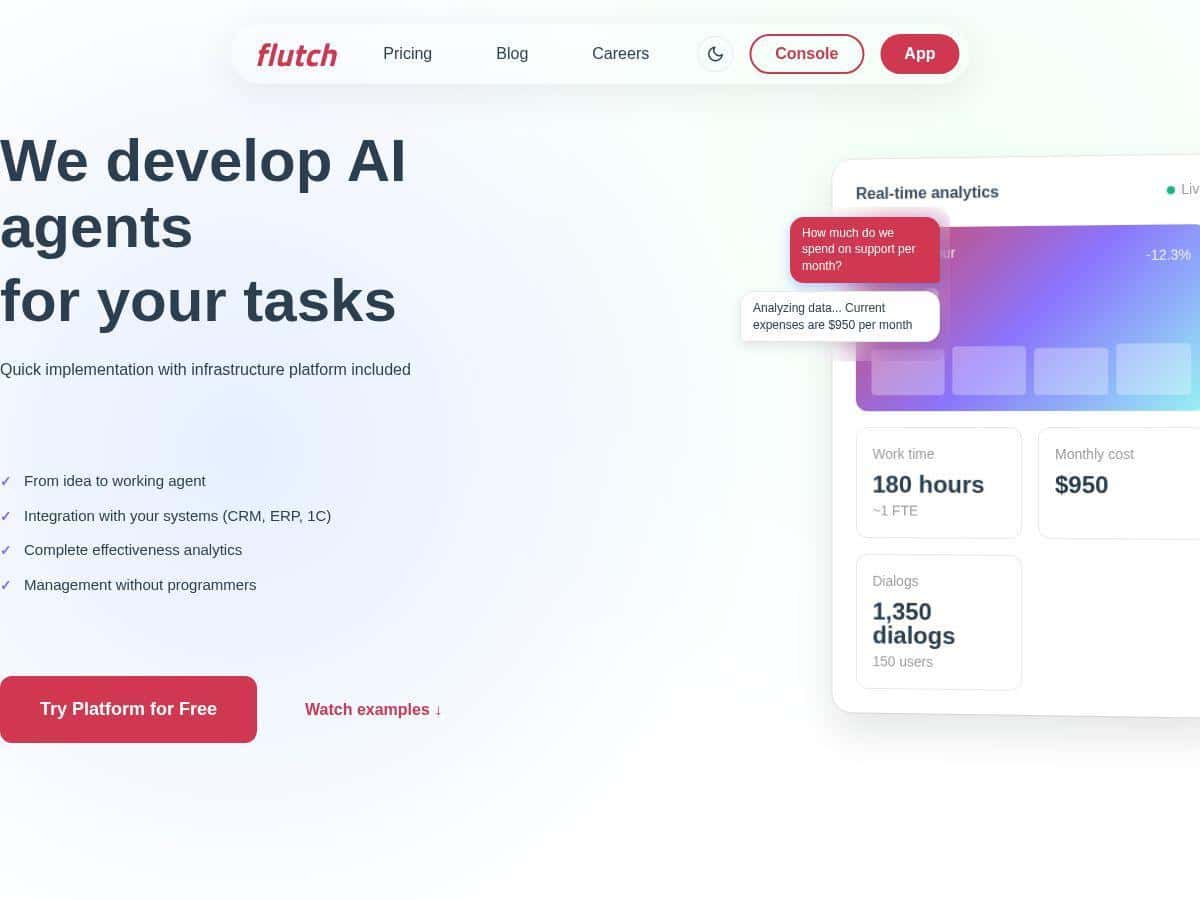
Performance analytics: Flutch’s analytics view made it easier for me to judge the agent without guessing. Instead of “it seems fine,” I could see things like:
- Which categories the ticket triage agent was confident about vs. where it hesitated
- How often the follow-up assistant produced messages that matched the intended tone and stage
- Where the agent made the wrong call (and what input triggered it)
One small but important thing: the analytics were most helpful when I used clear success criteria. For example, I treated “correct category + correct priority + usable first reply” as a measurable target, not just “the model generated text.”
Key Features: how Flutch works in practice
End-to-end AI agent development (idea → deployment)
In my case, this wasn’t “build your own system from scratch.” Flutch helped structure the agent around a workflow. The steps looked like:
- Define the trigger: what event starts the agent (new lead created, new ticket received, etc.)
- Decide inputs: which fields/text the agent can read
- Decide outputs: what it should generate (draft message, suggested category) and what it should write back (CRM fields, ticket tags)
- Add guardrails: rules for tone, required fields, and when to escalate to a human
What I liked: I didn’t have to code the logic myself. What I didn’t love: if your data is messy (missing fields, inconsistent formats), you’ll still spend time cleaning it or creating rules. The agent can’t magically fix bad inputs.
CRM/ERP/1C integrations (and what I checked)
Flutch’s integration story is a big part of the pitch, so I tested practical scenarios rather than just “it connects.” I focused on:
- Read access: pulling the right lead/ticket data
- Write access: updating the correct CRM fields / tags
- Latency: whether the agent responded fast enough for daily use
The setup was smooth for my newer CRM fields, but I hit friction with older/legacy-style fields that had inconsistent naming. That’s not a Flutch-only issue—most automation platforms run into it—but it did mean extra mapping work.
No-code management (what “no-code” actually means)
“No-code” here is basically: you don’t write the agent logic in code. You configure the workflow, prompts, and rules through the platform UI. During my test, I made changes like:
- Adjusting tone rules (shorter follow-ups for early-stage leads)
- Changing escalation thresholds (if confidence is low, don’t auto-update priority)
- Updating templates for different ticket categories
That kind of iteration was fast. I could tweak things and rerun the test without waiting for a developer cycle.
Detailed effectiveness analytics
This is where Flutch felt more “real” than a lot of automation tools. I wasn’t just looking at output text. I tracked outcomes. For the ticket workflow, I used a simple scorecard:
- Category accuracy (right label)
- Priority accuracy (right urgency)
- Reply usefulness (could a human send it with minimal edits?)
After a couple iterations, the “reply usefulness” improved noticeably—mainly because the templates and escalation logic got tighter. If you don’t measure anything, you’ll miss that improvement.
Business process analysis + AI strategy guidance
Before the agent was finalized, I had to walk through the workflow like I was explaining it to a new hire. Flutch’s team asked questions that forced clarity—things like what counts as a “good” next action and when the agent should stop and ask for help.
That part mattered. Without it, you end up with an agent that generates text but doesn’t actually reduce mistakes or workload.
Custom AI agent creation and testing
Flutch let me create a custom agent per workflow. I also tested it with a “real-ish” set of inputs (past tickets/leads with different edge cases). What I noticed:
- Common cases worked quickly
- The edge cases were where guardrails paid off (missing fields, vague ticket descriptions, unusual lead stages)
So yes, it’s customizable—but you still need to define how it should behave when the input isn’t perfect.
Team training + documentation
I’m always skeptical of “training” because it can turn into a generic webinar. In this case, the training felt tied to the workflows I was implementing. The documentation helped me understand what to check after deployment—like verifying field mappings and watching early output quality.
Three months of post-launch support
Support during the rollout period is a big deal. I found it helpful to have someone available when I wanted to adjust rules based on early results. Three months gave me time to spot patterns rather than just react to one bad output.
Pros and Cons: what I’d recommend (and what to watch out for)
Pros
- Setup speed: I went from discovery to a limited rollout in about 3–4 weeks. That’s fast enough to test value without a long waiting period.
- Management without coding: I could adjust templates and rules myself, which reduced the back-and-forth with developers.
- Analytics that help you improve: the effectiveness view made it easier to tighten performance instead of just reading outputs.
- Support + training: I didn’t feel like I was thrown into the deep end after launch.
- Good for repetitive workflows: if your job is mostly “process + respond + update systems,” Flutch fits that pattern well.
Cons
- Starting cost can be steep: the $4,000 starting point may be a lot if you only need one small automation. If you don’t have enough volume to justify it, it’s hard to ROI.
- Legacy integration can be painful: I ran into mapping issues with older fields that weren’t consistent. In my case, we needed extra configuration to normalize inputs before the agent could behave reliably.
- You still need good process data: Flutch can automate decisions, but it can’t compensate for missing or contradictory business rules. Garbage in = garbage out, even with AI.
Pricing Plans: what you actually get for the money
Flutch pricing is structured around the type of implementation you need. Here’s how it looked in my evaluation:
- Custom development (starts at $4,000): this is the “we build your workflow/agent with you” option. Best if you want tailored logic, specific CRM/ERP field mapping, and a setup that matches your exact process.
- Pay-per-use / ready-made agents: this is for teams that want faster value with less customization. In practice, you trade some flexibility for speed—so it’s great if your workflow is close to what they already support.
- Enterprise plan (custom): aimed at larger organizations that want deeper control. From what I was told, this can include API access and options like on-premise deployment and dedicated support.
One practical tip: before you commit, ask what limits apply for your use case—things like how many workflows/agents you can run, how often the agent can be triggered, and what happens when integrations fail. I asked those questions early, and it saved me time later.
Wrap up
My take after testing Flutch is pretty simple: it’s a strong option if you want AI automation that’s connected to your actual systems and you’re willing to define your workflow clearly. The analytics and the ability to iterate on rules helped me improve outcomes during rollout, not just generate “cool text.”
That said, the $4,000 starting price and legacy integration friction are real considerations. If your data is messy or your systems are outdated, expect some extra mapping work before the agent performs consistently.
If you’re trying to automate repetitive sales/support processes and you want a partner-style setup (not a DIY AI experiment), Flutch is worth a serious look.