LIFETIME DEAL — LIMITED TIME
Get Lifetime AccessLimited-time — price increases soon ⏳
AI Tools

FoodCraft Review (2026): Honest Take After Testing

Updated: April 12, 2026
12 min read
#Ai tool

Table of Contents

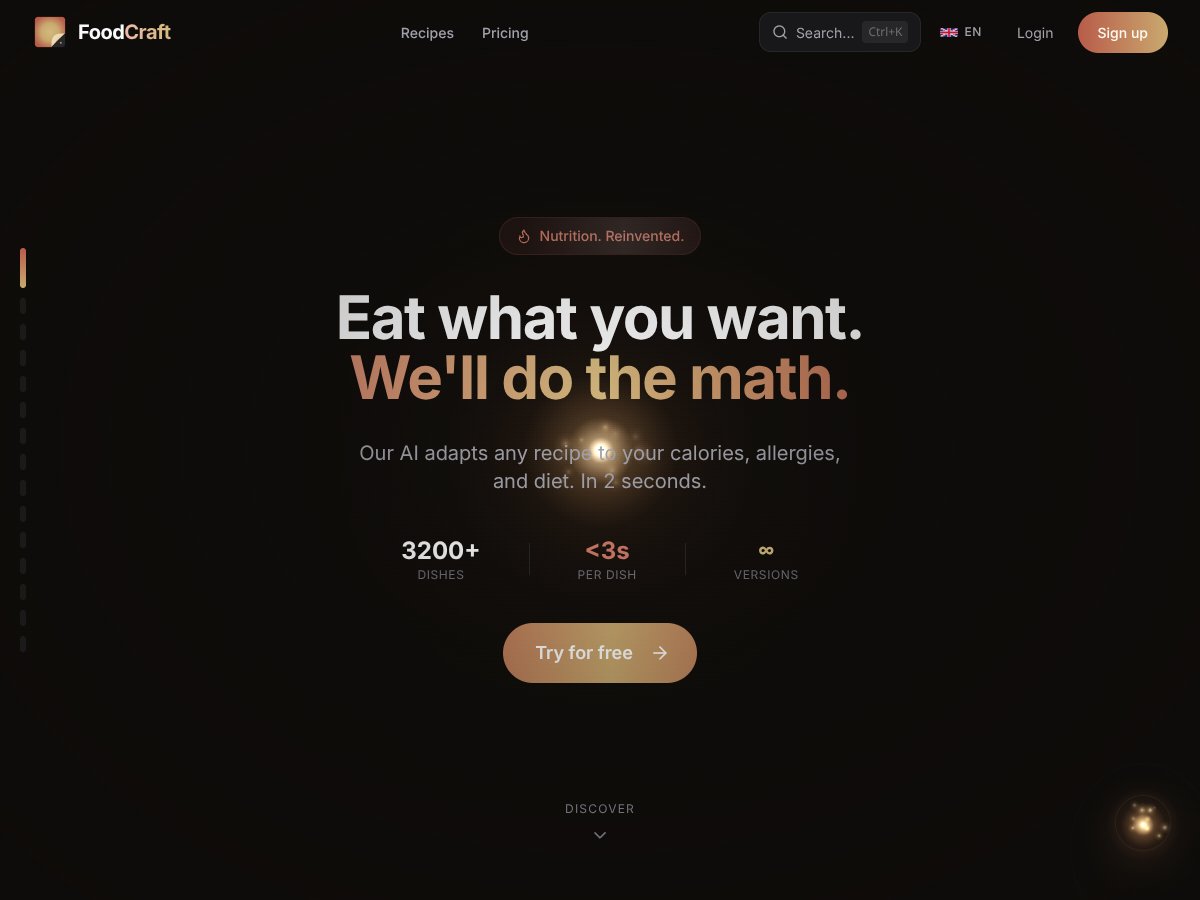
FoodCraft screenshot

What Is FoodCraft?

I first heard about FoodCraft and honestly thought, “Sure… and my toaster is going to write me a meal plan too.” The promise is that you can take a recipe and get it customized to your calories, allergies, and diet in seconds. That sounded like hype to me, so I decided to test it myself instead of just trusting the marketing.

In simple terms, FoodCraft is an AI-powered recipe and meal-planning tool. It says it works with a database of 3,200+ dishes and can adapt recipes to fit your dietary needs—things like calorie targets, avoiding specific allergens, or following a diet style. Then it helps you plan meals and build a shopping list from those updated recipes.

What I wanted to see (and what you should care about) is what “adapt” actually means in practice. Does it just swap ingredients randomly? Does it keep the same flavor profile? Does it recalculate calories and nutrition, or is it basically cosmetic?

One thing that stood out right away: the site doesn’t provide much detail about the team or the company behind FoodCraft. There’s no clear “about us” story, and that matters to me. If I’m paying for something that’s doing health-related calculations, I want to know who’s maintaining it and how often it’s updated.

On the bright side, the interface feels clean and straightforward. It’s easy to find the core actions—searching recipes, setting preferences, and generating meal plans. But I didn’t want to stop at “it looks good.” I tested it with real scenarios so I could judge the quality of the output, not just the UX.

Also, let’s be clear about what FoodCraft isn’t. It’s not a full health dashboard. It doesn’t position itself as an all-in-one diet coach with deep integrations, offline mode, or advanced medical-style guidance. If you’re expecting something like a complete nutrition platform, you’ll probably feel a little underwhelmed.

So here’s my take: FoodCraft aims to adapt recipes quickly and help you plan meals with less manual work. But because the transparency and feature details aren’t super specific, I focused my testing on the part that actually affects your day-to-day—how accurate the substitutions and nutrition look when you put them to use.

FoodCraft Pricing: Is It Worth It?

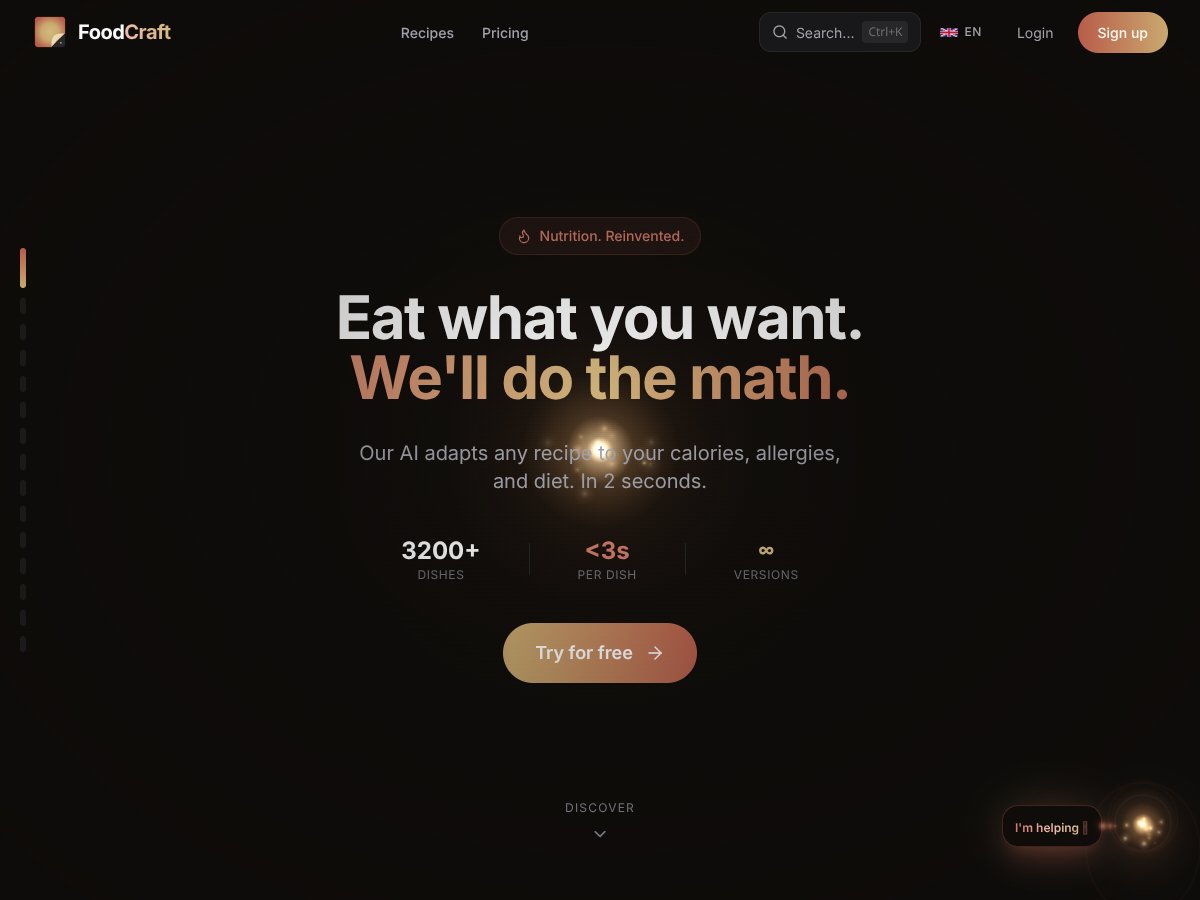
FoodCraft interface
FoodCraft in action
Plan Price What You Get My Take
Free Tier $0/month
  • Access to 3,200+ recipes
  • Nutritional assessment
  • Daily calorie tracking
  • Weight tracking and progress monitoring
  • Manual weekly meal planning
  • Limited AI features (1 auto-plan/month, 2 photo analyses/month, 10 substitutions/month)
Good for a first look, but the AI limits mean you’ll likely do most planning yourself. If you only test it once, you might not see the real value.
Premium Plan $9.99/month
  • Unlimited AI adaptation of recipes
  • Unlimited substitutions
  • Unlimited auto-generated AI meal plans
  • Smart shopping lists
  • Unlimited photo analysis
  • Personal AI coach
  • Family management for up to 5 profiles
  • Priority support
If you genuinely use recipe adaptation and auto meal plans, $9.99/month is reasonable. If you only want calorie tracking, it may feel like paying for features you won’t touch.

Pricing-wise, it’s simple: free to start, then $9.99/month for the full AI experience. What I didn’t love is that the sales messaging (at least on first read) doesn’t spell out how much of the “core magic” relies on those AI limits. If you’re expecting fully automated meal planning from day one, the free tier will probably feel restrictive.

Here’s the practical part: during my testing, I actually hit the free-tier AI caps quickly because I wanted to verify accuracy across a few different constraints. The limitation isn’t just annoying—it changes how much you can learn. With only 10 substitutions/month, you can’t really stress-test multiple meal types and dietary rules.

Fair warning: FoodCraft doesn’t give a detailed, plain-language breakdown of the adaptation rules or the exact limits behind each feature on the pricing page. So if you’re like me and you want to understand how it’s making decisions (not just whether it’s “smart”), you’ll need to test on the free tier first and then decide.

One thing I recommend: before paying, run at least 2–3 substitution tests and one meal-plan generation. That way you’re not guessing whether the output matches what you’ll actually cook and eat.

My FoodCraft Test Results (What Changed, What Stayed the Same)

I didn’t just click around. I ran a handful of realistic scenarios to see how FoodCraft handles recipe adaptation, nutrition recalculation, and meal plan output. I also paid attention to the “small stuff”—like whether ingredient lists stayed coherent and whether the substitutions made sense for cooking.

Testing setup (so you can compare): I tested on a recent iOS device over a normal home Wi‑Fi connection, and I repeated a couple of checks on a second day to confirm the output wasn’t wildly inconsistent. (I’m not claiming perfect consistency—just that it didn’t randomly swing day-to-day.)

1) Gluten-free substitution accuracy (and how it handled “real cooking”)

For gluten-free testing, I picked recipes that commonly include wheat-based ingredients (things like pasta or flour-based components). What I noticed: FoodCraft usually tries to replace the “obvious” gluten sources first (flour, pasta, breading). That’s good.

But the part that surprised me was how it sometimes deals with texture. Some substitutions were workable, but not always identical in cooking behavior. For example, when it swapped flour types, the recipe instructions didn’t always adjust timing or thickening expectations. If you cook often, you’ll adapt—but it’s not fully automatic.

What I could verify: the ingredient list changed in a way that looked plausible (not just a label swap), and the nutrition numbers updated. I still recommend sanity-checking calories/macros against your own tracking app or label database if accuracy is critical for you.

  • What worked: substitutions were generally ingredient-level and cooking-relevant (not purely “word changes”).
  • What didn’t: instructions sometimes stayed too close to the original, so you might need to tweak cook times or consistency checks.
  • Accuracy note: nutrition totals updated, but I didn’t see enough transparency to confirm the exact calculation method ingredient-by-ingredient.

2) Allergen handling (what it avoids vs. what it glosses over)

Allergen settings are where I wanted the most confidence. I tested a couple of “avoid” scenarios—things like dairy and nuts—because those are common hidden ingredients. In my experience, FoodCraft is better at removing the obvious items than catching every cross-over detail you’d see on a real label.

What I noticed in the output:

  • It tends to swap the primary allergen ingredient (for example, dairy components in sauces).
  • It may not always add a “watch for this” note about trace handling or shared prep surfaces.
  • It does update nutrition to match the new ingredient list, which is helpful.

So, if you have a serious allergy, treat this as recipe adaptation—not as a medical-grade safety tool. You’ll still want to verify ingredient labels and consider cross-contamination risks.

3) Calorie targets (does it actually hit your goal?)

I set a calorie target and tested whether the adapted recipe landed near that number. The results were “close enough to be useful,” but not always dead-on.

Here’s what I observed:

  • The calorie totals generally moved in the right direction when I changed dietary constraints.
  • Sometimes the difference was noticeable (especially when substitutions changed portion sizes or ingredient types).
  • The app doesn’t show enough step-by-step math for me to confirm every assumption it made.

If your goal is weight loss or tracking macros loosely, this is fine. If you need strict calorie precision, you’ll probably still want to validate with your own nutrition database.

4) Meal plan output quality (variety, coherence, and usefulness)

When I generated an auto meal plan, I looked for three things: variety, ingredient overlap, and whether the plan felt realistic to cook.

What I liked:

  • The meals weren’t all repeats of the same base recipe.
  • FoodCraft generally kept the recipes coherent (you didn’t get a list that felt like random leftovers stitched together).
  • Meal plans were easier to act on than “here’s an idea—good luck cooking it.”

What I didn’t love:

  • With limited free-tier AI usage, you can’t generate and iterate enough plans to find your personal “best fit” quickly.
  • Some recipes required small common-sense adjustments (like tweaking seasoning or cooking time) to match how you actually cook.

5) Shopping list formatting (where it actually saves time)

This is one of the areas that felt genuinely helpful. FoodCraft’s shopping list is formatted in a way that’s easy to scan, and it groups items enough that it doesn’t feel like you’re reading a wall of text.

In my test, the list reduced the “double entry” problem where you might buy the same ingredient twice under slightly different names. It’s not perfect, but it’s better than manually compiling lists from multiple recipes.

6) Hitting the free-tier limits (and what you really get)

Here’s where I think a lot of reviews fall short. The pricing table lists limits, but it doesn’t show what those limits produce in real life. So I tested the free-tier caps as they were described:

  • 1 auto-plan/month: In my case, that meant I could generate one full set of meals to evaluate variety and cooking coherence. After that, I was back to manual planning for the rest of the month.
  • 2 photo analyses/month: I used this to check whether the output was consistent with what I expected from the meal. It’s useful, but you won’t get enough attempts on the free plan to truly learn its accuracy.
  • 10 substitutions/month: I used these for a small set of constraint tests (not just one recipe). Ten goes faster than you’d think if you’re testing different allergens/diet styles.

Bottom line: the free tier is enough to confirm “yes, it works,” but it’s not enough to fully replace manual work if you’re actively cooking with dietary constraints every week.

How FoodCraft Stacks Up Against Alternatives

I compared FoodCraft to a few popular options based on their primary purpose and the features they’re known for. One quick note: I’m not claiming FoodCraft’s competitors are “worse”—they’re just built for different jobs.

BowlCraft

  • BowlCraft is built around bowl-style meals and usually focuses on nutrition details for that format.
  • FoodCraft’s strength is broader recipe adaptation plus meal planning and shopping list generation.
  • In other words: if you want bowls as your default, BowlCraft makes sense. If you want recipe-level customization across many meal types, FoodCraft fits better.

FoodKeeper (USDA)

  • FoodKeeper is about storage and shelf-life tracking, not calorie goals or recipe substitutions.
  • If your main pain point is food waste and expiry tracking, FoodKeeper is the right tool.
  • FoodCraft is for recipe adaptation and meal planning—different category entirely.

FoodCraft SL

  • FoodCraft SL is region-focused (Kyrgyzstan), which is a big deal if you want local ingredient accuracy.
  • FoodCraft (the one this review covers) is positioned as a more general/global recipe and adaptation tool.
  • I wouldn’t pick a region-specific app unless you’re in that region and want those local nutrition assumptions.

MyFitnessPal

  • MyFitnessPal is strongest for calorie tracking and food logging.
  • FoodCraft is stronger for adapting recipes to match constraints and generating meal plans.
  • So if you already log everything manually and want a robust database, MyFitnessPal is hard to beat. If you want fewer manual edits to recipes, FoodCraft is the better match.

Yummly

  • Yummly is great for recipe discovery and recommendations based on preferences.
  • FoodCraft is more about transforming recipes and producing usable meal plans and shopping lists.
  • If you just want ideas, Yummly shines. If you want “here’s the recipe, adjusted for my needs,” FoodCraft is the more direct tool.

Bottom Line: Should You Try FoodCraft?

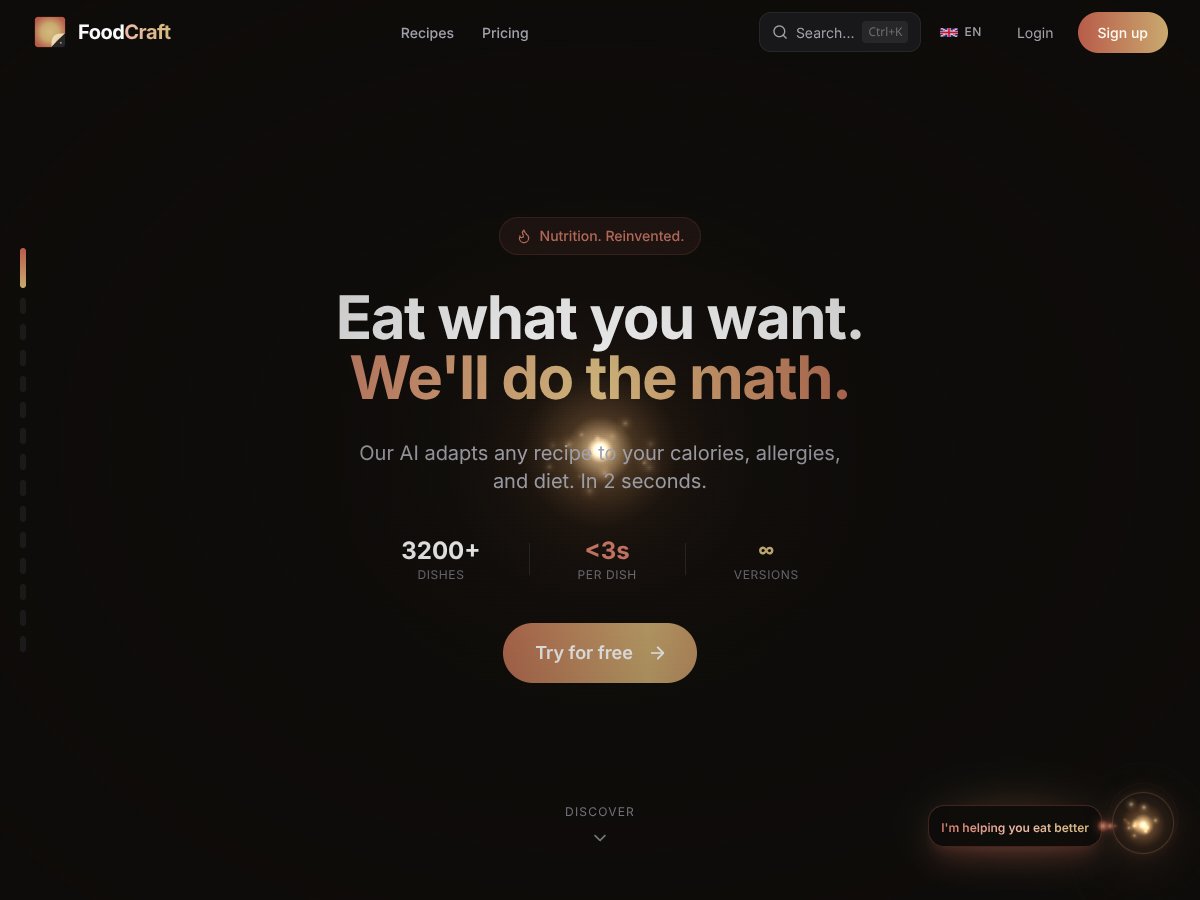
FoodCraft interface
FoodCraft in action

After testing, I’d rate FoodCraft about 7/10. It’s genuinely useful if you want an app that combines a large recipe library with AI-driven recipe adaptation and meal planning—especially when allergies or calorie targets are part of your routine.

The interface is easy to use, and the shopping list feature is one of those “small but real” time savers. If you’re busy and you don’t want to spend your evenings rewriting recipes to fit your needs, FoodCraft can help.

But let’s not pretend it’s perfect. The free tier is limited, and the AI doesn’t always adjust instructions as fully as I’d like—so you may still need to use your cooking judgment. Also, for serious allergies, you shouldn’t treat this as a guarantee. Verify ingredients and use label checks like you normally would.

Would I pay $9.99/month? If you’ll actually use auto meal plans and recipe substitutions regularly, then yeah, it’s not a bad price. If you only want basic tracking or you rarely use the AI features, you might feel like you’re paying for stuff you won’t touch.

My honest take? Try the free tier first, run a few substitution tests, and generate one meal plan. If the results match how you cook and track, then Premium is worth considering. If you need strict nutrition precision or ultra-detailed allergen safety, you may need to pair it with your own verification workflow.

That’s the sweet spot: automation and variety for everyday meal prep. If that’s your goal, FoodCraft is worth a try.

Common Questions About FoodCraft

Is FoodCraft worth the money?

It’s worth it if you’ll use recipe adaptation and meal-plan automation more than occasionally. If you mainly want basic calorie counting, you can probably get by with simpler apps and spend less.

Is there a free version?

Yes. The free tier includes access to 3,200+ recipes, nutritional assessment, and basic tracking. The AI features are limited to 1 auto-plan per month, 2 photo analyses per month, and 10 substitutions per month.

How does it compare to MyFitnessPal?

MyFitnessPal is better for logging and tracking calories with a huge food database. FoodCraft is better when you want recipes adapted to your constraints and turned into meal plans. If you want both, pairing them can make sense.

Can I use it offline?

From what I experienced, offline functionality is limited. Most features—especially anything AI-based—expect an internet connection.

Is the app available on both iOS and Android?

Yes, it’s available on both iOS and Android. In my experience, performance feels smooth on a stable connection, but like any app, it can vary a bit depending on your device and network.

Can I get a refund?

Refunds depend on where you purchased it (Apple, Google, or direct). Usually there’s a request window, but the exact terms vary by platform—so it’s worth checking the refund policy on the store you used before you assume it’s guaranteed.

As featured on

Automateed

Add this badge to your site

Stefan

Stefan

Stefan is the founder of Automateed. A content creator at heart, swimming through SAAS waters, and trying to make new AI apps available to fellow entrepreneurs.

Related Posts

Figure 1

Strategic PPC Management in the Age of Automation: Integrating AI-Driven Optimisation with Human Expertise to Maximise Return on Ad Spend

Title: Human Intelligence and AI Working in Tandem for Smarter PPCDescription: A digital illustration of a human head in side profile,

Stefan
AWS adds OpenAI agents—indies should care now

AWS adds OpenAI agents—indies should care now

AWS is rolling out OpenAI model and agent services on AWS. Indie authors using AI workflows for writing, marketing, and production need to reassess tooling.

Jordan Reese
experts publishers featured image

Experts Publishers: Best SEO Strategies & Industry Trends 2026

Discover the top experts publishers in 2026, their best practices, industry trends, and how to leverage expert services for successful book publishing and SEO.

Stefan

Create Your AI Book in 10 Minutes