Table of Contents
What Is Gensform | AI Brand Builder (Beta)? (My Test Results)
I’ll be honest—when I first heard about Gensform, I was skeptical. I’ve tried enough “AI brand” tools to know how this usually goes: you get a flashy onboarding screen, then the real workflow turns into copy/paste chaos or outputs that don’t quite match your brand. So I wanted to see if Gensform was actually different in the day-to-day stuff—brand kit creation, post drafts, visuals, and planning.
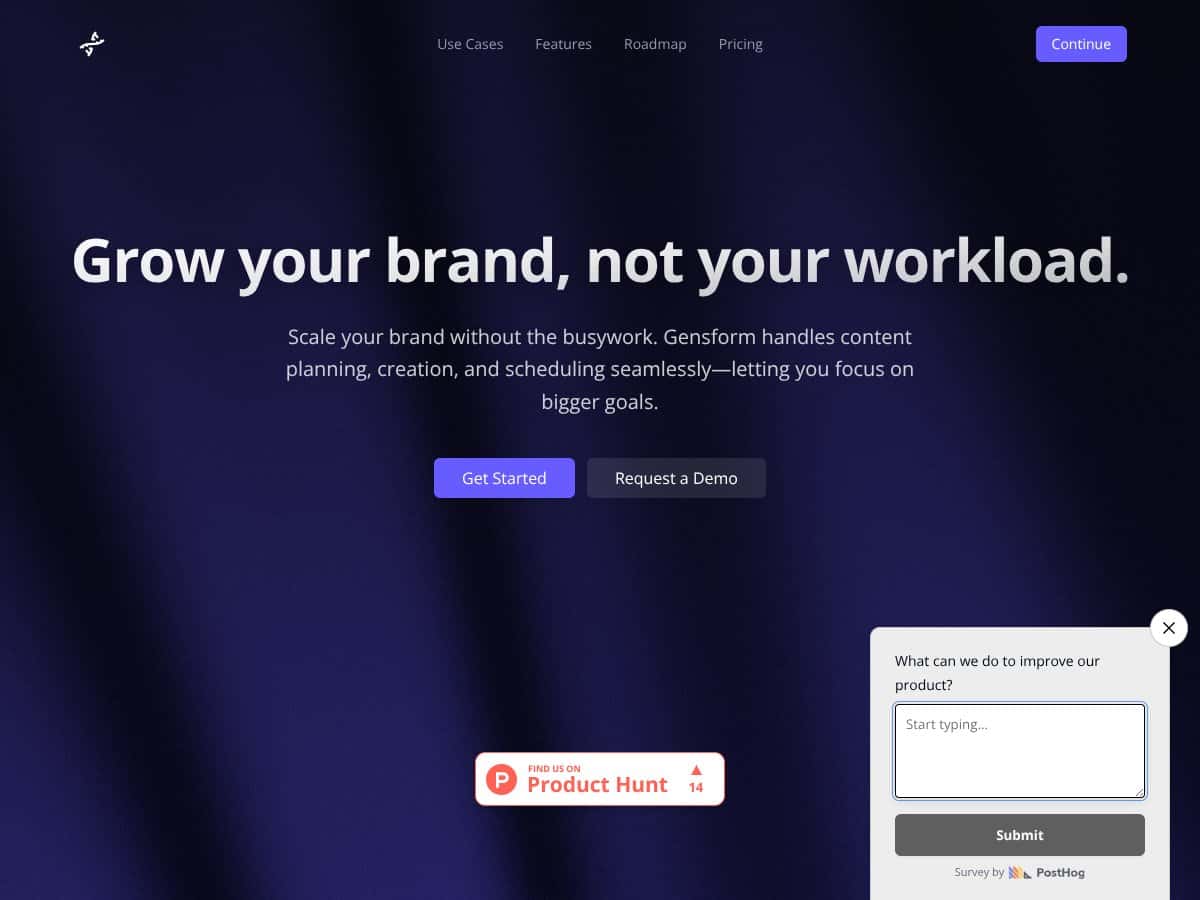
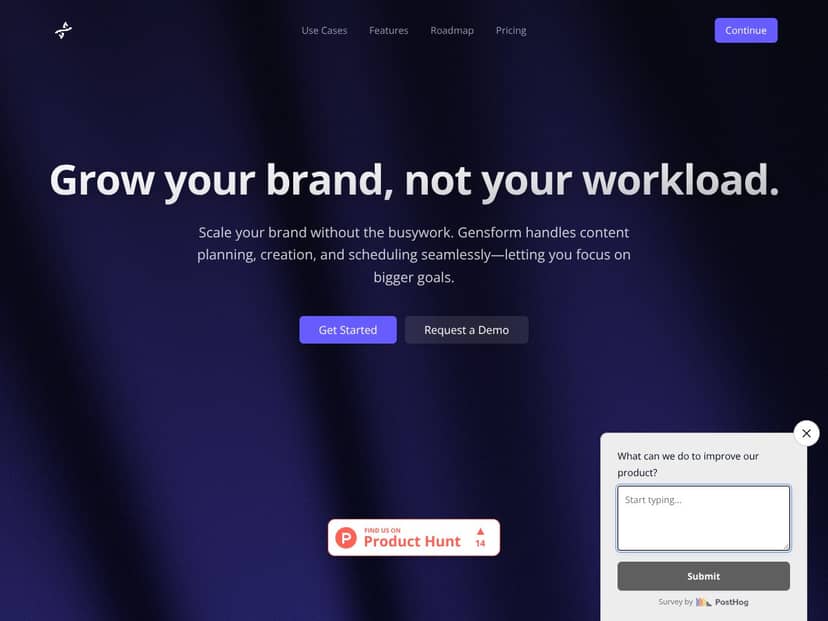
Here’s what it’s supposed to do. Gensform positions itself as an AI-powered brand builder that helps you create content, design visuals, and plan social posts in one place. The big promise is less switching between tools (and fewer hours spent staring at a blank canvas). In theory, you feed it brand info, it produces brand-consistent assets, and you use those to plan and publish content.
In my testing, the workflow started with brand setup and then moved into content generation. I specifically tried building a small “brand kit” from scratch, then generating a set of social posts from that kit. I also tested whether the generated captions actually followed the brand voice I entered (more on that below), and whether the visual output looked consistent across multiple posts.
Brand setup / voice: I entered a brand description and voice preferences, then generated several caption drafts for the same topic. What I noticed was that the “voice” is more like a guideline than a strict rule. Some outputs were clearly closer to the tone I asked for, but others drifted—especially on longer captions. If you’re expecting every single sentence to sound identical to your brand, you’ll still want to edit.
Visual generation: I generated multiple images tied to the same brand kit and theme. The visuals were usable, but they weren’t always identical in style. Think “consistent direction” more than “perfect brand template every time.” If your brand is very strict about colors, typography, or layout rules, you may find yourself tweaking prompts or adjusting outputs manually.
Planning / scheduling: This is where I wanted to see if Gensform actually reduces the annoying parts. I tried generating content plans and then organizing posts. The core idea is that it helps you map out what you’re posting without juggling separate spreadsheets and design files. In beta, though, the planning side felt more helpful for drafting and organizing than for fully polished, production-ready publishing.
Now, about the team—Gensform is developed by Automateed.com. I couldn’t find much deep background on the people behind it, and that’s not automatically a dealbreaker, but it does matter if you care about long-term support. The product experience itself is clearly aimed at brand building for both solo creators and small teams.
Beta reality check: My initial impression is that Gensform is “as advertised” in terms of the general concept. But it’s still beta, and I experienced the kind of rough edges you’d expect: small workflow friction, occasional limitations in how tightly outputs match your inputs, and a general sense that some parts aren’t fully finished. If you need a tool that never hiccups, this won’t feel that way yet.
One more important thing: I didn’t see clear, confirmed integrations for common publishing/workflow tools like Buffer, Hootsuite, or Canva. That means you should assume it’s more “self-contained” for now. If you already have a mature workflow with those tools, you’ll likely be exporting assets and doing some manual steps—or rethinking your process.
Ideal users are solo entrepreneurs, content creators, and small teams who want faster ideation and draft creation while keeping a consistent brand direction. If you’re juggling multiple accounts or you’re trying to stay consistent on LinkedIn, Instagram, or TikTok, the main value is speed: generating captions and visuals from one brand input instead of starting from zero every time.
In particular, if you regularly get stuck in the “what do I post?” + “how do I make it look on-brand?” loop, Gensform can help you break that cycle. I ran a simple test where I generated a small batch of posts from the same brand kit and then reviewed how consistent the tone and visual style were. The good news: it’s faster than doing everything manually. The not-so-good news: you still need to review and edit before you publish.
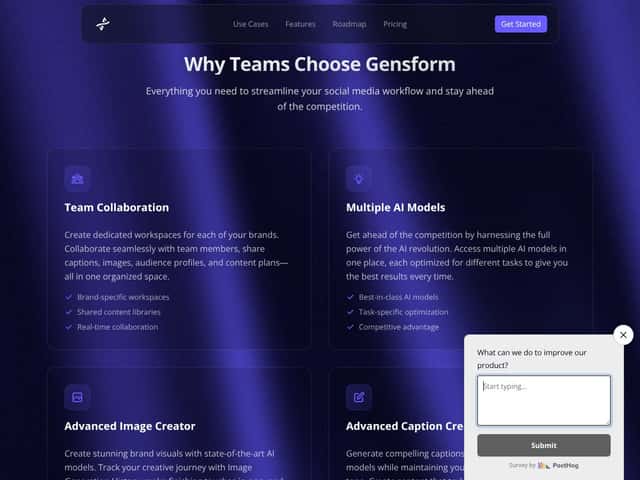
For small teams, the value is also in keeping everyone aligned. If the tool supports workspaces/collaboration (at least in the beta experience), it can reduce the “who has the latest brand guidelines?” problem. Still, I’d treat it as a workflow accelerator—not a replacement for your brand standards.
Who Should Look Elsewhere
If you’re an enterprise team or you need highly customized, platform-specific publishing workflows, Gensform may not be the right fit. Beta software usually won’t match the reliability, governance, and compliance controls that larger orgs expect. And if you’re running complex campaigns with strict approvals, you’ll probably want something more established.
Also, don’t expect deep analytics or heavy optimization out of the box. In my testing, the focus felt more on creation and planning than on performance reporting or advanced content optimization. If your priority is data-driven iteration (and you need integrations with your analytics stack), you’ll likely find Gensform limited.
Here’s the fair warning: if you want polished UX, rock-solid stability, and fully transparent pricing, you might get frustrated. That’s not me being dramatic—it’s just what beta software usually looks like when you push it beyond the basic happy path.
If you need more integrations, better publishing options, or a workflow that plugs cleanly into tools you already use, you may be happier with established platforms like Later, Buffer, or Canva (depending on whether you need design, scheduling, or both).
How Gensform | AI Brand Builder (Beta) Stacks Up Against Alternatives
Quick comparison (what I’d check before choosing)
- Brand kit + voice control: Does it actually keep tone consistent across multiple posts, or does it drift?
- Visual consistency: Are outputs consistent in style, or do you need prompt tweaking every time?
- Planning + publishing: Can it help you organize content, and does it integrate with your scheduler?
- Workflow fit: Are you replacing tools or supplementing them?
Weavely AI Form Builder
- Weavely is built around forms and styling extracted from existing designs. If your main goal is branded forms and data collection, it’s more focused than Gensform.
- I didn’t verify current pricing for Weavely. Any “$20–$50/month” style numbers you see online should be treated as estimates unless you confirm on their site.
- Choose Weavely if you mainly need quick branded form creation (landing pages, lead capture, intake forms) and you don’t care about a full brand content workflow.
- Choose Gensform if you want a broader brand workflow—visuals + captions + planning—rather than form-only branding.
Jotform AI Agents
- Jotform’s AI angle is more about automating form responses and customer interactions. It’s not really a “brand builder” in the same sense.
- I didn’t verify live pricing for Jotform plans in this review. If you’re shopping, confirm current tiers directly on Jotform.
- Choose Jotform if your priority is customer interaction automation via forms.
- Choose Gensform if you want brand assets and social content drafts centered around a brand kit.
Aprimo
- Aprimo is an enterprise marketing operations platform with stronger governance and workflow management. It’s built for bigger teams and more complex processes.
- I didn’t verify current Aprimo pricing (it’s often custom). In practice, it’s typically not priced for solopreneurs.
- Choose Aprimo if you need enterprise-grade controls, compliance, and large-scale campaign governance.
- Choose Gensform if you want something simpler and faster for personal/small business branding without enterprise overhead.
Canva Pro
- Canva is still the most practical option if your main need is visual creation—templates, design flexibility, and an easy editor.
- I didn’t verify the exact current price for Canva Pro in this review. If you want a number, check Canva’s pricing page directly.
- Choose Canva if you already have a content workflow and you mainly want better visuals.
- Choose Gensform if you want a more integrated approach—using AI to generate brand-consistent drafts and planning ideas, not just standalone design.
Bottom Line: Should You Try Gensform | AI Brand Builder (Beta)?
Overall, I’d rate Gensform 7/10 based on what I actually tested. It’s a promising tool for speeding up brand creation and keeping your content direction more consistent—especially if you’re early in your brand journey or you’re managing multiple accounts and need drafts fast.
The AI workflow does help with the “busywork” part. In my experience, the biggest win is getting from brand inputs to usable drafts quicker than doing everything from scratch. But beta means you’ll still spend time reviewing and editing. It’s not fully autopilot.
Who I think should try it: entrepreneurs, solopreneurs, and small teams who want one place to generate visuals + captions and organize a content plan from a brand kit. If you like experimenting and you’re okay with a tool that’s still growing, it’s worth checking out.
Who should skip (or at least be cautious): if you need bulletproof stability, deep integrations with your existing publishing tools, or strict brand governance (especially for larger teams). If your success depends on analytics, advanced optimization, or enterprise-grade controls, Gensform isn’t where I’d start right now.
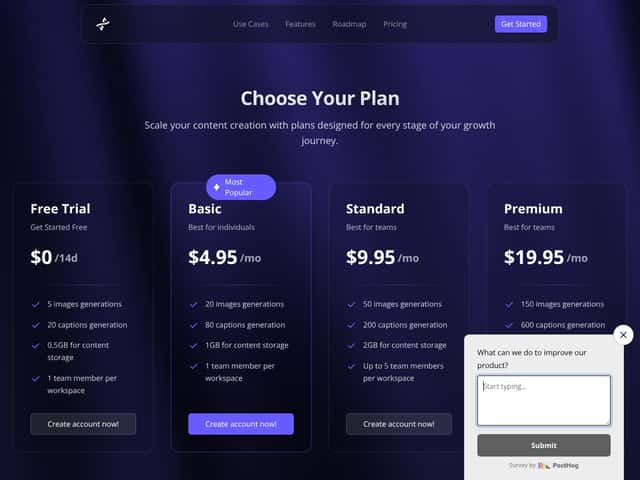
Pricing is the part I don’t want to guess on. In this review, I didn’t verify current, official pricing details with a dated source, so I’m not going to throw out a monthly number. If you want the real cost, check the official pricing page and confirm what’s included in the beta and any free tier/trial terms.
In short: if you want a faster way to build and manage brand-consistent drafts with AI assistance—and you’re okay doing some editing—Gensform is a solid beta to test. If you need full control, full integrations, or enterprise reliability, you’ll probably be happier elsewhere.
Common Questions About Gensform | AI Brand Builder (Beta)
- Is Gensform | AI Brand Builder (Beta) worth the money? It can be, if you value speed and you’re comfortable reviewing AI outputs. Since it’s beta, some features and stability may not be consistent yet—so I’d only spend what you’re willing to experiment with.
- Is there a free version? There may be a free trial or limited free tier, but I didn’t verify the current offer in a way I can cite here. Check the Gensform site for the latest beta access details.
- How does it compare to Canva? Canva is stronger for manual design and flexible editing. Gensform leans more toward AI-assisted brand drafting and planning. If you want an “AI first” workflow tied to brand inputs, Gensform is the more direct fit.
- Can I use it for eCommerce branding? Yes—at least for smaller to mid-sized eCommerce brands that need help generating social content and visual drafts. Just remember you’ll likely need to review for product accuracy and brand compliance.
- Does it support team collaboration? The beta experience appears to support workspaces/collaboration for small teams, but I didn’t test every collaboration workflow end-to-end. If team approvals and roles are critical, verify the exact permissions and review process in the product.
- Can I get a refund if I don’t like it? Refunds depend on their terms. In a beta, policies can vary, so you should check the refund policy on the official site before upgrading.




