LIFETIME DEAL — LIMITED TIME
Get Lifetime AccessLimited-time — price increases soon ⏳
AI Tools

Granary by Speakeasy Review (2026): Honest Take After Testing

Updated: April 12, 2026
11 min read
#Ai tool

Table of Contents

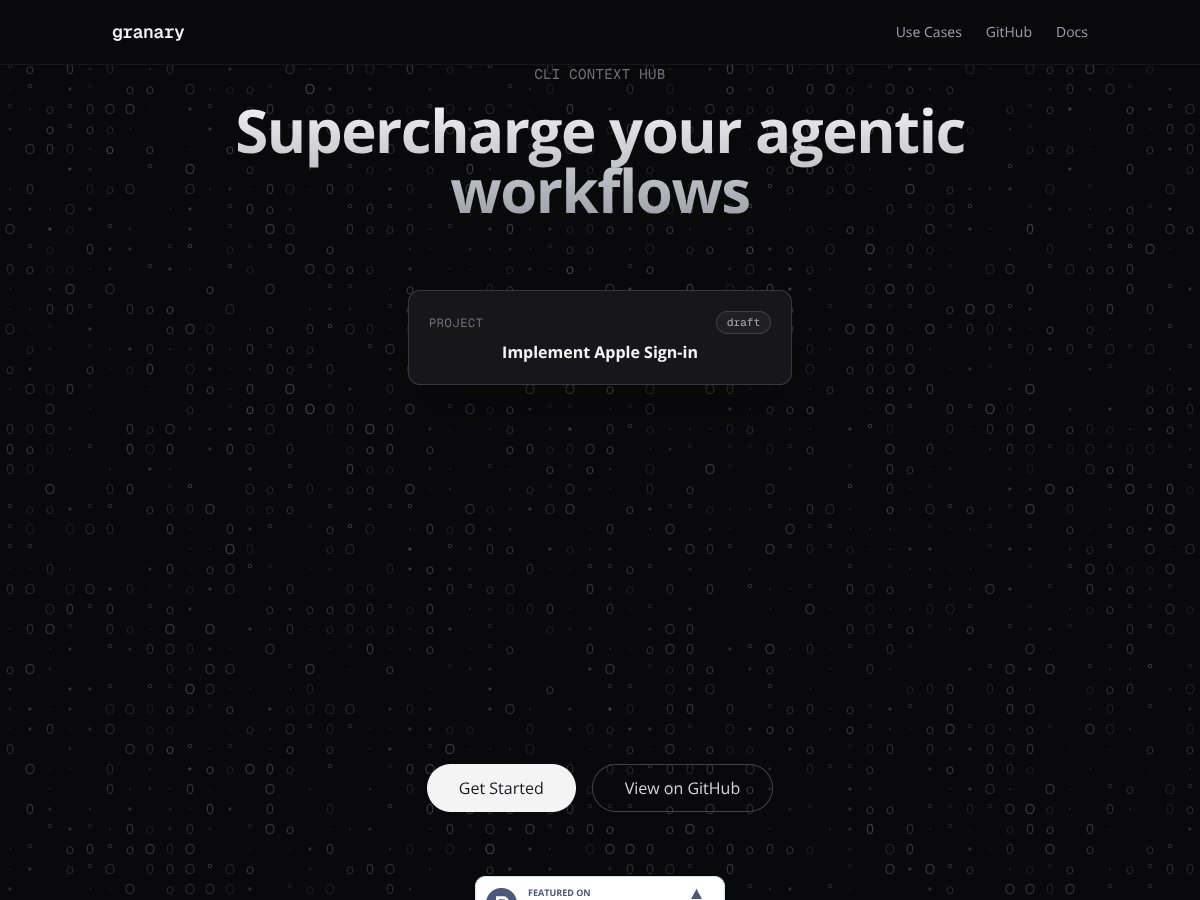
Granary by Speakeasy screenshot

What Is Granary by Speakeasy?

I kept running into Granary by Speakeasy in AI workflow conversations and, I’ll be honest, I didn’t immediately buy the hype. “Agentic workflows” can mean anything. So I decided to check what it actually does once you stop reading and start running things.

Granary is a command-line tool for coordinating multiple AI agents on multi-step tasks. The big idea is that it keeps track of what’s happening (and the context that matters) so you don’t have to keep re-explaining the same background to every agent every time you run a workflow.

In practice, it feels like infrastructure for agent orchestration. Instead of treating each agent run as a totally separate event, Granary helps maintain continuity—so if one agent produces a result, the next agent can pick up with less back-and-forth. If you’ve ever lost half a day because a workflow forgot what it already knew, you’ll get why that matters.

Speakeasy’s positioning is also pretty clear: this isn’t a “download an app and click around” product. It’s meant for developers and teams who are comfortable with a CLI and want control over how agents behave. No shiny dashboard. No drag-and-drop builder. You’re building workflows, not clicking through them.

One more thing I noticed: the project still feels a bit early. I didn’t find a bunch of ready-made templates or turnkey integrations, and some sections of the documentation read more like quick notes than a full reference. So yes, I had to experiment to understand the “right” way to structure runs and carry context forward.

Granary by Speakeasy Pricing: Is It Worth It?

Granary by Speakeasy interface
Granary by Speakeasy in action

I tried to verify pricing the normal way—looking for a pricing page, plan tiers, and clear limits—because that’s usually the fastest way to tell if a tool is actually affordable for day-to-day use. Here’s the problem: public pricing details are not clearly listed. I could see mentions of a free tier, but I couldn’t find concrete plan names, subscription cost, usage caps, or what you get beyond the free level.

That means I can’t responsibly throw out numbers like “$X/month” and pretend it’s accurate. As of my check, I also didn’t see a public breakdown of whether pricing is usage-based, tiered, or enterprise-only. If you’re budgeting, that’s a real friction point.

What I did instead: I focused on whether the product is at least usable enough on the free tier to validate the workflow value. It’s fine for testing core behavior, but if your goal is to evaluate cost-effectiveness, you’ll likely need to contact the team or wait for clearer public plan documentation.

So is it “worth it”? The honest answer is: I can’t confirm pricing value without the missing plan details. If you’re okay reaching out for a quote or you’re already planning for developer tooling expenses, it might still be worth a look. If you need transparent pricing up front, you’re going to be stuck in “wait and see” mode.

The Good and The Bad

What I Liked

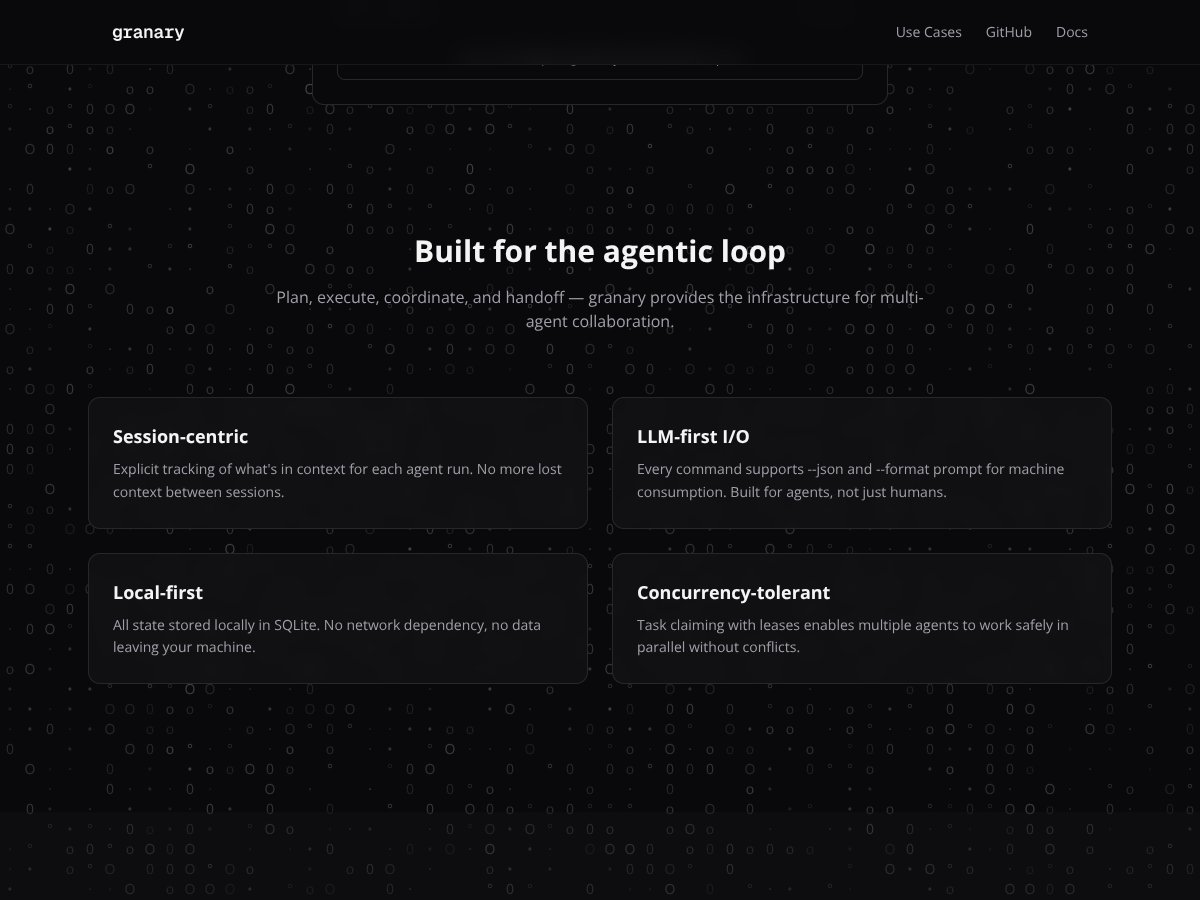
  • Local-first storage (SQLite): This is one of the most practical wins. Granary keeps state locally using SQLite, which is exactly what I want when I’m working with sensitive prompts, internal notes, or anything I don’t want floating around in third-party services. It also makes debugging easier because you can inspect what’s been stored on your machine.
  • Context stays tied to sessions: The workflow behavior is built around session-centric context. What I noticed during testing is that when I ran multi-step flows, the follow-up steps weren’t starting from a blank slate every time. I still had to set things up correctly, but once sessions were established, I didn’t have to keep repeating the same “here’s the goal, here’s the background” boilerplate.
  • CLI-first design that’s automation-friendly: Granary is clearly made for scripts and pipelines. I tested commands in a terminal workflow (macOS/Linux-style shell usage) and found the output formatting to be machine-readable in the way you’d expect from a CLI tool. If you’re already orchestrating agents with scripts, this won’t feel alien.
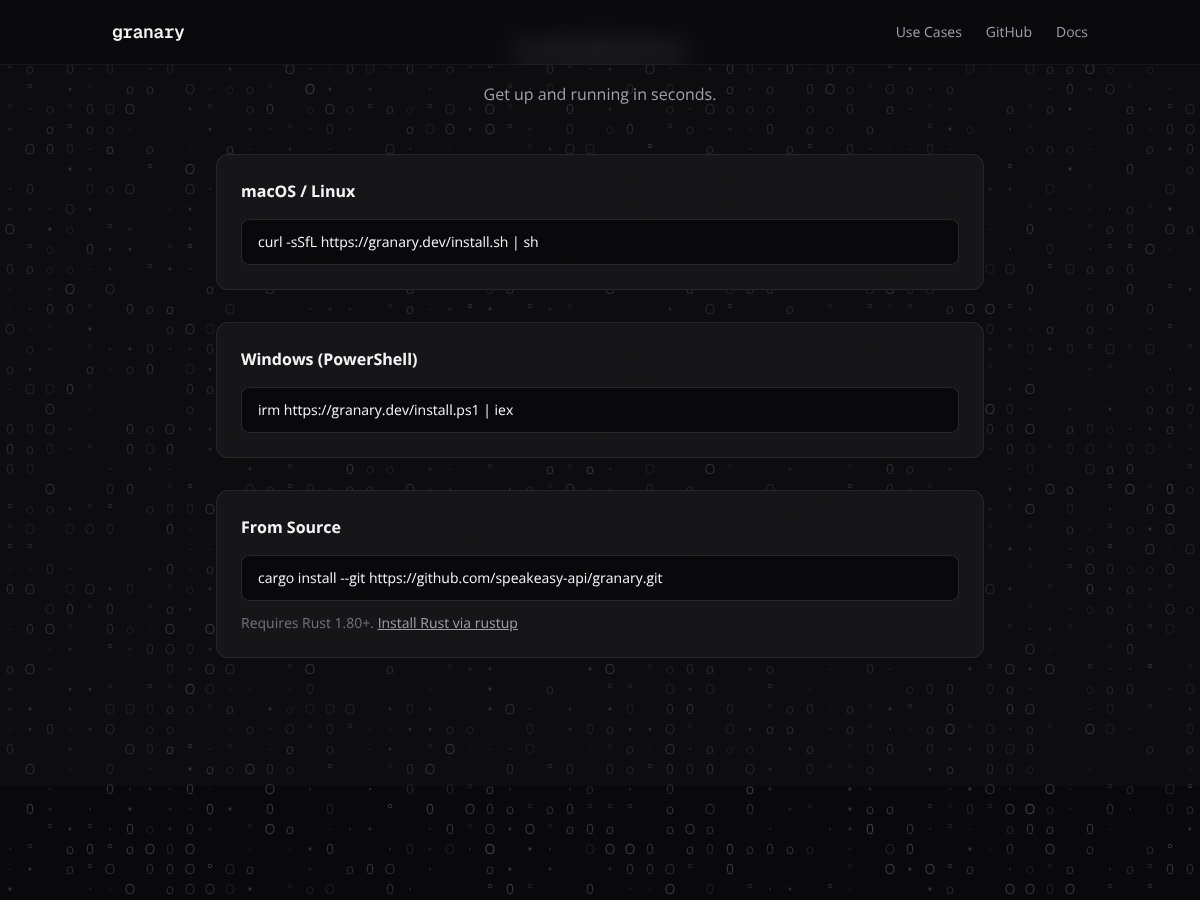
  • Install experience is straightforward: I didn’t hit any weird “set up three dependencies and pray” moments. The install steps were direct enough that I was able to get to a working state without days of setup. For a dev tool, that matters.
  • Concurrency concept (leases): Granary’s approach to parallel work is based on task claiming with leases. In my testing, the idea was that multiple workers can attempt to claim tasks, but leases reduce the chance that two workers grab the same job at the same time. That’s the kind of detail that can save you from race conditions later.

What Could Be Better

  • Docs aren’t deep enough (yet): I could get started, but when I tried to push beyond the basics—like refining how sessions and context should be structured—the documentation didn’t always answer the “what should I do next?” questions. It’s not useless, just not fully reference-grade.
  • Integrations aren’t clearly laid out: I didn’t find a clean list of plug-and-play integrations with popular tools (and I didn’t want to guess). If you’re hoping for “connect X, Y, Z and go,” you’ll probably have to wire more yourself.
  • Pricing transparency is missing: As mentioned earlier, I couldn’t find public plan tiers, costs, or usage limits. That’s a blocker for anyone who needs to evaluate ROI quickly.
  • CLI can be intimidating for non-technical teams: If you want a visual workflow builder or a simple “approve/deny” UI, this isn’t that. I’m comfortable in a terminal, but I can see how onboarding a broader team would feel painful.
  • Some team features are unverified: I didn’t find clear documentation confirming multi-user collaboration details, extensive audit logs, or analytics dashboards. So I’m not going to claim they exist. If those features matter, you’ll want to confirm with Speakeasy directly.

Who Is Granary by Speakeasy Actually For?

Granary by Speakeasy interface
Granary by Speakeasy in action

If you’re a developer, data scientist, or operations person who’s already building multi-agent workflows, Granary makes a lot more sense. It’s especially relevant if you care about context continuity and you’d rather keep state local instead of depending on a cloud orchestration layer.

In my experience, the sweet spot is when you have a workflow that naturally spans multiple steps—like “gather info → summarize → extract structured fields → validate → hand off.” The value isn’t just that agents run. It’s that the workflow doesn’t forget what it already learned midstream.

It’s also a good fit if you like building automation pipelines and you’re comfortable with CLI tooling. If your team already uses scripts, cron jobs, CI runners, or agent loops, Granary should slot in more naturally than a general-purpose UI tool.

On the flip side, if you want something that feels like a polished SaaS dashboard—complete with easy sharing, visual editing, and transparent pricing—Granary probably won’t feel “done” enough for you.

Who Should Look Elsewhere

Granary isn’t a great match for non-technical users. If your workflow needs a visual builder, approval screens, or a “click here to run” experience, you’ll likely end up fighting the CLI-first approach.

Also, if you don’t actually need multi-agent coordination, Granary might be more complexity than you want. Basic single-agent automation, simple prompt chaining, or lightweight tooling might be handled more easily by platforms you’re already using.

And if transparency around costs is non-negotiable for your team—like you have to forecast spend before you even test—then the lack of public pricing details might force you to look elsewhere until the info is clearer.

How Granary by Speakeasy Stacks Up Against Alternatives

LangChain

  • What it does differently: LangChain is a framework. You can build almost anything, but you’ll spend more time wiring components and making design choices yourself.
  • Price comparison: LangChain itself is open-source, but your real costs show up in hosting, vector stores, and the tooling around your stack. Granary looks more like an opinionated orchestration tool, which can reduce engineering time—though I can’t confirm pricing tiers publicly right now.
  • Choose this if... you want maximum control and don’t mind doing the integration work.
  • Stick with Granary by Speakeasy if... you want a more focused orchestration approach and you’d rather spend time testing workflows than assembling infrastructure.

ReAct

  • What it does differently: ReAct-style approaches combine reasoning and actions, which is great for decision-heavy tasks. But it’s not an orchestration layer that’s specifically designed to manage session context across a multi-agent toolchain.
  • Price comparison: Many ReAct implementations are open-source/free. The cost tends to shift to engineering and deployment. Granary’s value proposition is more about workflow management, but again, pricing clarity is limited publicly.
  • Choose this if... you’re building agent behavior and want strong reasoning-action loops.
  • Stick with Granary by Speakeasy if... you care more about coordination, state, and session continuity than raw agent prompting patterns.

Zapier + AI integrations

  • What it does differently: Zapier is automation-first. It connects apps and triggers workflows, but it’s not built specifically for agent orchestration and context continuity across multiple AI tools.
  • Price comparison: I didn’t verify current Zapier plan pricing in this review, so I’m not going to quote numbers. In my experience, Zapier costs can climb fast when you stack multiple AI steps or move into higher task volumes.
  • Choose this if... your automation is mostly app-to-app and you just need occasional AI steps.
  • Stick with Granary by Speakeasy if... you’re building multi-step agent workflows where context persistence and orchestration matter more than “connect two apps.”

Obsidian or Roam Research

  • What it does differently: These are knowledge tools. They help you organize and link ideas, but they don’t orchestrate multi-agent workflows or manage agent state across tool runs.
  • Price comparison: I didn’t verify current Obsidian/Roam pricing in this review, so I’m not going to restate exact numbers. Either way, they’re typically cheaper for personal use—but that’s a totally different category than agent orchestration infrastructure.
  • Choose this if... you mainly want to capture and structure knowledge, then occasionally run AI tasks.
  • Stick with Granary by Speakeasy if... your primary job is coordinating AI agents and keeping workflow state consistent.

Bottom Line: Should You Try Granary by Speakeasy?

My take after testing is that Granary is genuinely useful if you’re building multi-agent workflows and you care about context continuity plus local state. It’s not trying to be a consumer app, and that’s fine—because the moment you treat it like an infrastructure tool, it starts making sense.

That said, I can’t call it a “slam dunk” because the biggest decision blockers are still there: pricing transparency and documentation depth. If you want a smooth onboarding path with clear examples for advanced usage, you might hit friction.

If you’re a solo developer or small team who’s comfortable living in a terminal and you want to reduce the amount of prompt repetition (and workflow memory loss) across agent steps, it’s worth a serious look. If your team needs a visual UI, clear public costs, and turnkey integrations, you’ll probably be happier elsewhere.

So yeah—if you’re juggling multiple AI tools and you want a more organized way to keep context aligned, Granary is the kind of tool I’d test further. If you just want simple automation, it might be overkill.

Common Questions About Granary by Speakeasy

Is Granary by Speakeasy worth the money?

It could be, but I can’t confirm value without clear public pricing tiers. If you’re the kind of person who benefits from orchestration, local state, and session context, the workflow payoff is plausible. If budget transparency is a must, you’ll want to verify costs first.

Is there a free version?

They indicate there’s a free tier, but the exact limits weren’t clearly spelled out in the public materials I reviewed. I’d treat it as a way to validate core behavior, not as a guarantee of long-term usage at no cost.

How does it compare to LangChain?

LangChain is more flexible because it’s a framework. Granary is more focused as an orchestration tool. If you don’t want to assemble everything from scratch and you’d rather manage agent workflow state directly, Granary may feel easier.

Can I get a refund?

I didn’t find a clear, verified refund policy in the public info I checked for this review. If you’re going to subscribe, I’d confirm the refund terms before paying.

What kind of integrations does it support?

I didn’t find a clean, public integration list in the materials I reviewed, so I can’t confidently claim “seamless” support for specific third-party tools here. If integrations are central to your workflow, it’s worth checking the docs or asking Speakeasy what’s supported.

Is it suitable for enterprise use?

It’s positioned as a tool that could scale, but I didn’t verify enterprise-specific features (like SSO, audit logs, or admin controls) in public documentation. If you’re evaluating enterprise deployment, you’ll likely need direct confirmation.

Does it handle multi-user workflows?

I didn’t find enough public documentation to confirm how multi-user collaboration works in detail (roles, permissions, shared sessions, audit trails). If that’s a requirement, you should ask Speakeasy before relying on it.

As featured on

Automateed

Add this badge to your site

Stefan

Stefan

Stefan is the founder of Automateed. A content creator at heart, swimming through SAAS waters, and trying to make new AI apps available to fellow entrepreneurs.

Related Posts

Figure 1

Strategic PPC Management in the Age of Automation: Integrating AI-Driven Optimisation with Human Expertise to Maximise Return on Ad Spend

Title: Human Intelligence and AI Working in Tandem for Smarter PPCDescription: A digital illustration of a human head in side profile,

Stefan
AWS adds OpenAI agents—indies should care now

AWS adds OpenAI agents—indies should care now

AWS is rolling out OpenAI model and agent services on AWS. Indie authors using AI workflows for writing, marketing, and production need to reassess tooling.

Jordan Reese
experts publishers featured image

Experts Publishers: Best SEO Strategies & Industry Trends 2026

Discover the top experts publishers in 2026, their best practices, industry trends, and how to leverage expert services for successful book publishing and SEO.

Stefan

Create Your AI Book in 10 Minutes