Table of Contents

What Is Grok Imagine 1.0?
Honestly, when I first heard about Grok Imagine 1.0, I was intrigued but also a bit skeptical. The idea of an AI that can generate images and short videos from simple text prompts sounds great in theory, but I’ve seen plenty of tools that promise a lot and deliver...well, not quite as much. So, I decided to give it a shot and see if it lives up to the hype.
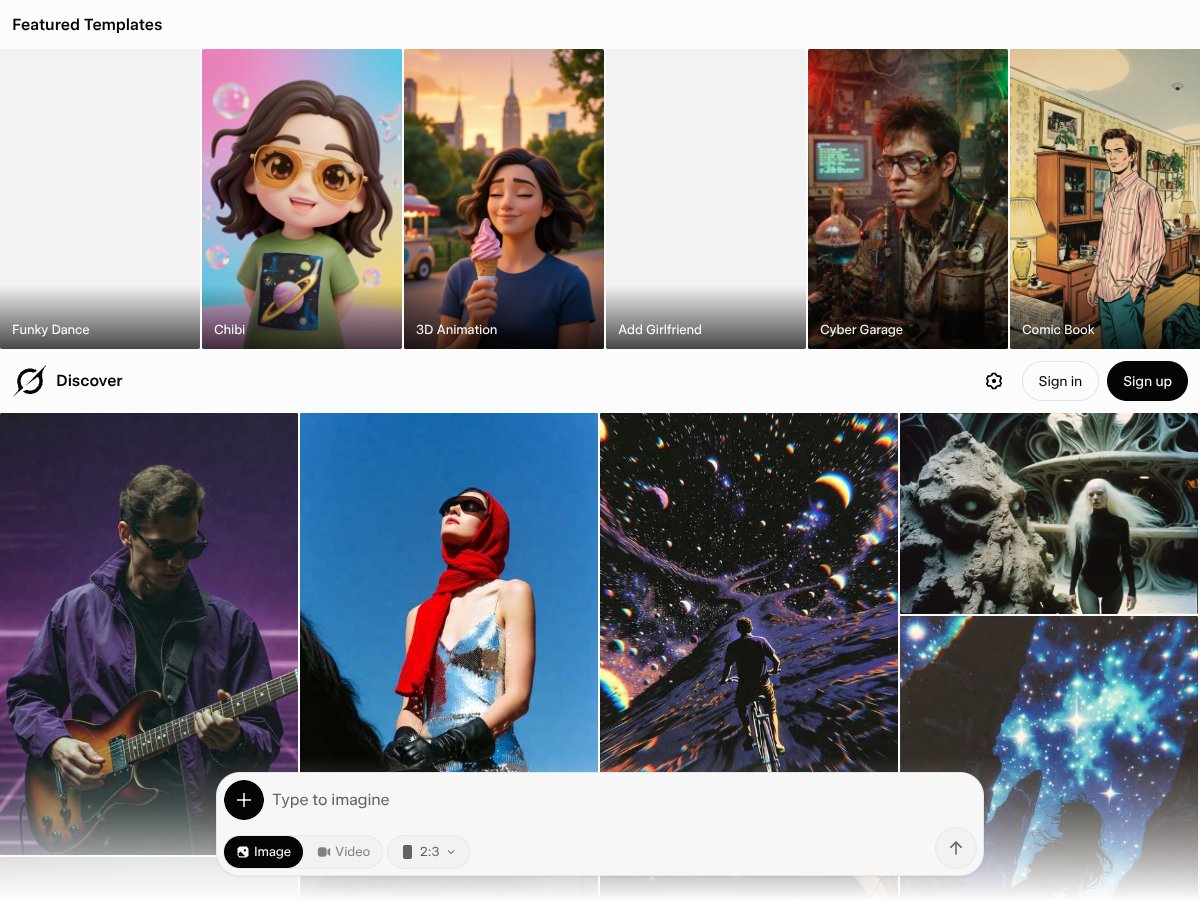
At its core, Grok Imagine 1.0 is an AI-powered content creation tool developed by xAI. It claims to do a few things: generate static images from text, create short video clips (up to 10 seconds) with audio, and even allow for some editing of existing images or videos based on prompts. The goal seems to be speeding up visual content creation—helping marketers, social media folks, or creatives whip up visuals quickly without needing a big fancy design setup.
What it’s not: a platform for producing long videos, cinematic-quality images, or detailed animations. The videos are limited to 10 seconds, and the quality, while decent, isn’t exactly Hollywood material. Also, I couldn’t find much info about pricing or plans upfront—no clear breakdown on the website—and the interface isn’t particularly polished or intuitive at first glance. It feels like a work in progress, which isn't surprising for a new release.
The team behind it is xAI, the same folks connected to Elon Musk’s AI ventures. That lends a bit of credibility, but honestly, I was more interested in how well it performs than who made it. My initial impression was that it does what it says—generates images and short videos fairly quickly—but the output quality varies depending on complexity and prompt clarity. So, don’t expect perfect every time.
Heads up: this isn’t a one-click miracle. You’ll need to experiment with prompts and settings, and some features still feel a bit rough around the edges. Overall, it’s a promising tool for quick visual drafts more than polished final products.
The Good and The Bad
What I Liked
- Lightning-fast generation: The ability to produce 16 high-quality images in about 10 seconds per prompt is impressive. For content creators needing rapid iterations—say, social media managers or marketers—this speeds up workflows significantly.
- Versatile editing options: The image-to-image editing and inpainting features are quite powerful. I was able to modify specific objects in images just by describing what I wanted—saving tons of time compared to manual editing.
- Native video capabilities: Creating 10-second videos with synchronized audio, motion controls, and style transfer opens interesting possibilities for short-form content, especially for platforms like TikTok or Instagram Reels.
- Multimodal inputs: Support for sketches, reference images, and text prompts makes it flexible for diverse creative workflows. I could start with a rough sketch and refine from there, which is a big plus.
- Aspect ratio flexibility: The support for multiple aspect ratios means you can tailor outputs for specific platforms without extra cropping or resizing—saving post-production time.
What Could Be Better
- Limited video length: Just 10 seconds per clip is a major constraint. If you’re looking to produce longer videos or detailed animations, this is a dealbreaker.
- Quality and realism: While the images are decent, they sometimes lack the photorealism or cinematic polish you'd expect from higher-end tools. Videos, in particular, can feel a bit synthetic or jittery, especially under motion.
- Unclear pricing: The lack of transparent plans and costs makes it hard to judge whether this is a good investment. You might end up paying more than you anticipated or find feature gates that aren’t obvious upfront.
- No detailed user interface or workflow info: The platform's UX isn’t well-documented publicly. For someone new to AI image/video tools, this could be confusing or frustrating.
- No testimonials or community feedback: Without user reviews or case studies, it’s hard to gauge real-world reliability or how others are using this effectively.
Who Is Grok Imagine 1.0 Actually For?
Grok Imagine 1.0 is ideal for small teams or solo creators who need quick, visually appealing content without the time or skill to do manual editing or shooting. If you're a social media marketer, content strategist, or digital artist looking to generate multiple concept images rapidly—say, for A/B testing or brainstorming—this tool can be a real time-saver. It’s also suitable for video content creators focusing on short clips, especially if they want to experiment with motion styles, scene transitions, and audio synchronization without investing in expensive software or lengthy production cycles.
For example, a social media manager managing several accounts could use Grok to generate quick thumbnail images, animated clips, or promotional content to keep feeds fresh. Similarly, indie game developers or animators could leverage its style transfer and scene control features to prototype visuals or generate assets on the fly.
Who Should Look Elsewhere
If your goal is to produce high-end, cinematic-quality videos or images, Grok Imagine might fall short. Its 10-second video limit and somewhat synthetic visuals aren’t suitable for professional film or advertising projects demanding realism. Additionally, if you need long-form videos, detailed animations, or complex editing workflows, tools like Runway ML or Adobe After Effects with AI plugins will serve you better.
People expecting transparent pricing and extensive documentation might also be disappointed. If you prefer open-source or fully customizable solutions, this proprietary platform may not meet your needs. Finally, if you're not comfortable with experimental AI tools or prefer traditional editing pipelines, this might not be the right fit.
How Grok Imagine 1.0 Stacks Up Against Alternatives
Midjourney
- Midjourney specializes in creating stunning, highly artistic and stylized images from text prompts. Its focus is more on aesthetic and creative visuals rather than video generation or precise edits.
- Pricing for Midjourney starts at around $10/month for basic plans, with higher tiers offering more generations and faster access. It’s a subscription model that’s quite affordable if you mainly need images.
- Choose this if you want highly artistic, stylized images and don’t need video or complex editing features.
- Stick with Grok Imagine 1.0 if you need quick, varied images combined with video capabilities, or if you want more control over scene motion and audio. Grok’s speed and multimodal inputs make it more versatile for multimedia projects.
DALL-E 3
- OpenAI’s DALL-E 3 excels at generating highly detailed and realistic images from prompts, with seamless integration into ChatGPT. It’s particularly strong in photorealism and creative variations.
- Pricing is usually tied to ChatGPT Plus, costing around $20/month, often included in broader AI service plans. It’s simple but can be limited in customization compared to Grok’s editing features.
- Choose this if your focus is on high-quality, photorealistic images and you’re already within the OpenAI ecosystem.
- Stick with Grok Imagine 1.0 if you need video, more flexible aspect ratios, or direct image-to-video workflows. Grok’s rapid iteration and editing tools are better suited for dynamic content.
Runway ML
- Runway ML is geared toward professional video editing and AI-powered video creation, with a suite of tools for compositing, effects, and real-time editing. It’s more of a full-fledged editing platform with AI features.
- Pricing varies widely, often starting around $12/month for basic plans, with enterprise options. It’s more expensive but offers extensive video customization and compositing tools.
- Choose this if your main goal is complex video editing and post-production, with AI-assisted features integrated into a broader editing workflow.
- Stick with Grok Imagine 1.0 if you want fast, short clips with native audio and quick scene control without the complexity of advanced editing workflows. Grok is more about rapid content creation than detailed post-production.
Pika Labs
- Pika Labs specializes in text-to-video with a focus on animated short clips, offering motion control and scene transitions. It’s built for simple, quick video generation with some customization.
- Pricing info is limited, but it generally offers free tiers with limits or subscription plans around $15–$20/month.
- Choose this if you want easy-to-create animated videos with a focus on motion and scene changes, especially for social media.
- Stick with Grok Imagine 1.0 if you need higher-quality videos, longer durations, or more detailed editing options. Grok’s cinematic controls and audio are more advanced.
Stable Video Diffusion
- Stable Video Diffusion aims to turn images into videos using diffusion models, with an emphasis on longer and more realistic motion. It’s experimental and often requires more technical setup.
- Pricing varies; many versions are open source or require cloud compute costs, making it less straightforward for casual users.
- Choose this if you’re technically inclined and want to experiment with longer, more realistic AI-generated videos from images.
- Stick with Grok Imagine 1.0 if you prefer a ready-to-use, fast, and straightforward tool for short clips and quick edits. Grok offers a more user-friendly experience without setup hassle.
Bottom Line: Should You Try Grok Imagine 1.0?
Overall, I’d give Grok Imagine 1.0 a solid 7/10. It’s a fast, versatile tool that excels at generating quick visuals and short videos, especially if you’re into social media content or rapid prototyping. The image and video quality are decent but still improving, and the 10-second video limit can be a downside for longer projects.
Honestly, the type of person who should definitely give this a shot is a marketer or content creator needing short, eye-catching visuals fast—think social clips, quick ads, or experimentations. The interface is intuitive, and the speed makes it easy to iterate without breaking a sweat.
On the flip side, if you’re after cinematic-quality videos or highly realistic, longer-form content, Grok might not be the best fit yet. The quality still has room to grow, and the 10-second cap can be limiting for storytelling or detailed projects.
The free tier is worth trying if you want to test how it fits into your workflow—generally, it’s enough to see if the speed and ease meet your needs. Upgrading to paid plans could be worthwhile if you find yourself frequently creating content and want higher resolution, longer videos, or more customization options.
Personally, I’d recommend it if your projects are short-form and you need fast, decent-quality visuals. If you’re looking at long-form or cinematic content, your money’s better spent on more established video editing tools like Runway ML or even traditional software.
So, if you’re in a hurry to generate social media clips or quick visuals, give Grok Imagine 1.0 a try. If your priority is high-end, long-form video production, you might want to explore more advanced options first.