Table of Contents
If you care about writing that reads cleanly (and not like it was assembled by committee), the Hemingway Editor Plus is the kind of tool you’ll either love instantly—or get annoyed with if you expect it to “write for you.” I tested it by pasting a ~1,200-word draft (a blog-style article with a mix of short paragraphs, a few long run-ons, and some passive sentences), then I ran through the AI suggestions and accepted the ones that actually improved clarity.
What I noticed right away: it highlights the usual suspects—complex sentences, passive voice, and adverb overuse—and it doesn’t just point at problems. When the AI features are available, it offers rewrites you can apply quickly. But it’s not magic, and there are a few situations where the suggestions feel a little too generic or “simplified.”
Hemingway Editor Plus Review
Let me be upfront: Hemingway Editor Plus is at its best when you already know what you want to say, and you just want help making it clearer. It’s not a “blank page” writing tool. It’s more like a strict editor who highlights every time you wander off into wordiness.
Here’s what I did during my test:
- I pasted a draft of about 1,200 words into the editor.
- I focused first on the highlighted issues (long sentences, passive voice, adverbs).
- Then I used the AI suggestions for the sentences that were actually slowing the read down.
- Finally, I compared the before/after for a few representative lines.
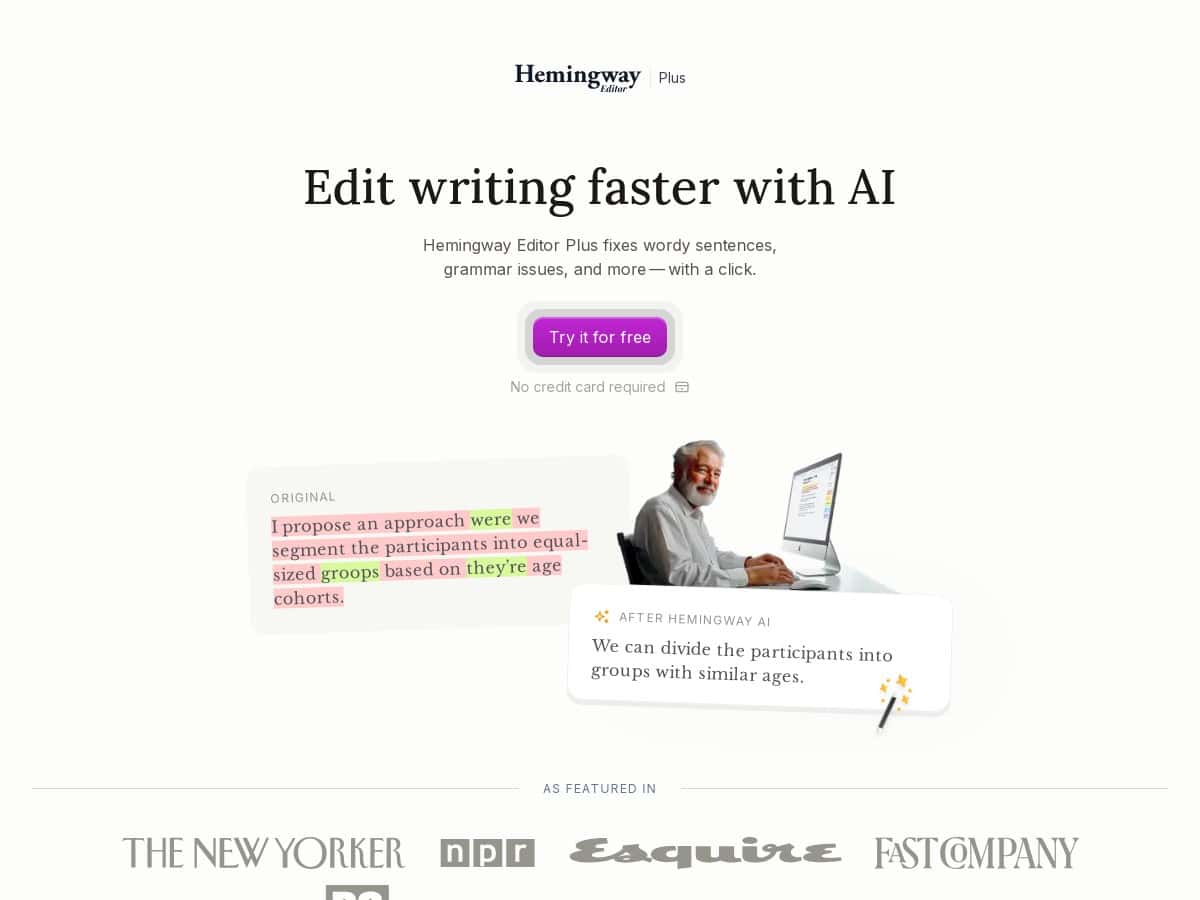
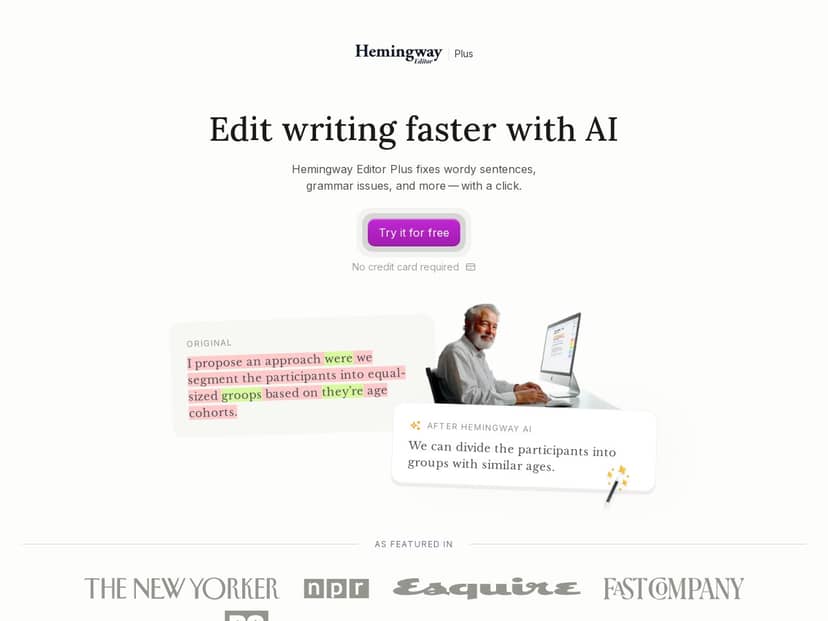
Before/after example #1 (wordiness + passive voice)
Before: “It was decided by the team that the launch would be delayed until additional testing was completed.”
After (AI suggestion): “The team decided to delay the launch until testing was finished.”
What changed? The sentence went from a passive construction (“was decided…”) to a direct subject-first version (“The team decided…”). It also cut a chunk of filler words, and the rhythm felt faster.
Before/after example #2 (adverb cleanup)
Before: “The results were clearly presented in a very detailed way.”
After (AI suggestion): “The results were presented clearly and in detail.”
This one is subtle, but it matters. The tool nudged me away from stacked intensifiers (“clearly” + “very detailed”) into something cleaner.
Before/after example #3 (complex sentence split)
Before: “Because we implemented the new workflow, which required multiple approvals and additional documentation, the turnaround time improved significantly.”
After (AI suggestion): “We implemented a new workflow. It required approvals and extra documentation. Turnaround time improved significantly.”
In my experience, this is where Hemingway Editor Plus shines: it doesn’t just swap words—it helps restructure the sentence so the reader doesn’t have to hold everything in their head at once.
Now, did it accept every suggestion automatically? No. I accepted the ones that made the sentence feel more natural and rejected the ones that made the writing sound a bit “flattened.” That’s the key with tools like this—use them to get unstuck, not to replace your voice.
Key Features
- Instant issue highlighting for things like complex sentences, passive voice, and adverb overuse (useful even if you’re not using AI rewrites).
- AI-powered rewrite suggestions that aim to make sentences more direct and easier to read.
- Grammar fixes that catch common problems while you edit.
- Style/tone adjustments (I treated these like optional polish—sometimes they’re spot-on, sometimes they drift).
- AI-generated synonyms and phrase options, which can help when you’re trying to avoid repetition.
- Reading level controls so you can target a simpler or more advanced reading experience.
- Dark mode (small thing, but editing for 30+ minutes is way more comfortable).
- Team management features for collaborative editing and review workflows.
Pros and Cons
Pros
- Easy to use. The interface is straightforward and the highlights are clear, so you don’t waste time guessing what the tool wants you to fix.
- AI rewrites are usually practical. In my test, most accepted suggestions reduced wordiness and improved sentence flow.
- Great for editing speed. I went from “staring at my draft” to “fixing specific sentences” pretty quickly. For longer docs, that workflow matters.
- Helps you learn patterns. Even when you don’t accept an AI rewrite, the highlighted issues teach you what to watch for next time.
- Reading-level control is genuinely useful if you write for different audiences.
Cons
- Free version limitations: it highlights issues, but you don’t get AI fixes. If you want rewrites, you’ll need to pay or use a trial.
- AI credits can run out. If you’re the type who runs the tool on every paragraph and accepts most suggestions, you’ll want to keep an eye on the limits.
- Not perfect for niche styles. In my test, a few AI rewrites sounded a little too “general blog” for more technical or branded writing.
- Internet required for AI features. There’s no offline mode for the AI parts, which is a dealbreaker for some people.
Pricing Plans
The free trial gives you 14 days with up to 200 sentence corrections, and you don’t need a credit card to start.
Paid plans start at $8.33/month billed annually for 5,000 AI sentences. If you need more, there’s $12.50/month for 10,000 AI sentences. Team plans are also available at $12.50 per user monthly billed annually, with multiple users and management tools.
Based on how I used it (accepting AI rewrites only for the worst sentences), I liked having enough AI credits to fix the “problem spots” without burning through the allowance on every minor tweak.
Wrap up
So, is Hemingway Editor Plus worth it? If you want a tool that highlights clarity issues and then offers rewrites that are usually faster and cleaner than starting from scratch, I think it’s a solid buy—especially for blog posts, marketing pages, and anything where readability matters.
My decision criteria was pretty simple: did it reduce wordiness, improve sentence structure, and help me finish faster without flattening my voice? In my test with a ~1,200-word draft, the accepted AI suggestions generally made the writing tighter and more direct, and the highlights alone were still useful even when I didn’t use every suggestion.
Just don’t treat it like an autopilot. Use the AI suggestions as options, not instructions—because that’s when it actually turns into a clear writing helper instead of a second editor you have to fight.