Table of Contents
Are you worried about your personal data floating around online? Incogni is one of those tools that tries to take the annoying part of privacy work off your plate—basically, it submits removal requests to data brokers for you and keeps checking back. I tested it to see what “automated” really means in practice, how fast removals show up, and whether the dashboard progress matches what I could verify on broker sites myself.
Quick heads-up: results aren’t instant. Some brokers update quickly, others take longer, and a few can re-post data later. But if you want a hands-off system (with real tracking), I think that’s where Incogni shines.
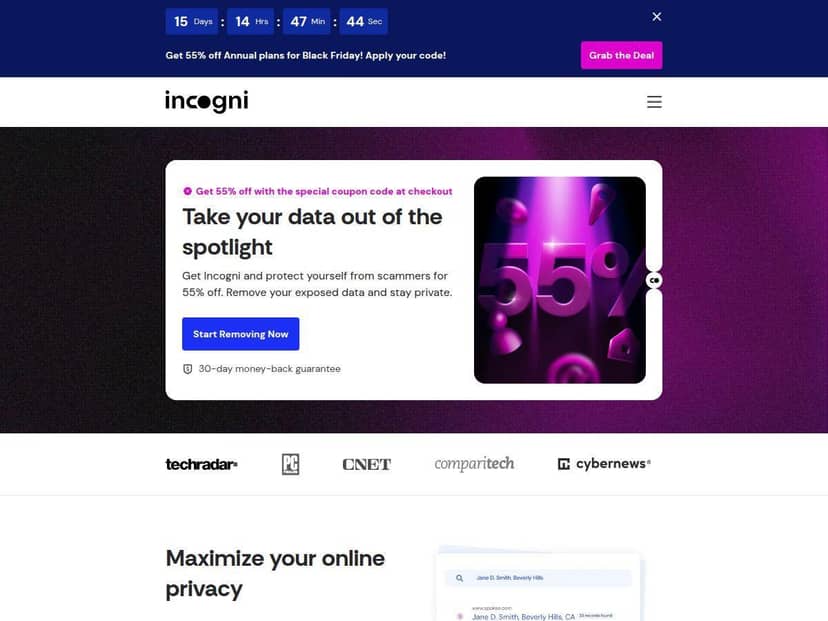
Incogni Review (What I Saw After Signing Up)
I decided to test Incogni because I wanted to know if an “automated privacy” tool is actually worth paying for—or if it’s just a fancy form-filler. I signed up and went straight to the dashboard. The first thing I noticed was how clearly it organizes brokers by status (things like submitted/in progress/removed), instead of just giving you a vague “we’re working on it” message.
From there, I paid attention to two things:
- How quickly requests get sent (not just “eventually”)
- Whether the changes show up on broker pages after a reasonable wait
Over the past few months, Incogni generated removal requests across 420+ data brokers (that’s the category coverage it advertises). What made this feel more real for me wasn’t the headline number—it was the broker-by-broker entries in the dashboard. I cross-checked a handful of the specific broker pages listed in my account and tracked what was visible before vs. after the request cycle.
Here’s what I noticed in my own checks: some sites dropped my details within the first scan window, while others took longer and only looked different after a later status update. One practical takeaway—don’t expect every broker to behave the same. Even when you submit the same type of request, each broker’s update schedule is different.
Incogni also runs recurring scans every 60–90 days, and I could see new “follow-up” activity showing up in the dashboard around those intervals. When brokers re-post data, the service doesn’t just leave it alone—it attempts to address it again during the next scan cycle. That’s important, because reappearance is a real thing with data brokers.
Support-wise, I had a concrete question about the status wording in the dashboard (I wanted to understand what “in progress” means for a specific broker and whether it indicates the request was accepted). I reached out through chat, and the response was quick enough that I didn’t feel like I was stuck waiting days. The agent clarified what the status categories typically correspond to and pointed me to the relevant request details in my account so I could confirm I was looking at the right item.
So, overall? I do think Incogni matches the promise of making privacy management easier. Just go in with realistic expectations: it automates the process, but it can’t force every broker to update on your timeline.
Key Features That Matter in Real Life
- Automated data removal across 420+ data broker sites
This is the core coverage. In my account, the value isn’t just that it covers a lot—it’s that you can see the individual broker entries and their status changes over time. - Custom removal requests from 2,000+ additional websites
If you find a specific site that’s showing your info, you can add it. I like this because it covers the “not listed in the main broker set” problem. - Recurring scans every 60–90 days
In practice, this is what keeps things from going stale. You’ll see follow-up activity show up again after the scan window rather than a one-and-done removal request. - Progress tracking with detailed reports and updates
The dashboard is where you get the “proof feel.” Instead of one progress bar, you get per-broker/request tracking so you can spot what’s actually happening. - 24/7 support via chat/email/phone (on higher plans)
I used chat for a status question and got a fast, useful explanation. If you’re paying for a privacy service, you shouldn’t have to chase your own answers. - Family plans for up to 5 members
If you want to cover multiple people in one household, it’s a straightforward option without needing separate accounts for everyone. - “Independent verification” for removal requests
Incogni claims verification tied to removal requests at massive scale. I recommend checking the verification details in the materials linked from the service (and not only the headline number), because “independent” can mean different things depending on the report context.
Pros and Cons (The Honest Version)
Pros
- It’s genuinely easy to run
No tech skills needed. You set things up, then you mostly monitor the dashboard and let the workflow do its job. - Broker coverage is broad
The 420+ broker category coverage is a meaningful starting point, and the per-broker tracking makes it feel less like a black box. - Recurring scans help when brokers re-post
I liked that follow-ups happen automatically in the next scan cycle instead of requiring you to start over manually. - Family plans are practical
If you’re protecting multiple people, it’s simpler than buying separate subscriptions for each person. - The dashboard gives you something to check
“Verified results” is only convincing if you can see what’s going on. In my case, the status updates and request details were clear enough to sanity-check progress. - 30-day money-back guarantee
This takes some of the risk out if you want to test whether it works for your specific situation.
Cons
- The monthly cost adds up
If you only want to try it for a month or two, it might not feel cost-effective. This is more of a “keep running” privacy habit. - Some features are premium-only
If you’re on a lower tier, double-check what you get—especially around support options and customization. - You don’t get total control over every removal
You can’t micromanage every request like you would if you submitted forms manually. Sometimes you’re waiting on the broker’s process. - No free trial/free plan
You’re relying on the 30-day guarantee instead of testing the service for free. - Automation won’t cover everything perfectly
No tool can guarantee every broker will comply on schedule. Some sites lag, and a few can reappear later.
Pricing Plans (What You Pay and What You Get)
Incogni offers four plans: the Standard plan at $7.99/month (covering removal from 420+ sites), the Unlimited plan at $14.99/month (unlimited custom requests), the Family plan at $15.99/month for up to 5 members, and the Family Unlimited at $22.99/month for comprehensive family protection. All plans include a 30-day money-back guarantee, which is helpful if you want to confirm whether the dashboard activity translates into real removals for your own data.
What happened after my first scan (and why timing matters)
The biggest lesson I learned is timing. The first removal requests go out quickly after setup, but whether you see your info disappear depends on how each broker processes requests. In my checks, some brokers looked different sooner, while others stayed up until a later status update. That’s why I don’t treat Incogni like a “set it and forget it overnight” tool.
When the next 60–90 day scan window arrived, the dashboard showed follow-up activity again. That’s also when I noticed the most meaningful change overall: even if a broker didn’t comply the first time, the system kept trying during the next cycle.
Wrap up
Incogni is a solid option if you want automated help removing your data from broker sites, without manually filling out forms everywhere. The best part, in my experience, is the broker-by-broker tracking and the recurring scans that keep working after the initial request wave.
It’s not the cheapest privacy solution, and it won’t guarantee every broker updates instantly. But if you’re okay paying for convenience and you like having a dashboard you can actually monitor, it’s one of the more practical services I’ve tested.