Table of Contents
Introduction
If you’ve ever tried to run AI across a team, you already know the mess: one person is using Tool A with one prompt style, someone else is in Tool B with a different format, and nobody’s really sure where the costs are going. I’ve seen teams burn time just coordinating accounts, API keys, and “which manifest do we use this week?”
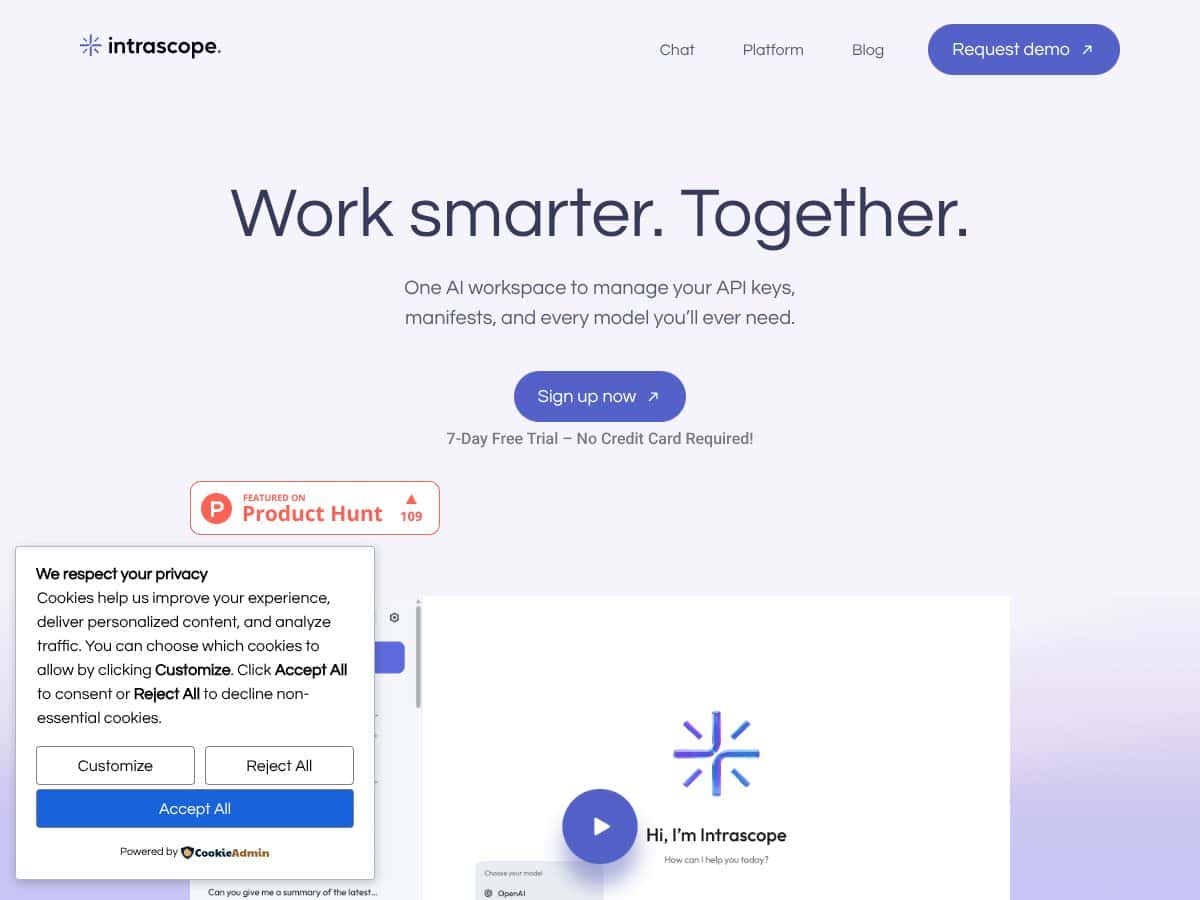
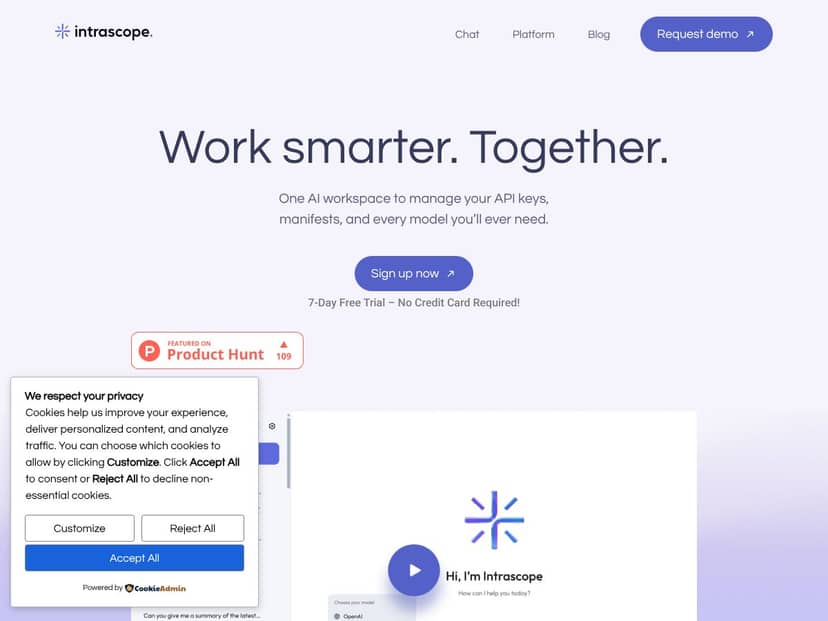
Intrascope.app positions itself as the fix for that. The pitch is simple: bring multiple AI models and tools into one shared workspace, keep collaboration organized, and make security easier to manage. But claims are cheap—so in this review I’m going to focus on what Intrascope actually does in practice, what I could verify from the site/docs/security pages, and what I couldn’t confirm yet.
By the end, you should be able to answer a pretty practical question: is Intrascope.app a good fit for how your team works (and how sensitive your data is), or is it one more dashboard that sounds great but doesn’t hold up when you try to run real workflows?
What is Intrascope.app?
Intrascope.app is a shared AI workspace for teams that want one place to manage conversations, prompts/instructions, and model access—without each person juggling separate accounts and keys. In other words, it’s not just “another chat UI.” It’s built around organizing AI work into workspaces and projects, then applying consistent behavior across the team.
The product’s core workflow revolves around:
- Connecting AI providers via API keys
- Switching between models inside the same workspace/project
- Defining manifests (instructions that shape how models respond)
- Keeping an eye on usage and spending in a centralized way
- Managing access through admin controls and roles
On the security side, the site messaging emphasizes encryption and isolation. The big question for me wasn’t “does it say secure?”—it was “what exactly does it mean, and where does it explain it?” So I’m going to treat any high-stakes security/privacy claim as something you should verify directly on their official pages (security/privacy policy and documentation), rather than trusting vague marketing language.
One more thing: Intrascope doesn’t market itself as a full MLOps platform for training/deployment. The focus is collaboration + governance around using existing models through a shared interface.
Key Features (In-Depth Analysis)
Unified AI Workspace (where everything lives)
The “hub” in Intrascope.app is the workspace. That’s where team members land, and where you can keep model access and project organization from turning into a scattered mess.
What I looked for (and what matters in real life):
- Can you create separate projects instead of mixing everything into one chat history?
- Does each project keep its own context (like manifests and settings), so teams don’t step on each other?
- Is the UI actually easy to navigate when you have multiple models involved?
In practice, the platform is designed so you’re not constantly switching tools and copying prompts around. You work inside projects, and the workspace keeps the configuration centralized.
Team Collaboration & Admin Controls (roles, invites, permissions)
For teams, the admin layer is where things either get easier—or become a bigger headache. Intrascope.app aims to let admins invite team members from the dashboard and control what they can do via roles/permissions.
Here’s what I’d expect to see in a solid admin setup (and what you should check in your own account):
- Whether invites are managed centrally (instead of people sharing access informally)
- How roles work (for example: admin vs member vs viewer—whatever the product supports)
- Whether admins can manage connected models / API keys without giving every user full control
- Whether project access is granular or all-or-nothing
If your team handles sensitive content, this part is non-negotiable. A centralized workspace only helps if permissions are real.
Custom Manifests (consistent outputs without re-prompting)
Manifests are one of the most interesting parts of Intrascope.app. The idea is that instead of every teammate writing their own “always respond like this” prompt, you define an instruction bundle that the model follows.
What I’d test immediately with a manifest:
- Does it reliably enforce formatting (headings, JSON structure, bullet styles)?
- Does it keep tone consistent across different models?
- Can you reuse a manifest across multiple projects?
- Can you override or tailor it per project when needed?
In a team setting, this is where you can actually reduce quality drift. If manifests are flexible enough, you get fewer “why does this look totally different?” moments.
Model Switching & Multi-Model Support
Intrascope.app supports multiple models (the site mentions providers like OpenAI, DeepSeek, Gemini, Claude, and others). The practical benefit is that you don’t have to leave the workspace to pick a model for the task.
What I like about this approach is that it supports “best model for the job” thinking. Short tasks, long-form writing, coding help, summarization—teams often use different models for each, and a centralized UI helps keep that decision consistent.
Real-Time Usage Monitoring (tokens and cost visibility)
The dashboard is meant to show usage in a way teams can act on. That’s the difference between “we think costs are high” and “we can see exactly where they’re coming from.”
When I’m evaluating a tool like this, I look for:
- Is usage shown per project (so one client doesn’t hide behind another)?
- Is there model-level visibility (which model is driving spend)?
- Does it update in real time or near-real time?
- Can admins spot anomalies (like a teammate testing prompts all day)?
If the monitoring is solid, it becomes a governance tool—not just a reporting screen.
Project Organization & Workflow Efficiency
Projects matter because they’re how teams avoid chaos. Intrascope.app treats projects as containers for chats, users, and manifest logic, so work stays organized and you can compare usage and output quality across models.
In real teams, this is the difference between:
- “Everything is in one giant history” (hard to audit, hard to reuse)
- vs “Each client/campaign/team has its own project” (easy to review, easy to measure)
Cost Savings & API Flexibility (bring your own keys)
One of the big selling points is that you can use your own API keys. The site claims potential savings—up to 85%—but I want you to treat that as a marketing number until you confirm how it’s calculated (and what assumptions it uses).
Still, the “bring your own keys” model is often how teams reduce costs because you control which provider/model you use and you’re not paying a markup for every request.
Security & Privacy (what “end-to-end” should mean)
This is the section you should care about most. The site messaging includes end-to-end encryption, isolated environments, and claims that data isn’t used for training/profiling.
But here’s the key: I don’t want you to rely on a phrase like “end-to-end” without context. In practice, “end-to-end” can mean different things depending on the architecture:
- It might mean encryption between the user’s browser/app and the service
- It might mean encryption between Intrascope and the AI provider
- Or it might mean something else entirely (like encrypted at rest + secure transport)
So before you move sensitive content in, check the official security and privacy policy pages. Look for exact wording, diagrams, or at least a clear explanation of what is encrypted, where keys live, and what parts (if any) are logged.
If you want a quick checklist: confirm what’s encrypted, confirm retention periods, and confirm whether any metadata (like request/response logs, timing, or token counts) is stored.
How Intrascope.app Works (a practical walkthrough)
To keep this review grounded, I’m going to describe the workflow the way I’d expect a team to use it—then you can compare it to what you see in your own account.
- Onboarding: The site has previously claimed a 7-day free trial with no credit card required. Before you rely on that, verify it on their official pricing/trial page because trial rules change. If the trial claim is still present, it’s a great way to test manifests, roles, and cost visibility without committing.
- Creating a Workspace: After login, you create a workspace (name it, then start adding members). The setup should be quick—if you’re spending hours on configuration before you can even test a chat, that’s a red flag.
- Connecting Models and API Keys: Users/admins connect AI providers via API keys. In a team, I’d expect admins to manage keys centrally so members don’t handle sensitive credentials.
- Defining Manifests: You create manifests that define tone, format, and purpose. What I’d verify right away is whether manifests apply consistently across models and whether you can reuse them across multiple projects.
- Collaborating and Building: Team members use a unified chat/interface inside projects. The goal is that everyone stays aligned to the same manifest behavior.
- Monitoring and Adjusting: You check token usage and spending. Then you adjust: switch models, tighten manifests, or limit risky prompts.
Overall, Intrascope.app is positioned as “minimal setup, centralized collaboration.” The learning curve isn’t about clicking around—it’s about getting manifests right and setting up projects/permissions in a way that matches your team’s real workflow.
One limitation I want to call out: the public-facing documentation (as of what’s available on the site) may not go deep on architecture or advanced integration specifics. That doesn’t automatically mean it’s bad—it just means you should validate security and operational behavior before you treat it like a production system for sensitive data.
Pricing Analysis
I’m not going to guess here. The original draft content included speculative language like “check website for current pricing (likely subscription-based, possibly monthly or annual).” That’s not helpful when you’re making a buying decision.
Action for you: open https://intrascope.app, check the current pricing page, and confirm:
- Whether there’s a free tier or free trial (and whether it truly requires no credit card)
- What plans include: workspaces, projects, model access, usage monitoring depth
- Any limits (team seats, rate limits, retention, etc.)
Because I can’t reliably “fetch” live pricing from the HTML you provided, the table below is intentionally structured so you can paste the verified plan details from the official site without leaving speculation in the review.
| Plan Name | Price | Key Features | Best For |
|---|---|---|---|
| Free Tier | Verify on site | - Basic access to shared workspace - Limited model options (verify which ones) - Basic usage monitoring (verify granularity) | Small teams testing the workflow |
| Standard (Paid) | Verify on site | - Workspaces (verify limits) - Access to top models (verify list) - API key management - Usage analytics + cost controls | Mid-sized teams that need centralized governance |
| Enterprise | Custom pricing | - All Standard features (confirm) - Dedicated support - Custom integrations (confirm) - Enhanced security options (confirm) - SLA guarantees (confirm) | Organizations with compliance + advanced admin needs |
What I can say from the product positioning: Intrascope’s value is strongest when you (1) manage multiple models, (2) want admin visibility, and (3) can use your own API keys to control spend. If you’re only using one model personally, it might be overkill.
Pros and Cons (Honest Assessment)
Pros
- Centralized AI workspace for teams: The whole point is reducing “prompt drift” and account chaos by keeping models + projects in one place.
- Bring-your-own-API-keys approach: This is often how teams control costs and avoid vendor lock-in. The site claims savings up to 85%—verify the details and assumptions on their pricing/security pages.
- Manifests for consistent behavior: If manifests apply reliably across models, this is one of the best ways to keep output format and tone consistent across a team.
- Usage monitoring: Real governance requires visibility. If project-level token/cost reporting is accurate, it helps teams prevent overspending and identify which workflows are expensive.
- Admin controls: Centralized permissions matter. You should confirm how roles work and whether admins can control connected keys and project access.
- Multi-model support: Switching models inside the workspace is a practical advantage, especially when different tasks perform better on different providers.
Cons
- Security/privacy claims need verification: “End-to-end encryption” and “no training/profiling” are big claims. You’ll want to confirm what’s actually encrypted, what’s retained, and whether any provider-side logging applies.
- Documentation depth may be limited: If you’re looking for detailed architecture, integration specs, or a full admin permission matrix, you might not find it all publicly.
- Pricing details weren’t verifiable in the provided content: The earlier draft included speculation. For a real decision, you should confirm the current plan limits and trial rules on the official site.
- Manifests take setup time: This isn’t “set and forget.” You’ll likely spend a bit of time tuning manifests to match your brand voice and formatting needs.
- Integration ecosystem could be a question mark: If you rely on specific third-party workflows, confirm what’s supported (or whether you’ll need custom process/exports).
Best Use Cases
Intrascope.app is most compelling when you’re doing team work with multiple models and you care about consistency + visibility. Here are two concrete workflows you can map to your team.
- Support agent triage (faster drafts, consistent structure)
- Workflow: Create a project called “Support - Triage.” Build a manifest that forces responses into a consistent format: summary, suggested next question, and risk flags.
- Manifest snippet example (format-focused):
- Role: “You are a support triage assistant.”
- Output format: “Provide: (1) Customer summary, (2) Likely issue, (3) Clarifying question, (4) Escalation conditions.”
- Style rules: “Keep it under 180 words. Use plain language.”
- Observed outcome you should test: Ask the same support request 3 times using different models. If manifests are enforced, the structure should remain consistent even if the wording changes.
- Marketing brief → drafts → approvals (shared brand voice)
- Workflow: Create a project per campaign: “Campaign - Spring Launch.” Use manifests to enforce tone and formatting for ad copy, landing page sections, and social posts.
- Manifest snippet example (brand + format):
- “Write in a confident, friendly tone.”
- “Return results as: Hook, 3 variations, CTA, and compliance note.”
- “Avoid mentioning competitors by name.”
- Observed outcome you should test: Have two teammates generate drafts from the same brief. If manifests work well, reviewers should spend less time correcting structure and more time on substance.
- Internal engineering assistant (code + documentation consistency)
- Use manifests to standardize how code snippets are presented (language tags, explanation length, and “assumptions” sections). Multi-model support helps when you want one model for quick code generation and another for deeper review.
- Client work with auditability
- Projects act like containers. If you need to review what was generated and how it was configured, project-level organization makes it easier than hunting through personal histories.
Who Should Not Use Intrascope.app
If what you want is a plug-and-play AI platform with tons of pre-built integrations and “just works” automations, Intrascope might feel too focused. The value is in management: workspaces, projects, manifests, permissions, and monitoring.
It also may not be a great fit if you:
- Only need one model and don’t care about team governance
- Expect deep out-of-the-box training/deployment features (that’s more in MLOps territory)
- Need very specific third-party integrations and can’t confirm support ahead of time
- Can’t validate security/privacy requirements for your organization (because the claims need checking)
And if you’re working with a tight timeline and you can’t afford uncertainty around pricing/trial rules, wait until you’ve verified the current plan details directly on the site.
Intrascope.app vs Alternatives
It helps to compare categories, not just features. Intrascope is about centralized workspace + governance for using models. Here’s how it stacks up against a few common alternatives.
1. OpenAI's ChatGPT Enterprise
- What it does differently: Enterprise-grade access to OpenAI models with security and admin controls.
- Price comparison: Usually custom and usage-based; can be higher if you need broad enterprise features.
- When to choose it OVER Intrascope.app: If your team mostly lives in GPT workflows and you want deep OpenAI-native enterprise controls.
- When Intrascope.app is the better choice: If you want one workspace that supports multiple providers/models and consistent manifest-driven behavior across them.
2. DataRobot AI Platform
- What it does differently: Enterprise AI model management, automation, and deployment—with a heavier governance/governed-model lifecycle.
- Price comparison: Typically more expensive and more complex.
- When to choose it OVER Intrascope.app: If you need advanced deployment/automation for custom models.
- When Intrascope.app is the better choice: If you want a collaborative workspace for using existing models with manifests and cost visibility.
3. Notion with AI Integrations
- What it does differently: Notion is a knowledge/workspace tool that can host AI via plugins—more flexible, less purpose-built for AI governance.
- Price comparison: Often cheaper, but AI plugin costs can add up.
- When to choose it OVER Intrascope.app: If your team already runs on Notion and wants lightweight AI assistance inside that familiar structure.
- When Intrascope.app is the better choice: If you want a dedicated AI workspace with permissions, manifests, and model switching built around team governance.
4. MLOps platforms like Vertex AI or SageMaker
- What it does differently: Model training, deployment, and operations at scale.
- Price comparison: Usually higher due to compute and specialized workflows.
- When to choose it OVER Intrascope.app: If your main job is training and deploying custom models.
- When Intrascope.app is the better choice: If you want simpler collaboration and centralized usage management without the MLOps complexity.
Bottom line: Intrascope shines when you want a centralized place to use multiple models with team governance and consistent instructions. If you need training/deployment, you’ll likely outgrow it faster.
Final Thoughts
Pick based on what you’re actually doing. If your priority is secure, shared orchestration of AI usage (and you care about cost visibility), Intrascope.app is a strong candidate. If you’re deploying custom models or running serious data science pipelines, platforms like DataRobot/Vertex/SageMaker are more aligned.
Our Verdict
Intrascope.app is best viewed as a team workspace for managing AI usage—projects, manifests, model switching, and admin visibility. If that’s what you need, it can be genuinely helpful.
My overall rating: 8.5/10 for the concept and the team-focused features (manifests, centralized monitoring, admin controls, multi-model support). I’m giving it that score because the workflow story makes sense for teams who want consistency and cost governance.
But I’m not ignoring the gaps. The biggest “verify before you trust” items are pricing details, and security/privacy claims—especially anything described as end-to-end encryption. If your organization has strict requirements, you should confirm retention, encryption scope, and logging behavior in the official policies.
If you’re a small-to-mid team trying to reduce prompt chaos and keep outputs consistent across multiple models, Intrascope looks like a smart direction. If you need deep MLOps or fully transparent enterprise documentation, you may want to evaluate other platforms first.
Frequently Asked Questions
- Is Intrascope.app worth it? If you need centralized team management for multiple AI models—plus manifests and usage visibility—it’s worth testing. If you only need one tool for one person, it might be unnecessary.
- Is there a free version of Intrascope.app? The original draft mentioned a 7-day trial with no credit card, but you should confirm the current offer on the official pricing page. Don’t rely on old trial terms.
- How does Intrascope.app compare to ChatGPT Enterprise? ChatGPT Enterprise is OpenAI-centric. Intrascope is built around a shared workspace that can support multiple providers/models and consistent manifest-driven behavior.
- Can Intrascope.app integrate with existing tools? The provided content doesn’t list specific integrations. Check the official docs or ask support about your required tools/workflows.
- What is the pricing of Intrascope.app? Pricing details should be verified on the official site. Plans may be subscription-based with different limits, and enterprise pricing is typically custom.
- Is Intrascope.app suitable for large enterprises? It can be, especially if admin controls, security features, and retention policies meet your requirements—but you’ll likely need to confirm details with their team.
- Does Intrascope.app support AI model deployment? It’s mainly focused on collaboration and workspace management for using models, not training/deployment like classic MLOps tools.
Ready to try Intrascope.app? Visit Intrascope.app and verify the trial/pricing details, then test manifests + project permissions with one real workflow before rolling it out to the whole team.




