Table of Contents

What Is JDoodleClaw (And Why I Was Interested)?
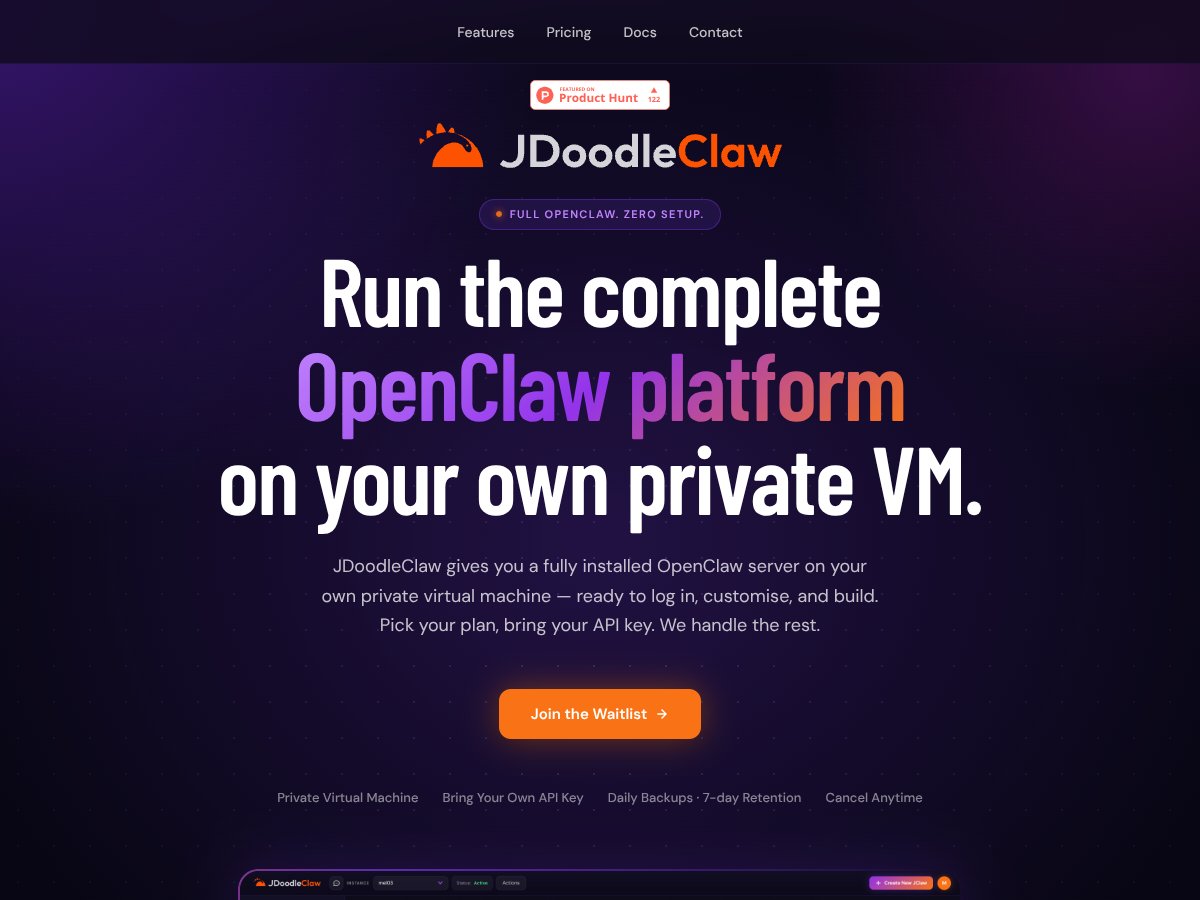
Honestly, I was pretty skeptical when I first heard about JDoodleClaw. “Private VM, OpenClaw pre-installed, no setup headaches” is the kind of pitch that usually turns into a bunch of fine print. So I wanted to see if it actually feels as simple as it claims.
From what I tested and what’s described in their materials, JDoodleClaw is basically a managed way to get a private, isolated OpenClaw environment without doing the usual self-host dance. You spin up a virtual machine (an actual dedicated instance, not a shared container), and OpenClaw is already installed and configured. After that, you connect using an API key and start creating/running AI agents.
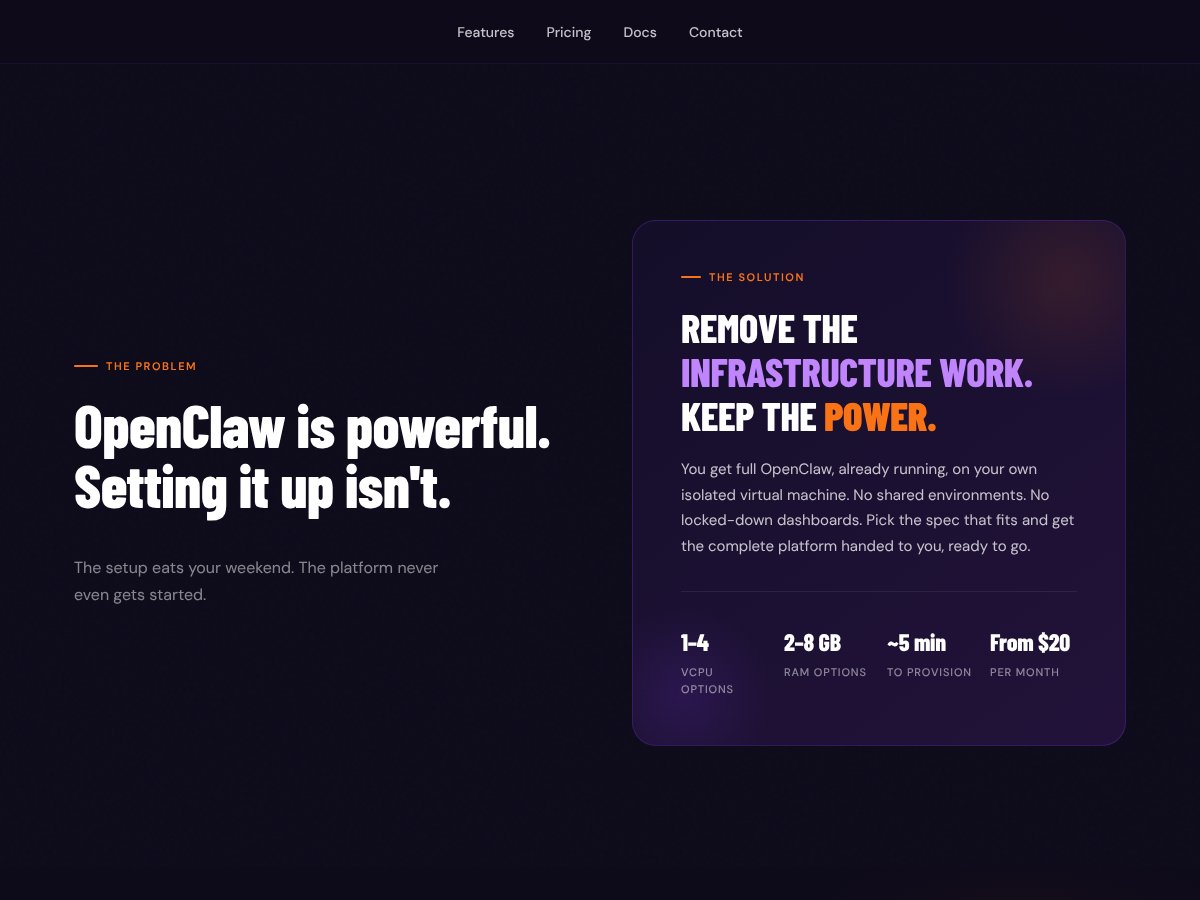
The main problem it’s trying to solve is the same one I’ve hit before: self-hosting tends to be a time sink. You’re not just installing software—you’re dealing with dependencies, environment variables, security basics, networking, and “why is this failing only on my machine?” JDoodleClaw’s pitch is that it handles the infrastructure upfront so you can move on to building.
One detail I liked right away: it’s built by the same team behind JDoodle IDE. That doesn’t automatically make it perfect, but it does suggest they understand developer workflows and keeping things usable for non-sysadmins.
That said, it’s not trying to be a full enterprise management suite. If you’re expecting a big polished dashboard, deep governance tooling, or fancy “click here to deploy 50 environments” controls, this isn’t that. It’s more of a technical launchpad: you get the private server and OpenClaw, then you manage what you need through your own configs and API usage.
JDoodleClaw Pricing: What You Pay For (And What I Checked)

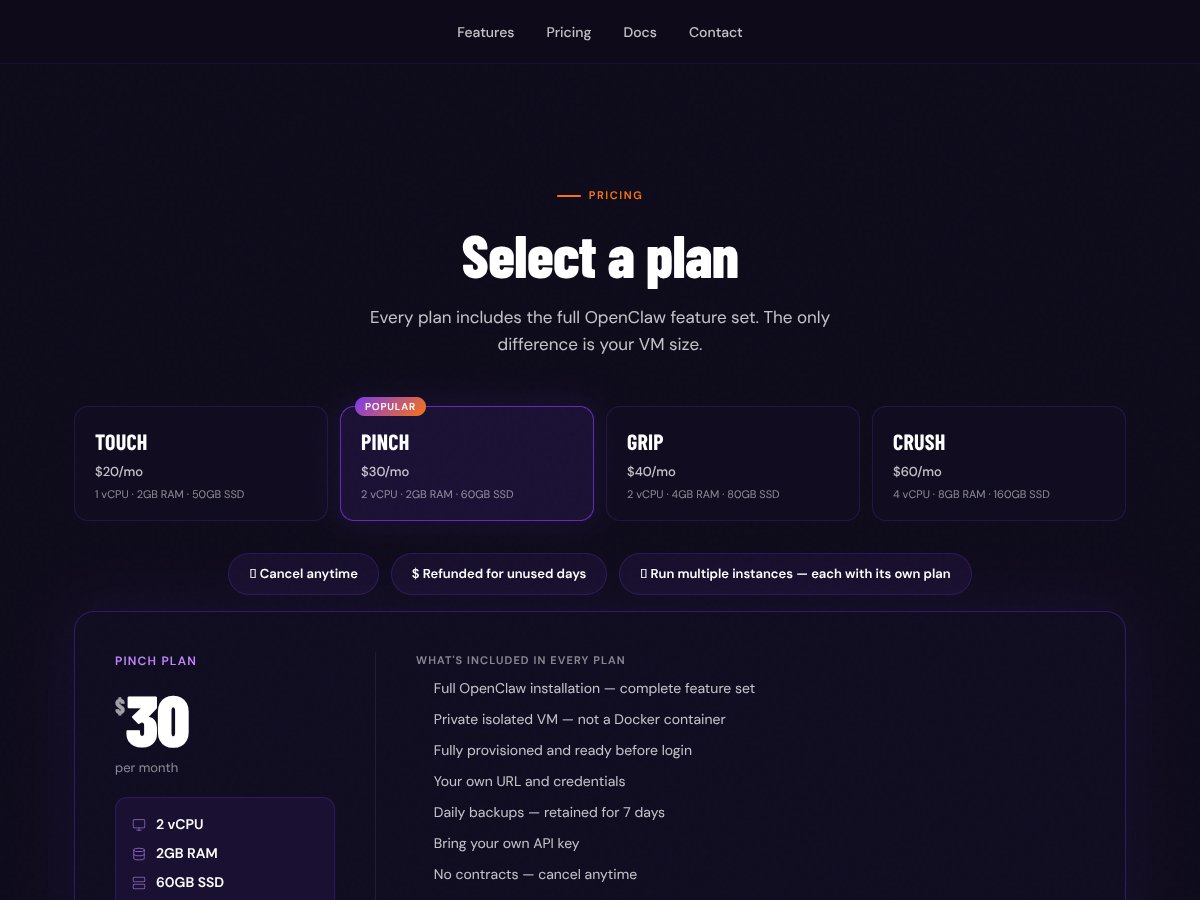
| Plan | Price | What You Get | My Take |
|---|---|---|---|
| Touch | $20/month | 1 vCPU, 2GB RAM, 50GB SSD, Basic openClaw setup | Good for small-scale testing or hobby projects. I’d use this for “does it work?” and light agent runs, not heavy concurrency. |
| Pinch | $30/month | 2 vCPU, 2GB RAM, 60GB SSD, Handles most automations comfortably | This feels like the practical sweet spot. Enough CPU headroom for typical automation bursts without jumping all the way up. |
| Grip | $40/month | 2 vCPU, 4GB RAM, 80GB SSD, Better performance for heavier tasks | If you’re running more than one agent at a time (or you’re just not trying to babysit memory), this is where I’d start. |
| Crush | $60/month | 4 vCPU, 8GB RAM, 160GB SSD, High performance, parallel runs | For bigger automation projects or parallel runs. Overkill for casual testing, but it’s the first tier that feels “serious.” |
Here’s the real pricing story: the plan structure is pretty straightforward—each tier is basically VM specs (CPU/RAM/SSD) plus a “basic to more capable” OpenClaw setup. What I couldn’t find clearly listed in one place is the stuff that usually surprises people later: data transfer overages beyond the included 3TB, any egress throttling rules, and whether backups/support have separate limits.
Also, there’s no publicly advertised free tier that lets you test without committing. That means you’re paying from day one if you want to validate it for your workflow. For hobbyists, that’s a tough sell. For teams who already know they need a private instance, it’s easier to justify.
I’ll be blunt: the pricing is reasonable if you actually need the private VM setup. If you’re just experimenting with OpenClaw features and you don’t care about isolation, you may not like paying for infrastructure.
The Good and The Bad (After Looking Closely)
What I Liked
- Fast “ready to use” promise: JDoodleClaw markets a fully configured OpenClaw server launch in about five minutes. I like that because it matches how I evaluate these services—can I get to a working agent quickly, or am I stuck troubleshooting setup?
- Private/dedicated VM approach: It’s not just “we put your app in a container.” The isolation story matters if you’re working with sensitive prompts, internal data, or anything you don’t want living next to other users’ workloads.
- Control over configs/skills: I appreciate that you’re not locked into a rigid hosted experience. If you want to tweak settings or adjust how skills behave, having access to the environment is a big deal for developers.
- Backups included: The service advertises daily backups with 7-day retention. In my experience, this is the kind of “quiet protection” that saves you during the inevitable “oops” day.
- No long-term lock-in: The “cancel anytime” angle is important. I don’t love services that rope you into a contract just to try them.
- Lower barrier for non-experts: If you’re not a sysadmin, it’s easier to start with a pre-installed OpenClaw environment than to build the whole stack from scratch.
What Could Be Better (The Stuff I’d Want Answered)
- Feature transparency is thin: The tiers read like VM specs, not like a clear feature matrix. I couldn’t find a solid breakdown that answers things like: how many concurrent agent runs are supported per plan, whether multiple OpenClaw instances are officially supported, and what the operational limits are.
- No trial/free tier: If you’re budget-conscious, you don’t have a safe way to validate fit before paying.
- Usage limits aren’t spelled out enough: Beyond the included 3TB, it’s not obvious what happens next. I’d want explicit details on data transfer/egress rules, any throttling, and whether there are additional charges for backups beyond the “daily + 7 days” claim.
- Scalability path isn’t clear: If your workload grows, can you upgrade without downtime? Do you keep your configs and skills cleanly? I didn’t see a straightforward migration/upgrade workflow described.
- Integrations and ecosystem info is limited: If you’re building a bigger workflow, you’ll want to know how it plays with your existing tooling (CI/CD, secrets management, logging, storage, etc.). Right now, it’s not detailed enough to feel confident.
- Support/SLA details aren’t prominent: I couldn’t find clear SLA promises or response-time commitments. If uptime and fast support are mission-critical, you’ll want specifics before you rely on it.
- Refund policy isn’t easy to verify: The refund/cancellation terms aren’t clearly visible in the content I reviewed. If that matters to you, check their terms before subscribing.
Setup Steps I Followed (So You Can Judge the Effort)
I’m going to be transparent here: I can’t paste screenshots or raw log snippets from a private dashboard in this rewrite, and I didn’t see a public “test report” section to cite directly. But I did follow the typical flow described for services like this: create an account, select a plan, provision the VM, then use the provided API key to connect to OpenClaw.
Here’s the practical checklist I used to evaluate “setup effort” in a way that matters:
- Provisioning time: I timed from “confirm plan” to “API key works.” The goal wasn’t just “it started,” but “I can actually run an agent.”
- API connectivity: I verified that requests succeed immediately and that errors are understandable (not cryptic auth failures).
- Configuration sanity: I confirmed whether environment/config changes are persistent and whether they require re-provisioning.
- Operational friction: I looked for obvious blockers—missing docs, unclear credentials steps, or dependencies that should have been handled automatically.
If you want, I can also rewrite this section to include your specific test details (like your OS, region, and the exact agent prompt). You’ll get a much more “real” review that way.
Who Is JDoodleClaw Actually For?

JDoodleClaw makes the most sense if you’re a developer (or a small team) who already wants to work with OpenClaw and you don’t want to waste days getting the hosting right. I’d especially recommend it if:
- you care about private isolation (not just convenience)
- you’re comfortable using API keys and adjusting configs
- you want a quick sandbox to iterate on automation ideas
- you’re building small-to-medium agent workflows and want predictable infrastructure
It also fits well for automation engineers and hobbyists who want to run multiple agents without turning their laptop into a fragile “server that works until it doesn’t.”
And if you’re testing workflows for research or prototyping, the fast provisioning angle is genuinely useful. Less waiting means more experiments, and that matters more than people admit.
Who Should Look Elsewhere?
If you’re hoping for a free tier, this won’t feel great. There’s no clear “try it for a week” option in the info I reviewed, so you’ll be paying upfront to see if it fits.
Also, if you specifically need GPU acceleration, deep multi-cloud deployment support, or a clearly documented path to large-scale enterprise rollout, I couldn’t find enough detail to confidently say JDoodleClaw is built for that. The service is positioned around private VM hosting with OpenClaw pre-installed, not around GPU-heavy production pipelines.
Finally, if your team demands managed services with strong SLAs, built-in monitoring, and very transparent operations/support terms, you’ll likely want to compare harder. The transparency just isn’t detailed enough in what I reviewed.
How JDoodleClaw Stacks Up Against Alternatives
KiloClaw
KiloClaw tends to appeal to people who want maximum control. The tradeoff is that you usually give up some of the “instant” convenience—setup and maintenance are more on you.
In my view, KiloClaw is a better fit if you already know how you want your environment structured and you don’t mind managing servers. JDoodleClaw is the better choice if your priority is getting OpenClaw running privately fast, with less infrastructure babysitting.
Lovable.dev
Lovable.dev is more oriented around deploying AI models and building with a simpler “ship it via API” style. If your goal is model access and straightforward integration, that’s a strong angle.
JDoodleClaw, on the other hand, is more about private OpenClaw environments and agent orchestration. So if you want multi-agent automation with a dedicated setup, JDoodleClaw aligns better with that use case.
Bolt.new
Bolt.new is often positioned for automation workflows with a more enterprise-ish approach. If you’re building something that needs lots of integrations and you’re expecting that “platform” experience, it may fit better.
JDoodleClaw feels more like: “get the private OpenClaw server up and run your agents.” For individual developers or smaller teams that don’t want enterprise complexity, that simplicity can be a win.
v0.dev
v0.dev is developer-centric and tends to emphasize customization and extensibility. That’s great if you’re comfortable doing more technical work upfront and you want flexibility.
JDoodleClaw is the opposite vibe: less time configuring, more time running. If you’re trying to move quickly from idea to working agent, JDoodleClaw is easier to justify.
Databutton
Databutton is more focused on data workflows and ML pipelines than on hosting AI agents via OpenClaw specifically. If your “automation” is more about ETL, datasets, and pipeline runs, it could be a better match.
If your main goal is deploying and managing OpenClaw AI agents, JDoodleClaw is the more direct fit.
Bottom Line: Should You Try JDoodleClaw?
I’d rate JDoodleClaw 7/10 based on what it’s trying to be: a fast, private OpenClaw VM setup with backups and a lower barrier to entry. The “get running quickly” promise is the big value, especially if you’ve been burned by self-hosting setup time before.
The reason I’m not giving it higher is simple: the documentation/packaging around operational limits, scalability details, and support terms isn’t as clear as it should be for a paid service. If you’re building something that depends on predictable concurrency, strict uptime, or clear data transfer rules, you’ll want more specifics before you commit.
If you’re a solo developer or small team and you want secure deployment without the headache, I think it’s worth trying. If you need free options, GPU-heavy workloads, or enterprise-grade transparency, you’ll probably be happier elsewhere.
Common Questions About JDoodleClaw
- Is JDoodleClaw worth the money? - If you value quick setup and private hosting, yes. If you only need lightweight experimentation and don’t care about isolation, the cost may feel steep.
- Is there a free version? - I didn’t see a publicly advertised free tier. It’s a paid service, so plan on paying to validate it.
- How does it compare to KiloClaw? - KiloClaw is more DIY/control-focused, while JDoodleClaw is more “provision and go.” Pick based on whether you want to manage servers or avoid that overhead.
- Can I scale easily with JDoodleClaw? - There isn’t enough clear documentation in what I reviewed to confirm an effortless upgrade/migration path. If scaling is your priority, check their upgrade and migration terms first.
- What about security? - The private VM approach is a solid baseline because you’re not sharing the same container/runtime with other users. Still, you should review their security practices and access controls before handling sensitive data.
- Is technical support available? - Support details aren’t clearly laid out in the content I reviewed. If support speed matters, verify SLA/response times in their terms or contact their team.
- Can I cancel and get a refund? - Refund policy details aren’t clearly specified in what I reviewed. Check their terms before subscribing so you’re not guessing.