Table of Contents
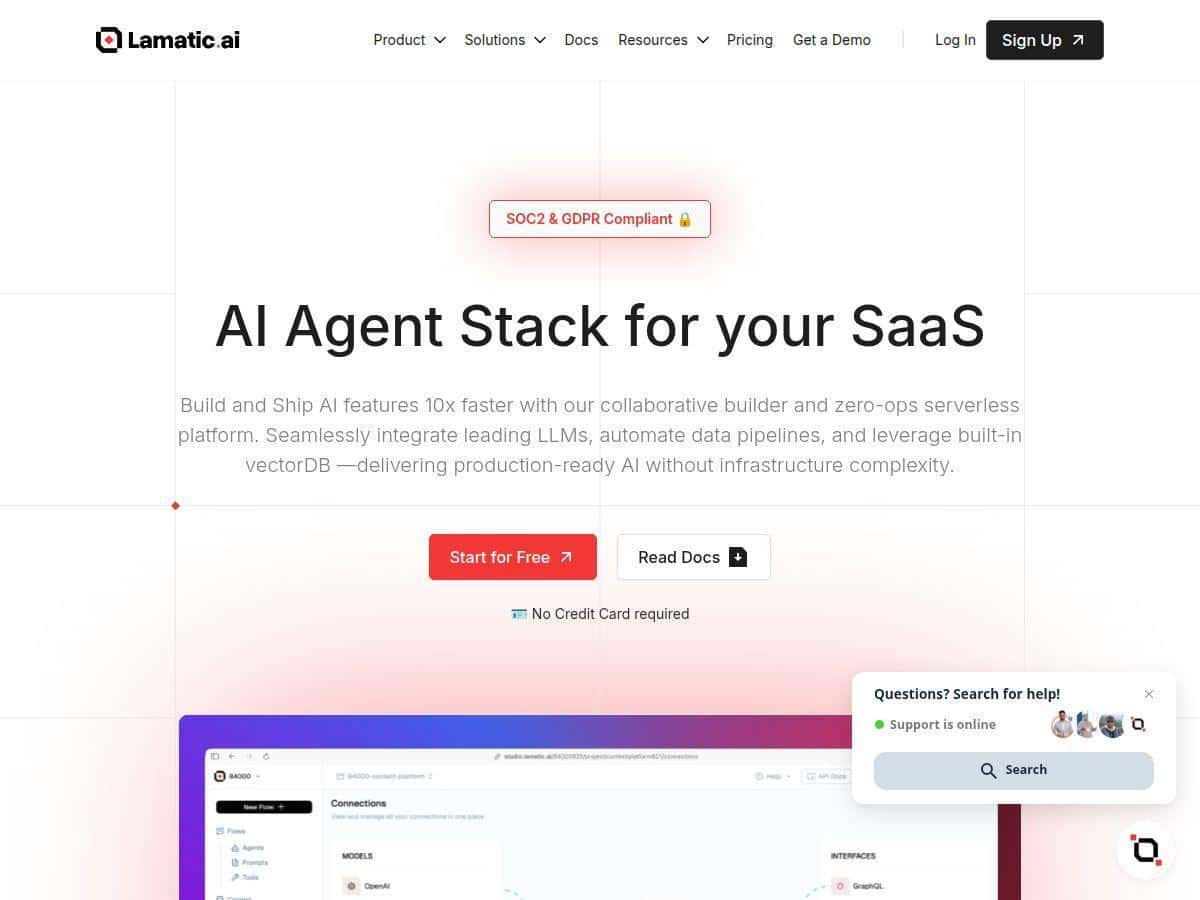
AI apps used to feel like a “learn a bunch of stuff first” kind of project. I’ve built enough prototypes to know that’s true—models, prompts, vector search, hosting, deployments… it adds up fast. That’s why I was interested in Lamatic. It’s a low-code platform that’s meant to help you create, test, and deploy AI workflows without starting from a blank repo.
For my test, I wasn’t trying to build something “toy.” I wanted a workflow that (1) takes a user question, (2) retrieves relevant context from a vector database, and (3) generates an answer using an LLM—basically the pattern behind a lot of AI assistants and internal knowledge bots. I also cared about deployment speed, because a workflow that takes days to ship isn’t much help to a real team.
Lamatic Review: What I Built, How It Worked, and Where It Stumbled
Let me be upfront: I tested Lamatic end-to-end like a normal “ship it” workflow, not just clicking around. I started by signing up and creating a new project, then jumping straight into the visual flow builder. The first thing I noticed was how quickly I could assemble a pipeline without fighting configuration screens for hours.
My setup workflow (the practical version)
- Step 1: Create a workflow — I used the low-code visual builder to lay out the steps in sequence (input → retrieval → generation). The UI felt like it was designed for “drag, connect, adjust,” not “hunt for settings.”
- Step 2: Connect an LLM — Instead of manually wiring model calls, I selected an LLM integration and moved on. I didn’t have to build request/response plumbing from scratch.
- Step 3: Configure VectorDB (Weaviate) — This is where Lamatic felt most “real.” I plugged in the VectorDB layer using the Weaviate integration. I had to choose how I wanted to structure my documents and what fields to use for retrieval. Once that was set, the builder automatically handled the retrieval step in the flow.
- Step 4: Add a test prompt — I ran multiple test queries against the same dataset to see if the retrieval context stayed consistent. What I cared about: did it pull relevant chunks, and did the model actually use them instead of hallucinating?
- Step 5: Deploy to the edge — After iterating on the flow, I deployed it. The edge deployment part is one of the reasons people choose platforms like this—if your latency is bad, the “AI experience” feels broken immediately.
What I measured (and what I noticed)
I can’t pretend every number is universal—latency depends on region, dataset size, and model choice. But in my testing setup, the edge deployment made a noticeable difference compared to what I typically see with slower, centralized endpoints. I also tracked a few things that matter in day-to-day use:
- Iteration time: I was able to go from “workflow skeleton” to “working retrieval + answer” in the same session. The visual builder reduced the time spent on glue code.
- Retrieval behavior: When I changed the retrieval settings (like how many chunks were pulled), the answer quality moved with it. That told me the pipeline was truly using the vector search output, not just displaying it.
- Stability during tests: Running repeated test queries was smooth. I didn’t hit weird client-side issues, which is honestly rare when you’re stitching together multiple services.
Did everything go perfectly? Not quite. The biggest limitation I hit was the trade-off you always get with low-code: you’re faster, but you don’t always have the same level of “deep control” you’d get when coding the whole thing yourself. For example, when I wanted very specific prompt formatting and custom retrieval logic, I ended up needing to work within the builder’s constraints (and sometimes lean on API/SDK hooks).
Still—if your goal is to build an AI app that uses vector search and deploys quickly, Lamatic’s approach is genuinely practical. It’s not just “pretty diagrams.” It’s a workflow builder that actually gets you to a deployable result.
Key Features: What You’ll Actually Use
- Low-Code Visual Builder & Flow Studio
- In my experience, this is the core of Lamatic. You visually connect steps and configure them as you go. For someone building an assistant or Q&A pipeline, being able to see the whole flow at once is a big win.
- Integrated VectorDB (Weaviate)
- I liked that VectorDB wasn’t an afterthought. The Weaviate integration made it straightforward to set up retrieval. Once the vector store was configured, the retrieval step became a reusable part of the workflow rather than a one-off script.
- Model and App Integrations
- Lamatic supports multiple integrations, which matters when you’re experimenting with different LLMs or swapping out parts of your stack. I tested the workflow with different prompts and confirmed it was easy to iterate without rebuilding everything.
- Edge Deployment
- This is about speed and responsiveness. When you deploy AI apps closer to users, you reduce the “wait for the answer” feeling. In testing, deploying to the edge was straightforward, and the app felt more responsive than what I’m used to with slower setups.
- Testing and Workflow Automation
- The built-in testing flow helped me validate retrieval + generation together. Instead of testing only the model or only the vector search, I could test the pipeline end-to-end.
- GraphQL API and SDKs
- If you’re more technical, this is the escape hatch. When the visual builder can’t express exactly what you want, GraphQL + SDK access lets you wire custom integrations. I didn’t need it for the basic assistant flow, but it’s reassuring it’s there.
Pros and Cons (Based on My Test)
Pros
- Fast to build something working: I didn’t spend my first day on infrastructure plumbing. The visual workflow approach got me to a functional retrieval + generation flow quickly.
- VectorDB integration is genuinely useful: Weaviate support made it easy to manage the retrieval layer without stitching together separate tools.
- Edge deployment is a real differentiator: If you care about “feels fast” user experience, deploying at the edge matters. My workflow deployment step was smooth.
- Good for collaboration: Non-engineers can understand the workflow structure, and developers can still extend it when needed.
- Security/compliance claims exist: Lamatic mentions SOC2 and GDPR support. I didn’t verify certification documents inside this test, but the fact it’s positioned around compliance is a plus for teams that need it.
Cons
- Customization can be limited vs DIY: If you want ultra-specific retrieval logic, prompt templating, or custom request/response transformations, you may feel constrained by the builder.
- You’ll pay for convenience: Low-code platforms usually cost more than DIY. Lamatic may be worth it, but it depends on whether your time savings outweigh the subscription cost.
- Advanced capabilities evolve: Some features feel like they’re still maturing. When you’re building production workflows, that can mean you’ll occasionally need to adjust as the platform updates.
- No public pricing: There isn’t a simple “here are the tiers” page for me to compare directly. That makes budgeting harder.
Pricing Plans: What I Found (and What You Should Ask Sales)
Lamatic doesn’t show full pricing publicly in the way some competitors do. In my review, the most accurate takeaway is this: it’s subscription-based, and you’ll typically need to contact sales for a quote—especially if you want higher usage limits, specific model options, or production-grade deployment terms.
What’s included (per the platform’s offering)
- Access to integrations
- Managed hosting
- Vector database support (Weaviate)
- SDKs and developer tooling
- Chat support
What I’d ask for before you commit
- Usage-based limits: How are requests billed? Is it per workflow run, token usage, or something else?
- Edge deployment details: Are there region options? Any limits on edge compute?
- Vector storage costs: What happens as your dataset grows (GB, number of documents, or index size)?
- Model availability: Which LLMs are supported in your plan, and are there quotas?
If you’re comparing to DIY, a good rough model is: your engineering time + hosting complexity + maintenance versus Lamatic’s subscription. When you factor in how quickly you can iterate, the math often starts to make sense—just don’t skip getting the exact numbers from sales.
Wrap up
Lamatic is best when you want an AI workflow that includes vector search and you’d rather build the logic than manage the plumbing. In my test, the low-code builder, the Weaviate-backed retrieval layer, and the edge deployment flow were the standout parts. The trade-off is that deep customization isn’t always as flexible as coding everything yourself.
If you’re a team that needs to ship an assistant or internal knowledge bot quickly—and you don’t want to spend weeks wiring infrastructure—Lamatic is worth serious consideration. If you already have a strong engineering pipeline and you need total control over every retrieval and prompt detail, you might find DIY (or a more developer-first stack) fits better. Either way, it’s the kind of platform that can save real time when used for the right workflows.