Table of Contents
If you’ve ever tried AI image tools and thought, “Cool… but it doesn’t look like me,” then LetzAI is the one I kept coming back to. I spent a good chunk of time testing it, mainly to see how well it actually does personalized AI content creation—especially when you train with your own images instead of relying on generic styles.
In my experience, the big difference with LetzAI isn’t just that it generates images. It’s that it lets you train a custom model tied to your visuals, then reuse that look consistently. That consistency is what made it feel more “creative tool” and less “random image spinner.”
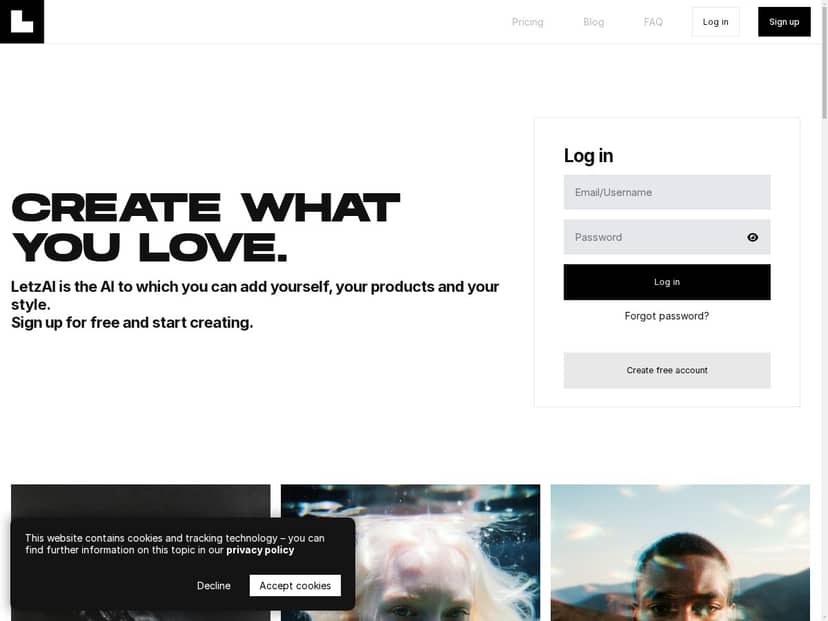
LetzAI Review
After spending time with LetzAI, I can honestly say it feels more targeted than most “AI art” tools. The reason is simple: you’re not only prompting. You’re training a custom model using your own images (photos, artwork, designs—whatever matches the look you want).
Here’s what I did during testing to see if the personalization was real:
- I uploaded a small set of images that were consistent in style (same general lighting/color vibe, similar composition).
- I trained a custom model and then generated multiple variations from that same model using different prompts.
- I compared the outputs to a “generic” style result (same prompt idea, but without the trained model influence) to see whether it actually stayed on-brand.
What I noticed: with the trained model, the outputs were noticeably closer to the visual language of my source images. Not perfect every time—some prompts pulled the result slightly away from the target look—but overall it was the first tool in this category where the style felt meaningfully “locked in.”
Also, the interface is genuinely approachable. I didn’t feel like I needed a tutorial to figure out where to train, where to generate, and where to manage model-related settings. That matters, because if the workflow is confusing, you don’t experiment—you just quit.
Key Features
- Custom AI model training using your photos or artwork
This is the core feature. Instead of chasing a prompt that “sort of” matches your style, you build a model that reflects your visuals. In my testing, the trained model helped keep style cues more consistent across generations. - High-quality image creation based on user prompts
Once the model is trained, you can generate images by describing what you want (subject, mood, scene, composition). One thing I liked: prompts don’t need to be overly complicated. I got good results with straightforward language like “portrait in my style, soft lighting, clean background” rather than huge prompt walls. - Control over privacy and sharing of models
I checked the privacy/share behavior because this is where a lot of tools get vague. LetzAI provides options to manage how models are shared, and it’s clear enough that you can decide whether you want your trained model visible to others or kept private for your own use. - An easy-to-use interface designed for all skill levels
Training and generation are laid out in a way that doesn’t feel like a maze. I could switch between creating and testing prompts without constantly getting lost. - Active creator community for sharing ideas and resources
There’s a community angle, and it helps when you’re trying to learn what kinds of prompts work best with trained models. Even just browsing what other people are doing can give you a starting point. - API access for advanced integration
If you want to embed LetzAI into a workflow (like a content pipeline), API access is a big plus. I didn’t build a full integration during my test, but the presence of API options is exactly what you’d want for teams. - Credits-based flexible pricing plans
The platform runs on credits, which is helpful for budgeting because you can estimate usage instead of getting surprised by flat limits.
Pros and Cons
Pros
- Personalization that actually shows up in the outputs
In testing, the trained model made outputs match the source style more consistently than generic prompting. The “feel” stayed closer to my reference visuals across multiple generations. - Good prompt-to-image quality
I found it easier to get usable results quickly. The images weren’t just random—they responded to prompt details like lighting, background simplicity, and composition. - Privacy and sharing controls are practical
I checked how model sharing works and it’s not presented like a mystery feature. You can control whether your trained model is shared or kept private, which is important if your input images are personal or proprietary. - Beginner-friendly without feeling dumbed down
I didn’t have to “figure out the UI” before getting to results. At the same time, there’s enough depth that more advanced users can still do meaningful experiments. - Community support
When you’re training a model, it helps to see how others structure prompts. The community makes that easier. - Free plan available for testing
If you want to see whether the trained-model workflow clicks for you, you can try it without jumping straight into paid tiers.
Cons
- Some advanced features aren’t available (at least in the workflow I tested)
During my time on the platform, I ran into places where certain “power user” controls weren’t exposed in the UI. I’d love deeper tuning options, but they weren’t there for me in the current flow. - Interface could be smoother
This is the part that surprised me only because the core workflow is easy. Some screens felt slightly less streamlined than they could be—small friction points like where to look for specific model settings and how quickly you can move from training to generation without extra clicks. - Not as huge as the biggest names
I wouldn’t expect the same scale as giants with massive model ecosystems. That’s not automatically “bad,” but it does affect things like community size and how quickly new prompt trends spread. - Regional restrictions may apply
Like a lot of online services, availability can depend on where you are. If you’re traveling or signing up from a different region, it’s worth checking before you invest time training.
Pricing Plans
LetzAI uses a credits-based pricing model, and the numbers below are what I saw reflected in the plan descriptions:
- Free tier: around 700 credits/month
- Beginner: €8.25/month for 5,000 credits
- Fun: €16.58/month for 15,000 credits
- Pro: €49.92/month for 50,000 credits
Here’s the cost reality check from my testing: credits are used for image generation, and training also consumes credits (so it’s not just “pay once and generate forever”). If you want to experiment—train a model, generate a batch, tweak prompts, repeat—you’ll burn through credits faster than you might expect.
What I’d recommend based on the free plan:
- If you’re just curious, the free tier is enough to test the workflow once or twice and see whether the trained-model look is worth it for you.
- If you want a real “creative pipeline” (train + multiple prompt variations + iteration), I’d plan on moving to Beginner or Fun pretty quickly.
- If you’re producing content regularly for clients or a team, Pro is the tier where it starts to feel less like budgeting and more like output.
For the latest details (credits, training costs, and what’s included), it’s smart to verify directly on the official site. You can start from the LetzAI link here: LetzAI.
So… who is LetzAI actually best for?
In my opinion, LetzAI is best for people who care about style consistency—not just “cool images today.” If you’re a small team, a creator with a recognizable look, or someone building a brand aesthetic, training a custom model can save you a lot of time chasing prompts.
On the flip side, if your goal is purely fast, one-off images and you don’t want to deal with the training step, you might find other tools easier. LetzAI shines when you commit to the workflow and use the trained model repeatedly.
Overall, my experience was positive: the personalization is the standout, the UI is friendly, and the privacy controls are the kind of thing I actually look for. If you’re trying to make AI content feel more like your creative output, LetzAI is worth serious consideration.