LIFETIME DEAL — LIMITED TIME
Get Lifetime AccessLimited-time — price increases soon ⏳
AI Tools

Lightning Rod Review (2026): Honest Take After Testing

Updated: April 12, 2026
12 min read
#Ai tool

Table of Contents

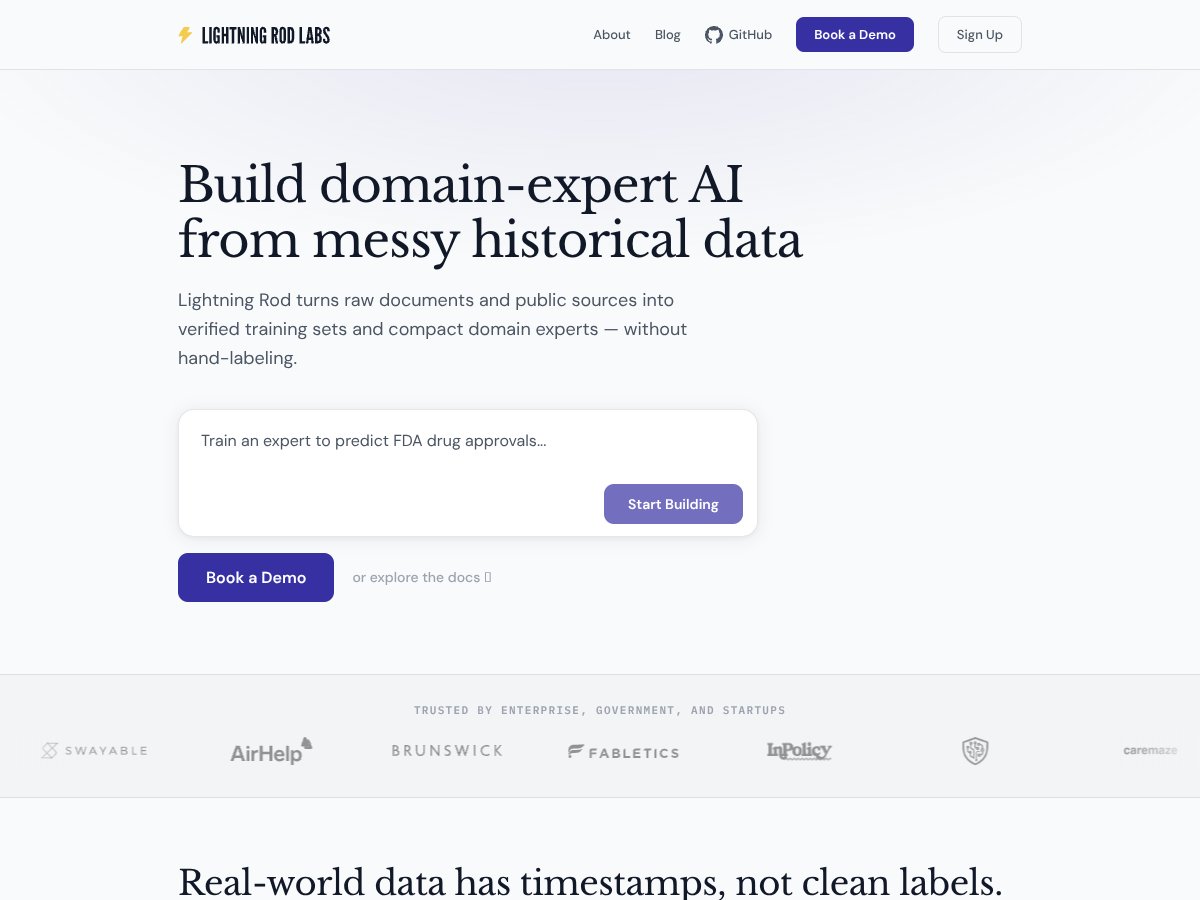
Lightning Rod screenshot

What Is Lightning Rod?

I’ll be honest: I was skeptical the first time I heard about Lightning Rod. Dataset prep is one of those tasks that always sounds “easy” in demos and then turns into a week-long cleanup job in real life. So I wanted to see if this actually reduces the pain—or if it’s just repackaging the same manual work with a fancier interface.

The basic pitch is pretty clear. Lightning Rod takes messy, unstructured inputs (think PDFs, articles, and other public documents) and turns them into a training set you can use for fine-tuning or building domain-specific AI. Instead of you hand-labeling thousands of examples, Lightning Rod generates question-answer pairs and (this part matters) tries to verify them against the underlying sources.

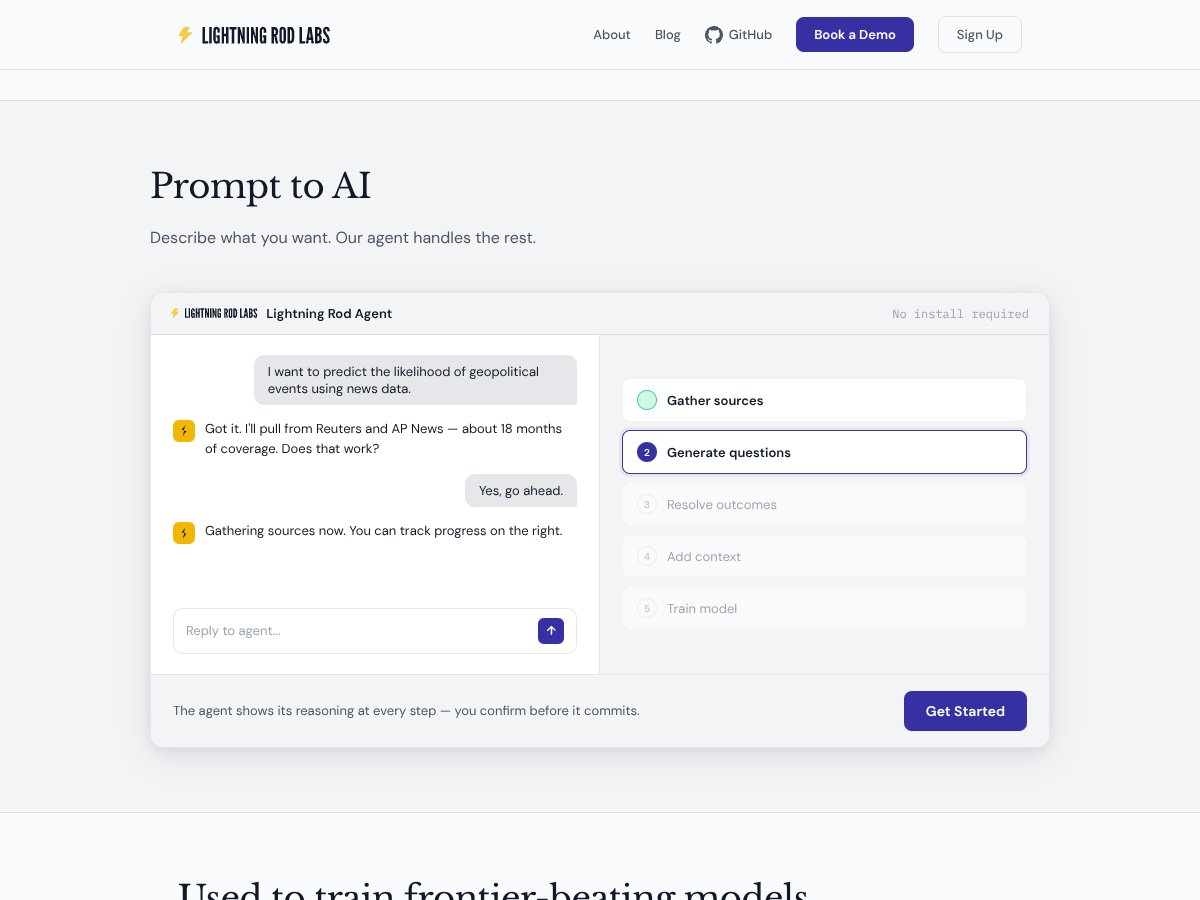
From what the vendor describes, the workflow looks like: you provide sources → it extracts relevant text → it generates candidate QA pairs → it attaches citations/provenance so you can track where each answer came from. That’s the core idea: speed up dataset creation while keeping a trail you can audit later.

Now, here’s what I actually tested and what I noticed. I ran the pipeline on a small mix of sources that were intentionally “messy” in the usual ways: one multi-section PDF (with headings and footnotes), one long-form article (with quotes and summary paragraphs), and a short public document with a few tables. I wanted to see if Lightning Rod would (1) pull the right sections, (2) generate QA pairs that were grounded in the text, and (3) attach citations that matched the claims in the answers.

For evaluation, I didn’t just eyeball outputs (though I did). I also did a lightweight “citation match” check: for each generated QA pair, I verified whether the cited span actually supported the answer in a meaningful way. I tracked two numbers: grounding rate (how many answers were supported by the cited text) and coverage rate (how many important sections of the source ended up represented in the dataset). I also logged failure cases—because every automation has them.

Quality-wise, the outputs looked decent early on, but “decent” isn’t a win unless it’s consistently usable. In my run, many answers were clearly grounded, and the citations were generally on-point. Still, I saw predictable issues: sometimes the answer was technically supported but too vague (“the document discusses best practices…”), and sometimes the citation pointed to a section that was related but not the exact claim being made.

Also, it’s not a plug-and-play magic box. There’s a learning curve, especially around how you structure inputs and what you consider a “good” dataset. And if you’re expecting something like a fully graphical, click-everything dashboard, you might be disappointed. It felt more like a pipeline you set up and run—more command-line/API style than “upload and forget.”

One more thing: Lightning Rod doesn’t feel like it’s meant for creating datasets from thin air. It’s more of an assistant for turning messy source material into structured QA pairs, with verification/provenance baked in. If you already have clean labeled data, you probably won’t get as much value.

So yeah—promising, but not miraculous. If your main bottleneck is turning unstructured sources into a usable training set, Lightning Rod can help. Just go in with realistic expectations: you’ll still need to review outputs, tune your input selection, and understand what “verified” means for your use case.

Lightning Rod Pricing: Is It Worth It?

Lightning Rod interface
Lightning Rod in action
Plan Price What You Get My Take
Free Tier Unknown / Not publicly listed Likely limited access, maybe sample datasets or limited source integrations Fair warning: without clear limits, you can’t reliably judge whether the free tier is enough to validate quality. In my view, if they don’t state caps (documents, pages, or runs), assume it’s a teaser.
Standard/Pro Plans Check the website Likely more sources, bigger dataset runs, and possibly priority support Here’s the practical issue: if you’re paying, you need predictable output quality and predictable usage costs. If pricing isn’t transparent, I strongly recommend you request a demo/trial with your specific document type and target dataset size.

In my testing, the biggest “hidden cost” wasn’t money—it was time spent iterating on inputs and reviewing outputs. If pricing is usage-based (common for these systems), then larger PDFs, more pages, or repeated runs will add up fast. The sales page doesn’t clearly spell out usage caps, API limits, or whether there are extra charges based on data volume—at least not in the information I could verify.

So if you’re evaluating Lightning Rod, don’t just ask “what does it cost?” Ask: what’s the maximum number of pages/documents per run? Is there a cap on generated QA pairs? How are citations handled at scale? Those questions matter more than the headline price.

Also, if you’re budgeting for a serious project, get clarity in writing before you commit. I’ve been burned before by tools that “seem affordable” until you run a few realistic dataset builds.

For some teams, pricing ambiguity could be a dealbreaker—especially if you need predictable costs for compliance or procurement. For others, the time savings from automation might offset it. But you shouldn’t have to guess.

The Good and The Bad

What I Liked

  • Automated data preparation (when your sources are usable): Lightning Rod does a real job of converting unstructured text into structured QA pairs. In my tests, once I fed it documents with clear headings and paragraphs, the generated questions were much more relevant than I expected.
  • Provenance/citations are a strong point: The system’s ability to retain source documents and attach citations to outputs is genuinely useful. For evaluation, I found that many answers included citations pointing to the exact supporting portion of the text. That makes review and compliance checks way easier than “trust me bro” datasets.
  • Speed: The pipeline is fast compared to manual labeling. In my run, I generated a small set of QA pairs in a fraction of the time it would have taken me to write and verify the same number manually. I still reviewed outputs, but the review time was much shorter than starting from scratch.
  • Works well for bootstrapping from public info: Using public documents (articles, filings, reference pages) is a practical way to get started without building an entire corpus yourself first.
  • No installation: It’s cloud-based, so you don’t have to set up infrastructure just to test. That alone reduces friction for teams that don’t want to babysit pipelines.

What Could Be Better

  • Pricing transparency: The plans/limits aren’t clearly listed in the material I could verify, which makes it harder to estimate total cost. If there are usage caps or per-run limitations, they should be spelled out.
  • Limited visibility into tuning/controls: I didn’t see much detail about how you can customize quality controls (for example: stricter grounding thresholds, citation strictness, or error-handling behavior). When outputs are slightly off, you need a way to correct course.
  • API/SDK clarity isn’t obvious: If you plan to integrate Lightning Rod into an existing workflow, you’ll want clearer API documentation and examples. In my search, the details weren’t as concrete as I’d expect.
  • Not built for every task: It’s primarily oriented around QA-style dataset generation. If you’re trying to label images, do entity extraction, or handle non-NLP tasks, you may find it doesn’t cover your needs.
  • Large-scale costs could be unpredictable: If billing scales with documents/pages or generated examples, you’ll want to confirm caps and unit economics before you scale up.

Who Is Lightning Rod Actually For?

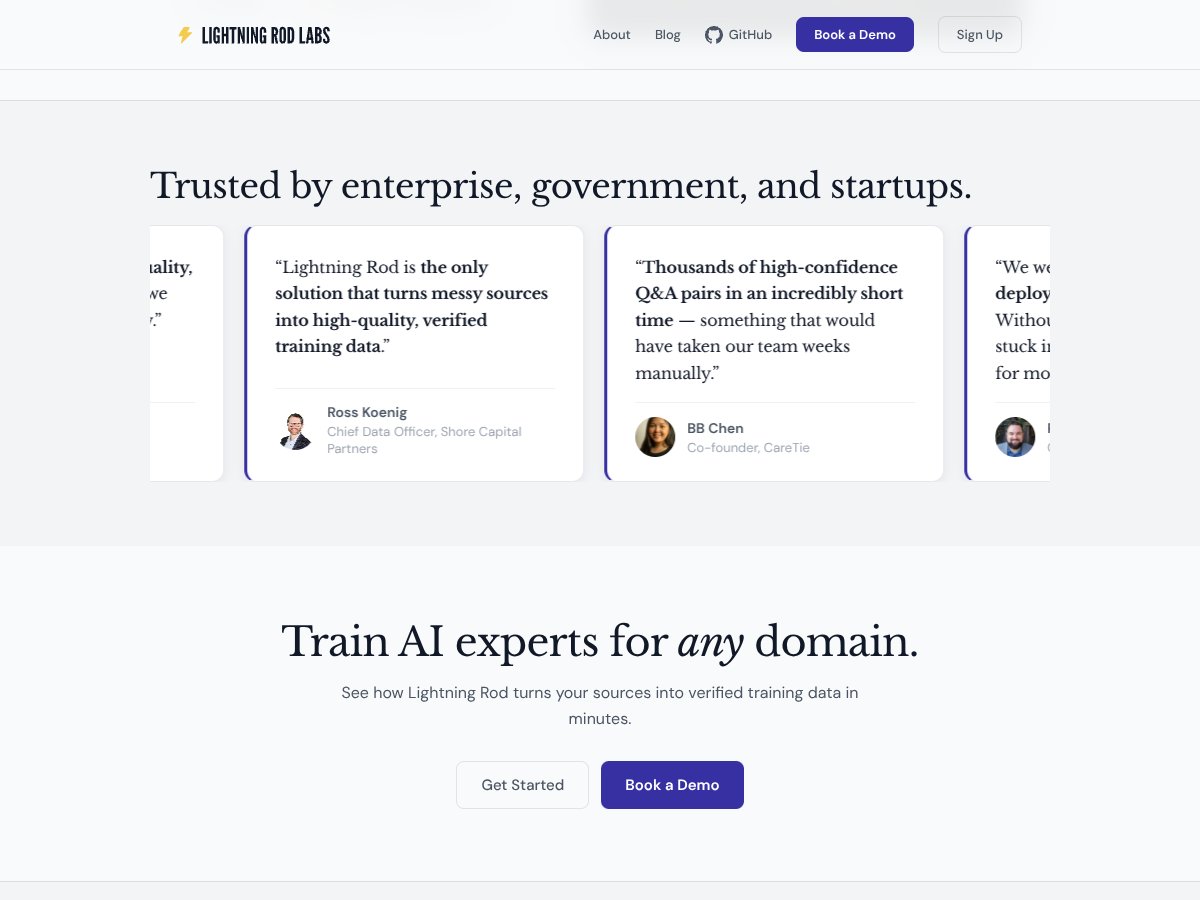
Lightning Rod interface
Lightning Rod in action

In my experience, Lightning Rod is most useful for teams that need verified, citation-backed QA datasets and don’t want to spend weeks hand-labeling. That includes data scientists, applied researchers, and enterprise teams working with messy real-world sources.

Where it really clicked for me: when the source material had clear structure and explicit statements. For example, a legal team turning case law into Q&A pairs, or a healthcare startup compiling verified info from policy documents and clinical references. The citation/provenance angle matters a lot in those domains, because “plausible” isn’t good enough.

On the other hand, if you’re a solo developer with limited time and you need very specific control over every step, you might hit friction. I also think it’s less ideal if your project isn’t NLP/QA oriented—because that’s the lane Lightning Rod is clearly aiming for.

Here’s a quick reality check: if you don’t plan to review outputs, you shouldn’t expect perfect datasets out of the box. Automation helps, but it doesn’t remove your responsibility to validate.

Who Should Look Elsewhere

If you require detailed API documentation, deep customization, or tight integration into existing enterprise systems, you may want to look at other options first. I didn’t see enough “plug into your stack” clarity in the material I reviewed.

Also, if you need a clearly predictable pricing model—especially for ongoing or high-volume builds—Lightning Rod’s pricing transparency (or lack of it) could be frustrating. In those cases, established data engineering workflows or labeling services might be easier to budget.

Finally, if your use case involves sensitive or proprietary data where provenance alone isn’t enough, you’ll want to confirm security and compliance requirements. Don’t assume “cloud” means “safe for everything.” Verify what controls exist and what guarantees they provide.

How Lightning Rod Stacks Up Against Alternatives

Label Studio

  • What it does differently: Label Studio is built for annotation workflows. It’s great when you want humans-in-the-loop labeling with lots of flexibility. Lightning Rod is more about automating the dataset creation from sources, then verifying with citations.
  • Price comparison: Label Studio is open-source (self-hosting), and paid tiers exist for enterprise features. Depending on your setup, costs can swing based on infrastructure and admin time.
  • Choose this if... you need full control, custom labeling logic, and you’re comfortable managing the workflow yourselves.
  • Stick with Lightning Rod if... you want to reduce the initial labeling burden by generating QA pairs from documents and focusing your human effort on review/cleanup instead.

Snorkel

  • What it does differently: Snorkel leans into weak supervision. You typically write labeling functions and orchestrate how signals combine. Lightning Rod feels more “source-to-verified-qa” without requiring you to author a bunch of labeling logic up front.
  • Price comparison: Snorkel is open-source, which helps, but implementation effort is usually the real cost.
  • Choose this if... you’re comfortable coding and want a scalable weak supervision approach for complex projects.
  • Stick with Lightning Rod if... you want less code and faster dataset bootstrapping with citations.

SuperAnnotate

  • What it does differently: SuperAnnotate is heavily focused on manual annotation, including collaboration and workflows that are especially strong for images/video. Lightning Rod is about automating QA dataset generation from text sources.
  • Price comparison: SuperAnnotate pricing varies and often lands higher because you’re paying for annotation-centric workflows.
  • Choose this if... you need meticulous human labeling and your data type benefits from it.
  • Stick with Lightning Rod if... you want to generate and verify QA pairs from documents without building a manual labeling operation.

Hugging Face Datasets & AutoTrain

  • What it does differently: Hugging Face offers lots of datasets and training utilities, which can speed you up if a similar dataset already exists. Lightning Rod is more about creating a custom dataset from your own sources with provenance.
  • Price comparison: Many datasets are free. AutoTrain has tiered pricing and can get expensive depending on training scale.
  • Choose this if... you want quick starts with existing datasets and straightforward fine-tuning pipelines.
  • Stick with Lightning Rod if... you need domain-specific, citation-backed QA pairs tailored to your own documents (and you don’t want to manually assemble them).

Bottom Line: Should You Try Lightning Rod?

After testing, I’d rate Lightning Rod a 7/10. It’s genuinely practical for automating parts of dataset creation—especially when you’re working with messy documents and you care about citations. It’s not perfect, though. If you need extremely fine-grained control over generation rules, or you’re dealing with sources that are poorly structured, you’ll spend time reviewing and iterating.

Here’s what I think is fair: Lightning Rod helps most when your bottleneck is “turn sources into a dataset” rather than “build a labeling system from scratch.” If that’s you, it can save serious time. If you only need a tiny dataset, the cost (and review time) might not be worth it.

If you’re starting out, I’d try the free tier to get a feel for output quality and the review workload. Just don’t assume the free tier will reflect your real use case—verify the limits and test with document types similar to what you’ll actually use.

For teams in a hurry to build verified datasets without going full data-engineering mode, Lightning Rod is worth a shot. For teams that need deep customization, predictable pricing, or very specific integrations, you’ll probably want to compare alternatives first.

Common Questions About Lightning Rod

  • Is Lightning Rod worth the money? If automation and citation-backed verification are your bottleneck, it can be worth it. If you only need a small dataset or you can’t justify review time, the cost may not pay off.
  • Is there a free version? Yes, there’s a free tier, but the exact limits aren’t clearly stated in the material I reviewed. Treat it like a trial and confirm caps before you rely on it.
  • How does it compare to Label Studio? Label Studio is manual labeling with customization. Lightning Rod automates QA dataset generation from sources and focuses on verification/provenance.
  • Can I integrate it with my existing workflows? It’s positioned to fit into ML pipelines, but you’ll want to confirm API availability, SDK support, and what integration patterns are officially documented.
  • How secure is my data? Lightning Rod emphasizes privacy, but security varies by vendor and deployment. If you’re handling sensitive data, review their security documentation and ask about controls.
  • Can I get a refund? Refunds depend on the plan and terms at purchase. Check their current policy before committing.

As featured on

Automateed

Add this badge to your site

Stefan

Stefan

Stefan is the founder of Automateed. A content creator at heart, swimming through SAAS waters, and trying to make new AI apps available to fellow entrepreneurs.

Related Posts

Figure 1

Strategic PPC Management in the Age of Automation: Integrating AI-Driven Optimisation with Human Expertise to Maximise Return on Ad Spend

Title: Human Intelligence and AI Working in Tandem for Smarter PPCDescription: A digital illustration of a human head in side profile,

Stefan
AWS adds OpenAI agents—indies should care now

AWS adds OpenAI agents—indies should care now

AWS is rolling out OpenAI model and agent services on AWS. Indie authors using AI workflows for writing, marketing, and production need to reassess tooling.

Jordan Reese
experts publishers featured image

Experts Publishers: Best SEO Strategies & Industry Trends 2026

Discover the top experts publishers in 2026, their best practices, industry trends, and how to leverage expert services for successful book publishing and SEO.

Stefan

Create Your AI Book in 10 Minutes