Table of Contents
Quick question: have you ever watched a live stream where the host actually talks back to you—and felt instantly more connected to them? That’s exactly why I like live streaming for writers. In my experience, it turns “a person who writes” into “a person I know,” and that’s when readers start showing up consistently.
As for the big numbers, I’ve seen plenty of weekly-live-stream viewing stats floating around, but they vary by region and definition. For example, StreamElements’ 2023 Live Streaming Report (published in 2023; survey-based) reported that 28.5% of internet users watch live streams weekly. The exact methodology matters—survey samples and how “internet users” are defined can shift results—but the takeaway is still useful: weekly viewing is mainstream enough that writers can plan around it, not just “hope” for a one-off spike.
⚡ TL;DR – Key Takeaways
- •Use repeatable stream formats (sprints, Q&A, read-alongs) so viewers know what they’re getting every week.
- •Pick a posting rhythm you can actually maintain (2–3 streams/week) and repurpose each stream into clips the same day.
- •StreamYard + YouTube + TikTok work well together because one stream can feed multiple content types (live, clips, Shorts, and posts).
- •Don’t burn out—run a simple “media house” pipeline (you write, you record, you clip, you schedule, you moderate).
- •Personality wins. Viewers come for you, then they stay for craft: Q&A, workshop segments, and behind-the-scenes updates.
Starting a Live Stream for Writers: What I’d Do First
Why Live Streaming Actually Helps Authors (and How I Measure It)
When I tested live streaming for my own author platform, I didn’t look for “viral” moments. I looked at boring-but-important metrics: returning viewers, email signups, and how many people asked questions during the stream.
Here’s what changed when I switched from mostly posting static updates to doing live sessions:
- More repeat attendance: After about 3 weeks, I noticed a handful of people showing up in the chat every time (not just once).
- Higher trust: Viewers asked more specific questions like “How do you outline chapter 7?” instead of only “What are you working on?”
- Better conversion: My stream call-to-action (“Grab the free chapter outline”) started getting clicked during the stream, not 2 weeks later.
So yes, live streams are great for connection—but the real win is the feedback loop. You learn what your audience cares about in real time, and then your writing and marketing get sharper.
Choosing the Right Platforms for Writers (Without Spreading Yourself Too Thin)
In my opinion, the “best” platform is the one where you can show up consistently with the format you want.
- Twitch: Strong for longer sessions, personality-driven content, and chat-heavy formats (Q&A, just chatting, live writing sprints). It’s also great if you want a community vibe.
- YouTube: Best for repurposing. You can run the live stream there, then turn it into chapters, Shorts, and clips with less effort.
- TikTok: Best for short, punchy “writer moments.” Think: 30–90 second hooks, writing transformations, and “watch me outline” style content.
If you’re starting out, I’d do this: stream live on one main platform, then cross-post clips to the others. Simulcasting everywhere sounds efficient, but it can also create more moderation and more formatting headaches than it’s worth.
Equipment and Setup for Writers (A Checklist I Actually Use)
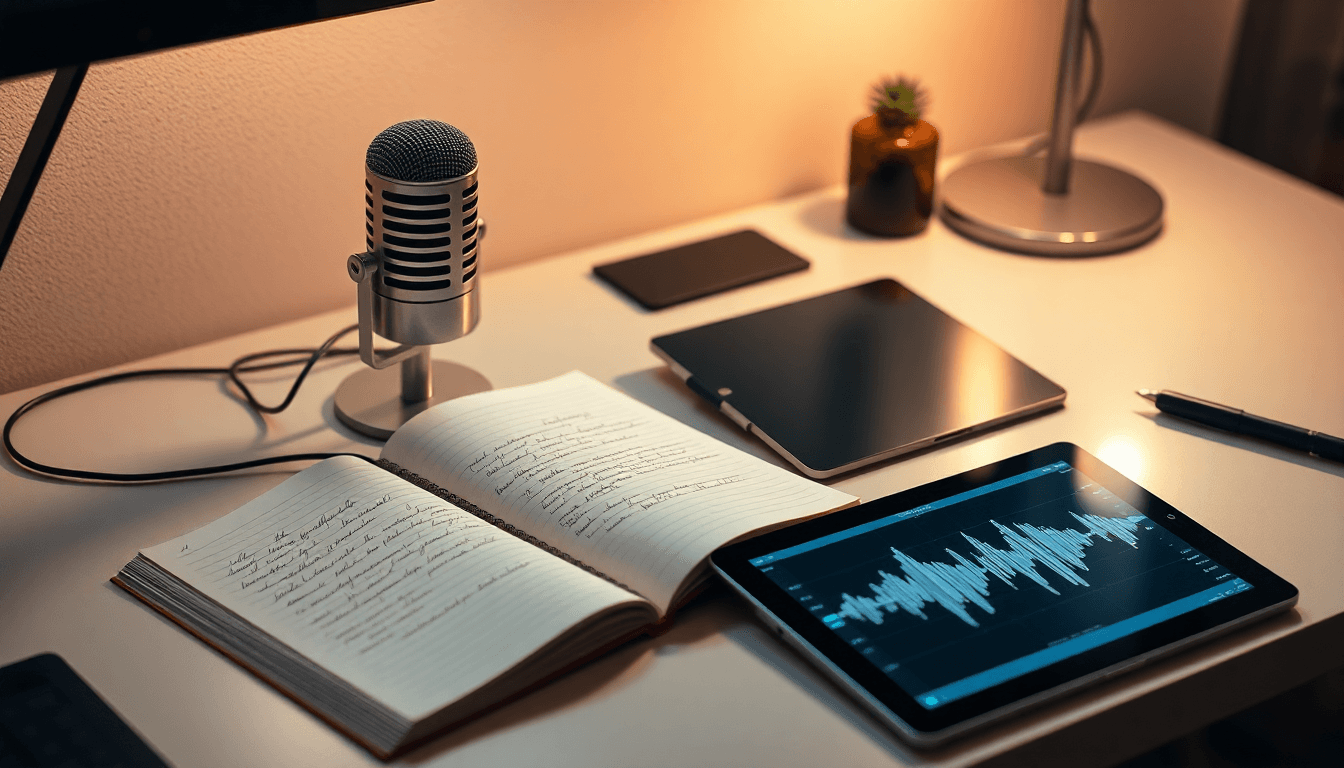
You don’t need a Hollywood setup. You need audio clarity and a frame that looks intentional.
My minimum “good to go” setup:
- Microphone: USB mic is fine to start. The difference between “okay” audio and “clear” audio is huge for retention.
- Lighting: Put a lamp in front of you (not behind). If your face is dark, viewers bounce.
- Camera angle: Eye-level-ish. If you’re looking down, people feel like you’re talking “at” them.
- Internet: Stable upload matters more than download.
- Streaming software: StreamYard is an easy starting point for overlays and multi-platform output.
Moderation + accessibility: I also use automation for things like moderation, captions, or translation support when available. If you want a tool for that workflow, Automateed is built around making streams more accessible and easier to manage—especially when chat gets busy.
Quick audio/lighting test (do this before your first “real” stream):
- Record 60 seconds in OBS/StreamYard preview.
- Listen back with headphones.
- Check if your face is readable on a phone screen.
- Verify your mic isn’t peaking (if it is, lower gain).

Engaging Readers Through Live Streams (Formats With a Run-of-Show)
Interactive Formats for Writers (With Exact Things to Say)
The biggest mistake I see writers make? They go live with a topic but no structure. Viewers don’t know when the “good part” is coming.
Here are formats that work because they give chat something to do:
- Writing Sprint + Chat Prompts (60 minutes): 3 rounds of 15 minutes, 5-minute breaks.
- Start (0–5 min): “Today we’re drafting scene X. If you’re new, tell me what genre you write.”
- Prompt (5 min): “Pick one: make the opening funnier, darker, or more romantic.”
- During sprint: Ask one question every 10 minutes (“What’s the main conflict in your scene?”).
- Breaks: Share one tip based on what you see in chat.
- Finish: “Drop a one-sentence version of your scene goal. I’ll pick 2 to respond to.”
- Q&A With “Topic Buckets” (45–60 minutes): Instead of open-ended Q&A, you steer it.
- Bucket 1 (0–15): Craft (outline, pacing, character).
- Bucket 2 (15–35): Writing life (habits, burnout, consistency).
- Bucket 3 (35–60): Publishing & platform (cover choices, blurb, launch plans).
- Read-Along + “Choose the Next Beat” (30–45 minutes): Great for community.
- Read 2–3 paragraphs (or a short section you can share legally).
- Poll: “Do we go with option A (action) or B (emotion)?”
- After poll: “Okay, writers—let’s revise the next paragraph using the winning option.”
Want a simple 4-week schedule? Here’s one I’d actually run:
- Week 1: Q&A + “Meet Your Audience” (45–60 min). CTA: free writing prompt pack.
- Week 2: Live writing sprint (60 min) + 10-minute “share your WIP” segment.
- Week 3: Workshop stream: “How I outline a chapter” (60 min) + viewer outline troubleshooting.
- Week 4: Read-along + poll-driven revision (45 min) + wrap with “next month’s topics” vote.
Content Planning for Consistent Engagement (So You Don’t Improv Everything)
I recommend 2–3 streams per week if you can handle it. If you can’t, start with 1 and make it count.
Repurposing plan (same day):
- Turn your stream into 3 short clips (30–60 seconds each).
- Grab 1 “hook” moment for TikTok (something like: “I used this outline trick to fix chapter pacing…”).
- Post 1 community update (YouTube Community tab or Instagram story) with a question.
AI analytics (use it, but don’t worship it): I use analytics to spot patterns like “people stayed during the outline part” or “chat lit up when I asked for character goals.” Then I build next week’s prompts around that.
Building Community and Trust (Beyond “Please Follow”)
Community isn’t just a Discord link. It’s what you do inside it.
My go-to approach:
- Create a Discord (or similar) and pin a “Start Here” post: your writing schedule, stream recap links, and a weekly prompt.
- Offer exclusive perks that don’t feel like spam:
- early access to the next chapter draft (even 300–500 words)
- a monthly “office hours” Q&A
- free templates (outline sheet, scene checklist, query letter structure)
- Do a 10-minute “chat check-in” at the end of each stream: “What are you writing this week? One sentence.”
Behind-the-scenes works because it’s specific. “I’m writing today” is vague. “I’m rewriting the inciting incident because the stakes weren’t clear” is sticky.
Popular Live Stream Ideas for Authors (That Don’t Feel Like Filler)
Live Writing Sessions and Workshops (With Prompts You Can Reuse)
Workshops are powerful because they teach and entertain at the same time. The trick is to give viewers something to do, not just watch.
10 ready-to-use Q&A prompts (copy/paste for chat):
- What’s your biggest struggle right now: plotting, drafting, or revising?
- Show me your current character goal—what’s standing in the way?
- Do you outline fully or draft by discovery? Why?
- How do you handle pacing in your middle act?
- What’s one scene you’re avoiding? What makes it hard?
- When you get stuck, do you research, outline tighter, or write messy first?
- How do you make dialogue sound like real people?
- What’s your method for cutting boring paragraphs?
- Tell me your genre and your target reader—what do they want?
- If you could fix one thing in your last draft, what would it be?
Workshop run-of-show (60 minutes):
- 0–10: quick lesson (one concept)
- 10–25: demonstrate it using your own example (live)
- 25–50: viewer “bring your paragraph” feedback (pick 3–5 people)
- 50–60: recap + next week’s topic tease
And if you’re formatting, organizing, or prepping assets, tools like Automateed can help speed up parts of the workflow (like formatting drafts or preparing stream-friendly material). Just don’t let tools replace your teaching voice.
Book Launches and Readings (Make Them Interactive)
Book launches don’t have to be awkward “buy my book” events. The best ones feel like a story moment + a community hangout.
- Live reading + polls: “Which chapter should I read next?”
- Author story: “What changed from draft 1 to final?” (tell a real before/after)
- Q&A with constraints: “Ask me anything about the antagonist’s motivation.”
Monetization note: If you’re using shoppable links or live selling features, make sure you test them in advance. I’ve seen authors go live with a link that didn’t load on mobile and lose momentum fast.
Behind-the-Scenes of the Writing Process (Give People a Window)
This is where you build loyalty. But it has to be more than “here’s my desk.”
Try segments like:
- Tool tour: show your outlining method (even if it’s a simple doc)
- Editing teardown: before/after paragraph rewrite
- Writer’s block rescue: walk through how you overcame a specific stuck point
- Worldbuilding breakdown: “Here’s how I decided the rules of magic”
Specific stories keep viewers watching—and they’re also the content you clip for social media.
Tools and Platforms for Live Streaming Success (A Workflow, Not a List)
Top Platforms for Writers (What Each One Does Best)
Here’s the simplest way I think about it:
- Twitch: community-first, chat-first, longer sessions.
- YouTube: evergreen-first, replay-friendly, great for chapters and discovery.
- TikTok: discovery-first, clip-first, fast feedback.
Don’t overcomplicate it. Pick one “home base” and treat the others like distribution channels.
Streaming Software and Tools (Exact Repurposing Workflow)
StreamYard (and similar tools) are helpful because they let you look polished without spending your whole life on production.
My practical workflow for a 60-minute stream:
- Set up your overlay: title card + your name + a simple “today’s goal” banner. Keep it clean.
- Use a pinned chat prompt: “Drop your genre + what you’re writing this week.”
- Record: make sure you have a clean recording option turned on so you can clip later.
- Moderation: have a simple moderation rule like “no spoilers for ongoing books,” and use automated moderation/captions if available.
After the stream (within 30–60 minutes):
- Create 3 clips from your strongest moments (a tip, a surprising rewrite, or a Q&A answer).
- Write the caption while the lesson is fresh.
- Post one clip to TikTok and one to YouTube Shorts the same day.
- Save one clip for later (so you’re not scrambling).
Zoom can be useful for workshops and interviews if you want a more intimate vibe. For most writers, though, StreamYard-style layouts are faster for consistent streaming.
Monetization and Engagement Features (What to Expect + How to Set It Up)
Monetization is where a lot of writers get disappointed because they expect instant revenue. It’s usually slower than that. The better goal at first is: build an audience that trusts you, then monetize what they already want.
Here’s a realistic approach by platform:
- YouTube memberships: typically require you to meet eligibility thresholds (channel standing and policies). Start with value-based tiers:
- Tier 1: stream recap + monthly prompt pack
- Tier 2: early access to workshops or draft excerpts
- Twitch subs: you’ll need to meet Twitch requirements and enable subscription features. I’d offer:
- subscriber-only Q&A slot once a month
- exclusive “writing prompt roulette” (viewer picks the prompt)
- TikTok gifts / shopping: availability depends on your region and account eligibility. Don’t build your whole strategy around it. Use it as an extra option:
- link to signed copies or merch
- simple “buy the book” moment during read-alongs
Step-by-step setup checklist (before you go live):
- Confirm your affiliate/shopping links work on mobile.
- Create one “offer” that fits your stream theme (example: free outline template during a sprint stream).
- Decide where the link lives: pinned comment, overlay, description, or Discord.
- Test the CTA twice: once during a rehearsal, once during your first live session.
Also: clipping highlights isn’t just for growth—it’s how you keep your offer visible. People can’t buy what they don’t see.

Building and Growing Your Live Streaming Audience (Promotion + Retention)
Effective Promotion Strategies (That Don’t Feel Like Begging)
I promote like a writer: clear, specific, and schedule-based. No vague “going live soon!” posts.
- Social posts: share the stream topic + what viewers will do. Example: “Tonight: 3 rounds of character conflict sprints. Bring your WIP.”
- Email: send a short preview with a single CTA: “Reply with your genre—I'll pick 3 people for feedback.”
- Clips: post 2–3 clips from your last stream with a “join us next time” line.
- Niche communities: BookTok, writing Discords, genre-specific groups—just make sure you’re contributing, not dumping links.
One thing I noticed: when I promoted the interaction (“I’ll critique 3 paragraphs live”), signups and chat messages went up more than when I only promoted the topic.
Maximizing Discovery and Reach (Algorithm-Friendly Without Being Spammy)
Discovery feeds matter, but so does watch time. If your first 30 seconds feel slow, the algorithm won’t “save” you.
Do this:
- Lead with a hook: “In 10 minutes, we’re rewriting a weak opening into something punchy.”
- Use consistent titles: “Character Conflict Sprint #12” beats “Writing tonight.”
- Collaborate: guest with other creators where your audience overlaps (book reviewers, writing educators, genre communities).
If you want more collaboration ideas, you can explore author collaboration ideas for examples you can adapt.
And yes—use analytics. When you see a pattern (like “read-alongs keep people watching longer”), you lean into it next week.
Retaining Viewers and Building Real Engagement
Retention isn’t magic. It’s rhythm.
- Start on time (or at least be transparent: “I’ll be live at 7:05”).
- Ask one question early so chat has an immediate reason to talk.
- Give shoutouts to regulars (names, not just “thanks chat”).
- End with a next-step: “Next stream is Wednesday—same time. Vote on the next topic.”
If you’re using Discord, run a weekly thread like “What are you writing today?” and keep it short. People don’t want homework—they want momentum.
Content Planning and Best Practices for Writers’ Live Streams
Developing a Content Calendar (A Simple Template)
Here’s a calendar approach that keeps your streams fresh without reinventing everything:
- Pick a monthly theme: “Character,” “Pacing,” “Dialogue,” or “Publishing & Platform.”
- Assign weekly formats: Q&A, sprint, workshop, read-along.
- Choose one “audience action” each stream: vote, submit a paragraph, answer a prompt, choose next beat.
- Plan your CTA: free template, newsletter signup, or next stream reminder.
Example (one week): Theme “Character.” Stream 1: conflict sprint. Stream 2: Q&A on character goals. CTA: free “Character Goal Worksheet.”
Creating Engaging and Authentic Content (Without Over-Performing)
Authenticity matters, but it still needs direction. I like mixing:
- Educational: one craft concept explained clearly.
- Entertaining: a real moment (a mistake you made, a plot twist you didn’t expect).
- Personal: what you’re learning right now as a writer.
Also, let your audience in on your process. “Here’s why I’m changing this scene” is better than “I’m revising.”
If you want prompts and structure faster, AI tools can help generate draft prompts or stream scripts—but you should still rewrite them in your voice before going live.
Avoiding Common Mistakes (Dead Air, Vague Promises, and Burnout)
Three mistakes I’d avoid:
- Dead air: have backup questions ready. Example: “If you could rewrite one scene, which one?”
- No clear goal: every stream should have a “by the end, we’ll have…” outcome (a revised paragraph, a completed outline, a list of next steps).
- Overcommitting: don’t schedule 5 streams/week if you can’t clip and follow up afterward.
And if you want to add tangible products later, you can plan around author merchandise ideas—but only after you’ve got a stable stream rhythm.
One more practical tip: track a few KPIs so you know what’s working. My go-to KPI plan looks like this:
- CTR to your book or landing page: how many viewers click the link during/after streams
- Email signups: count them per stream week
- Average watch time: do people stay past minute 10?
- Chat participation rate: number of chat messages per 10 minutes (rough estimate is fine)
Conclusion: Use Live Streams to Strengthen Your Author Brand
If you want a simple way to boost your author platform in 2026, live streaming is one of the most direct routes. It builds trust faster than posts because your audience sees your process, hears your voice, and gets answers in real time.
Start small. Pick a format you can repeat. Repurpose your best moments. Then let the community do what communities do—show up, react, and help you shape what you write next.

Frequently Asked Questions
How can writers effectively use live streaming?
Focus on interactive formats like Q&A, live writing sprints, and structured workshop segments. Give chat a reason to participate early—polls, prompts, and “submit your paragraph” moments make a big difference.
What are some creative live stream ideas for authors?
Try live writing sprints, editing “before/after” sessions, read-alongs with audience polls, and behind-the-scenes tours of your drafting or outlining process. The best ideas are the ones that include a viewer action.
Which platforms are best for live streaming as a writer?
Twitch is great if you want chat-heavy, personality-led streams. YouTube works well for replay and repurposing into clips and Shorts. TikTok is best for discovery through short highlights. If you’re just starting, choose one home base and clip outward.
How do I grow my audience through live streams?
Promote with specifics (topic + what viewers can do), keep a consistent schedule, and post clips the same day. Collaborations with overlapping audiences can help too—just make sure the content feels genuinely aligned with your writing niche.
What equipment do writers need for live streaming?
Start with a clear microphone, decent lighting, and a stable internet connection. Use streaming software like StreamYard for a clean layout and overlays. If you want to make chat easier to manage, automation for moderation and captions can be a huge help.