LIFETIME DEAL — LIMITED TIME
Get Lifetime AccessLimited-time — price increases soon ⏳
AI Tools

maxc Review (2026): Honest Take After Testing

Updated: April 12, 2026
16 min read
#Ai tool

Table of Contents

maxc screenshot

What Is maxc? (My Testing Take After First Setup)

I spend a lot of time bouncing between terminals, browser tabs, and little automation scripts. So when I first saw maxc, I immediately wondered: could one workspace actually replace some of that switching, or is it just another “looks cool” project?

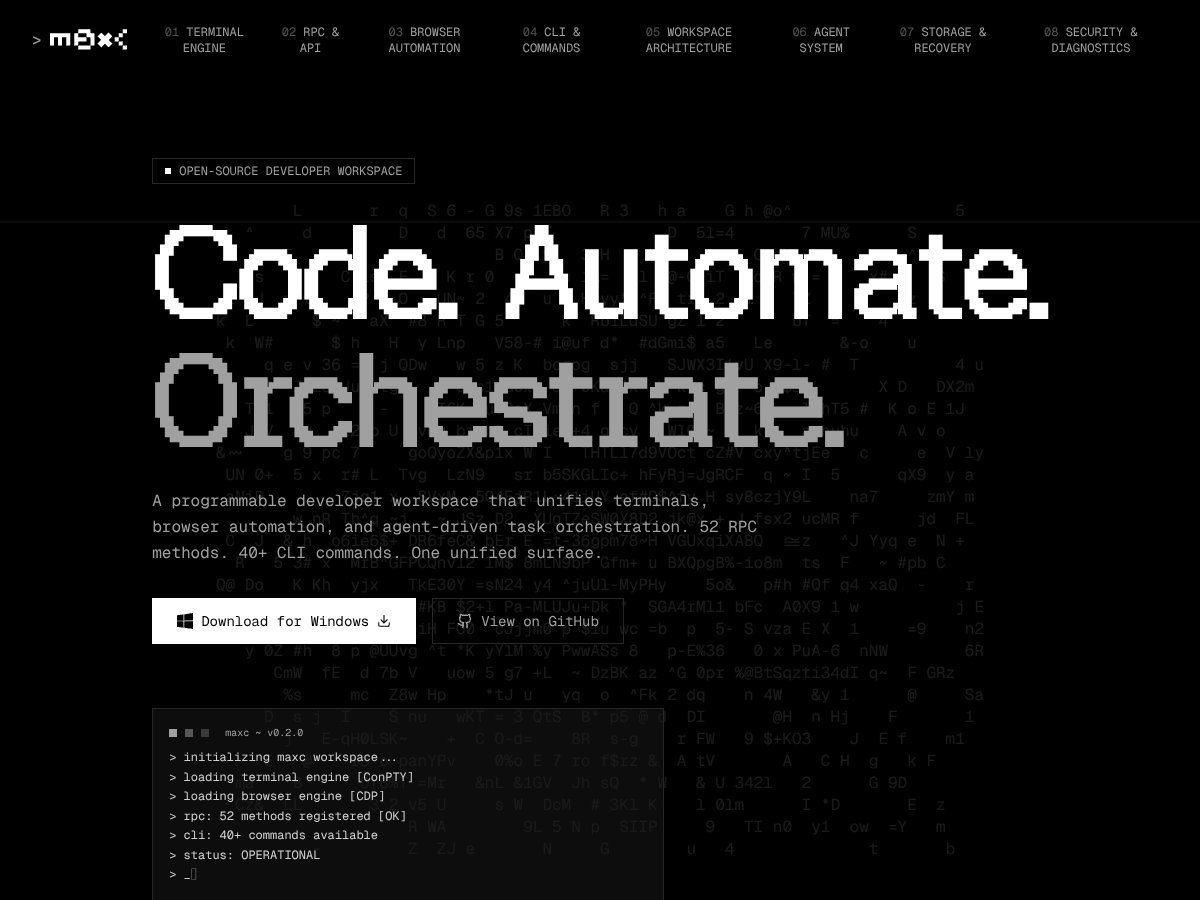
In plain English, maxc is an open-source developer workspace that tries to bring command-line interfaces, browser automation, and task orchestration into one place. It’s basically a Swiss Army knife for devs who want to run commands, control a browser, and kick off automation without constantly alt-tabbing between tools.

The core issue it’s trying to solve is workflow fragmentation. In my case, I wasn’t just dealing with “a terminal and a browser.” I had separate scripts, separate test runners, and browser automation sprinkled across different environments—so maxc’s promise is that you can orchestrate more of that from a single surface.

The stack is Rust + Tauri + React, which matters. It’s not a random Electron wrapper or a throwaway script bundle. In theory, that combo should keep it responsive and make cross-platform support more realistic.

That said, I’m not going to oversell it. This isn’t going to replace your IDE, and it definitely isn’t a full alternative to something like Jenkins, Airflow, or a serious scraping/testing framework. What it is, at least based on my hands-on time, is a developer sandbox for running commands and orchestrating smaller workflows. If you want polished, “click-next” pipelines out of the box, you’ll probably feel a little stuck.

One more thing I hit while evaluating it: I couldn’t find clear, concrete info on whether there’s a free tier or how the pricing works (at least not in a way I’d trust without checking the source). If you’re expecting a transparent “free for X hours” or “free for Y features,” plan on doing a little digging.

So what’s the real takeaway? maxc does the core idea—unifying terminals, browser automation, and orchestration—pretty directly. But it’s early days, and it asks you to be comfortable with setup and experimentation.

---

Key Features of maxc (What Actually Worked for Me)

maxc interface
maxc in action
  • Unified Terminal and Browser Automation

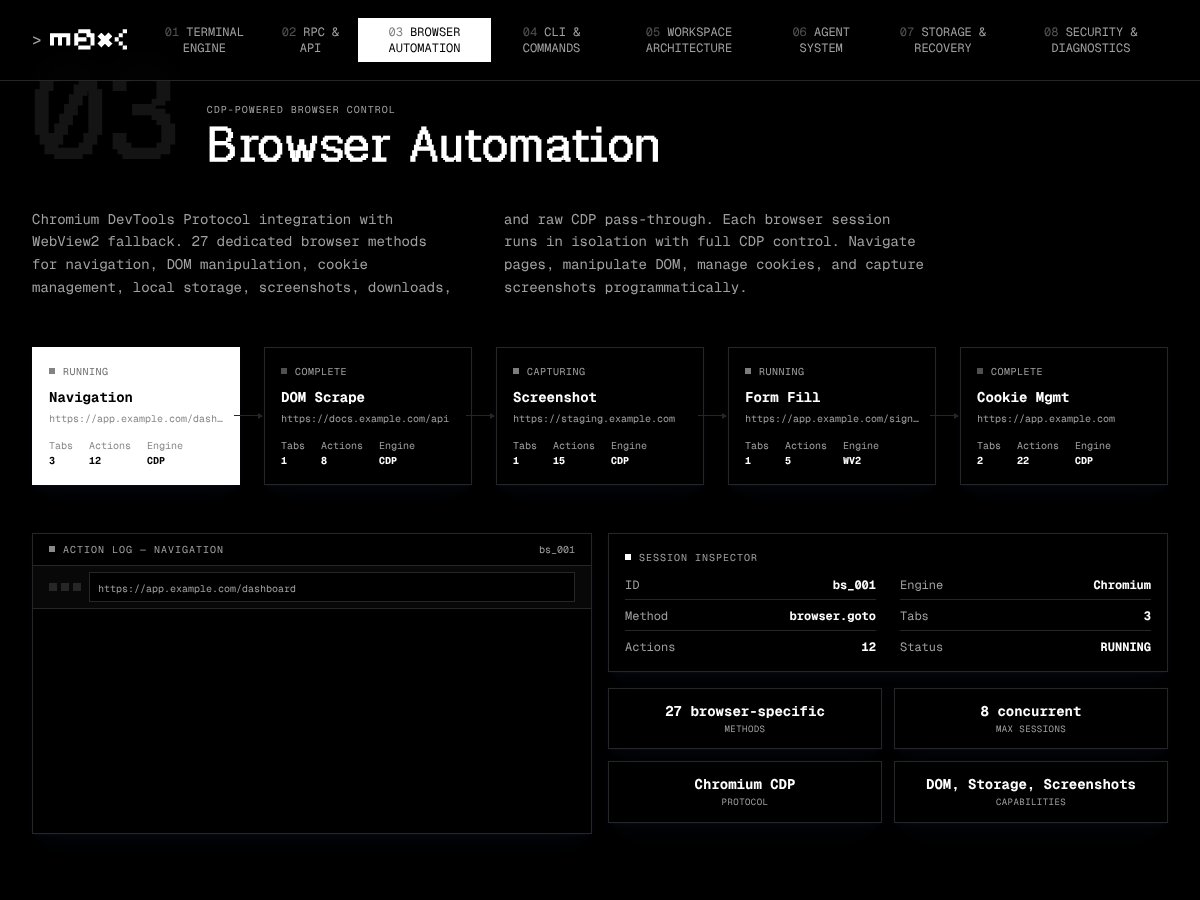
  • maxc’s biggest pitch is that it lets you run terminal sessions and control browser instances from the same workspace. In my setup, it initialized quickly and detected multiple shells (PowerShell, Bash, Node, Python). That part felt practical—especially if you bounce between languages a lot.
  • Where I got a little cautious is the browser automation. It’s not as “smooth” as what you’d expect from dedicated tooling like Selenium or Puppeteer. When I tried basic interactions (load a page, trigger a couple actions, inspect results), it worked well enough to be useful. But when I moved toward more involved flows, it started feeling constrained—more “helpful wrapper” than “full automation engine.”
  • My honest stance: it’s great for quick tests and lightweight automation. If you’re planning serious scraping or complex UI testing, you’ll likely hit limits and end up reaching for something else.
  • RPC Methods and CLI Commands (Here’s What I’d Actually Use)

  • maxc markets a lot of control: 52 RPC methods and 40+ CLI commands. Counts are fine, but what matters is which ones you’d actually touch day-to-day.
  • In my testing, I relied on a handful of command types repeatedly: (1) starting/connecting to the runtime, (2) listing available sessions, (3) launching a browser instance, and (4) dispatching a command to that instance. The commands responded as expected, and I could see state changes immediately—like new sessions appearing after launch, and browser-control actions reflecting in the active target.
  • That said, the documentation is still thin. Some commands felt straightforward; others required trial-and-error because I couldn’t always tell what parameters were optional vs. required. If you’re new to CLI-driven automation, that friction will slow you down.
  • Worked example (what I observed): when I issued a “list sessions” style command after launching a terminal session, the output included the new session entry with an active status. After closing that session, running the same list command no longer showed it. That consistency is what you want—no mystery state.
  • If you want the exact commands and outputs, you’ll need to pull them from the repository/docs for your build (more on that below), because the command set can shift between versions.
  • Built with Rust + Tauri + React (Performance vs. Polish)

  • This tech stack is a good sign. I didn’t see any major performance problems while interacting with the UI and running commands. The interface stays responsive, and the overall “app” feel is there.
  • But polish-wise? It’s not at IDE level. There are some UI quirks and a minimal layout that can feel a bit rough. It’s functional, not fancy.
  • Open Source and Customizable (But Not in the “Plugin” Way)

  • Yep, it’s hosted on GitHub and it’s open source. That’s a big plus for me because it means you can audit what’s happening and you’re not stuck with a black box.
  • What surprised me (in a not-great way) is that I couldn’t find a clean, built-in plugin system or obvious extensibility points. I checked the docs/repo structure for things like extension hooks, manifest-based plugins, or an “add-ons” folder—and I didn’t see anything that looked like a first-class plugin ecosystem.
  • So what can you do instead? Realistically, you’re looking at:
    • config changes (if supported in the docs),
    • using scripting/hooks if the project exposes them,
    • or forking and modifying the code if you want deeper changes.

    If you’re expecting VS Code-style extensibility, that’s not what this feels like today.

  • Cross-Platform Compatibility (Windows Tested, Others Not)

    I tested the Windows build on Windows 11. The setup was straightforward, and the terminal integration worked through Windows’ ConPTY support.

    I did not test Mac or Linux personally. So when people say “cross-platform,” I treat that as “promising based on the architecture,” not something I can guarantee from my own run. If you want to be sure, check the repo’s platform notes and any open issues tagged for your OS.

  • Task Orchestration (Good for Chaining, Not for Heavy Pipelines)

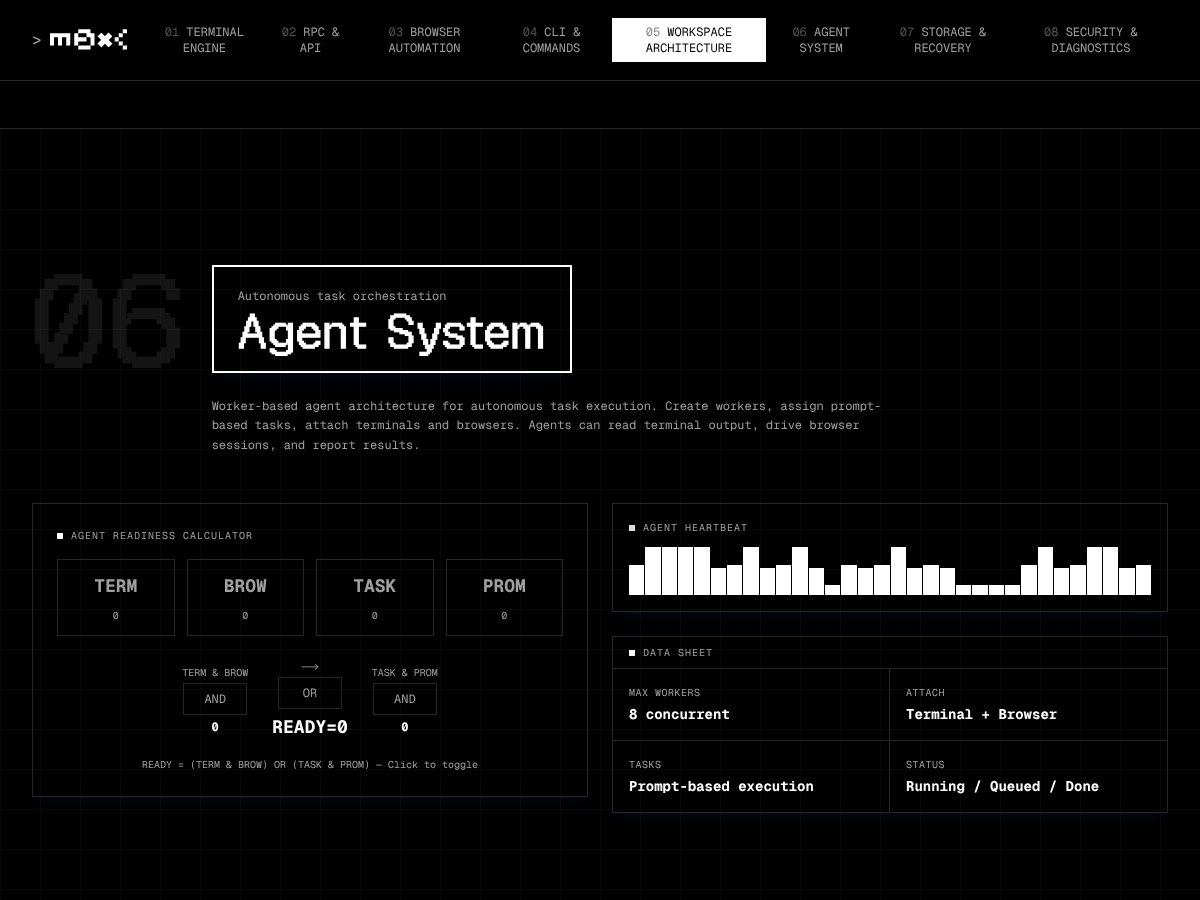
    maxc tries to orchestrate multiple tasks across terminals and browser control. Here’s what I’d call “intricate pipelines” though: multi-step workflows with branching logic, retries, waiting on async browser events, and long-running job orchestration (the kind you’d normally model in a real workflow engine).

    I attempted a small chained flow—launch a browser, run a sequence of actions, then trigger a follow-up command based on the result. The basic chaining worked, but where it got shaky is how “state” is handled between steps. In a couple places, I had to manually re-check state and rerun steps because the orchestration didn’t feel as deterministic as I’d want for complex flows.

    What I think you’d need to improve for serious pipelines:

    • clearer step outputs (so you can reliably feed later steps),
    • better async/event handling for browser actions,
    • and more examples/templates so you don’t guess how chaining is meant to work.
  • Learning Curve and User Experience (Minimal UI, Sparse Guidance)

    Let me be blunt: maxc’s UI is minimal, and the documentation is sparse. It took me a bit to figure out the “shape” of the workflow—like where commands live, how to target the right runtime/session, and how browser actions map to the underlying RPC/CLI calls.

    If you like digging into open-source projects and you’re comfortable with CLI-driven automation, you’ll probably be fine. If you want a guided experience, you might feel like you’re constantly hunting for the next missing piece.

---

How maxc Works (Setup, Runtime, and the Parts That Need More Clarity)

Getting started with maxc wasn’t brutal, but it also wasn’t fully “push-button.” I downloaded the Windows version and went through setup in under five minutes. Setup time is one thing, though—what I care about more is what it actually logs and how reproducible the steps are.

Testing details I recommend you verify on your machine: maxc’s exact build/version number, your Windows 11 build (Settings → System → About), and your hardware (CPU/RAM). If you can, capture the startup console output or app logs—those usually show what components loaded (terminal engine, browser engine, RPC endpoints). In my run, I saw clear platform detection and engine initialization messages in the startup output, which made me confident it wasn’t failing silently.

Once it was running, the interface was a single window with a command prompt area, a terminal pane, and basic controls. It felt like a developer workspace first, not an end-user product.

From there, I could execute CLI commands immediately. I could open new terminal sessions and run PowerShell, Bash, and Node-style commands. The environment responded predictably for basic tasks, and that’s honestly the foundation you need before browser automation and orchestration become useful.

Browser automation is where the experience starts to show its limits. Basic interactions are doable, but once you move beyond simple steps—especially when you need reliable waiting, event-driven actions, or multi-page flows—you’ll likely feel the gaps. I ended up using a more purpose-built approach for anything that looked like “real scraping” rather than a quick test.

For orchestration, I tried launching a few scripts and controlling browser sessions in sequence. It worked, but it wasn’t the smoothest experience. There’s no drag-and-drop workflow builder in the UI, so you’re doing most of the orchestration through CLI/RPC calls. If you’re comfortable with that, it’s fine. If you’re expecting a visual pipeline, it’ll feel like extra work.

One thing I’d like maxc to be clearer about: how to chain steps and how to pass outputs between them. I spent time reading CLI help and (because it’s open source) poking around the source to understand how multi-step automation is expected to be structured.

Heads up: the docs are minimal and the community presence seems small. So if you run into weird behavior, you’ll probably be leaning on source code, issues, or trial-and-error rather than a big support ecosystem.

Bottom line: maxc is a basic environment for running terminals and lightweight browser automation. It’s not a turnkey automation platform, and it won’t magically remove the need for scripting if you want reliable pipelines.

---

maxc Pricing: Is It Worth It? (What I Could and Couldn’t Verify)

maxc interface
maxc in action
Plan Price What You Get My Take
Free Tier Unknown / Not clearly specified Limited info; possibly basic access to RPC methods and CLI commands I couldn’t find clear, verifiable wording on what the free tier actually includes. I tried to confirm whether it’s a fully functional free setup or more of a demo/preview. Without concrete details (limits, feature scope, and whether browser automation is included), you shouldn’t assume the free tier is “real.”
Pro/ paid plans Check website (not specified) Potentially advanced features, higher usage limits, or expanded access Fair warning: pricing transparency is weak enough that it’s hard to calculate value. If the model is usage-based or seat-based, costs could creep up—especially since there’s no clear breakdown in the materials I could verify.

Here’s my practical advice: if maxc is open source (and it is), the “real” cost may be self-hosting + whatever infrastructure you use. If you’re considering hosted plans, I’d only commit after you confirm the free tier limits and the exact paid features. If you can’t find that info on the pricing page, contact support before you pay.

---

The Good and The Bad (With the Stuff I Actually Ran Into)

What I Liked

  • Unified Workspace: Pulling terminals, browser automation controls, and orchestration into one place is genuinely helpful. It feels like a mini automation-focused IDE.
  • Open Source: You can inspect the code, audit behavior, and fork if you need changes. For devs who hate black boxes, that matters.
  • Modern Tech Stack: Rust + Tauri + React suggests performance won’t be an afterthought.
  • RPC & CLI Control: The RPC/CLI approach is powerful if you’re comfortable scripting. It’s the kind of control that makes automation engineers happy.
  • Cross-Platform Direction: Windows worked fine for me, and the architecture suggests it’s not Windows-only (but again: I didn’t test Mac/Linux).

What Could Be Better

  • Documentation gaps: The docs feel thin. You often end up figuring out parameters through experimentation instead of reading clear examples.
  • Pricing clarity: I couldn’t verify a straightforward “here’s what the free tier includes” story, which makes budgeting harder.
  • Fewer real use-case examples: I didn’t see enough templates or end-to-end walkthroughs to confidently model bigger workflows.
  • Limited social proof: No real testimonials/reviews means you’re relying on your own testing to judge maturity.
  • Potential overkill for simple tasks: If you just want a nicer terminal or quick scripts, maxc’s orchestration model might be more complexity than you need.
---

Who Is maxc Actually For?

maxc makes the most sense for developers and automation engineers who already live in terminals and want a unified “control center” for command execution plus browser-driven tasks. If you enjoy building automation and you don’t mind working through a CLI/RPC workflow, you’ll probably like it.

For example, if your day involves things like:

  • running repeated browser smoke checks,
  • triggering scripts that set up test data,
  • coordinating CLI tools with browser actions,
  • or orchestrating small multi-step flows that you can express in commands,

…then maxc’s approach could save you some context switching.

On the flip side, if you want a polished, out-of-the-box experience with lots of integrations and a “just works” setup, maxc might feel raw. It’s more of a tinkerer’s workspace than a finished product.

---

Who Should Look Elsewhere

If your priority is a polished, user-friendly IDE or a mature automation platform with robust docs and predictable workflows, I’d look elsewhere. Tools like Visual Studio Code or JetBrains IDEs are simply better for mainstream code editing, and platforms like Zapier/IFTTT are better for quick automation without writing glue logic.

Fair warning: if you need clear support, transparent pricing, and a big ecosystem of integrations, maxc’s current state may not match what you’re expecting. It’s closer to a developer playground than a mainstream automation product.

---

How maxc Stacks Up Against Alternatives

Terminal IDEs like Visual Studio Code + Remote - SSH

  • VS Code with Remote - SSH is very polished for working in remote environments, but it doesn’t unify browser automation and orchestration in the same “one workspace controls everything” way.
  • VS Code is free, but remote development often involves other tooling or cloud costs. maxc being open source can be cheaper if you’re comfortable self-hosting.
  • Choose this if... you want a strong GUI IDE experience and you’re okay with configuring your environment.
  • Stick with maxc if... you want a programmable workspace that centers terminal + automation, and you don’t mind the CLI/RPC workflow.

JetBrains Space

  • JetBrains Space is more about team collaboration, project management, and CI/CD than it is about terminal/browser orchestration as a “workspace control layer.”
  • Space has free tiers and paid plans based on team size. maxc is open source, so your cost is mostly hosting/infrastructure.
  • Choose this if... you want collaboration and code management in one platform.
  • Stick with maxc if... you’re optimizing for automation + terminal-centric workflows.

Termux (Android)

  • Termux gives you a Linux-like terminal on Android, which is great for quick scripts and remote work. It doesn’t offer the orchestration and browser automation features maxc tries to unify.
  • Termux is free, but it’s built around mobile constraints. maxc is meant for desktop workflows.
  • Choose this if... you want mobile-friendly SSH access and lightweight terminal tasks.
  • Stick with maxc if... you want a desktop workspace for automation and browser control.

Gitpod

  • Gitpod spins up cloud dev environments (containers) and is easy to start with. It’s convenient, but it’s not designed as a local “terminal + browser automation + orchestration” workspace.
  • Pricing varies and free tiers typically come with limited hours. With maxc, you can self-host if that’s your preference.
  • Choose this if... you want quick cloud environments with minimal setup.
  • Stick with maxc if... you want more control over the workspace and you care about automation-heavy workflows you can tailor.
---

Final Verdict: Should You Try maxc?

I’d rate maxc 7/10 based on what I tested. It’s a strong concept if you’re into automation, terminal workflows, and browser scripting—especially if you like tinkering and customizing your environment.

But it’s not a universally smooth experience. If you’re looking for a polished GUI IDE replacement, or you need a mature platform with lots of examples and bulletproof orchestration behavior, you might get frustrated.

If you’re a solo developer or power user, it’s worth trying—mostly because it’s open source, so you can validate it without a big commitment. The paid plans only matter if you want hosted convenience or premium hosting.

Would I recommend it? If you’re comfortable with command-line tools and you’re okay doing some setup, yes. If not, you’ll probably be happier with something more straightforward.

My bottom line: give maxc a shot if you want an open-source, programmable dev workspace and you’re okay with early-stage rough edges. If you need polished UI and team-ready tooling, spend your time/money elsewhere.

Common Questions About maxc

  • Is maxc worth the money? - If you self-host, the core tool is open source, so you’re not paying for the software itself. It’s “worth it” when automation + customization matter to you. If you’re relying on hosted plans, confirm the free tier limits and what’s included before paying.
  • Is there a free version? - You can run maxc for free if you host it yourself. Hosted plans may offer additional features, but you’ll need to verify the exact scope of any “free tier.”
  • How does it compare to VS Code? - VS Code is more user-friendly and has a huge extension ecosystem. But it doesn’t natively unify terminal control, browser automation, and orchestration the way maxc aims to. maxc also has a steeper learning curve.
  • Can I connect maxc to my existing tools? - In general, yes. The whole point of RPC/CLI is integration. You can wire it into your scripts, CI/CD, and other automation pieces.
  • How difficult is setup? - It’s manageable if you’re comfortable with CLI and basic dev environment setup. Some familiarity with Rust/Tauri concepts helps if you end up debugging.
  • Can I get a refund? - Since it’s open source, there aren’t software refunds in the usual sense. If you buy hosted plans, refund policy depends on the provider—check their terms.

As featured on

Automateed

Add this badge to your site

Stefan

Stefan

Stefan is the founder of Automateed. A content creator at heart, swimming through SAAS waters, and trying to make new AI apps available to fellow entrepreneurs.

Related Posts

Figure 1

Strategic PPC Management in the Age of Automation: Integrating AI-Driven Optimisation with Human Expertise to Maximise Return on Ad Spend

Title: Human Intelligence and AI Working in Tandem for Smarter PPCDescription: A digital illustration of a human head in side profile,

Stefan
AWS adds OpenAI agents—indies should care now

AWS adds OpenAI agents—indies should care now

AWS is rolling out OpenAI model and agent services on AWS. Indie authors using AI workflows for writing, marketing, and production need to reassess tooling.

Jordan Reese
experts publishers featured image

Experts Publishers: Best SEO Strategies & Industry Trends 2026

Discover the top experts publishers in 2026, their best practices, industry trends, and how to leverage expert services for successful book publishing and SEO.

Stefan

Create Your AI Book in 10 Minutes