Table of Contents
I’ve been testing a bunch of AI music tools lately, and Meloflow is one of the few that actually feels fast and straightforward. The promise is simple: type an idea, get a full track. So I tried it for real—on a laptop in a normal browser session—then pushed it a bit beyond “hello world” to see where it shines and where it gets a little messy.
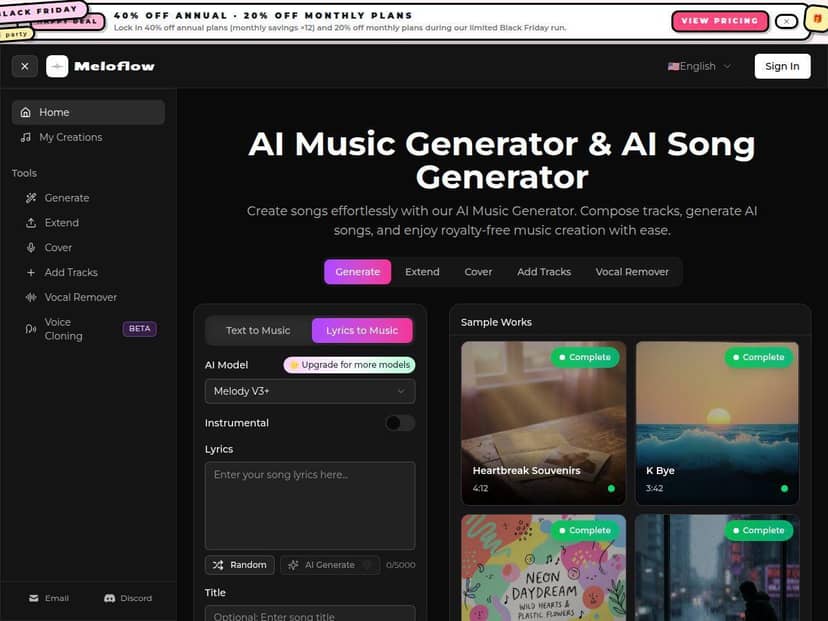
Meloflow Review: what I actually got after testing it
I’ll be honest—my first run was basically “let’s see what happens.” I typed a fairly generic prompt and hit generate. Within minutes, I had a complete song-style output. But the real test was trying to steer the result, then comparing the before/after when I tightened the prompt.
My setup (so you know what “tested” means)
I used Meloflow in a standard web browser on my laptop (no special audio plugins). I focused on three things: (1) basic AI music generation, (2) adding vocals, and (3) extending an existing track so it doesn’t feel like a loop.
Prompt style I used: short + specific (genre, mood, tempo vibe, instrumentation, and what I wanted the arrangement to include).
Before/after example: prompt tweaks made a noticeable difference
Before (too vague): “lofi track, chill, nice beat”
What I noticed: The output sounded “lofi-ish,” but the arrangement felt a bit flat—less movement in the drums and not much variation in the hook area.
After (more specific): “lofi hip hop, 90 BPM, late-night rainy vibe, warm vinyl texture, jazzy chords, soft snare, evolving beat with a simple 8-bar hook, instrumental only, clean mix”
What I noticed: The drums felt tighter, and the track had clearer sections. It wasn’t perfect (nothing is on the first try), but the overall structure was closer to what I’d expect from a finished lofi beat.
Vocals: impressive when the prompt matches, frustrating when it doesn’t
I also tried vocal synthesis. The best results came when I gave clear direction like language + vocal style (rather than just “sing something”). When I was vague, I got vocals that sounded “in the ballpark” but didn’t always land on the exact cadence I wanted.
Example workflow I liked:
- Generate the instrumental first.
- Add vocals with a simple lyric idea (even a short phrase repeated consistently works better than a long paragraph).
- If it sounds off, regenerate vocals rather than rebuilding everything from scratch.
Music extension: good for finishing ideas, not magic for broken tracks
Meloflow’s extension feature is one of the most useful parts if you’re trying to turn an idea into something longer than a quick sketch. I used it to extend a generated track by building on the existing vibe. It generally kept the genre feel, but if the original track had a very specific “moment” (like a sudden drop), the extension sometimes smoothed it over instead of preserving the exact impact.
AI cover creation: fun, but treat it like a starting point
AI cover creation is where I had the most “this is cool” moments. Still, I wouldn’t call it turnkey for professional remakes. The closer your prompt is to the original style (tempo, mood, vocal delivery), the better it tends to land. When prompts drift, you can end up with something that’s clearly inspired but not truly “that song.”
Overall, Meloflow is fast, and it’s easy to get something that sounds like a real track—not just a science project. If you want instant inspiration or quick drafts for content, it’s a solid tool. If you need perfect vocals and radio-ready mastering on the first generation… you’ll probably still want to do some cleanup.
Key Features: how each one worked in practice
- AI Music Generation (30+ genres/styles)
- This is the core. You describe the vibe and arrangement, and it generates a full track from scratch. The more you specify (tempo feel, instrumentation, mood, and structure), the less “random” it feels.
- Mini use-case: “Need background music for a YouTube intro?” Generate a short, upbeat track with “clean intro, punchy drums, modern pop instrumental.”
- Common failure mode: vague prompts can produce tracks that sound in the right genre but don’t match your desired structure (especially the hook/chorus feel).
- High-quality Vocal Synthesis (multiple languages)
- For vocals, you’re basically steering a performance. In my tests, language and vocal style mattered a lot. If you give a short lyric phrase and a clear delivery style, the output is usually more usable than throwing in a long, complicated prompt.
- Mini use-case: Turn an instrumental into a “singable” version for short-form content by using a short repeated hook lyric.
- Common failure mode: if the phrasing is too long or unclear, timing and syllables can drift.
- Music Extension
- This feature helps you continue a track so it doesn’t end abruptly. It’s best when your original generation already has a coherent arrangement.
- Mini use-case: Extend a generated chorus into a longer song by asking for “build-up + second chorus + outro.”
- Common failure mode: sudden “signature moments” in the original may get softened in the extension.
- AI Cover Creation
- Cover creation is great for experimenting with familiar vibes. I found it works best when you specify the target style characteristics—tempo feel, instrumentation, and vocal tone—rather than only naming the concept.
- Mini use-case: Make a cover-style version of a track concept for a playlist without spending hours producing from scratch.
- Common failure mode: it can drift away from the exact identity of the original if your prompt is too broad.
- Layering (instruments, vocals, harmonies)
- Layering is where you can turn “one generated track” into something closer to a real arrangement. I liked using layering to add a harmony line after the main vocal was already decent.
- Mini use-case: Start with instrumental → add lead vocals → add harmonies on the hook for extra lift.
- Common failure mode: too many layers at once can muddy the mix. If it sounds crowded, remove one layer and regenerate just that part.
- Vocal Removal (isolate vocals or instruments)
- This one is useful if you want to repurpose stems for your own edits. It’s not perfect like a studio stem splitter, but it can get you close enough for content workflows.
- Mini use-case: Remove vocals from a track you generated and reuse the instrumental under a different voiceover.
- Common failure mode: artifacts can show up around strong vocal frequencies or reverb tails.
- Downloads (WAV and MP3)
- I downloaded both formats. WAV is what I’d use if I’m doing any editing in a DAW later. MP3 is handy for quick uploads and sharing.
- Mini use-case: Export MP3 for social posts, then keep WAV for future remixing.
Best prompts/workflow checklist (what I’d do again)
- Start with the instrumental prompt: genre + tempo feel + instrumentation + mood + “clean mix”.
- Then add vocals: short lyric hook + language + vocal style (e.g., “soft male vocals, close-mic”).
- If it’s off: regenerate vocals first, not the whole track.
- Use extension to finish: ask for “build-up + second section + outro” so it doesn’t loop.
- Export: WAV for edits, MP3 for publishing.
Quick note on licensing/copyright: tools like this can come with commercial usage terms, but voice similarity and cover creation can be tricky depending on what you’re trying to recreate. I recommend checking Meloflow’s licensing details before using anything commercially—especially if you’re doing covers or working with recognizable vocal styles.
Pros and Cons: where Meloflow impressed me (and where it didn’t)
Pros
- Easy to start: the interface is genuinely beginner-friendly. I didn’t need a tutorial to get my first track out.
- Fast iteration: generating new variations is quick enough that you can actually experiment instead of waiting around.
- Better-than-expected results for drafts: most outputs sounded like real, finished tracks—not just background noise.
- Vocals + layering are practical: when you keep prompts clear and lyrics short, the vocal workflow is usable for content creation.
- Commercial license is included (per the product’s claims): that’s a big deal if you’re making assets for clients or platforms.
Cons
- Results vary with prompt quality: vague prompts lead to generic arrangement. You’ll likely tweak wording to get structure you like.
- Manual tweaking still helps: sometimes the hook timing or vocal delivery needs a second pass to feel “right.”
- Subscription gates the full experience: you’ll need a paid plan for consistent access and full feature use.
- Free options/trial can be limited: don’t expect to fully evaluate every feature end-to-end in a short trial window.
Pricing Plans: what you should expect for your money
Meloflow does offer a free trial, but the paid tiers are where you’ll get the best value if you plan to generate regularly. I’ve seen pricing described as starting around $4.99/month, with discounts like 40% off annual and 20% off during events (for example, Black Friday-style promos).
What’s missing from most summaries (and what I’d check before subscribing):
- How many generations/credits you get per month (this affects whether you can iterate freely).
- Export options (WAV/MP3 availability on each tier).
- Commercial license scope (especially for cover creation and vocal outputs).
- Trial length and whether it includes vocals/extension features or just basic generation.
If you want, paste the plan names you see on the Meloflow pricing page (or a screenshot) and I’ll help you compare them line-by-line so you don’t end up paying for features you won’t use.