🌸 SPRING SALE — Fresh Start, Fresh Savings
Spring Into SavingsSpring Pricing 🌼
AI Tools

MemoryPlugin for OpenClaw Review (2026): Honest Take After Testing

Stefan
12 min read
#Ai tool

Table of Contents

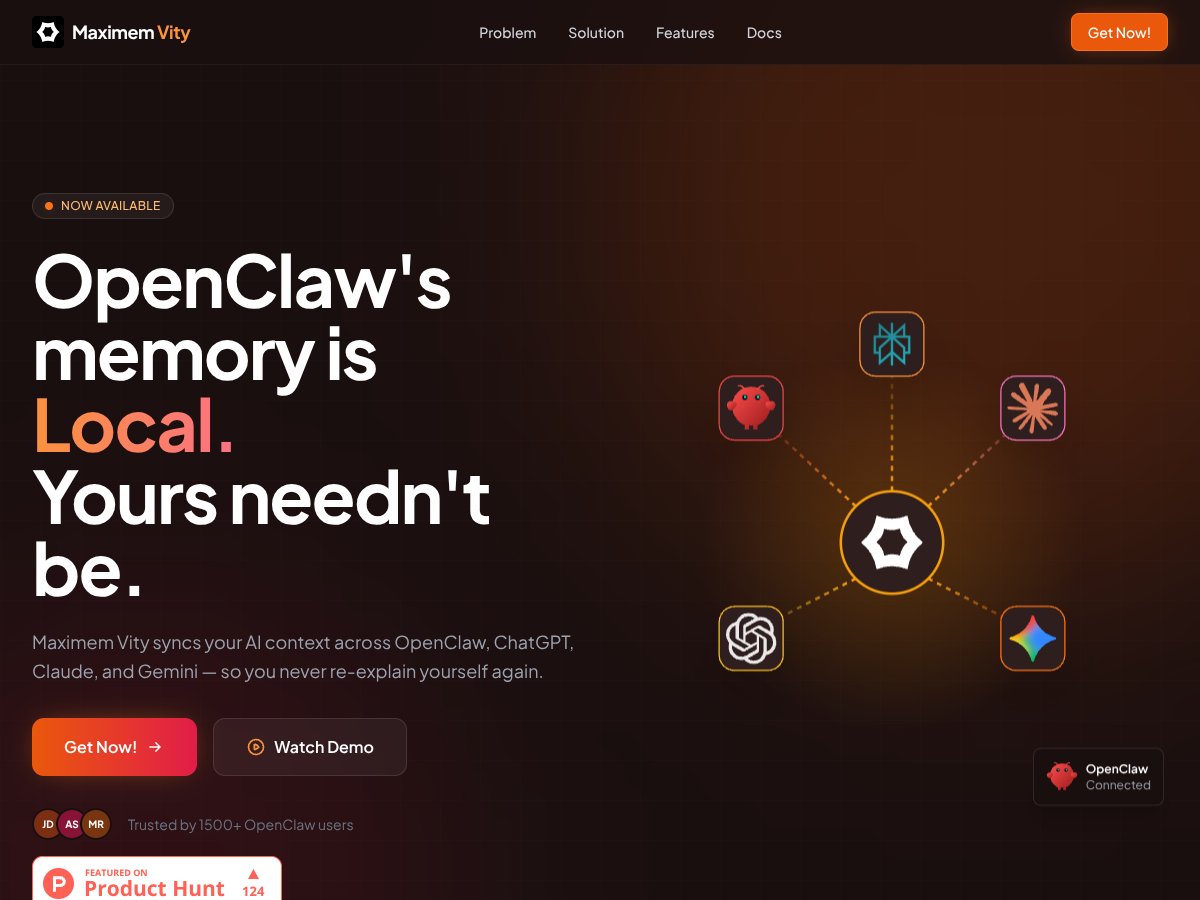
MemoryPlugin for OpenClaw screenshot

What Is MemoryPlugin for OpenClaw?

Honestly, when I first heard about MemoryPlugin for OpenClaw, I was intrigued but also skeptical. The idea of having a persistent, shared memory across multiple AI platforms sounds useful—especially if you’re juggling ChatGPT, Claude, Gemini, and OpenClaw itself. But I’ve seen plenty of tools claim to do similar things and fall short, so I was curious to see if this one really lives up to its promises.

What it claims to do is pretty straightforward: it acts as a bridge that syncs your AI context, notes, bookmarks, and research across different AI tools and devices. Instead of re-explaining yourself every time you switch platforms or devices, it supposedly keeps everything in one shared memory space. Think of it like a centralized brain that remembers everything you teach it or save, no matter where or how you access it.

What I noticed was that it’s mainly marketed as a way to reduce context truncation—those annoying token limits that make your AI forget important details after a few exchanges—and to unify scattered knowledge. It’s also emphasizing security, with encryption and an air-gapped cloud vault, which is a nice touch if you’re concerned about privacy.

As for who’s behind it, the website and branding point to Maximem Technologies, but honestly, there’s not much transparency about the team or the company. That made me a little cautious—sometimes these plugins can be just a quick side project rather than a fully supported product. I was surprised to find that there’s no detailed documentation on how it integrates or what the setup process really looks like, which might be a heads up for anyone considering trying it out.

In my experience, it’s not a plug-and-play miracle. It’s more like a concept that promises to make your AI interactions more fluid, but you should go in expecting some configuration and a bit of trial and error. It’s definitely not a fully integrated app with a slick dashboard and intuitive controls—at least not as far as I could tell. There’s also no info on pricing or free tiers, which makes it a bit of a leap of faith to try without some upfront commitment.

So, to sum up: it’s an interesting idea, and it does seem to do what it advertises—at least in broad strokes. But don’t expect a polished, all-in-one solution right out of the box. It’s more like a technical layer that might be useful if you’re already deep into AI workflows and want to connect the dots better. Just keep your expectations realistic and be prepared for some setup and experimentation.

MemoryPlugin for OpenClaw Pricing: Is It Worth It?

MemoryPlugin for OpenClaw interface
MemoryPlugin for OpenClaw in action
Plan Price What You Get My Take
Free Tier Unknown / Not publicly specified Basic plugin capabilities, limited or no advanced features documented Since details are scarce, it’s likely a limited or trial version. Could be enough for testing, but probably not for serious workflows.
Premium Plans Check the website Potentially include enhanced storage, faster sync, additional integrations, or priority support Without concrete figures, it's hard to judge fairness. Given the niche focus, expect premium pricing to be somewhat justified if you heavily rely on cross-LLM memory.

Here's the thing about the pricing: the website doesn’t specify costs, which is a red flag if you’re trying to budget or compare alternatives. My suspicion? They might be testing a freemium model with optional upgrades, but without transparency, it’s a gamble. Be prepared for potential charges if you want features beyond simply installing the extension.

What they don't tell you on the sales page is whether there are any usage limits — like how much memory you can store or how many devices can sync — or if premium plans unlock features like faster sync or advanced search. Fair warning: without clear pricing, you’re flying blind, and that’s not ideal if you’re trying to make a smart investment.

In terms of fairness, compared to alternatives like LangChain or custom local memory setups, the plugin might be cheaper or more expensive depending on what features it bundles. Keep in mind: if you’re looking for an enterprise-grade solution with SLA-backed storage or on-prem options, this probably isn’t it.

My honest assessment? If they offered transparent, predictable pricing, it’d be easier to recommend confidently. As it stands, it's probably best to try the free version first, if available, and see if it meets your needs before committing to anything.

The Good and The Bad

What I Liked

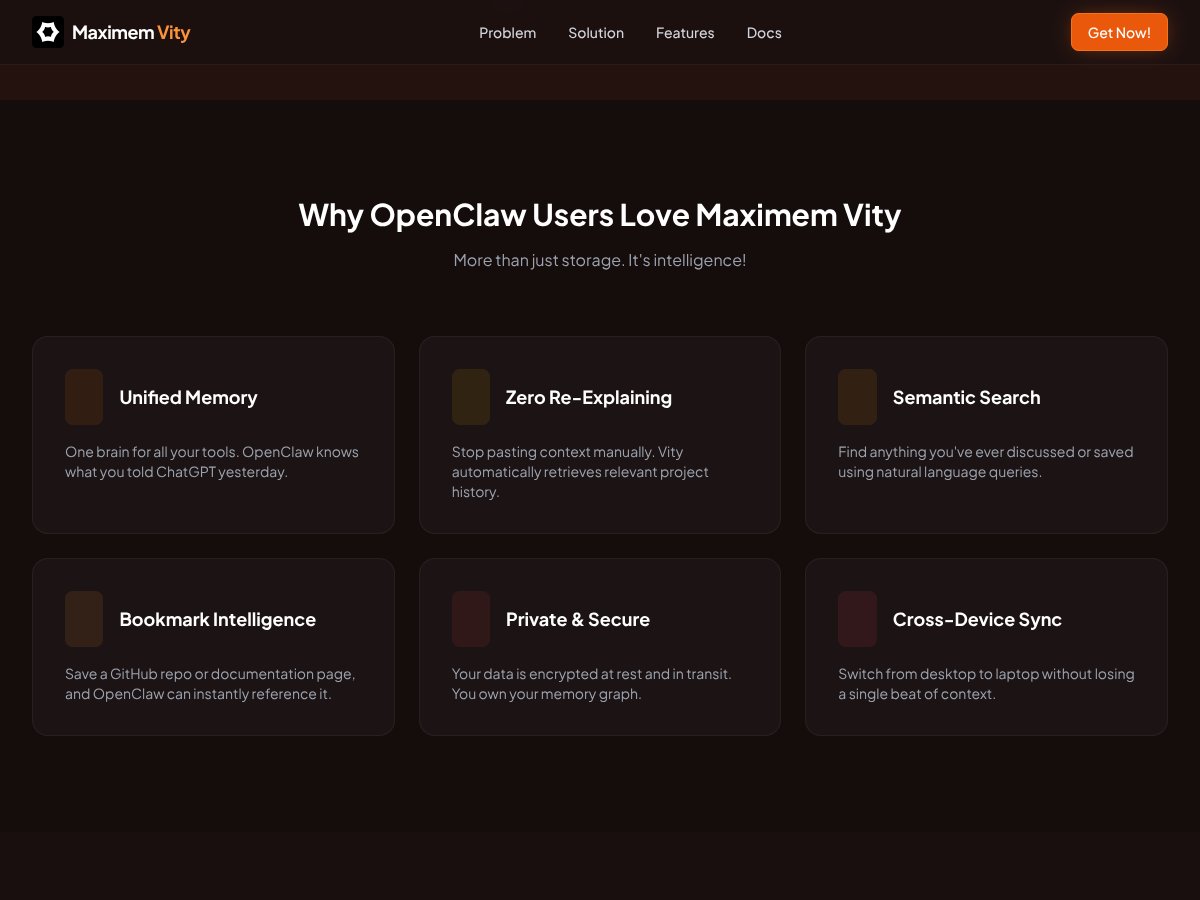
  • Cross-platform memory sharing: It’s rare to see a tool that syncs context seamlessly across OpenClaw, ChatGPT, Claude, and Gemini. That kind of integration can save tons of time.
  • Automatic context injection: Vity listens to conversations and injects relevant info, reducing manual copying and pasting. For heavy multi-LLM workflows, this is a lifesaver.
  • Semantic search: The ability to find past discussions or decisions with natural language queries is a game-changer for knowledge management.
  • Bookmark integration: Syncing Chrome and Twitter bookmarks means you can connect research directly to your AI context, saving you from losing track of important links.
  • Security focus: Encryption at rest and an air-gapped cloud vault are reassuring, especially if you handle sensitive info.
  • Ease of setup: The quick start guide suggests you can get up and running in under five minutes, which lowers the barrier to entry.

What Could Be Better

  • Limited transparency on pricing and plans: Without clear costs, it’s hard to evaluate ROI or decide if it’s worth investing in.
  • No explicit mention of storage limits: Knowing how much data you can store or how long it’s retained would help manage expectations.
  • Lack of detailed documentation: The overview is marketing-heavy, with little info on actual usage, configuration options, or API capabilities.
  • Browser-only focus: It’s Chrome-centric, so if you prefer Firefox or Safari, you’re out of luck. Also, it depends on browser extension performance and stability.
  • No user testimonials or reviews: That’s a missed opportunity for social proof, and it raises questions about real-world reliability.
  • Potential privacy concerns: Although they claim encryption, the fact that data is stored in the cloud might worry some users with strict data policies.

Who Is MemoryPlugin for OpenClaw Actually For?

This tool is best suited for power users who are already deep into multi-LLM workflows and want to avoid re-explaining context repeatedly. If you’re a solo researcher, prompt engineer, or knowledge worker juggling multiple AI tools—especially across different platforms—it can help streamline your process significantly.

Imagine you’re managing a complex project with ChatGPT, Claude, and Gemini, and you need to reference research notes, previous decisions, or code snippets across all of them. Instead of hunting down old conversations or manually copying context, MemoryPlugin for OpenClaw can keep everything synced and accessible. It’s ideal if you value seamless integration and are comfortable with browser extensions and cloud storage.

Similarly, if you’re someone who frequently switches devices—say, from a desktop to a laptop—and wants your AI context to follow you without hassle, this plugin can be a real productivity booster. It’s also valuable if you’re building knowledge bases or reusable prompts that you want to access quickly in different sessions.

However, it’s probably overkill if you’re a casual user or only work with a single AI platform. The setup complexity and reliance on cloud storage might be unnecessary if your needs are simple or highly sensitive.

Who Should Look Elsewhere

If you prefer local-only solutions for privacy or regulatory reasons, this plugin likely isn’t suitable. Its reliance on cloud storage and browser extensions means you’re trusting a third party with your data, which could be a dealbreaker for some organizations.

Similarly, if you’re looking for a fully integrated, customizable memory system with fine-grained control over what’s stored and how it’s organized, a custom LangChain setup or local database might serve you better. This plugin is more of a plug-and-play convenience rather than a fully customizable platform.

Finally, if you’re not using Chrome or Chromium browsers, or if your workflow involves a lot of on-premises tools, this solution won’t fit. And if you’re expecting detailed documentation, clear pricing, or dedicated support, those are currently lacking.

In short, skip this if your priority is absolute control, privacy, or a non-browser-based environment. It’s optimized for users who want quick, cross-platform memory sharing with minimal fuss — but comes with trade-offs in transparency and customization.

How MemoryPlugin for OpenClaw Stacks Up Against Alternatives

Mem0

  • What it does differently: Mem0 offers persistent memory tailored specifically for AI applications, with a focus on local storage options and flexible integration. Unlike MemoryPlugin, it often emphasizes local or on-prem solutions, which can be preferable for strict security needs.
  • Price comparison: Mem0 typically offers tiered pricing, starting around $10/month for basic plans, with premium features costing more. In contrast, MemoryPlugin for OpenClaw appears to be free or has limited free access, with potential premium features not clearly priced but possibly paid.
  • Choose this if... you need local, on-premises storage or have strict data sovereignty requirements. It’s better if you want highly customizable memory solutions tailored for specific AI workflows.
  • Stick with MemoryPlugin for OpenClaw if... you prefer a simple, cloud-based extension that seamlessly integrates with Chrome and multiple LLMs without heavy configuration. For most users looking for hassle-free shared memory, MemoryPlugin wins.

LangChain Memory Modules

  • What it does differently: LangChain provides modular memory components that you can embed into custom applications, giving more control and local execution options. It’s geared toward developers building their own AI tools rather than plug-and-play solutions.
  • Price comparison: Open-source, so free to use but requires technical setup. MemoryPlugin for OpenClaw might have a user-friendly Chrome extension, while LangChain is more developer-centric.
  • Choose this if... you’re comfortable with coding and want full control over your memory, or need to build a custom, local solution.
  • Stick with MemoryPlugin for OpenClaw if... you prefer a ready-to-use, cross-platform shared memory that works out of the box, especially if you’re not comfortable coding your own integrations.

Custom Local Memory Plugins for OpenClaw

  • What it does differently: These are tailor-made solutions, often built by communities or developers, that run on your local machine or server. They give maximum control but require technical expertise to set up and maintain.
  • Price comparison: Usually free, but the cost is in time and effort to develop and troubleshoot.
  • Choose this if... you need a fully on-prem solution for security or compliance reasons and have the skills to manage it.
  • Stick with MemoryPlugin for OpenClaw if... you want a low-maintenance, cloud-based shared memory that doesn’t require technical setup or ongoing upkeep.

Other Commercial AI Memory Tools (e.g., Mem.ai, Obsidian AI)

  • What it does differently: These are often standalone apps or integrations that focus on knowledge management or notes, sometimes with AI features. They may not seamlessly integrate across multiple LLMs or sessions like MemoryPlugin.
  • Price comparison: Usually subscription-based, ranging from $5 to $20/month, depending on features. They might lack the real-time, cross-LLM shared memory that MemoryPlugin offers.
  • Choose this if... you want a dedicated knowledge base or notes app that integrates with your AI workflows but don’t need persistent memory across multiple models.
  • Stick with MemoryPlugin for OpenClaw if... you need a shared, persistent memory across different AI tools and sessions without switching apps or losing context.

Bottom Line: Should You Try MemoryPlugin for OpenClaw?

Overall, I’d give MemoryPlugin for OpenClaw a solid 7/10. It’s a straightforward tool that really helps cut down on the repetitive re-explaining of context, which is a huge plus if you work across multiple AI sessions frequently. The security features like encryption and air-gapped storage are also reassuring. However, it’s limited to Chrome/Chromium browsers and relies on cloud storage, which might not suit everyone’s privacy needs.

If you’re someone who juggles multiple AI models and needs a persistent, searchable memory that travels with you, this plugin is definitely worth trying—especially if the free version meets your needs. The paid features, if available, could enhance your workflow further, but I’d say the core offering is already quite useful without extra cost.

Personally, I’d recommend it for prompt engineers, researchers, or anyone doing complex workflows that involve switching between different models and sessions. If your work requires strict data control on-premises, this might not be the best fit, and you should consider local or custom solutions instead.

If you’re just starting out and want a simple way to remember your conversation history across AI tools, give it a shot. If you already have a dedicated knowledge management system or need finely tuned local control, your money might be better spent on a more customizable or offline solution.

Common Questions About MemoryPlugin for OpenClaw

Is MemoryPlugin for OpenClaw worth the money?

It depends on your needs. The free version offers solid core functionality for most users, but premium features could be worth it if you want enhanced search, auto-recall, or integrations. Overall, it’s a good value for what it provides.

Is there a free version?

Yes, it appears to be free or have a free tier, but advanced features like search and sync might require a paid upgrade. Check the plugin’s page for specifics.

How does it compare to Mem0?

Mem0 is more developer-focused and offers local control, which is great for security-conscious users. MemoryPlugin is more plug-and-play, designed for everyday users who want cross-session sharing without much setup.

Can I get a refund?

Since there’s no clear pricing info, refunds depend on the platform you purchase through. If premium features are offered and you buy directly, check their refund policy or contact support.

Does it work with all browsers?

No, it’s designed for Chrome and Chromium-based browsers, so Firefox or Safari users will need alternative solutions.

Is my data secure?

Yes, with encryption-at-rest and an air-gapped cloud vault, your data is protected from unauthorized access. Still, consider your privacy needs before relying on cloud storage.

As featured on

Automateed

Add this badge to your site

Stefan

Stefan

Stefan is the founder of Automateed. A content creator at heart, swimming through SAAS waters, and trying to make new AI apps available to fellow entrepreneurs.

Related Posts

FaceSymmetryTest Review – Honest Look at Free AI Tool

FaceSymmetryTest Review – Honest Look at Free AI Tool

FaceSymmetryTest is a fun online tool

Stefan
Sweep Review – An AI Assistant for JetBrains IDEs

Sweep Review – An AI Assistant for JetBrains IDEs

Sweep enhances productivity in JetBrains IDEs

Stefan
AI Song Maker Review – Simple & Creative Music Generation

AI Song Maker Review – Simple & Creative Music Generation

easy way to create music with AI

Stefan

Create Your AI Book in 10 Minutes