Table of Contents
I wanted to see if Mexty.AI was actually useful for real lesson building—or if it was just another “AI makes content” tool that sounds great on paper. After spending time in the platform, my take is pretty clear: it’s genuinely helpful for turning a rough idea into something interactive fast. And yeah, the output isn’t perfect every time, but it’s close enough that editing doesn’t feel like starting from scratch.
What I tested was an environmental science mini-course aimed at middle/high school learners. My goal wasn’t to create a perfect curriculum—I just wanted to check how well Mexty handles prompts, lesson structure, quizzes, and export. I’ll walk through what I did, what it produced, where I had to fix things, and what I think is worth your attention before you commit.
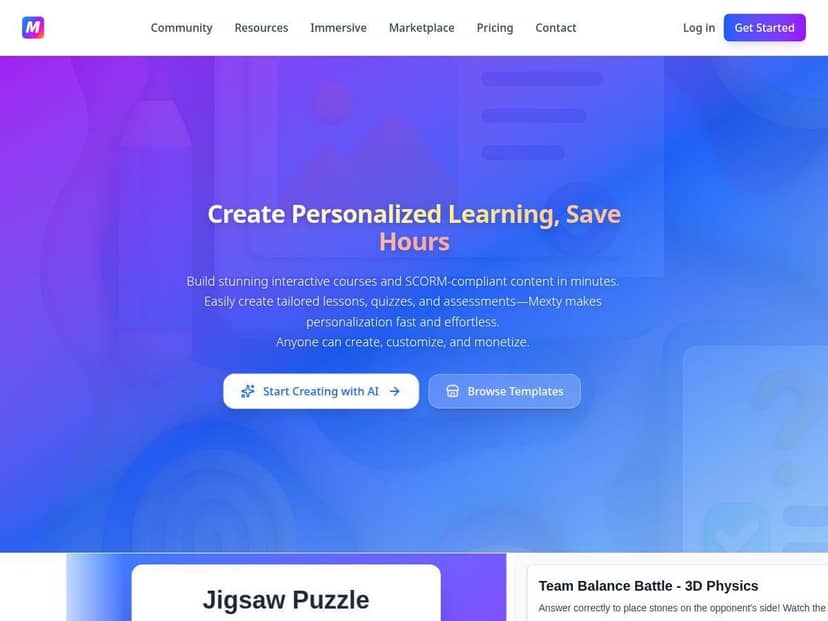
Mexty Review: What I Built, What Worked, and What Needed Fixing
Let me start with the part that surprised me: the workflow feels fast. I didn’t have to design everything from scratch. I could go from a topic to a structured lesson (with questions) without spending hours wrestling with formatting.
Here’s the exact prompt style I used to test it. I kept it simple on purpose—something most teachers would actually type:
Prompt I used (Lesson 1): “Create a 10-minute lesson for students about the greenhouse effect. Include: a short introduction, 3 key concepts, a quick check quiz with 5 multiple-choice questions, and one scenario question where students choose the best explanation.”
Prompt I used (Lesson 2): “Make a branching activity about climate solutions. Start with a scenario: ‘A town wants to reduce emissions.’ Give learners 3 choices, then show consequences for each choice. End with a 3-question quiz.”
After generating, Mexty produced lesson content that was already organized and readable. The big win for me was how quickly it moved from text to interactive elements. I also liked the drag-and-drop editing—when something was off, I could adjust it without rebuilding the whole thing.
What I actually got out of it (my mini-course):
- Lessons created: 2 lessons total
- Quiz questions: Lesson 1 generated 5 multiple-choice questions; Lesson 2 generated 3 quiz questions
- Interactive element: 1 branching scenario activity (the “choose a solution” part)
To give you a feel for the quiz output, one of the multiple-choice questions it generated was along these lines (I’m paraphrasing the wording slightly): “Which statement best explains why greenhouse gases warm the Earth?” The options were distinct enough that students would have to understand the concept, not just guess based on one keyword.
Now, the honest part: it didn’t nail everything on the first pass. The main limitation I hit was tone and specificity. For example, one question in Lesson 2 was a little too general for my target level, so I had to tighten the scenario wording and make sure the “best choice” aligned with how I’d taught the topic. That’s not a dealbreaker—just something you should expect if you care about accuracy and grade level.
I also noticed that if you want a very particular learning objective (like “students must explain feedback loops in their own words”), you’ll need to prompt more clearly. Otherwise, you’ll get something that’s correct-ish and engaging, but not always aligned with your exact rubric.
On the export side, I tested the SCORM compatibility angle by pushing the course toward LMS usage. The good news: the platform is set up for LMS deployment, which matters if you don’t want to reinvent the wheel for tracking. If you’ve ever built content that looks great but doesn’t behave nicely in an LMS, you know that pain. Here, the SCORM orientation is a real selling point.
Time-wise, I wasn’t measuring with a stopwatch, but it felt like the biggest savings came from formatting and structure. Instead of spending most of my session creating slides, rewriting question stems, and fixing layouts, I spent time editing and refining. My rough estimate: for this small 2-lesson test, I saved at least a couple of hours compared to doing it manually from scratch.
One more thing: credits. Since Mexty uses a credit-based system, you’ll want to generate in batches—don’t spam prompts just to “see what happens.” I used a couple of extra iterations while fixing the branching scenario wording, and that’s exactly where credits can disappear if you’re not careful.
Key Features (and How They Show Up in Real Use)
- AI-powered content generation: You can create lessons, quizzes, and assessments from prompts. In my test, the output came back structured (intro → key concepts → questions), not just a blob of text.
- Interactive & gamified learning: The branching activity was the standout. Instead of only multiple-choice, it supports “choose → consequence → next step” style learning, which is way more engaging than a static worksheet.
- No-code drag-and-drop interface: Once content is generated, editing is easy. I didn’t need any tech background to rearrange elements and clean up wording.
- SCORM compliance: This matters if you’re uploading to an LMS and want tracking. The platform is built with that in mind, so you’re not reverse-engineering exports.
- Multilingual support: If you teach multilingual classes or need localized content, this is useful. I didn’t fully localize in my test, but the option is there in the platform workflow.
- Collaborative tools: Sharing and co-creating makes sense for teams. I can see how this would help instructional designers and teachers working together.
- Marketplace access: Templates can save time when you don’t want to start from a blank page. If you’re building a lot of lessons, this could be a big shortcut.
- Personalized learning paths: The idea is there—adapting content based on learner needs. In practice, you’ll still want to check the logic and make sure the path matches your teaching goals.
Pros and Cons (From My Test, Not Just Marketing)
Pros
- Speed to first draft: I went from topic prompts to structured lessons quickly. That’s the biggest “wow” factor.
- Editability: The drag-and-drop editing is actually usable. I was able to correct wording and question alignment without starting over.
- Interactive formats: Branching scenarios are a real upgrade over basic quiz-only tools.
- LMS-ready direction (SCORM): If you’re delivering through an LMS, this saves you from compatibility headaches.
- Good for non-technical creators: I didn’t feel like I needed coding skills to make something presentable.
Cons
- You’ll still do quality control: The AI output sometimes needs tightening for grade level and accuracy. In my test, at least 2 questions needed wording adjustments.
- Credit-based costs can add up: If you iterate too many times or generate lots of variants, you’ll burn credits faster than you expect.
- Learning curve for educators new to platforms: If you’re not used to building interactive content, the interface takes a bit to get comfortable with.
- Not “set it and forget it”: If you care about a specific rubric (like “must include misconceptions” or “must match a unit standard”), you’ll need to guide the prompts more precisely.
Pricing Plans (What I’d Budget For)
Mexty uses a credit-based pricing model, and that’s the part you should actually plan around. Here’s what I referenced from their plan structure:
- Free plan: Basic access with limited credits
- Creator: €9/month, 50 credits (includes features like monetization and support for small teams)
- Professional: €29/month, 200 credits (team collaboration and higher priority support)
- Enterprise: customized options for larger organizations
A quick reality check: I can’t guarantee exact credit consumption for every prompt, because it depends on how many elements you generate (lessons, quizzes, branching steps) and how many revisions you do. But for my 2-lesson test, the experience felt like this:
- Generating lessons + quizzes took the bulk of the credits.
- Editing and minor reruns (like fixing question wording) cost extra iterations.
If you’re planning a larger course, I’d budget credits conservatively. Generate once, review, then edit. Don’t keep regenerating from scratch unless you truly need a new version.
For the most up-to-date details (and any changes to credit amounts or plan inclusions), you’ll want to check the Mexty website directly.
Wrap up
After testing Mexty.AI, I genuinely think it earns its place for educators who want interactive lessons without spending forever on formatting and question layout. It’s not magic—you still need to review, tighten wording, and make sure the content matches your learning objectives. But if you’re building quizzes, lessons, and branching activities, it can save a lot of time.
If you’re the kind of teacher (or trainer) who already knows what you want learners to understand, Mexty can help you get there faster. And if you’re careful with prompts and credits, it’s a pretty practical way to produce engaging material without turning your week into a content-production marathon.