Table of Contents
If you’ve ever stared at a pile of class notes and thought, “Okay… but how do I actually remember this?”, I get it. I don’t love rereading the same pages over and over. That’s why I tried NotesToQuiz—to see if it could turn boring notes into something I’d want to practice.
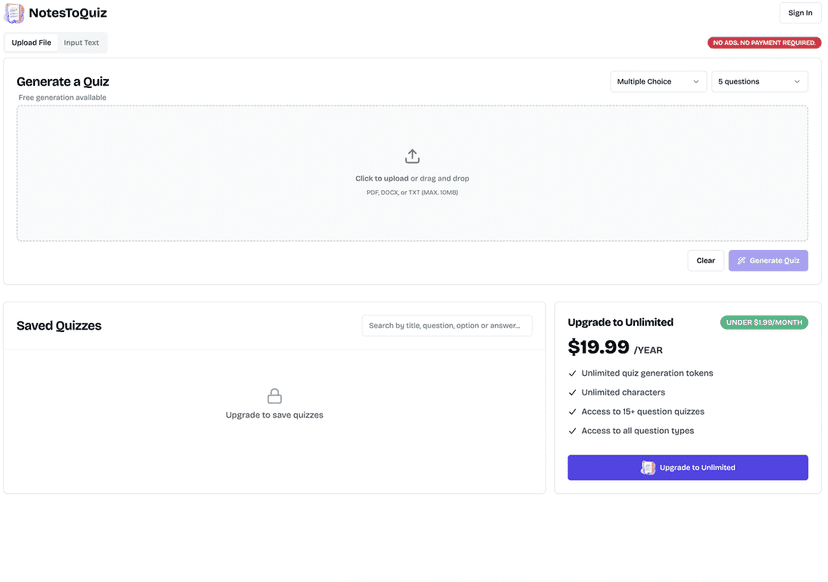
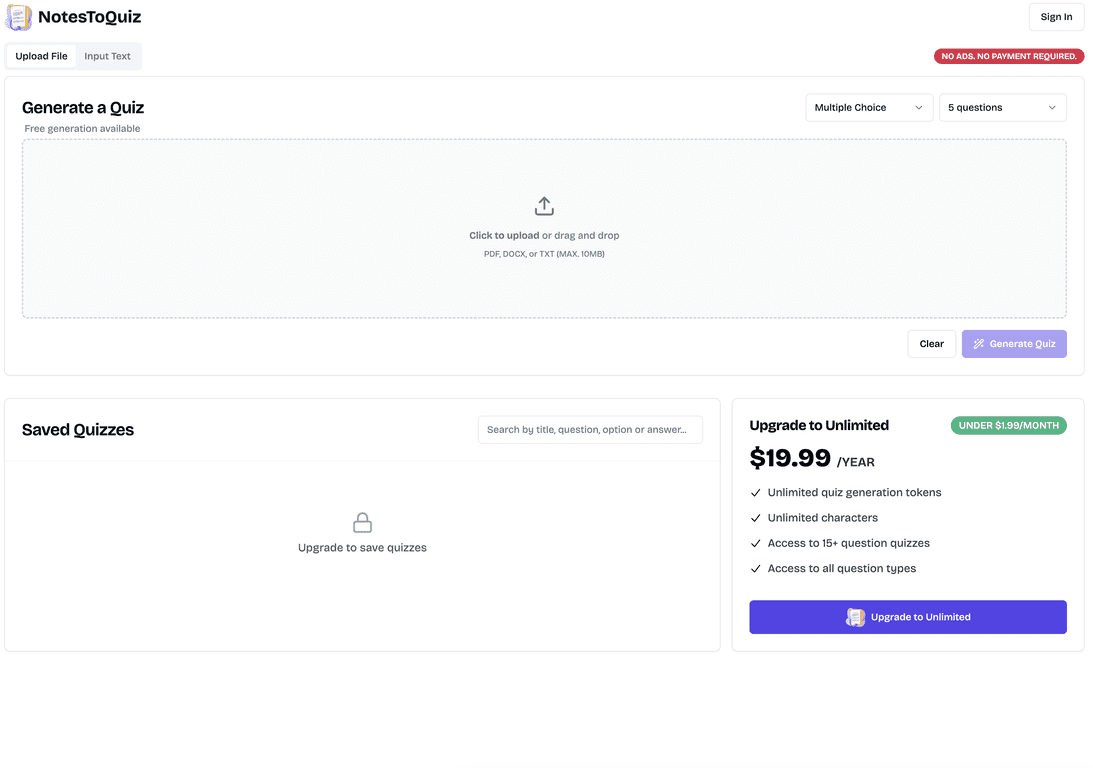
NotesToQuiz is an online quiz generator that takes your notes (PDF, DOCX, or plain text) and converts them into practice questions. The basic idea is simple: you upload or paste your content, and the tool generates quiz questions automatically. In my experience, that “instant practice” effect matters. It’s way easier to stay focused when you’re answering questions instead of just highlighting.

One thing I appreciated right away: it’s not locked behind a paywall. There’s a free version that lets you generate quizzes without ads showing up every few seconds. That doesn’t mean it’s unlimited on the free tier, but it’s enough to test whether the results feel useful for your subject.
NotesToQuiz Review: Turning Notes Into Real Practice
What I liked most is that NotesToQuiz doesn’t ask you to be an “expert quiz writer.” You just feed it your notes, and it generates questions for you. If you’ve got a study session coming up—like a quiz tomorrow or a midterm next week—that’s exactly the kind of time-saver I want.
In terms of workflow, it’s pretty straightforward:
- Upload your notes (PDF, DOCX, or text)
- Let the generator create questions
- Choose from different question types so you’re not stuck with only multiple-choice
- Practice right away
Now, a quick reality check: the quality of the quiz depends on the quality of the source notes. If your notes are messy, scanned images, or full of tiny paragraphs, the results can feel less clean. But when I used clearer text (and shorter sections), the questions were more accurate and easier to answer.
Also, having more than one question format matters. I tried a mix of question styles and noticed it helped me review in different ways—some questions make you recall definitions, others push you to understand relationships or pick the best answer based on context. That variety is what keeps practice from feeling repetitive.
Key Features That Actually Matter
- Quiz generation from uploaded files (PDF/DOCX) or pasted text
- Free quiz creation with no ads for basic use
- Unlimited quiz tokens included with the premium subscription
- Over 15 question types to keep quizzes varied (not just “MCQ forever”)
If you’re studying something like biology, history, or a language, the ability to mix question types is a big deal. For example, you can use one format to test factual recall and another format to test whether you understand how terms connect. It’s not magic, but it’s a solid way to make your notes more “active.”
Pros and Cons (From My Testing)
Pros
- No ads and genuinely usable free access for basic quiz generation
- Easy interface—I didn’t have to hunt around to figure out what to do next
- Supports multiple note formats (PDF, DOCX, and plain text)
- Premium is straightforward if you’re doing lots of quizzes—unlimited tokens and more question flexibility
Cons
- Free plan is limited—you’ll hit constraints if you’re generating quizzes nonstop
- Advanced options are subscription-based, so heavy users will feel the paywall sooner than casual learners
One limitation I noticed: like most note-to-quiz tools, it can occasionally produce questions that feel a bit “generic” or slightly off if the source text is ambiguous. It’s not always perfect, so I recommend scanning the quiz before you commit to studying it—especially for exam prep.
Pricing Plans: What You Pay for
NotesToQuiz offers a free version (with limited functionality) and a premium subscription for $19.99 a year—about $1.99 per month.
On the premium plan, you get things like:
- Unlimited quiz tokens (so you can generate more practice without worrying about limits)
- Unlimited quiz character count
- Access to advanced question types
For me, the decision came down to how often I’d actually generate quizzes. If you’re only doing a few study sessions, the free plan can be enough to get started. If you’re building quizzes for multiple classes—or you want lots of practice sets—premium feels like the more comfortable option.
Wrap up
If you want a simple way to turn your notes into something you can practice, NotesToQuiz is a pretty solid choice. The big win is the speed: you upload your notes and get quiz questions without spending hours formatting. The free plan is also a nice touch because it lets you test the output before committing.
Would I recommend it? For most students who want more active recall and less passive rereading—yes. Just remember: the better your notes, the better your quizzes. If you’re ready to make studying feel less like work, it’s worth giving NotesToQuiz a try.