Table of Contents
Are you a creative individual struggling to keep track of your tasks? Do you find it challenging to focus due to distractions? You’re not alone! OneTask aims to change that by providing a unique AI-powered task management solution tailored for neurodiverse individuals. In this review, we’ll explore how OneTask can help you regain control and focus on what truly matters.
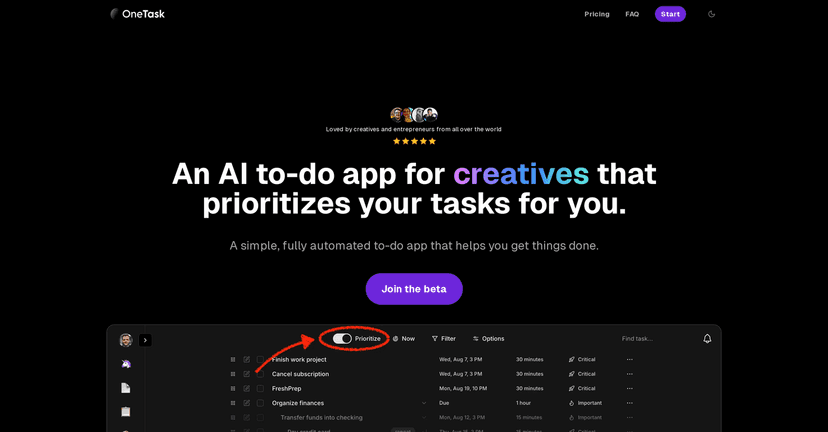
OneTask Review
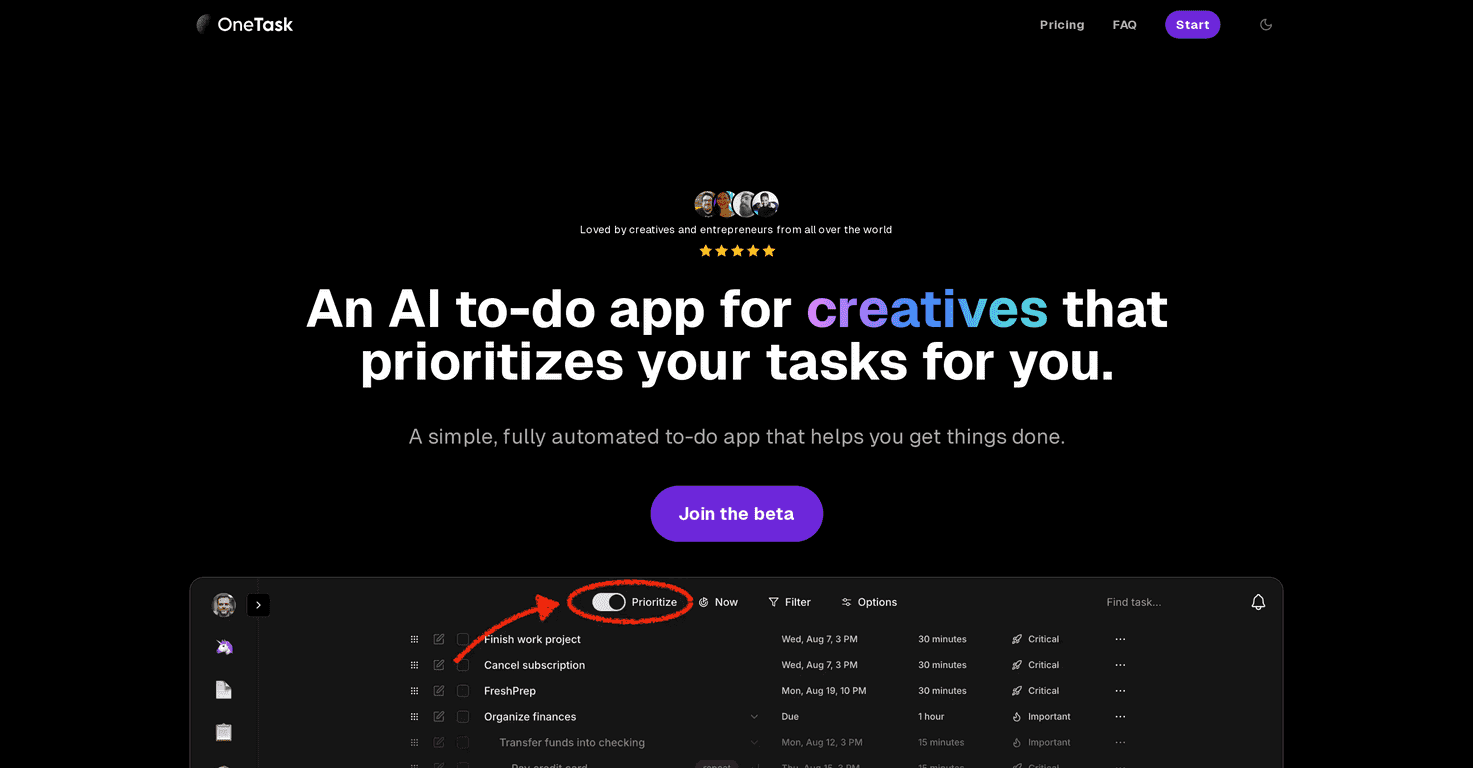
OneTask is designed with a deep understanding of the needs of creative minds and neurodiverse individuals. The app allows you to organize and prioritize your tasks effortlessly, turning the overwhelming into the manageable. Its efficient design and AI features help eliminate distractions, making it easier to stay productive.
Navigating through the app is a breeze, thanks to its user-friendly interface. You can switch between various task views such as lists, cards, and calendars, ensuring you can find the format that works best for you. This adaptability is especially beneficial for users with ADHD or those who prefer visual representations of their work.
Key Features
- Auto-prioritize tasks to focus on what matters most
- Focus mode that highlights tasks you can tackle right now
- AI-assisted task management that breaks down complex tasks
- Multiple views including list, card, calendar, and kanban
- Detailed task history for better tracking of your progress
- Cross-platform access for convenience on any device
Pros and Cons
Pros
- User-friendly interface tailored to neurodiverse needs
- Reduces decision fatigue with streamlined task prioritization
- AI-driven features simplify task management effectively
- Freemium model lets users explore without commitment
Cons
- Some advanced features require a subscription fee
- Might not suit traditional task management users
- AI reliance may not appeal to those preferring hands-on methods
Pricing Plans
OneTask offers a Freemium plan that is free forever with essential features, a Pro Plan priced at $8 per month with access to advanced features, and a one-time purchase Lifetime Plan at $195 that includes all Pro features and future updates.
Wrap up
In conclusion, OneTask stands out as a supportive tool for creatives and neurodiverse individuals seeking to enhance their productivity. With AI-powered capabilities and user-friendly features, it can help you better manage your tasks and maintain focus. Whether you’re looking for a free trial or ready to dive into a subscription, OneTask has options tailored to fit your needs. Take the plunge and simplify your task management today!
Promote OneTask