Table of Contents

What Is Open-clawbot.com? (My Honest Take After Testing)
When I first heard about Open-clawbot.com, I’ll admit I was skeptical. An autonomous AI agent on Telegram that you can deploy in “about 60 seconds”? That’s the kind of promise I’ve seen before—usually followed by a bunch of fine print or a setup that’s way more annoying than it sounds.
So I tested it myself. Not with some vague “it feels fast” reaction, but with actual prompts I could compare across runs—simple questions, a couple browsing requests, and then a longer chat to see what “persistent memory” really means in practice.
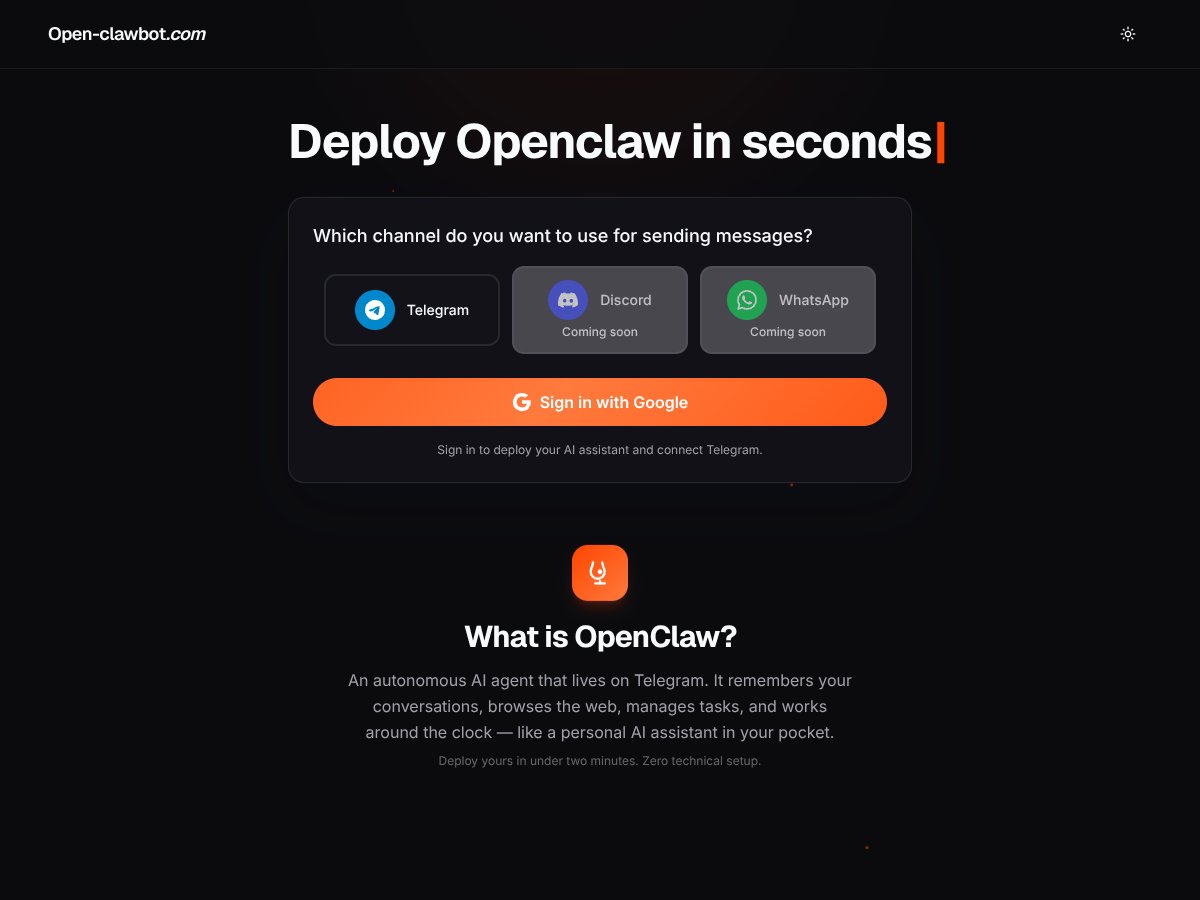
Here’s what Open-clawbot.com is in plain English: it’s an AI assistant that lives inside your Telegram app. Once you deploy it, you chat with it like any other Telegram bot. It can keep context from earlier messages, attempt web browsing for up-to-date answers, and it can help with basic task-style requests (notes, reminders, and similar stuff). The big selling point is that you don’t need to wire it into a bunch of tools or write code—you just use Telegram.
The core problem it’s trying to solve is also pretty clear. A lot of AI setups require API keys, integrations, and multiple steps just to get something usable. Open-clawbot.com tries to skip that and give you a ready-made bot on Telegram, which is honestly convenient if you already live in that app.
One thing I couldn’t ignore, though: there isn’t much transparency about who’s behind it. During my check, I didn’t find a detailed “about” page, team info, or strong third-party proof like customer stories. The site also felt pretty barebones—minimal documentation, not many examples, and no obvious paper trail. That doesn’t automatically mean it’s unsafe, but it does mean you should be a bit cautious with sensitive info until you confirm the details.
Setup-wise, my experience matched the pitch more than I expected. Connecting your Telegram account and deploying was quick—on my end, it took about 90 seconds from authorization to having a working chat session. No coding. No dashboard maze. Just connect, approve permissions, and start talking.
But I’ll also be straight with you: it’s not a “power user” platform. There aren’t a ton of knobs to turn, and you won’t get the kind of control you’d expect from more mature automation tools. If you want deep customization, integrations, and advanced settings, this will probably feel limiting.
What it’s NOT: it’s not an enterprise automation suite, and it’s not a fully documented platform with a lot of integrations. In other words, it’s a Telegram bot first—everything else is secondary.
Key Features of Open-clawbot.com (What You Actually Get)

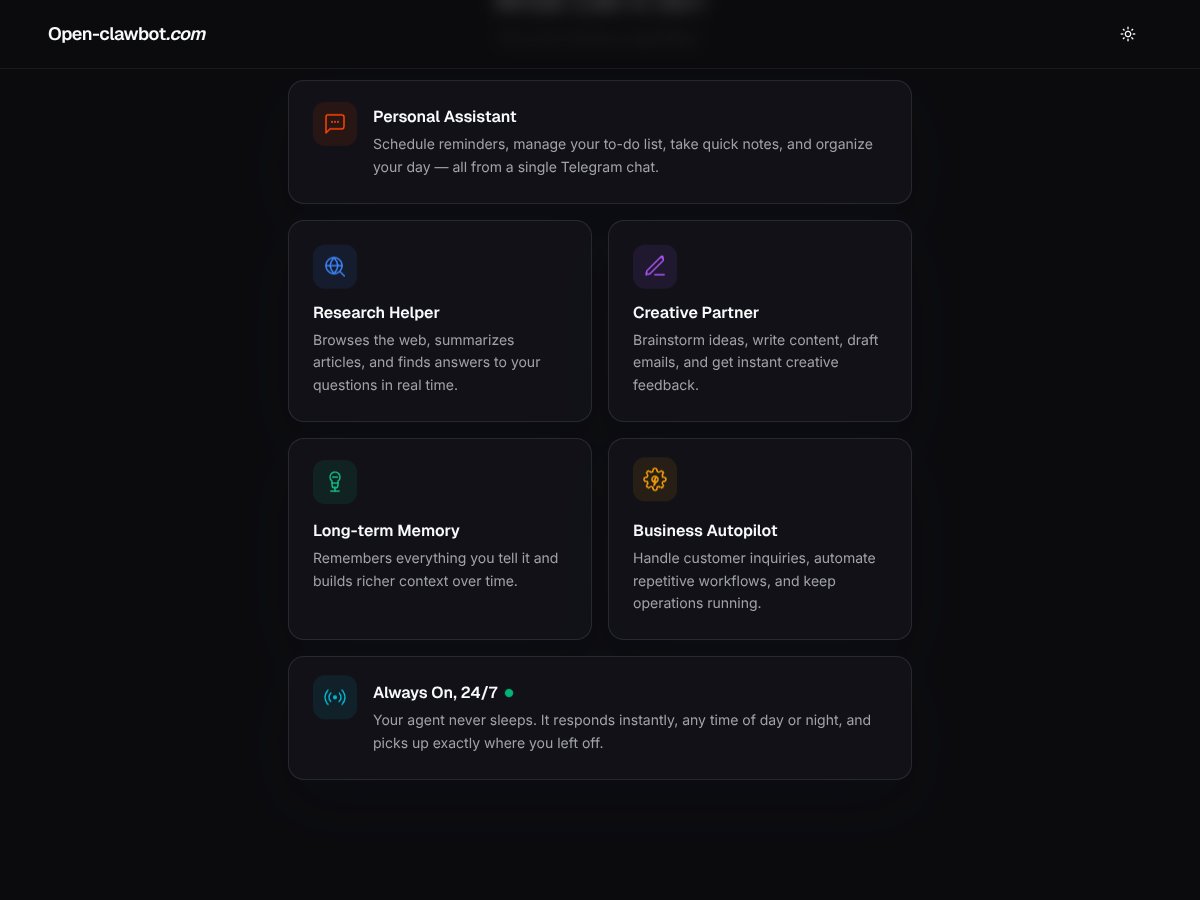
Deployment in About 60 Seconds (My timing + what to expect)
The headline feature is speed. In my test, connecting and deploying took about a minute and a half. That’s fast enough that I didn’t feel like I was “starting a project”—it felt more like turning on a tool.
What helped: I had Telegram open already, so I could authorize quickly when prompted. The process itself is basically a few clicks plus permission approval. No “install this library” nonsense.
What could be a downside: when something is this simple, you usually don’t get much configuration. And that’s exactly what I noticed—there’s not a lot of control over how the agent behaves, and there’s no fancy setup wizard beyond the basics.
Persistent Memory (How it remembers—and where it stops)
Open-clawbot.com claims it remembers your conversations and builds context over time. In practice, I saw it retain basic details I mentioned earlier, and that did improve the flow of the chat.
Here’s a concrete example of what I tested:
- Turn 1: I told it: “I’m planning a weekend trip and I prefer light hiking, not anything too intense.”
- Turn 2: Later I asked: “Can you suggest a 2-day itinerary that matches that preference?”
- What I noticed: It referenced the “light hiking” preference in its suggestions.
That said, I couldn’t confirm deep long-term reliability. After a longer back-and-forth, I didn’t see a clear “always remember everything” guarantee. It felt more like it keeps useful context for a while, but it isn’t built for huge, multi-day memory retention the way some dedicated systems advertise.
If you’re using it casually—brainstorming, asking follow-ups, keeping a running thread—it’s good. If you’re expecting it to act like a perfect note vault for complex projects over many sessions, you’ll likely be disappointed.
Web Browsing Capabilities (Useful, but not something I’d blindly trust)
This is one of the more interesting features. The bot can browse the web to answer questions with up-to-date info, and it can summarize what it finds.
In my test, I used a browsing-style prompt like: “Find recent news about [topic] and summarize the key points.” It did produce relevant snippets and a summary that sounded coherent.
But here’s the catch: the summaries didn’t always feel “deep,” and I couldn’t clearly tell which sources it prioritized or how it decided what was most trustworthy. Sometimes the output read like a decent summary; other times it felt a bit surface-level.
So my rule of thumb: use it for quick orientation, then verify anything important. If you’re doing research you’ll cite or act on, don’t treat the first answer as gospel.
Task Management (Good for quick requests, not a real workflow tool)
Open-clawbot.com can help with reminders and notes. I tried a couple straightforward requests—things like asking it to create a reminder and jot down a short note.
What worked: it understood the intent and responded in a way that made the task feel “actionable” inside Telegram.
What didn’t impress me: there’s no visual dashboard, no real task board, and no obvious advanced planning features. It’s basically “tell the bot what you want” rather than a productivity system you can manage over time.
If you’re expecting something like a full automation workspace, you won’t get that here.
Creative Assistance (Decent drafts, limited control)
I also tested it for writing and ideation. Prompts like “Draft a short email” and “Brainstorm content ideas for [niche]” produced usable results.
But I wouldn’t call it groundbreaking. The drafts were fine for getting started, yet I couldn’t easily steer tone, structure, or style the way you can with more configurable writing assistants.
So it’s great for a rough draft or idea sparks. If you need polished output with tight brand voice control, you’ll probably still do edits yourself.
Always-On 24/7 Operation (Mostly works, but I saw real hiccups)
Open-clawbot.com markets this as always running. In my experience, it was online most of the time and responded quickly when it was working.
Still, I did notice occasional delays and disconnects. The pattern wasn’t constant, but when it happened, it was noticeable enough to interrupt the flow of my prompts.
What I can say honestly: because it’s a Telegram bot, stability depends on Telegram plus whatever hosting layer OpenClaw uses behind the scenes. If you’re relying on it for something time-critical, don’t assume it’ll be perfect 24/7.
Practical tip: if you’re testing reliability, run a few prompts at different times (morning vs evening) and note whether responses start lagging. That’s the only way to get a realistic sense of performance.
Limitations and Quirks (This is where it feels “unfinished”)
Here’s what I couldn’t find, and it matters:
- No clear settings: I didn’t see detailed controls to tweak behavior, response style, or preferences.
- No transparent limits: I couldn’t find a clear breakdown of usage caps (messages/day, browsing limits, or similar).
- No obvious integrations: I didn’t see ways to connect it to Google Calendar, Slack, CRMs, or other tools.
So if you’re expecting a bot you can plug into a bigger workflow, you may end up doing more manual work than you’d hoped.
How Open-clawbot.com Works (Setup + what I noticed in the chat)
From a user perspective, it’s simple: connect your Telegram account, authorize the bot, and deploy. I didn’t hit major friction during signup—no long forms, no complicated steps.
Once deployed, it’s basically a chat interface inside Telegram. No separate dashboard. No extra panels. Just the conversation thread.
That minimal setup is a double-edged sword. It’s easy to start, but it also means you don’t get much guidance on how to get the best results. I kept thinking: why not include a few example prompts or onboarding tips right in the experience?
Also, I couldn’t verify clear limits or data handling details from the main flow. I’d avoid sharing sensitive information until you’ve confirmed what’s stored, how long it’s kept, and how privacy is handled.
Overall, the experience was smoother than I expected for something that feels lightweight. But the lack of transparency (limits, pricing clarity, and settings) is a real drawback if you care about control and predictability.
Open-clawbot.com Pricing: Is It Worth It?
| Plan | Price | What You Get | My Take |
|---|---|---|---|
| Free Tier | Unknown / Not public | Likely limited features, possibly usage caps | Here’s the issue: I couldn’t find clear, public pricing details that spell out exactly what the free tier includes. If you’re just testing casually, it may be enough—but I wouldn’t assume “free” means “no limits.” |
| Paid Plans | Check the website | Not explicitly listed; unclear if tiered | At the time I checked, I didn’t see a clean pricing breakdown on the page itself. That makes it hard to judge value—especially if you want to know whether web browsing and memory have usage caps. If you can’t see limits or feature differences upfront, it’s tough to compare. |
To be blunt: unclear pricing is annoying. If you want to decide whether something is worth your money, you need at least basic plan details—what’s included, what’s limited, and what costs extra.
My honest assessment is that I can’t fairly “price judge” Open-clawbot.com based on what’s publicly visible. If the paid tier is reasonable and the limits are generous, it could be a great deal. But without clear numbers and feature breakdowns, you’ll have to test it yourself.
What I’d do if I were you: start with the free tier (if available), run a few browsing and memory-heavy prompts, and see how the experience changes. Only then decide if the paid option is worth it.
The Good and The Bad
What I Liked
- Easy deployment: Getting it running in Telegram is genuinely quick. For non-technical users, that matters.
- 24/7 concept: It’s designed to stay available and respond whenever you message. In normal use, it felt like it was “there.”
- Multi-function assistant: You get chat, basic task-style help, and browsing attempts in one place—which reduces tool switching.
- Web browsing: It can summarize and answer with current info. It’s useful for quick research and getting started.
- Memory: It can hold onto at least some preferences and context, which makes follow-ups feel smarter.
What Could Be Better
- Transparency is thin: I couldn’t find clear feature lists, limits, or a detailed pricing breakdown that makes evaluation easy.
- No visible usage caps: Without knowing message limits or browsing limits, you can’t plan heavy usage.
- Limited integrations: I didn’t see ways to connect it to other tools like Slack, Google Calendar, or CRMs.
- Few proof points: No strong testimonials or case studies. It feels more like an early-stage product than a fully proven platform.
- Privacy clarity: It browses and remembers conversations, so you should be careful with what you share—especially if data policies aren’t easy to find.
Who Is Open-clawbot.com Actually For?
In my opinion, Open-clawbot.com is best for solo users, freelancers, and small teams who want a simple AI assistant inside Telegram. If you want quick help with scheduling-style requests, brainstorming, light research, and “talk it out” conversations—this makes sense.
It’s also a decent fit if you don’t want to mess with APIs or build a workflow from scratch. Telegram is familiar, and the bot approach keeps things low-friction.
On the other hand, if you’re managing a bigger organization or you need structured integrations, analytics, and strict controls, this won’t feel like the right tool. It’s more of a general-purpose assistant than a business automation platform.
Who Should Look Elsewhere
If you need a deeply customizable AI, extensive integrations (Slack/email/CRM), or strict compliance and privacy controls, I’d look elsewhere. The lack of clear settings and visible limits is a dealbreaker for anyone who needs predictability.
Also, if you’re the type who wants a polished product experience—clear pricing, documentation, and lots of examples—Open-clawbot.com may feel underdeveloped.
Alternatives like ChatGPT Plus, Zapier, or dedicated automation platforms may match your needs better depending on what you’re trying to do. And if you want strong proof (reviews, case studies, long-term reliability), you’ll probably feel more confident with established tools.
How Open-clawbot.com Stacks Up Against Alternatives
ChatGPT Plus
- What it does differently: ChatGPT Plus is a powerful conversational model, but it’s not set up to run autonomously inside Telegram or browse the web automatically as part of a persistent agent experience.
- Price comparison: $20/month for Plus, but you may need extra tools or workflows to get “agent-like” behavior.
- Choose this if... you want flexible chat and you’re okay managing the workflow yourself.
- Stick with Open-clawbot.com if... you want a Telegram-based agent that can browse and stay running without you building the plumbing.
Replika
- What it does differently: Replika is more about companionship and personality-style conversation, not automation, task management, or browsing.
- Price comparison: Free tier exists; premium starts around $7/month, but again it’s mainly for chat.
- Choose this if... you want an emotional/companionship chatbot.
- Stick with Open-clawbot.com if... you want a practical assistant for work-style prompts.
Zapier
- What it does differently: Zapier connects apps and automates workflows. It’s not an AI agent by default—you set up the workflows.
- Price comparison: Free plan includes 100 tasks/month; paid plans start around $19.99/month.
- Choose this if... you need reliable integrations and automation between tools.
- Stick with Open-clawbot.com if... you want an AI agent experience (chat + browsing + memory) inside Telegram.
ManyChat
- What it does differently: ManyChat is mainly for marketing and chatbot engagement (lead capture, messaging sequences), not autonomous AI browsing and task reasoning.
- Price comparison: Free tier exists; paid plans start around $10/month.
- Choose this if... you want customer messaging automation.
- Stick with Open-clawbot.com if... you want an AI assistant that can browse and handle general assistant tasks continuously.
Bottom Line: Should You Try Open-clawbot.com?
I’d rate Open-clawbot.com around 7/10 based on my testing. It’s quick to deploy, it’s convenient to use inside Telegram, and the memory + browsing features can be genuinely helpful for everyday tasks and quick research.
But it’s not perfect. The biggest issues for me weren’t the AI output—it was the lack of transparency: unclear pricing, unclear limits, and limited settings/integration options. If you need control, predictability, or enterprise-level tooling, this probably won’t satisfy you.
Try it if: you want a simple, no-code Telegram AI assistant for casual automation, conversation-based help, and lightweight web-assisted answers.
Skip it if: you need deep customization, strict privacy/compliance clarity, or integrations with your existing workflow stack.
If there’s a free tier, I’d use it to test your exact use case—especially browsing and memory behavior—before paying anything.
Common Questions About Open-clawbot.com
- Is Open-clawbot.com worth the money?
- For casual users who want an autonomous AI assistant inside Telegram, it can be worth trying. For heavy automation or people who need clear limits and integrations, it’s harder to justify without more transparency.
- Is there a free version?
- There appears to be a free tier, but the exact details (limits and what’s included) weren’t clearly spelled out where I looked. I recommend testing it early so you’re not guessing.
- How does it compare to ChatGPT?
- ChatGPT is great for chat, but it doesn’t automatically give you the same Telegram agent experience with built-in browsing/memory in the same way. OpenClaw aims to combine those features into an always-on bot.
- Can I get a refund?
- I couldn’t confirm refund terms from the content available to me in this review. If refunds matter to you, check the terms/policy page on the site before paying.
- How secure is my data?
- It’s a Telegram bot that can remember conversations and attempt web browsing. Without clear, easy-to-find data policy text, I’d treat it like any other automation tool: don’t share sensitive personal or confidential business info until you’ve verified what’s stored and for how long.
- Does it work on other platforms besides Telegram?
- From what I observed, it’s focused on Telegram. If you want multi-platform support, you may need additional tools.
- Is technical knowledge required?
- Nope. It’s designed to be simple enough for non-technical users—connect Telegram, authorize, deploy, and start chatting.