Table of Contents
I’ve been testing a lot of AI tools lately, and PageOn AI is one of the ones that actually feels built for real creators—not just people typing prompts all day. If you want to turn an idea into a presentation quickly (and you don’t want to wrestle with design tools), PageOn AI is pretty compelling.
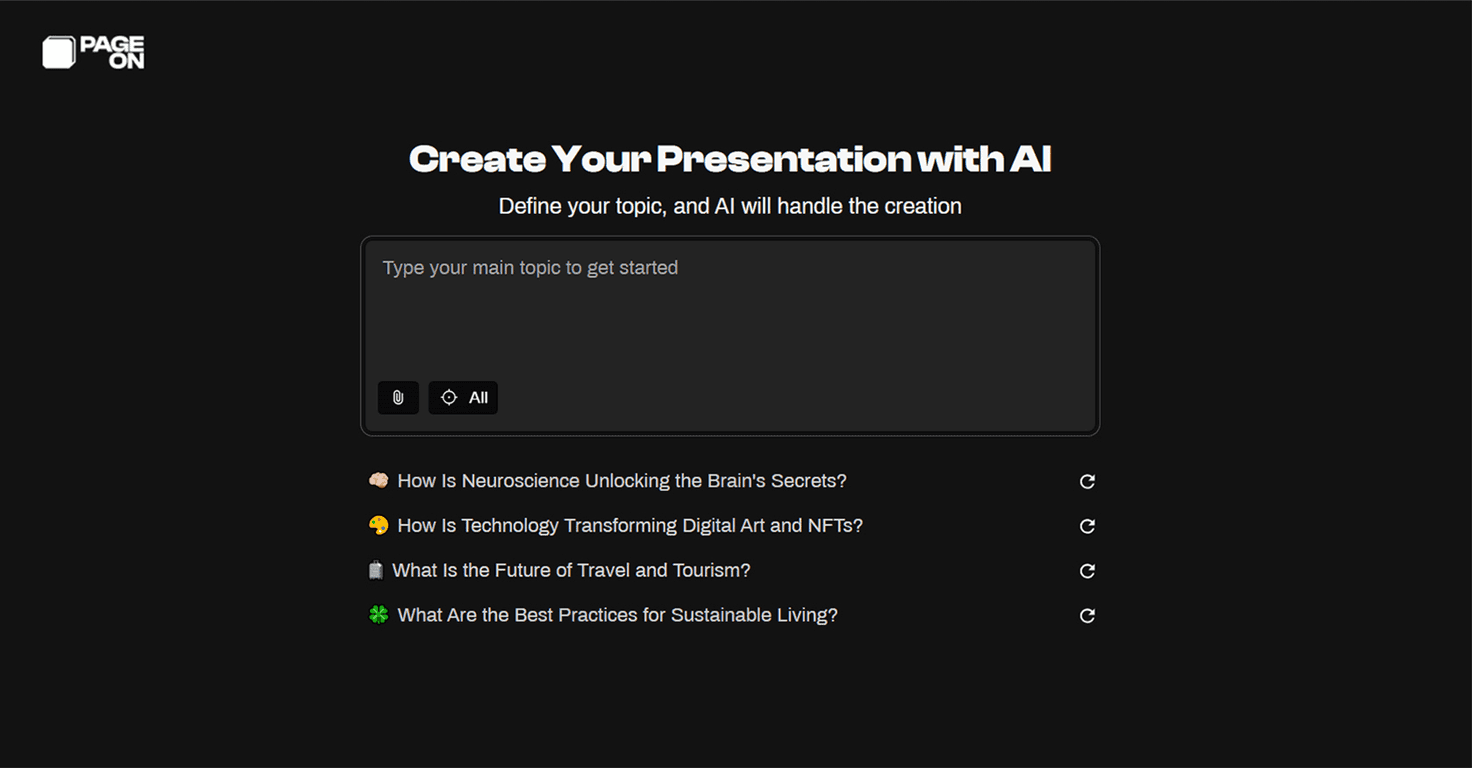
What I like most is the “start with a topic, get slides” approach. You’re not staring at a blank canvas wondering what font size to use or how to space everything. Instead, you feed it a topic, and it generates slide structure and design styling for you. That alone saves a ton of time when you’re trying to publish consistently.
Another big win is the storytelling side. It doesn’t just spit out random slide text—it helps shape a narrative, and it can generate scripts and voiceovers so your presentation sounds more intentional. And yes, I know voiceover features can be hit-or-miss on AI platforms, but this one is at least aimed at making your delivery easier, not harder.
On top of that, the editing tools are straightforward. You can drag and drop elements, switch themes, and tweak visuals without needing to be a designer. I also appreciate the internet search/data angle, because gathering supporting info is usually the part that slows people down the most.
That said, it’s still evolving. Some of the more advanced features are still “coming soon,” and I wouldn’t treat it like a finished product in every respect yet. Still, if you’re looking for speed + presentation polish, it’s worth your attention.
Pageon AI Review
Here’s the simplest way to describe PageOn AI: it helps you create presentations fast, with decent structure and design, and it tries to handle the “script/voice” part too.
In my experience, the biggest time-saver is that you don’t need a design background. You can generate a slide deck from a topic and then refine it. If you’ve ever tried to build a slide deck from scratch, you know the real work isn’t writing the first draft—it’s formatting, aligning, and making everything look consistent.
What I noticed when I tested it is that the output is built around a flow. The slides don’t feel totally random. Instead, the tool pushes you toward a narrative structure, which makes it easier to turn your content into something you can actually present (or reuse as content later).
AI-driven storytelling is also a standout. It can generate scripts and voiceovers, so you’re not stuck manually writing a full talk track for every slide. And when you’re creating content for webinars, courses, or even just internal updates, that’s huge. You can focus on your message rather than formatting and narration from scratch.
Editing is where it becomes practical. You can drag and drop elements, switch themes, and add visual effects without needing to “learn the software” first. It’s the kind of interface where you can figure things out quickly, which matters if you’re on a tight deadline.
One more thing I appreciated: the internet search / data management feature. Collecting sources and relevant details is usually the part that eats your time. Having that integrated makes it easier to build slides that aren’t just generic statements.
As for what’s coming next, PageOn AI is already talking about features like Visual Language AI for automatic layouts and real-time voice interaction. If those land the way they’re described, they could make the whole workflow even faster—especially for people who want “present-ready” decks without constant tweaking.
Key Features
- Effortless Presentations with AI-driven slide creation — generate slide decks from a topic and get design styling without starting from a blank canvas.
- Compelling storytelling and scripts generated by AI — helps shape a narrative and supports scripts/voiceover so your deck sounds more coherent.
- User-friendly drag-and-drop editing tools — adjust content and visuals quickly without needing advanced design skills.
- Dynamic visual effects and automated voice narration — adds polish to presentations, including narration support.
- Comprehensive internet search for effective data management — helps you gather relevant information while building the deck.
- Upcoming features like Visual Language AI and real-time voice interaction — aimed at improving layout automation and making voice interaction smoother.
Pros and Cons
Pros
- Beginner-friendly — if you’re not a designer, you can still make slides that look consistent.
- Less time spent formatting — the AI handles a lot of the layout work, so you can focus on content.
- Better delivery support — scripts and voiceover help you turn a deck into something you can actually present.
- Free basic plan — it’s nice to be able to test the workflow before committing.
Cons
- Some premium features aren’t available yet — if you’re hoping for everything right away, you may feel limited until plans roll out.
- Newer platform = smaller community — there’s less “how-to” content and fewer shared templates compared to older tools.
- AI output still needs your review — like most AI presentation tools, you’ll want to double-check wording, tone, and any factual details you pull in.
Pricing Plans
PageOn offers a free basic plan with no credit card required. That’s a big deal in my book because you can test the entire workflow—generation, editing, and how the storytelling/voice features feel—before you decide if it’s worth paying for.
There’s also a premium plan coming, but the details haven’t been fully announced yet. If you’re planning to use it for client work or heavy publishing schedules, I’d keep an eye on what the paid tier includes so you’re not surprised later.
Wrap up
Overall, I think PageOn AI is a solid option if you want to create presentations quickly without getting stuck in design hell. The combination of AI slide generation, storytelling/script support, and drag-and-drop editing makes it feel practical for knowledge creators and self-media folks who need content at a steady pace.
If you’ve been putting off making slides because it’s “too much work,” this is one of the few tools that genuinely helps you move faster. Try the free plan, test it on a deck you’d normally struggle with, and see if the output matches your style. If it does, you’ll probably stick with it.
Promote Pageon AI