Table of Contents
What Is PawaVox?
Honestly, I came into testing PawaVox curious about whether it lives up to its promise of turning field data into trustworthy evidence. I’ve tested plenty of tools that claim to help organizations verify reports or capture evidence, but many fall flat when it comes to actual proof or ease of use. So, my first question was: does PawaVox really deliver verified, tamper-proof media from the field without turning into a headache?
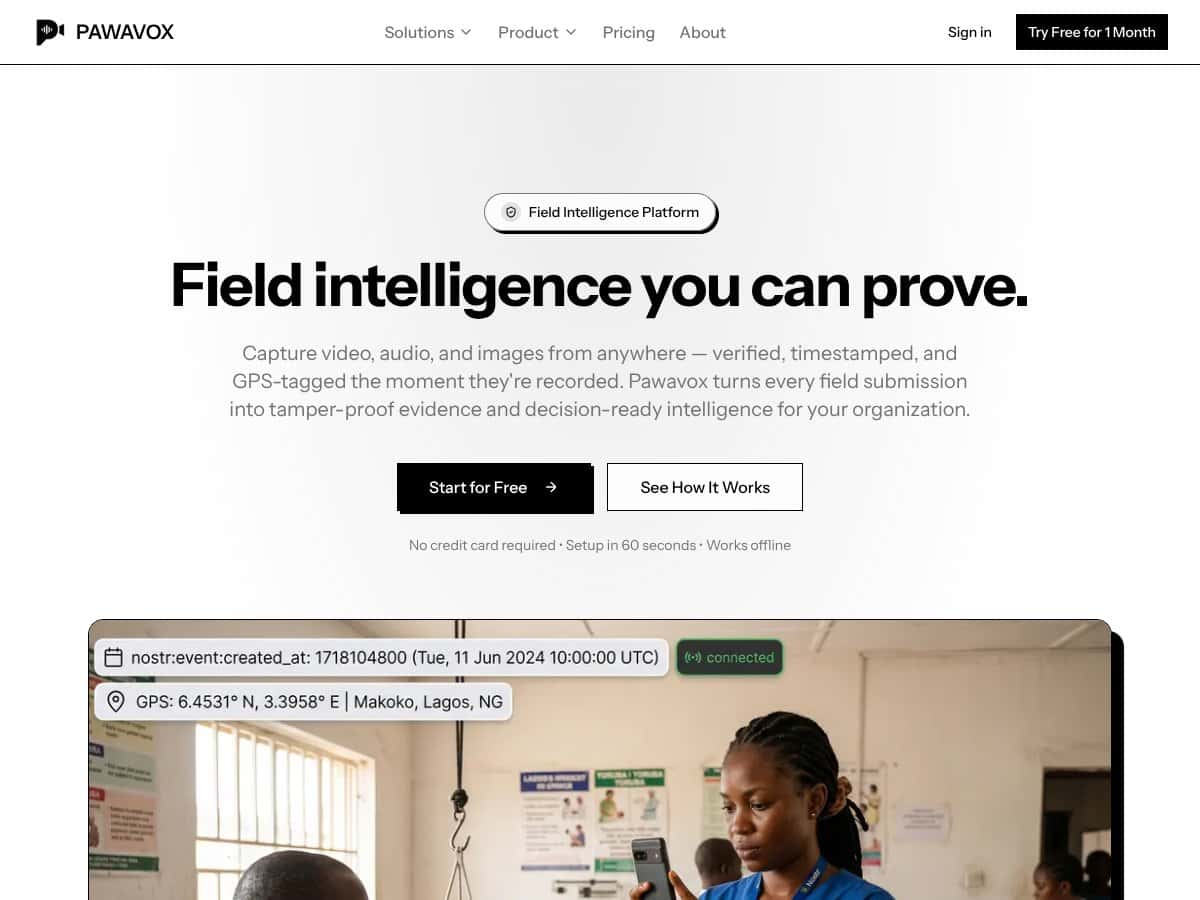
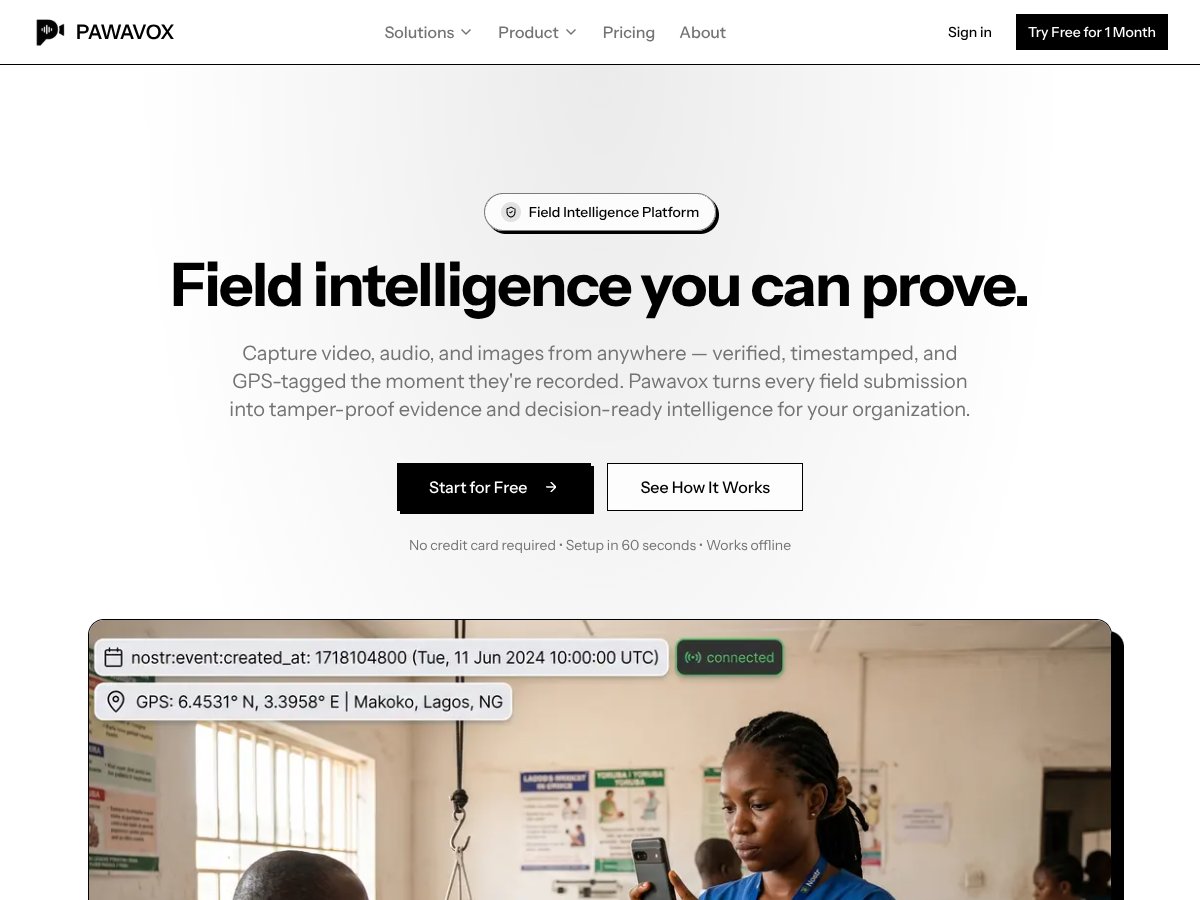
In simple terms, PawaVox is supposed to let people in the field — think officers, journalists, NGO workers — capture videos, photos, or audio clips, and then automatically verify that these submissions are authentic. It timestamps them, GPS-tags them, and signs them cryptographically so no one can claim they were altered later. It then pushes all that data onto the Nostr protocol, a decentralized network designed for censorship-resistant, tamper-evident data. On top of that, it offers AI features like sentiment analysis, urgency detection, and language translation, aiming to turn raw media into decision-ready intelligence.
The problem it’s addressing is pretty straightforward: in many organizations, especially NGOs, law enforcement, or investigative bodies, verifying that a report or piece of evidence is actually what it claims to be is crucial — but often difficult. Photos get edited, timestamps get fudged, or reports get disputed. PawaVox tries to fix that by making the evidence tamper-proof from the moment it’s captured.
As for who’s behind it, there isn’t a lot of publicly available info about the team or company, which is a bit of a red flag for me. The website is slick but very much focused on the product’s capabilities rather than the people behind it. That said, the approach seems to lean toward organizations that need verified proof — think NGOs, government agencies, or security firms. My initial impression was that it’s as advertised: a tool for capturing and verifying media in the field with a focus on integrity.
That said, it’s important to set expectations early: PawaVox isn’t a full-fledged field reporting platform like some survey tools or incident management systems. It’s primarily about the verification layer — the tamper-proof capture and secure publishing. It doesn’t seem to replace a workflow or reporting system, nor does it have a built-in dashboard or analytics interface. So, if you’re expecting a one-stop dashboard or deep integration, you might be disappointed.
The Good and The Bad
What I Liked
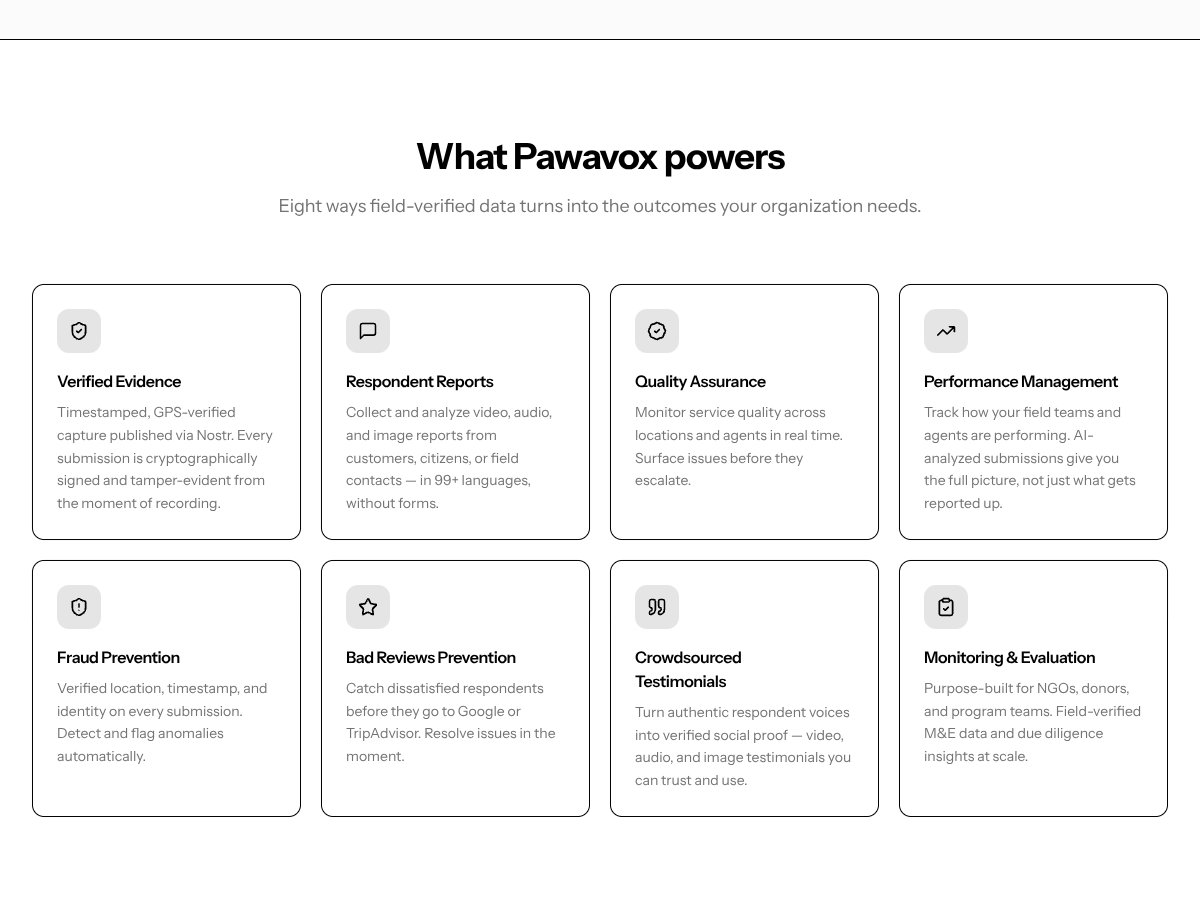
- Supports both voice and video feedback in a single platform: This flexibility means users can choose their preferred method of communicating, which reduces friction significantly, especially in field environments where typing might be impractical.
- Multilingual support across 99+ languages: If your organization operates globally or in diverse regions, this feature helps ensure you’re not missing out on feedback simply because of language barriers.
- Automated transcription, translation, and analysis: The automation here is a real time-saver. Instead of manually sifting through raw recordings, you get sentiment, urgency, and intent insights almost instantly, speeding up decision-making.
- Tamper-proof evidence via Nostr protocol: Every submission is cryptographically signed and GPS-verified at the moment of recording, providing a high level of trust and integrity—crucial for legal or compliance-heavy use cases.
- Offline capability: The app works even without an internet connection, which is a huge plus for fieldwork in remote areas where connectivity is unreliable.
- Real-time analysis and dashboards: The MCP (Master Control Panel) transforms individual reports into actionable insights, which can be vital for organizations needing quick responses—like NGOs or customer service teams.
What Could Be Better
- Pricing transparency is lacking: The biggest gap here is that the website doesn’t clearly display plans or costs. Without this info, it’s hard to evaluate whether it’s a good value, especially compared to competitors that are upfront about their pricing.
- Limited information on integrations: For organizations that rely on existing tools like CRM, analytics platforms, or data warehouses, it's unclear if PawaVox can easily slot into their workflows.
- No mention of user limits or data caps: Are there restrictions on the number of submissions? Storage? AI analysis hours? These are critical details that could be dealbreakers for larger teams.
- Absence of user reviews or third-party validation: Without external validation, it’s hard to gauge how well this performs in real-world scenarios beyond the marketing claims.
- Potential complexity for non-technical users: While the app promises ease of setup, the breadth of features might overwhelm users unfamiliar with cryptographic signing or Nostr protocol specifics.
Who Is PawaVox Actually For?
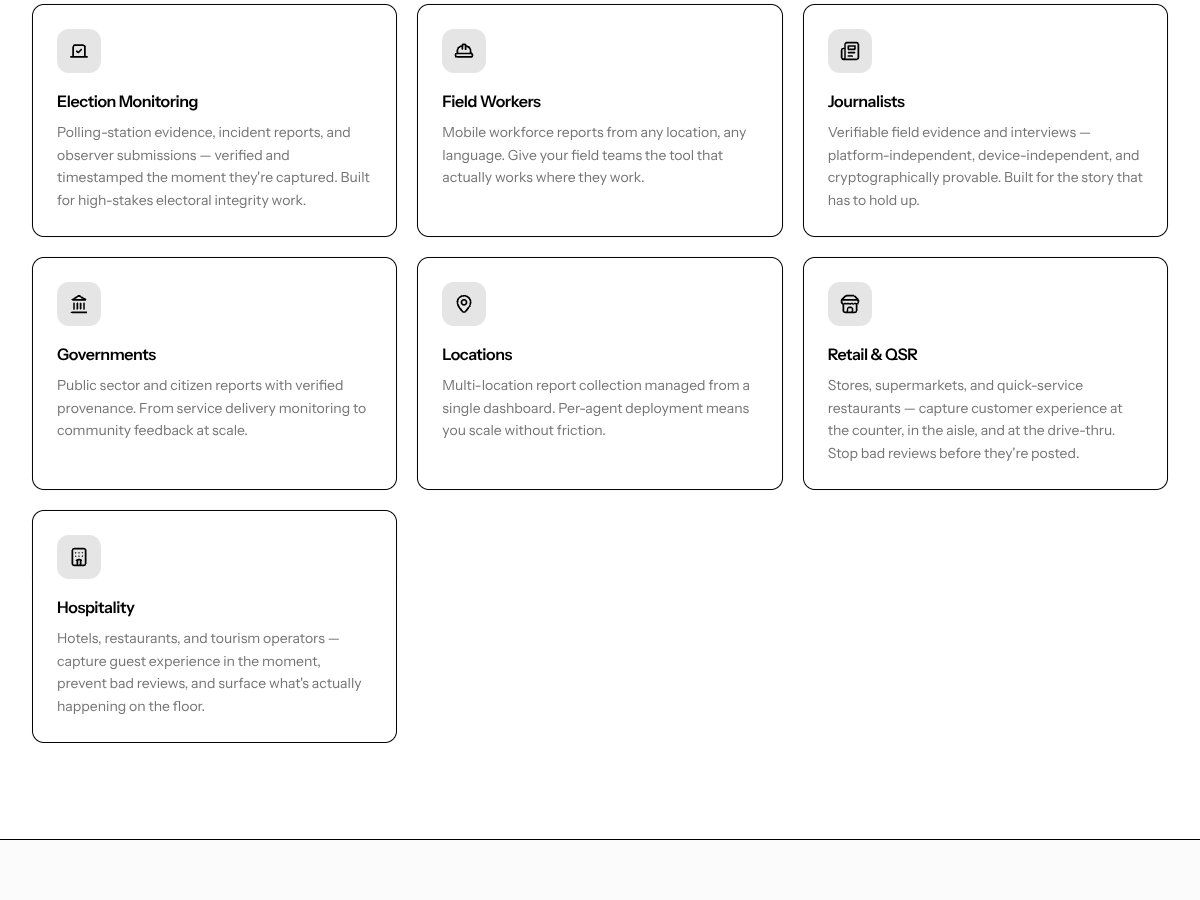
If your organization needs reliable, verifiable field data—say, for humanitarian missions, legal evidence collection, or compliance audits—this tool can be a game-changer. It’s ideal for teams that require tamper-proof evidence, especially where location and time stamps matter, and where multilingual support is crucial. For example, NGOs operating in multilingual regions collecting reports from field workers, or law enforcement agencies documenting incidents in remote areas, could find this particularly valuable.
Similarly, organizations that want to automate feedback analysis—like customer service teams gathering voice or video reviews—might benefit from the integrated sentiment and urgency detection. If your workflow depends on quickly turning raw media into actionable insights, PawaVox’s automation could save hours each week.
However, it’s probably overkill for smaller teams or those just seeking simple survey tools. If you don’t need cryptographic verification or GPS-tagged evidence, or if your primary goal is basic survey collection, there are cheaper, more straightforward solutions out there.
Who Should Look Elsewhere
If your main need is casual feedback collection, customer satisfaction surveys, or internal team check-ins—especially if you’re not concerned about evidence tampering or legal proof—then PawaVox might be more than you need. Its focus on verified, tamper-proof data is a double-edged sword—it adds complexity and cost that might not be justified for routine feedback.
Organizations that prioritize ease of use over security, or those who rely heavily on integrations with existing platforms without custom development resources, may find the lack of clear integrations a drawback. If you’re a small business or a startup looking for quick, budget-friendly insights without the need for cryptographic verification, alternatives like Typeform or SurveyMonkey might be better suited.
Fair warning: if your team isn’t tech-savvy or doesn’t have the capacity to handle the nuances of cryptographically signed data and GPS verification, you might find the onboarding and daily use more complicated than expected. And without transparent pricing, you could end up investing in a solution that’s not cost-effective for your size or scope.
How PawaVox Stacks Up Against Alternatives
Typeform
- Typeform specializes in creating engaging, conversational forms and surveys. It’s more about structured questionnaires with a friendly interface, but it doesn’t handle voice or video feedback natively. PawaVox, on the other hand, is built specifically for capturing natural spoken responses and analyzing them.
- Pricing varies widely depending on features, with basic plans starting around $25/month, but enterprise plans can go much higher. PawaVox’s pricing isn’t clear publicly, which makes direct comparison tricky, but it’s likely geared towards larger teams needing qualitative insights.
- Choose Typeform if you need detailed, customizable surveys and don’t require voice feedback. Stick with PawaVox if your goal is to gather spontaneous voice or video feedback from customers across multiple languages and analyze sentiment automatically.
SurveyMonkey
- SurveyMonkey offers robust survey tools with a focus on quantitative data, plus some open-ended questions. It’s great for broad survey deployment but doesn’t emphasize spoken responses or AI-driven sentiment analysis like PawaVox.
- Pricing starts at around $25/month for basic plans, with more advanced options costing hundreds per month. PawaVox’s lack of transparent pricing makes direct comparison difficult, but it’s probably more expensive for teams needing qualitative voice insights.
- Choose SurveyMonkey if you prefer traditional surveys and need extensive data analysis tools. Opt for PawaVox if you want more nuanced, spoken customer feedback with language translation and sentiment detection built in.
Qualtrics
- Qualtrics is a high-end enterprise survey platform, offering advanced analytics, integrations, and customizable workflows. It’s ideal for large organizations but doesn’t focus on voice feedback or AI sentiment analysis at its core.
- Pricing is typically in the thousands per year, tailored to enterprise needs. PawaVox’s pricing isn’t public, but it’s likely more accessible for mid-sized teams wanting qualitative insights without complex setups.
- Choose Qualtrics if your organization needs in-depth, customizable research tools. Stick with PawaVox if you want easier, more natural feedback collection via voice/video with AI-driven analysis.
Feedier
- Feedier emphasizes real-time customer feedback with gamification elements, mainly through text-based surveys and feedback forms. It doesn’t natively support voice or video feedback, making it less suited for rich qualitative insights.
- Pricing is generally lower, starting around $15/month, but again, plans vary. PawaVox’s capabilities extend into multi-language voice/video feedback, which Feedier doesn’t offer.
- Choose Feedier if you want quick, gamified feedback campaigns. Stick with PawaVox if you need richer, spoken insights across multiple languages.
Bottom Line: Should You Try PawaVox?
Overall, I’d say PawaVox earns a solid 7/10. It’s a useful tool if you’re looking to effortlessly gather voice or video feedback from customers in their own language and turn that into actionable insights quickly. The AI features for sentiment and intent detection are a definite plus, especially for teams that want richer qualitative data without the manual effort.
If you’re a customer-centric organization that values natural, spoken feedback and operates across multiple languages, give it a shot. The automation and structured insights can truly save time and improve decision-making.
However, if you need highly customizable survey workflows, integrations, or a well-established platform with deep analytics, other tools like Qualtrics or Typeform might be better suited. Also, since pricing isn’t clear, it’s worth reaching out for a quote before committing.
Personally, I’d recommend trying the free tier if available, to see if it fits your needs. Upgrading could be worthwhile if you find the voice feedback process valuable and want to leverage its AI insights for larger teams or complex projects.
In short, if your focus is on capturing authentic spoken feedback from diverse customer bases, PawaVox could be a game-changer. If your needs are more about traditional surveys and data analysis, consider alternatives.
Common Questions About PawaVox
Is PawaVox worth the money?
It can be, especially if your organization relies heavily on qualitative, spoken feedback and multilingual support. But without clear pricing info, it’s best to evaluate based on a demo or trial first.
Is there a free version?
There’s no publicly available free tier or trial info, so you’ll need to contact PawaVox directly to see if they offer a trial period or demo options.
How does it compare to [competitor]?
PawaVox excels in capturing voice and video feedback with AI analysis, whereas competitors like Typeform or SurveyMonkey focus on structured text surveys. If spoken feedback is key, PawaVox likely has the edge.
Can I get a refund?
Refund policies aren’t publicly detailed, so check with PawaVox’s support or sales team before purchasing to clarify their refund process.
What languages does it support?
Over 99 languages, making it suitable for global organizations wanting to analyze feedback in different languages.
Is it easy to use?
From what I’ve seen, the interface appears straightforward for capturing voice/video feedback, but the full experience may depend on your team’s tech setup.
Can it integrate with other tools?
Details about integrations aren’t clear, so you’ll want to ask PawaVox directly if you need it to connect with your CRM, helpdesk, or analytics platforms.