Table of Contents

What Is PhantomX? (And What I Actually Looked For)
Let me start with the part that matters: I didn’t just “read about” PhantomX and write a vibe-based review. I spent time on the public site, clicked through the sections they do provide, and tried to figure out—very specifically—how it plugs into a real dev workflow. That’s the only way I can judge tools like this without guessing.
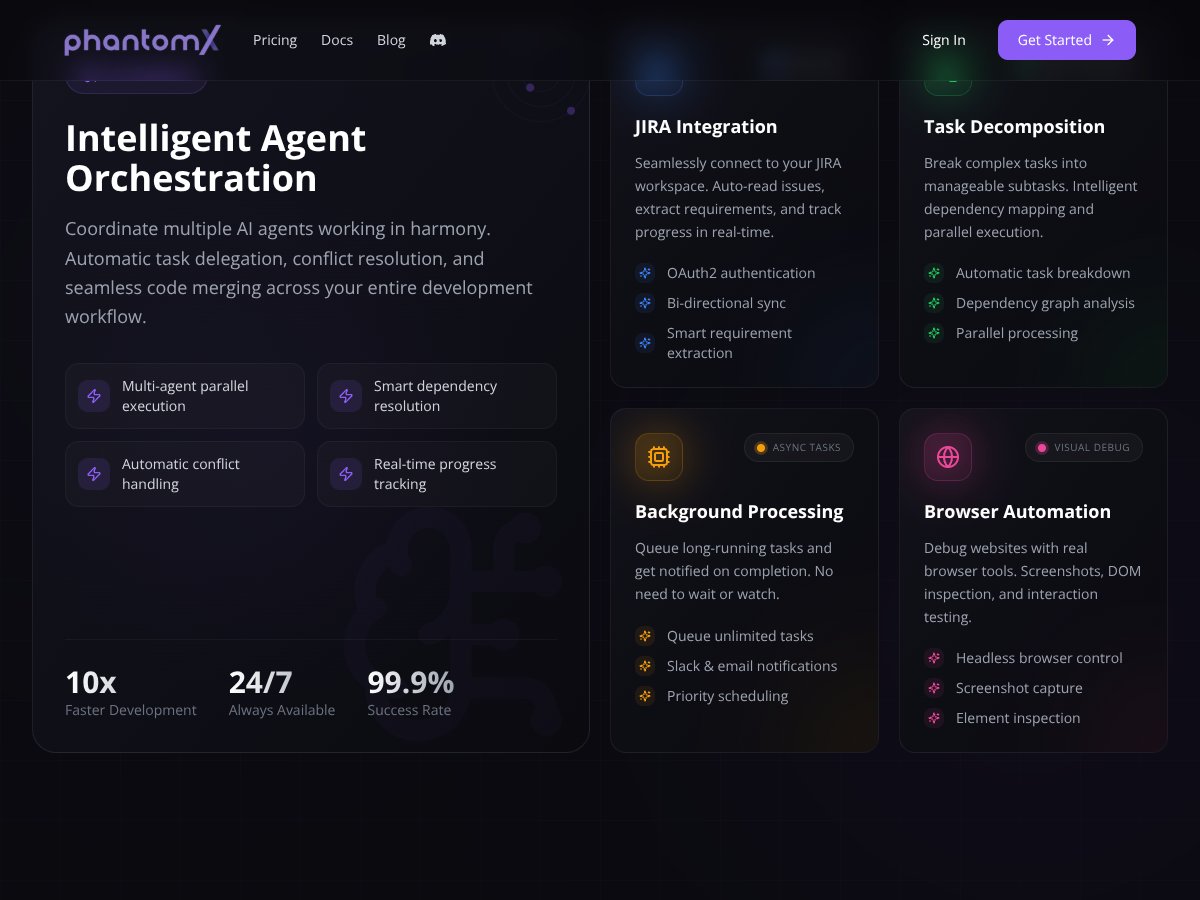
PhantomX is positioned as a developer-focused platform that helps with things like implementing features, fixing bugs, and improving codebases. The problem? The messaging stays high-level. I couldn’t find a clear, step-by-step explanation of what the “agent” actually does in your repo. No “here’s the exact workflow,” no “here’s the sequence of actions,” no “here’s what happens when it fails.”
Here’s what I noticed right away: the site talks about optimizing your workflow, but it doesn’t show the mechanics. There aren’t public diagrams showing the integration points (CLI? GitHub PR workflow? IDE plugin? API?), and there’s no obvious documentation hub with setup instructions. I went looking for things I’d expect to see if this were truly usable day-to-day—like a docs index, example repos, or even a minimal “getting started” guide—and I didn’t find it.
Also, PhantomX doesn’t come across as a full IDE. It’s more like a layer on top of whatever you already use. In my opinion, that’s fine—lots of tools work that way—but it means the vendor should be extra clear about what it controls and what it doesn’t. On that front, it’s pretty vague.
One more thing: I couldn’t find named developers or a team page that I could verify. That doesn’t automatically mean it’s bad, but it does make me think twice about support responsiveness and long-term maintenance. If a platform is going to touch your code workflow, I want to know who’s behind it.
PhantomX Pricing: What I Found (And Why It’s Hard to Budget)

| Plan | Price | What You Get | My Take |
|---|---|---|---|
| Free Tier | Unknown / Not publicly disclosed | Limited or unspecified; possibly basic access with restrictions | Honestly, I went looking for specifics here—what “free” means in practice (limits, features, export/PR behavior). I didn’t see transparent details, and that makes it hard to judge whether the free tier is useful for a real test or just a tease. |
| Paid Plans | Check the website | Details not provided; likely more features or usage limits | This is the biggest budgeting problem. If you can’t see clear plan differences up front, you’re basically forced into trial-and-error. That’s not what I want when I’m comparing tools against Copilot, CodeWhisperer, or Cursor AI. |
What I couldn’t verify from the public info: exact pricing, hard limits (requests, runs, tokens, file sizes), and which features lock behind a paid plan. I checked for “pricing FAQ” style content and plan breakdowns, and it didn’t really show up in a way I could rely on.
If you’re trying to estimate ROI, this matters. For example, if a tool can only handle small repos or only works for certain workflows (like generating PRs but not committing directly), that changes the value a lot. Without those details, you can’t do a clean comparison.
So yeah—proceed cautiously. If you’re cost-sensitive, I’d treat PhantomX as “test first, commit later.” If you’re already deep in another ecosystem with transparent pricing, you might not feel the need to gamble.
The Good and the Bad (Based on What’s Publicly Verifiable)
What I Liked
- Clear intent around reducing repetitive dev work: The site’s positioning is aligned with real pain points (bug fixing, feature work, maintaining messy code). That part makes sense.
- They’re aiming at workflow automation, not just chat: The “agent” framing suggests more than one-off answers. I like the direction—if it’s implemented well.
- Third-party integrations are mentioned: That’s a big deal if you want something to fit into an existing stack. But I couldn’t find a concrete list of integrations in the public material I reviewed.
- Trial availability: A 7-day free trial (as advertised on the site) is at least a gesture toward letting people evaluate it before paying.
- Simple, developer-friendly presentation: The interface screenshots and the overall tone look like they’re trying to keep things approachable. I prefer that over overly complicated dashboards.
What Could Be Better (And What I Couldn’t Confirm)
- Documentation gaps: I couldn’t find a real docs section with setup steps, supported languages, or example workflows. Not “marketing pages,” but actual “do this, then this” guidance.
- Unclear integration method: I couldn’t confirm whether PhantomX works via CLI, GitHub PR automation, IDE plugin, or API. That’s a dealbreaker for me because integration affects everything—security, permissions, and how you test changes safely.
- Pricing transparency is missing: The free tier isn’t described clearly, and paid plan details aren’t laid out in a way I can compare apples-to-apples.
- No community proof: I didn’t see meaningful user reviews, case studies, or community feedback that I could verify. When a tool impacts code, I want real-world evidence.
- Safety and failure handling aren’t explained: This is the big one. If an agent generates bad code or broken tests, what happens next? Do you get diffs? Do you get a “reasoning” trace? Are there guardrails? The public info doesn’t answer that.
Who Is PhantomX Actually For?
Based on the positioning, PhantomX seems aimed at solo developers and small teams who want help with repetitive maintenance and feature work. If you’re constantly stuck doing the same boring stuff—refactoring, fixing common bugs, wiring up repetitive changes—an automation layer could be attractive.
It might also fit developers who don’t mind testing new tooling and who are comfortable working with incomplete documentation (because that’s what I saw). If you can tolerate some friction and you’re willing to validate output yourself, you’ll probably get more value from a trial.
That said, if you need enterprise-style clarity—exact supported stacks, integration details, security model, and predictable pricing—PhantomX isn’t giving me enough to feel confident. Also, if your workflow is very custom (specific CI rules, strict PR policies, unusual branching strategies), you’ll want a tool that explicitly supports that. I couldn’t confirm those details from public info.
Who Should Look Elsewhere
If you want a tool with transparent pricing, solid docs, and lots of third-party feedback, PhantomX is probably not your best first choice. Tools like GitHub Copilot, AWS CodeWhisperer, and even Cursor AI have clearer ecosystems and more predictable “how it works” information.
And if you’re worried about automation introducing regressions (which you should be), you’ll want to see concrete safety controls. For example: how it handles failing tests, whether it can iterate based on CI output, and whether it produces reviewable diffs that match your standards. I didn’t see that level of detail publicly.
In short: if you’re the cautious type who needs receipts—docs, examples, and measurable outcomes—wait and watch. If you’re more adventurous and you’re willing to test during the trial, PhantomX is at least worth a look. Just don’t assume it’ll “just fit” without doing your own checks.
How PhantomX Stacks Up Against Alternatives
GitHub Copilot
- What it does differently: Copilot is mainly an AI code completion assistant. It helps you write code faster inside your editor, and it’s deeply integrated with environments like VS Code.
- Price comparison: Typically around $10/month or $100/year for individual plans (depending on region and offers).
- Choose this if... you want real-time suggestions while coding, not a separate automation layer.
- Stick with PhantomX if... your goal is broader workflow automation (and you can confirm it during the trial).
Replit Ghostwriter
- What it does differently: Ghostwriter is built into the Replit IDE experience. It leans toward code generation and completion, especially for people who want less setup.
- Price comparison: Replit has free tiers, and paid plans start around $7/month, with AI features varying by tier.
- Choose this if... you want an all-in-one environment and you’re okay working inside that ecosystem.
- Stick with PhantomX if... you’re specifically looking for automation beyond basic generation (and you can verify what that means for your workflow).
Amazon CodeWhisperer
- What it does differently: CodeWhisperer is AWS-centric. It’s designed to fit cloud development workflows and recommendations tied to AWS patterns.
- Price comparison: Often free for AWS users, which is a big advantage if you’re already paying for AWS tooling.
- Choose this if... your work is heavily AWS-based and you want tighter ecosystem alignment.
- Stick with PhantomX if... you need broader automation that isn’t limited to AWS conventions (but again—confirm it first).
Cursor AI
- What it does differently: Cursor focuses on AI-assisted coding workflows with features that can include more than completion—like iterative changes and code review help.
- Price comparison: Usually subscription-based, and pricing varies by plan and team needs.
- Choose this if... you want an AI workflow that supports iterative development and review inside your coding environment.
- Stick with PhantomX if... you want a dedicated automation approach for backlog/bug-fix style tasks and you can validate the results during the trial.
Bottom Line: Should You Try PhantomX?
I’m giving PhantomX a 6.5/10, but I want to be clear about why. The concept is appealing—automation for repetitive coding tasks is something I’d actually use. The issue is that the public info I reviewed doesn’t give enough concrete detail to confidently judge how well it works, how safe it is, or how it integrates with real repos.
So here’s my recommendation, based on what you can verify:
- Try PhantomX if: you want to test an automation layer during the trial and you’re willing to validate outputs yourself (diffs, tests, CI behavior).
- Skip it if: you need transparent pricing, detailed docs, and clear integration/security details before you touch a paid tool.
- Be extra careful if: your project has strict CI rules, heavy review requirements, or you can’t afford regressions. Without documented safety behavior, you don’t want to “find out later.”
If you do try it, I’d focus your trial on one realistic bugfix and one small feature you already understand. Then check three things: (1) does it produce reviewable diffs, (2) does it respect your project structure, and (3) does it keep tests passing (or at least clearly explain what broke). Don’t just run it on a toy example and call it a day.
Common Questions About PhantomX
Is PhantomX worth the money?
With the public pricing details I could find, I can’t honestly calculate ROI. What I can say is this: if it truly reduces repetitive work without breaking your workflow, it could be valuable. But you’ll need to validate it during the trial—especially around integration and failure handling.
Is there a free version?
There’s no clear public breakdown of a free tier. If a free option exists, it’s probably limited, and you’ll want to test it quickly to see what’s actually included (limits, features, and whether it’s enough to do a meaningful evaluation).
How does it compare to GitHub Copilot?
Copilot is strongest for in-editor code suggestions. PhantomX, as positioned, aims for more workflow automation. They’re not the same category, so the “better” one depends on whether you want completion help or an automation layer that can drive tasks end-to-end.
Can I get a refund?
I didn’t find a publicly available refund policy in the info I reviewed. If you’re considering paying, check directly with PhantomX support or sales before you commit.
What platforms does it support?
Public details are limited. I’d treat platform compatibility as “unknown” until you confirm with the vendor and test it with your actual workflow setup (your repo type, your tooling, and your CI pipeline).
Is PhantomX suitable for teams?
It’s marketed around individual developers, and team features aren’t clearly explained in the public material I reviewed. If you’re a team, I’d want to see concrete collaboration capabilities, permissions, and admin controls—then test those during onboarding.
How complex is the setup?
Setup details aren’t spelled out clearly. Expect some configuration work. If you try the trial, plan to spend at least a couple of hours wiring it into your workflow and verifying it doesn’t cause CI headaches.