Table of Contents
Have you ever clicked on an outfit online and thought, “I hope this looks good on me”? I definitely have. The problem is, most product photos don’t really tell you how a piece will sit on your body. That’s where PhotoFlux AI comes in.
In my experience, PhotoFlux AI is one of those Shopify try-on apps that’s easy to understand fast: you upload a photo, pick a garment, and see a virtual try-on. It’s not just “another AI feature” either—it’s built around reducing that annoying uncertainty that comes with online fashion shopping. And yeah, there are a couple of real-world limitations too, so I’ll cover both sides.
PhotoFlux AI Review: Does Virtual Try-On Actually Help?
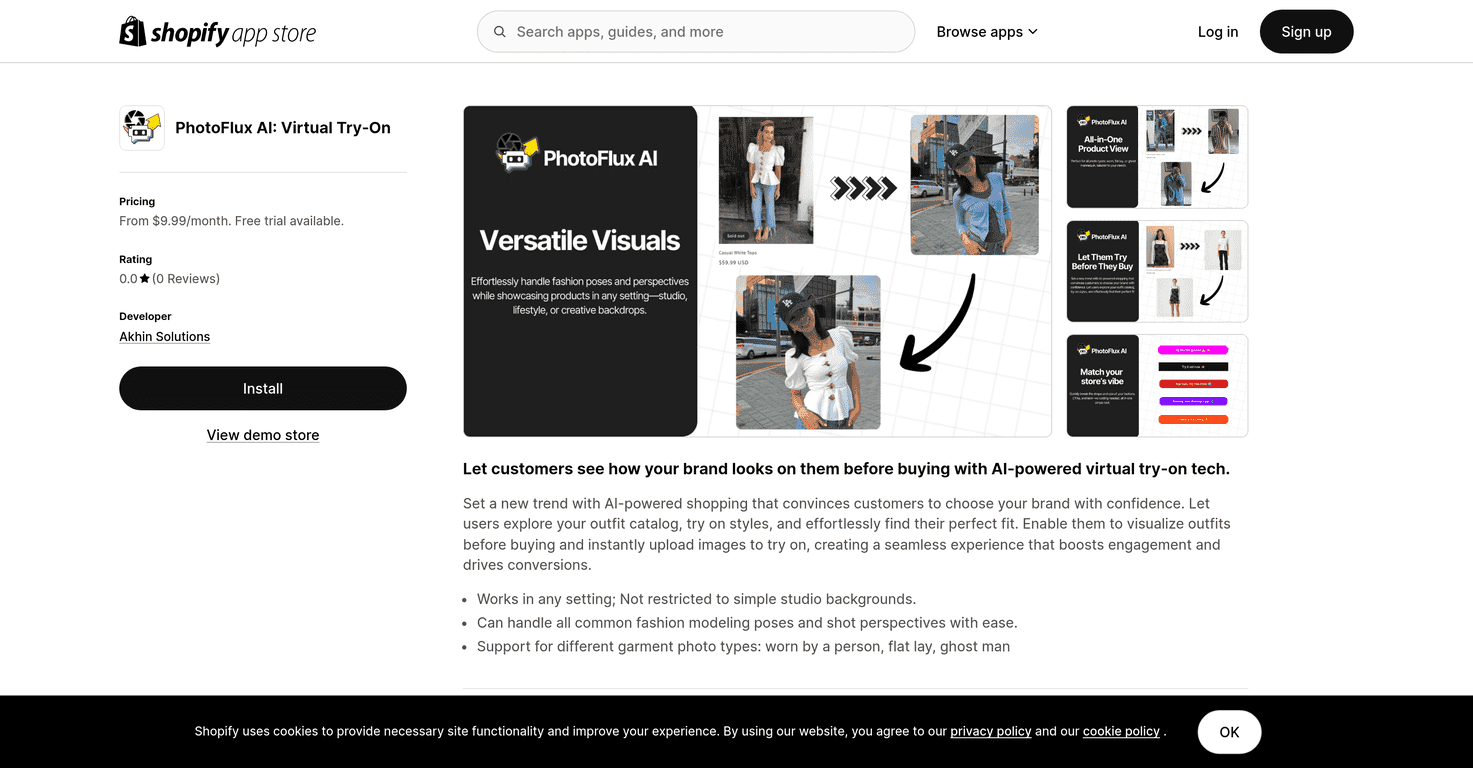
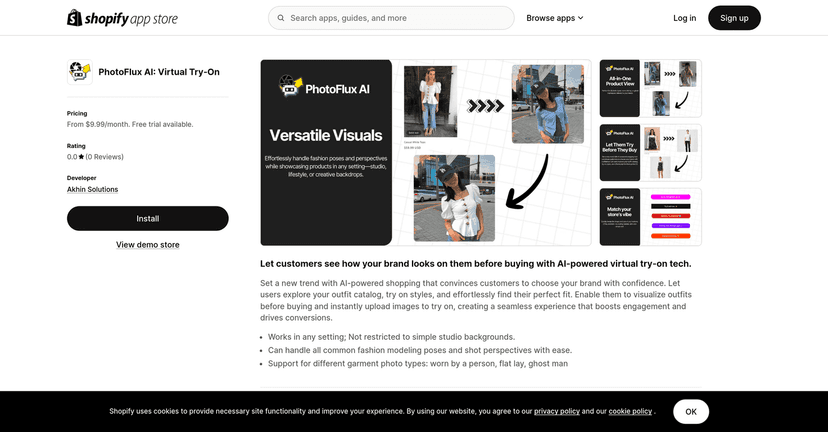
PhotoFlux AI is built for fashion stores (and shoppers) who want a more realistic way to preview clothing. Instead of relying only on model shots, you upload a photo and then try on garments using PhotoFlux’s AI.
What stood out to me right away is how the app focuses on practical garment visuals. It’s not just “put a shirt on a person.” The app supports different kinds of garment images—like worn clothes, flat lays, and “ghost man” images—so stores don’t have to use exactly one photo style to get results.
Also, if you’ve used other try-on tools before, you know the experience can feel clunky. PhotoFlux AI feels more straightforward. You upload your image, choose an item, and generate a try-on. It’s the kind of flow that doesn’t make people abandon the page after 10 seconds.
That said, virtual try-on is still virtual try-on. It’s helpful for direction and fit expectations, but it won’t replace checking the actual size chart. If you’re shopping for something structured (like a blazer or tailored pants), you’ll still want to read measurements. Want a quick reality check? A virtual try-on can’t fully account for your personal posture, fabric stretch, or how a garment behaves after a few hours of wear.
Key Features
- AI-powered virtual try-on technology
You upload a photo and generate try-ons for different garments—simple enough for most shoppers to use without a tutorial. - Compatibility with a wide array of fashion modeling poses
In practice, this matters because not every product photo set matches the same “pose” style. The more flexible the pose options, the fewer items are likely to look off. - Supports multiple garment photo types
worn clothes, flat lays, and ghost man images are all supported. This is a big deal for stores that already have different photo workflows. - Works with the latest store themes
The goal here is fewer theme headaches. If your Shopify theme doesn’t play nicely with an app, shoppers won’t use it—so compatibility is worth paying attention to.
Pros and Cons (What I Liked vs What Could Be Better)
Pros
- More confidence before you buy
When customers can “see it on them,” they’re less likely to feel stuck between “looks great” and “what if it doesn’t fit me?” That confidence boost can help reduce hesitation. - Engaging experience that can support conversions
In my view, interactive try-on is one of those features that keeps shoppers on the product page longer. And when people spend more time exploring, they’re more likely to find something they actually want. - User-friendly interface
The flow is straightforward—upload, select, preview. It doesn’t feel like you need to be tech-savvy to get it working.
Cons
- Garment image type matters
This is the biggest “real world” limitation. If a store’s garment images aren’t in a supported format (or aren’t clear enough), the try-on won’t look as convincing. It’s not the shopper’s fault, but it does affect results. - Rating concerns (reported 0.0/5)
If you’re evaluating PhotoFlux AI for your store, you should take the current reported rating seriously. A low score doesn’t automatically mean it’s unusable, but it does suggest there may be ongoing issues—whether that’s performance, customer support, or generation quality.
Pricing Plans
PhotoFlux AI offers three tiers, and the pricing is tied to how many try-ons you can generate. Here’s the breakdown:
- Starter Plan: $9.99/month
Includes a 3-day free trial, 100 Try Ons, and full sharing optimization. - Pro Plan: $39.99/month
Includes a 3-day free trial, 500 Try Ons, and priority customer support. - Enterprise Plan: $299.99/month
Includes 2000 Try Ons, dedicated technical support, and optimized image generation.
Quick tip from someone who’s priced these tools before: if your store has a lot of traffic, try-ons can run through credits faster than you’d expect—especially during sales. I’d plan around your busiest weeks, not your average week.
Wrap up
So, is PhotoFlux AI worth it? If you run a fashion Shopify store and you want a more interactive shopping experience, it’s definitely one of the more promising options—especially because it supports different garment image types (not just one rigid format).
Just don’t ignore the cons. Virtual try-ons depend heavily on input quality, and the reported rating is something you should check before committing. If you’re willing to align your product images with what the app works best with, you’ll likely get much better results.
If you want shoppers to feel more confident (and you want that extra layer of engagement on product pages), PhotoFlux AI is worth trying—start with the trial and see how your catalog performs.
Promote PhotoFlux AI