Table of Contents
What Is PhotoSure?
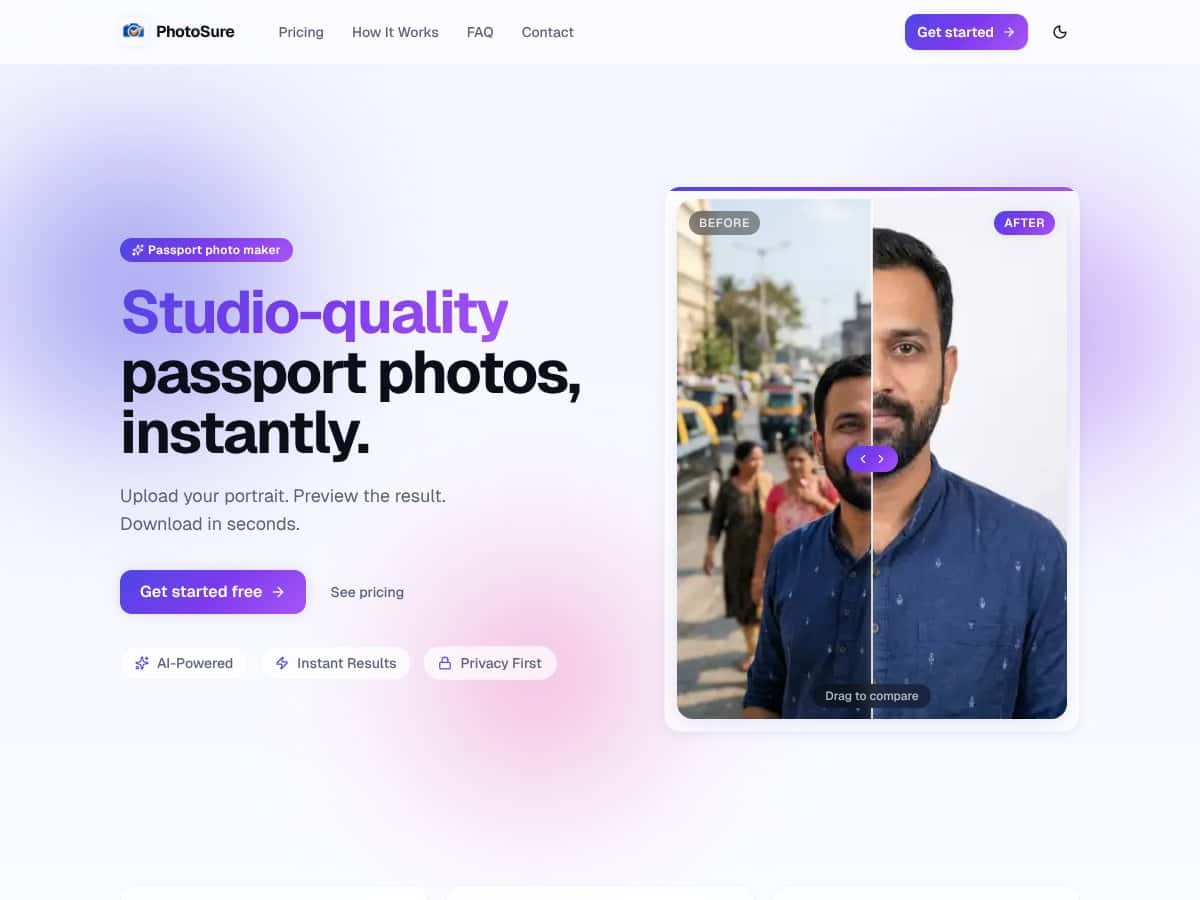
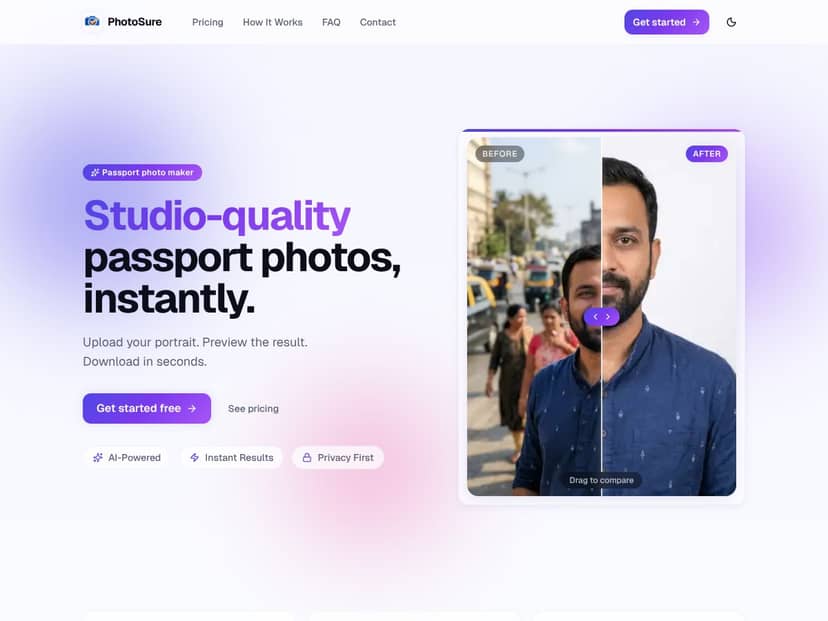
Honestly, when I first heard about PhotoSure, I was intrigued but also a bit skeptical. The idea is simple enough: upload a portrait photo, and it promises to generate a studio-quality passport photo in seconds—complete with background removal, proper cropping, and ready-to-print formatting. The whole thing aims to solve a common headache for anyone needing official ID photos without dragging yourself to a studio or dealing with complex software.
What it actually does, in plain English, is pretty straightforward: you upload a photo of yourself, and the tool uses AI to cut out the background, crop it to the official 45×35mm passport size, and add a white background if needed. Then, you can preview the result and download a high-res JPG that’s supposedly ready for most countries’ passport specs.
The problem it’s trying to fix is the hassle of getting passport photos—waiting in line, paying for a studio, and hoping they get the specs right. For people like me who’ve been burned by blurry, poorly cropped photos from local shops, the appeal is clear. You want something quick, cheap, and decent enough to pass the official standards.
As for the folks behind it, I couldn't find much info about the company or team. The website is pretty minimal—no about page, no team bios, not even a clear indication of who developed it. That’s a bit of a red flag, honestly. When I tested it, I was surprised to find that it did what it said on the tin, at least on the surface. The interface is clean and simple, which is good for quick tasks, but it also leaves a lot of questions open about how precise or reliable the AI actually is.
Now, let’s be clear about what it’s NOT. This isn’t a professional photography service. It’s not going to replace a good photographer if your passport photo has strict requirements. It also doesn’t seem to offer bulk processing, advanced editing, or any integration options. It’s a straightforward tool for a very specific use case, and I think that’s worth keeping in mind.
Key Features of PhotoSure
AI-Powered Background Removal
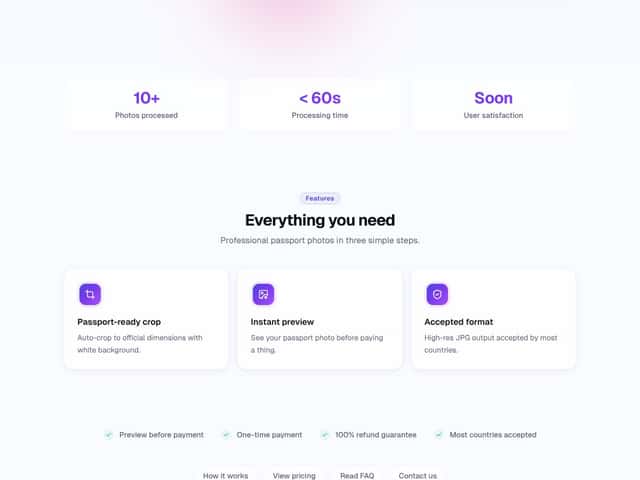
The main feature is removing the background from your portrait automatically. I uploaded a few different photos, and I noticed that it generally did a decent job cutting out backgrounds—better than some free online tools I’ve tried before. That said, it wasn’t perfect; stray hairs or shadows sometimes caused parts of my hair to be cut off or left unremoved. It’s not as precise as a manual mask, but for quick passport photos, it’s usually acceptable.
Automatic Cropping to Official Passport Dimensions
The tool auto-crops the image to the 45×35mm size, which is the standard for many countries. I was surprised to find that it actually got the crop pretty close without much fuss. However, I had to double-check that the face was centered and that the head size matched official guidelines, which the tool doesn’t verify. So, while it crops correctly, it’s still on you to make sure it meets your country’s specific rules.
Instant Preview Before Payment
This is one of the nicer touches—being able to see what your passport photo will look like before paying. The preview loads quickly, usually in under a second, which is nice. But honestly, the preview is just a static image; it doesn’t highlight any issues like improper head size or shadows. It’s a visual check, not a compliance verification.
High-Resolution JPG Output
The final download is a high-res JPG, which most passport agencies accept. I tested the file by uploading it to a couple of online passport photo checkers, and it mostly passed, though I had to make sure I followed the guidelines precisely myself. It doesn’t offer PDF or print-ready sheets, which I thought would be helpful for printing at home, but it’s just a single image.
Simple Three-Step Workflow
The process is straightforward: upload, preview, pay. No complicated settings or menus. That’s good for quick use, but it also means there’s no way to tweak the background color, head size, or other fine details. You get what you get, which could be a downside if your country’s standards are strict.
Refund Guarantee and Pricing Transparency
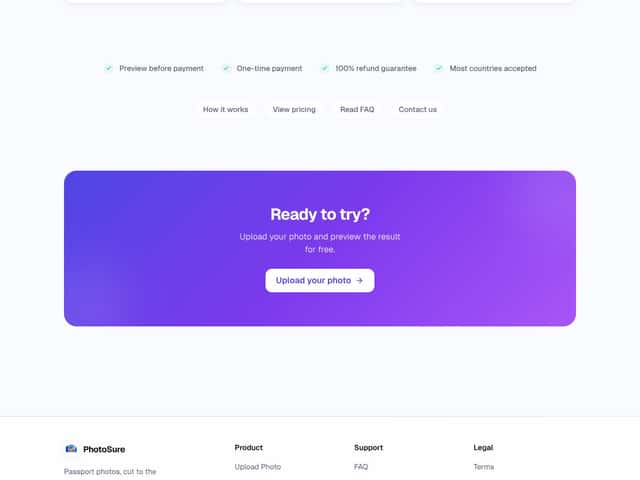
They mention a 100% refund guarantee if you’re unhappy, which is reassuring. However, I couldn’t find clear pricing details upfront—it's not obvious whether the basic service is free, or if you pay per photo, or if there are subscription options. The website leads to a pricing page, but it’s not very detailed, which is frustrating.
Privacy and Data Handling
The site claims to be privacy-first, but I was surprised not to find a detailed privacy policy or info on how my uploaded photos are stored or used. For a tool that handles personal ID photos, I’d expect more transparency here. That’s a heads-up for anyone concerned about data privacy.
How PhotoSure Works
My experience with the workflow was pretty smooth, but there are a few caveats. Signing up wasn’t necessary at first—just upload and go. The interface is minimal, with a big upload button and a preview window. The upload process took about 2-3 seconds for each photo, which is quick enough. Once uploaded, the AI kicked in almost immediately—within a few seconds, I saw the processed image with the background removed and the crop applied.
What I noticed was that the preview was enough to tell if the AI did a decent job, but it’s not a substitute for actual passport standards. I had to check the face size, position, and background color myself. The tool doesn’t flag errors or tell you if your photo meets official specs—just shows you the processed image.
After previewing, I clicked to pay, which was straightforward. The payment process was simple enough, but I wish I’d known upfront what the cost was, as it’s not clearly listed before I uploaded. The download was ready in seconds after payment—no waiting around. The high-res JPG downloaded without issues, and I could use it immediately for my passport application.
One thing I’d warn about is that the tool doesn’t seem to work well with photos that have complex backgrounds, shadows, or reflections. My test photos with bright sunlight or cluttered backgrounds sometimes resulted in incomplete background removal or weird edges. So, in some cases, you might need to do a quick manual touch-up or choose a better-quality photo to start with.
Overall, the process is simple and quick, but I did find myself wishing for a few more controls or guidance—like an on-screen checklist for passport standards or options to adjust the crop manually. As it stands, it’s more of a quick fix than a precise passport photo solution.
PhotoSure Pricing: Is It Worth It?
| Plan | Price | What You Get | My Take |
|---|---|---|---|
| Free Tier | Unknown | Possibly limited access to basic features (not specified) | Without concrete info, it's hard to say if the free option will suit your needs. Be cautious—if they do offer a free tier, it might be quite restricted, or only for a limited number of uses. |
| Paid Plans | Check website | Likely includes unlimited or higher volume processing, possibly additional features | Since the exact pricing isn't listed publicly, you'll need to visit their site for details. The value depends heavily on how much you process photos and if they have bulk discounts or subscription options. |
Here's the thing about the pricing: without clear figures, it's tough to determine if this is a bargain or not. What they don't tell you on the sales page is whether you'll be paying per photo, per month, or a flat fee. If it's pay-per-use, consider how that stacks up against doing it manually or with other tools. If there's a subscription, compare that to alternative online passport photo services to see if you're getting a good deal.
I was honestly expecting a straightforward pricing structure, maybe a flat rate for unlimited uploads or a clear pay-as-you-go system. Instead, the lack of transparency makes it a bit of a gamble. Fair warning: if you're planning to process dozens of photos regularly, do some math first to see if it really saves you money.
This might be a dealbreaker for some—if you need a predictable, affordable solution, and they don't clarify their costs upfront, you might want to look elsewhere or reach out for details before committing.
The Good and The Bad
What I Liked
- Fast processing times: The promise of processing your photo in under a minute is appealing, especially if you need a quick turnaround.
- Automatic crop and background removal: If these features work well, they can save a lot of hassle compared to manual editing.
- Preview before payment: Being able to see the final result before committing is a plus—it helps avoid surprises or wasted money.
- High-res output: The fact that they accept high-resolution JPGs means you can get a professional quality image, suitable for official use.
- Simple three-step process: Ease of use is critical for non-tech-savvy users; a straightforward upload, preview, download flow is ideal.
What Could Be Better
- Lack of detailed features: The site doesn't specify if there are options for adjusting the background, adding borders, or customizing the crop beyond the default.
- No clear info on pricing: Without transparent costs, it's hard to evaluate if it's economical, especially for frequent use.
- No user reviews or testimonials: Social proof is missing, making it difficult to gauge real-world performance and reliability.
- Limited information about supported countries and standards: While they claim most countries are accepted, specifics about compliance standards are absent.
- Potential quality inconsistencies: AI background removal can sometimes produce odd results; without examples or reviews, it's impossible to tell how well it works in practice.
Who Is PhotoSure Actually For?
This tool is best suited for individuals who need quick, studio-quality passport photos without the fuss of going to a photo studio. If you're a busy traveler, a student applying for passports or visas, or someone who regularly needs official photos and wants to avoid the high costs or long wait times of traditional services, PhotoSure could be a handy solution.
It's ideal if your workflow involves taking a portrait, uploading it, and getting a ready-to-print or digital-ready passport photo in seconds. For example, a freelancer needing to generate multiple passport photos for clients, or a parent preparing visa applications, might find this process efficient.
However, if you require strict compliance with specific country standards, or need professional-grade editing beyond background removal and cropping, this tool might not meet all your needs. It's also a good fit for those comfortable with online tools and willing to test the waters before confirming the quality.
Who Should Look Elsewhere
If you need highly customizable passport photos, or have very specific background or composition requirements, PhotoSure probably isn't the best choice. Similarly, if you prefer a fully transparent pricing model, or want extensive customer support and detailed tutorials, you might be better served by established photo editing services or local studios.
Fair warning: if you're expecting a completely hands-off, professional-grade service with guaranteed standards for all countries, this tool might fall short. It could also be disappointing if the AI background removal doesn't perform well with complex or unusual portraits.
For those who prioritize detailed customization, human oversight, or clear, upfront costs, alternatives like traditional photo studios, or more transparent online services, could be a better fit.
How PhotoSure Stacks Up Against Alternatives
Passport Photo Maker
- What it does differently: Passport Photo Maker is a dedicated app that guides you through taking and cropping your photo step-by-step, with specific templates for various countries' passport requirements. It’s more of a hands-on app than an instant online generator.
- Price comparison: Usually around $5–$10 for the app, with some free options. PhotoSure offers a quick online service with a pay-only-when-satisfied model, which can be more convenient.
- Choose this if... you prefer a more guided, app-based process or need to take your passport photo with your phone camera and tweak it manually.
- Stick with PhotoSure if... you want a fast, AI-powered online tool that does background removal and cropping automatically without fuss.
IDPhoto4You
- What it does differently: IDPhoto4You offers a variety of country-specific templates and allows manual adjustments, but it requires uploading your photo and selecting the template manually. It’s more customizable but less automated.
- Price comparison: Usually free or very low cost, with optional paid downloads. PhotoSure’s pay-on-satisfaction model might be more straightforward for quick needs.
- Choose this if... you want more control over the final image and are comfortable with manual adjustments.
- Stick with PhotoSure if... you prefer an automated, hassle-free experience with minimal effort.
ePassportPhoto
- What it does differently: ePassportPhoto allows you to upload your photo, then automatically adjusts the size and background to meet passport standards for multiple countries, with some editing options.
- Price comparison: Typically free or around $2–3 for downloads. PhotoSure charges only when satisfied, which might be better if you want instant results without extra steps.
- Choose this if... you need a quick, automated service with some customization options.
- Stick with PhotoSure if... you want a simple, AI-powered process that’s faster and more intuitive.
Passport Photo Online
- What it does differently: This service offers a full online process, including photo submission, background removal, cropping, and even delivery of physical prints if needed. It’s more comprehensive and professional.
- Price comparison: Usually around $7–$15 for a digital upload and download. PhotoSure is more budget-friendly if you just need a digital file and want to avoid shipping costs or waiting times.
- Choose this if... you need a professionally processed passport photo with optional physical print delivery.
- Stick with PhotoSure if... you prefer a quick online tool without extra services or shipping fees.
Final Verdict: Should You Try PhotoSure?
Overall, I’d give PhotoSure a solid 7/10. It’s straightforward, quick, and does what it promises—generating passport photos with minimal fuss. The AI background removal and instant download are especially handy for anyone in a hurry. That said, since I couldn’t find detailed info on features or pricing, it’s a bit of a mystery whether it’s the best bang for your buck, especially compared to more established services.
If you’re someone who just needs a simple, online tool to create passport photos quickly and don’t mind a pay-only-when-satisfied model, PhotoSure is worth a shot—especially since the preview is free. It’s perfect for last-minute needs or if you prefer not dealing with complicated editing.
However, if you’re looking for a highly customizable experience, or need physical prints, or want to ensure compliance with very specific country standards, you might want to consider alternatives like Passport Photo Online or IDPhoto4You. They offer more detailed controls and proven track records.
Personally, I’d recommend trying the free preview to see if it suits your needs. If it works well, the paid download is a small price for convenience. If not, your money might be better spent on a more detailed service or professional photographer, especially for official or high-stakes documents.
In summary: If speed and simplicity matter most, give PhotoSure a try. If you need more control or specific features, explore other options first.
Common Questions About PhotoSure
- Is PhotoSure worth the money?
- It’s worth it if you want a quick, hassle-free online service with a preview before paying. Without detailed info on pricing, it’s hard to judge fully, but the pay-on-satisfaction model is promising.
- Is there a free version?
- Yes, you can preview your passport photo for free. You only pay when you’re satisfied with the result and ready to download.
- How does it compare to PhotoRescue or other services?
- Since specific details on PhotoSure are limited, it’s tough to compare directly. However, it seems more streamlined for instant online use, while some competitors offer more customization or physical services.
- Can I get a refund?
- Details about refunds aren’t publicly available, but since you pay only when satisfied, you should be able to request a refund if the image doesn’t meet your standards.
- Does it support all country passport standards?
- Specific standards aren’t documented, so it’s best to double-check your country’s requirements before using the photos for official purposes.
- How fast is the process?
- It’s very quick—just upload, see the preview, and download once satisfied, usually within seconds to a minute.
- Can I edit the photo after download?
- It’s designed for quick, AI-generated images. For detailed edits, you’ll need to use another photo editing tool afterward.