Table of Contents
Introduction
If you’ve ever had a “final” prompt that mysteriously stops working a week later, you already know the pain. Prompt work gets messy fast—copy/paste versions floating around, tweaks that aren’t documented, and no easy way to roll back when an edit breaks output quality.
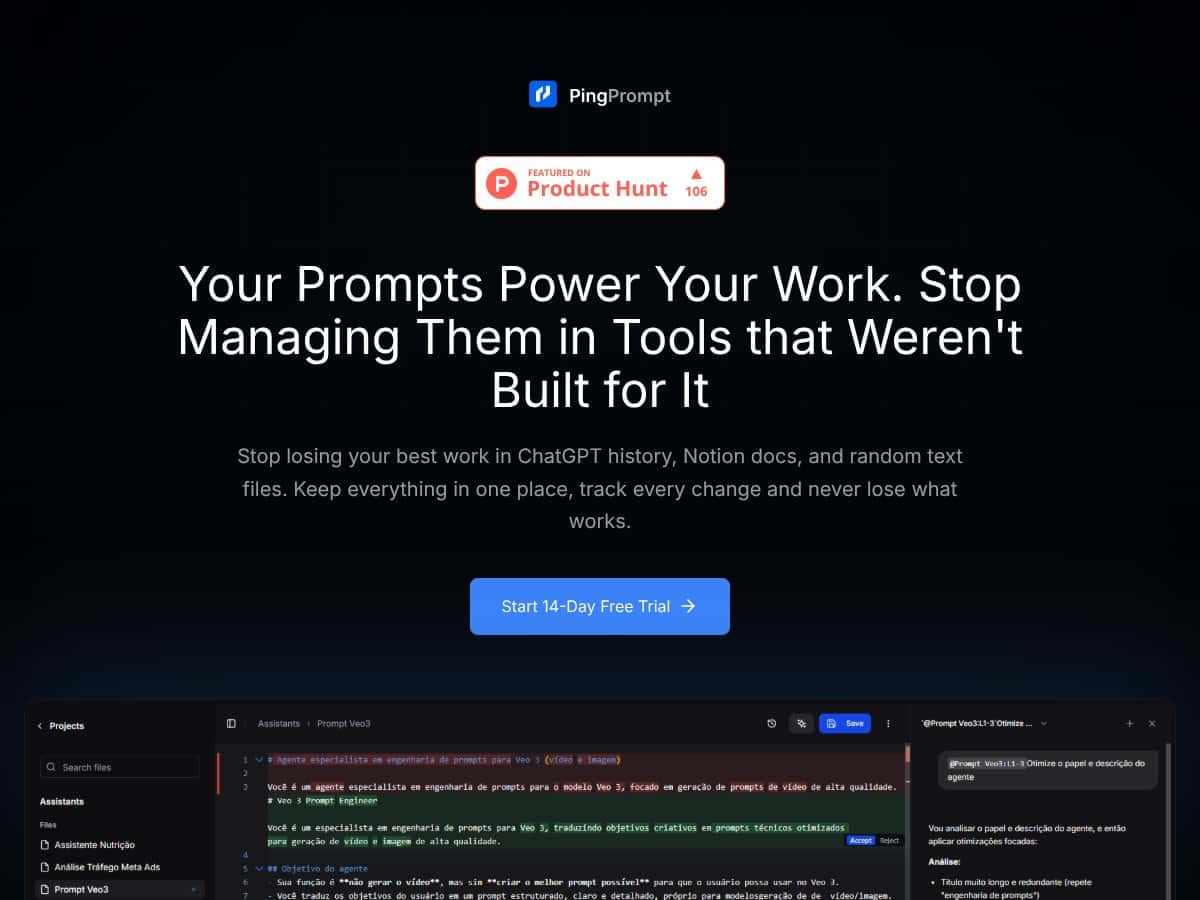
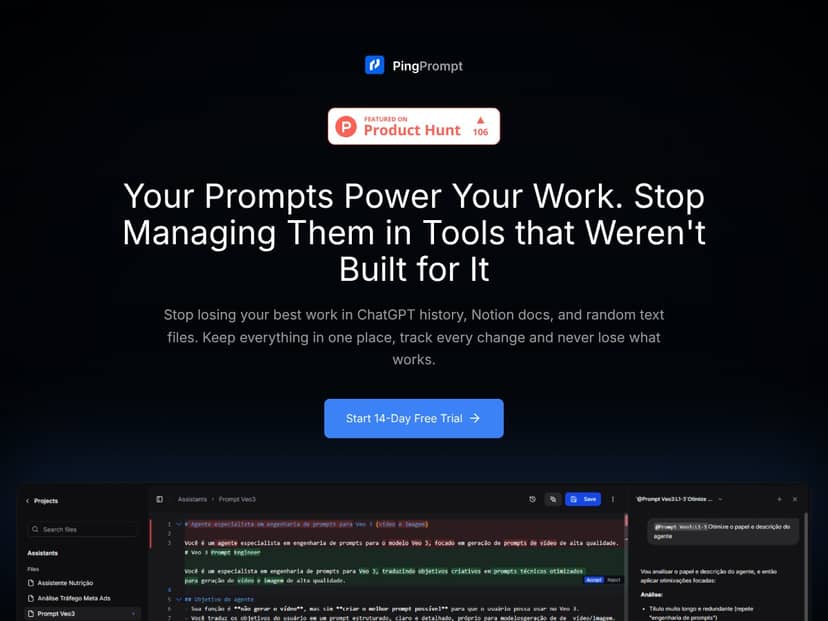
That’s why I was curious about PingPrompt. It’s built specifically for prompt management, not generic notes. The big promise is simple: organize your prompts, track changes, and iterate safely—especially when you’re testing prompt variations across different LLMs.
In this review, I’m going to focus on what PingPrompt actually does in practice: version history, how comparisons work, what multi-model testing feels like, and whether the “prompt lifecycle” approach is genuinely useful or just another dashboard. I’ll also call out where things are unclear (because not every detail is always stated upfront).
What Is PingPrompt?
PingPrompt is a dedicated workspace for managing AI prompts—so you’re not juggling a dozen documents, spreadsheets, and chat threads. The core idea is that prompts aren’t just text. They’re living artifacts that need version control, change tracking, and repeatable testing.
Instead of treating prompts like plain notes, PingPrompt adds prompt-specific structure: version history, side-by-side comparisons, and the ability to test prompt variations (including across models). In my experience, that’s the difference between “I think this is the latest prompt” and “I can prove what changed and revert when needed.”
It’s aimed at people who rely on prompts heavily—content teams, marketers, AI developers, and agencies running multiple client workflows. If you only need a place to store a handful of prompts, you may find it overkill. But if you’re iterating constantly, version history becomes the whole point.
Key Features (In-Depth Analysis)
Version Control & Change Tracking
The headline feature here is version control with change history. When I tested the workflow, the value wasn’t just that versions exist—it’s that the UI makes it easy to see what changed and then return to a known-good version.
What I looked for (and what mattered):
- Are versions saved automatically when I edit? In practice, you don’t have to “manually remember” to create a new copy. Edits are tracked so you can review history later.
- Can I roll back without starting over? The rollback flow is the real safety net. If a prompt starts underperforming after an edit, you can revert instead of rebuilding from scratch.
- Is the timeline usable? The timestamps and version list help you correlate prompt changes with output changes.
Why this matters: prompt iteration is fast, and mistakes are expensive. Version control keeps you from “losing” good work to accidental overwrites.
Side-by-Side Comparison
PingPrompt’s comparison view is where I felt the product was actually built for prompt iteration. Instead of guessing what changed between two copies, you can inspect versions side-by-side and spot differences quickly.
I found this especially helpful when:
- I made small wording tweaks and wanted to confirm exactly what moved.
- I tested two prompt variants and needed to compare them before analyzing model output.
- I wanted to document why a prompt changed for a specific campaign or task.
Short version: if you do prompt A/B testing, comparison saves time. If you don’t, you’ll still appreciate it when debugging.
Multi-Model Testing
This is one of the most practical features. Instead of running the same prompt in different tools, PingPrompt lets you test prompt versions against multiple LLMs and compare outputs inside the same workflow.
Here’s the kind of test I ran:
- Created one base prompt for a writing task.
- Made a second version with a tighter instruction and a different tone constraint.
- Ran both versions across multiple model options to see where each prompt “wins” (and where it fails).
What I noticed: prompts don’t behave consistently across models. A change that improves clarity on one model can reduce adherence on another. Being able to test side-by-side makes it much easier to pick a prompt version that’s reliable across environments.
AI-Assisted Prompt Refinement
PingPrompt also includes an AI assistant for prompt refinement. In my testing, the assistant’s suggestions were most useful when I already knew what I wanted (clarity, structure, stricter formatting) but didn’t want to rewrite everything manually.
How it worked in practice:
- You get suggested edits tied to improving the prompt.
- You can accept or reject suggestions instead of being forced into a full rewrite.
- The edit flow pairs nicely with version history—so you can test the improved version immediately and roll back if it’s worse.
One honest note: AI suggestions aren’t magic. If your prompt is missing core context, the assistant can only do so much. Still, for iterative refinement, it’s a time saver.
Secure API Key Management
PingPrompt lets you connect your own API keys so you’re not locked into someone else’s infrastructure. That matters when you’re managing costs or using multiple providers.
What I checked:
- Where key connection happens in the UI (it’s part of onboarding / setup).
- Whether prompts can run using your configured providers.
- Whether there’s any visible “middleman” behavior (there shouldn’t be, since the point is using your keys).
Limitation: I didn’t see pricing-page-level specifics here about encryption details or retention policies in the content provided. If you care about compliance, you’ll want to verify those details directly on the site or in their documentation.
Prompt Organization & Structure
For me, organization is what keeps version control from turning into a pile of filenames. PingPrompt supports structured management (folders/tags-style workflows), so you can keep prompt libraries usable as they grow.
I liked that organizing prompts isn’t an afterthought. When you’re managing multiple projects or clients, being able to quickly find “the prompt that worked last month” is everything.
Latency & Token Usage Tracking
Performance tracking is one of those features you only appreciate once you start paying attention to cost and speed. PingPrompt’s idea is that you can monitor things like latency and token usage so you can optimize prompts for both quality and operational efficiency.
What I used this for:
- Comparing two prompt versions to see if the “better” one is also more expensive.
- Spotting cases where a prompt revision increases output length or verbosity.
- Making more informed iteration decisions instead of optimizing blindly.
Limitation: The depth of reporting (exact fields, export formats, and whether it includes per-model breakdowns) isn’t fully detailed in the content I received. If you need a specific metric for reporting, check the product UI during your trial.
Safe Testing & Deployment
The “safe” part matters. The goal isn’t just to store prompts—it’s to test changes without breaking whatever is currently running in production. Versioning + comparison does most of the safety work here.
In practice, I treated it like this:
- Keep a known-good version for active workflows.
- Create and test a new version in the workspace.
- Only switch when the results are clearly better (or at least not worse).
That workflow alone can prevent a lot of “oops” moments.
How PingPrompt Works
Getting started is pretty straightforward. I’d expect most users to follow a similar path:
- Sign up (the product mentions free trial / early access style onboarding).
- Connect API keys inside the platform so prompts can run against providers.
- Create prompts in the workspace and organize them into folders/tags.
- Edit and iterate while version history tracks changes automatically.
- Compare and test versions side-by-side, including across multiple models.
The main interface is prompt-centric. Each prompt version is tied to metadata and history, so you can move from “what changed?” to “what happened to the output?” without leaving the tool.
And if you use the AI assistant for refinement, the best part is that you can immediately test the suggested improvement and keep the version history intact. That’s how you avoid the usual problem: “I changed it, but I don’t remember what I changed.”
Pricing
Quick heads-up: I can’t verify the live pricing details from the HTML content you provided. The pricing table below includes what’s written in the source, but if you want exact, current numbers and plan limits, double-check on the pricing page at https://pingprompt.dev as of today.
| Plan Name | Price | Key Features | Best For |
|---|---|---|---|
| Free Tier | Free |
|
Beginners, individual users exploring prompt management basic features |
| Founding Member | $8/month (billed yearly) |
|
Power users, freelancers, agencies wanting full control at a discounted founding price |
| Standard Paid Plan | Check website |
|
Professional users managing multiple projects or clients requiring priority support |
| Enterprise / Custom Plans | Custom pricing |
|
Large organizations or teams with complex needs |
What I’d tell a reader to do before paying: if you’re specifically buying for version control + multi-model testing, start by confirming (in the UI during trial) that the free/entry plan actually includes the testing depth you need. The source text hints at “limited testing capabilities” on the free tier, but it doesn’t spell out the limits.
Pros & Cons (Honest Assessment)
Pros
- Version history that actually supports iteration: The rollback + timeline concept is the core reason this tool feels different from a basic prompt folder.
- Side-by-side comparisons: It’s much easier to debug prompt changes when you can see exactly what shifted.
- Multi-model testing inside the same workflow: Testing across providers helps you avoid “it worked on one model” surprises.
- AI-assisted refinement with edit control: Suggestions are optional—you can accept or reject, then test the result.
- Prompt organization for real libraries: Folders/tags-style structure keeps things manageable as prompts multiply.
- Cost/speed awareness: Latency and token usage tracking supports smarter prompt optimization instead of guessing.
Cons
- Paid plan details aren’t fully spelled out in the provided content: The pricing table includes “check website” and some features described without exact limits.
- Collaboration features aren’t clearly confirmed here: If you need team permissions, shared prompt ownership, or real collaboration, you’ll want to verify what’s included.
- Integration specifics are light: The source doesn’t list a detailed integration catalog (beyond the API-key workflow and general compatibility).
- No concrete third-party proof in the provided content: There aren’t user testimonials or detailed case studies included here, so you’ll have to judge based on the UI and your own testing.
- Advanced workflows take a little getting used to: If you’re new to prompt versioning, the power features are there—but you’ll likely spend some time learning the flow.
Best Use Cases
- Content creators and marketers: Managing prompt templates for ads, scripts, and social posts—so you can keep quality consistent across campaigns without rewriting everything.
- Freelancers and solopreneurs: Keeping client prompt changes organized, with rollback when a tweak causes output drift.
- AI developers and engineers: Testing prompt versions across multiple models and comparing results without switching tools constantly.
- Automation builders: Treating prompts like configuration—version them so automation changes don’t break silently.
- Teams building prompt libraries: If collaboration is supported in the version you’re using, version history is a big win for consistency across contributors.
Who Should Not Use PingPrompt
If all you need is a simple place to store a few prompts, PingPrompt may feel like too much. Version control and testing are powerful, but they also add workflow overhead.
Also, if your top priority is heavy collaboration—real-time editing, granular team permissions, or deep integrations with project management tools—you should verify those capabilities first. The provided content doesn’t confirm those features clearly enough to assume they’re included.
PingPrompt VS ALTERNATIVES
When you’re choosing prompt tooling, the key question isn’t “does it store prompts?” It’s “does it help me iterate safely?” Here’s how PingPrompt compares to a few well-known options.
PromptLayer
- What it does differently: PromptLayer is more API-environment focused, with prompt tracking built around API usage and logging.
- Price comparison: The source text suggests PromptLayer starts around $10/month for higher usage tiers. PingPrompt’s founding offer is listed at $8/month billed yearly.
- When to choose it OVER PingPrompt: If you want prompt tracking tied closely to API calls and you’re comfortable working in a developer-centric workflow, PromptLayer can feel more natural.
- When PingPrompt is the better choice: If you want a dedicated UI for organizing, testing, and comparing prompt versions across projects, PingPrompt’s prompt-centric workspace is the stronger fit.
PromptBase
- What it does differently: PromptBase is a marketplace for prompts—buy/sell/share—more about distribution than version-controlled prompt lifecycle management.
- Price comparison: Prompts are priced individually, depending on what you’re buying. PingPrompt is subscription-based for management and testing.
- When to choose it OVER PingPrompt: If your goal is acquiring ready-made prompts (and you don’t need deep version control), PromptBase makes sense.
- When PingPrompt is the better choice: If you’re building, iterating, and testing prompts over time, PingPrompt is designed for that job.
ChatGPT Prompt Manager (Third-party tools)
- What it does differently: Browser extensions and third-party “prompt managers” often focus on quick saving/editing inside chat interfaces.
- Price comparison: Many are free, with premium upgrades sometimes around $10/month.
- When to choose it OVER PingPrompt: If you just want fast, ad-hoc prompt adjustments without version history, simpler tools can be enough.
- When PingPrompt is the better choice: If you need structured versioning, comparisons, and testing, PingPrompt is built for deeper prompt lifecycle management.
Notion or Other Note-taking Apps with Version Control
- What it does differently: Note apps can store prompts and sometimes track changes, but they’re not optimized for prompt testing and model comparisons.
- Price comparison: Often free or included in productivity suites, while PingPrompt is a specialized paid tool.
- When to choose it OVER PingPrompt: If you already live in Notion and your prompt workflow is minimal, the overhead of a dedicated tool may not be worth it.
- When PingPrompt is the better choice: If you need purpose-built prompt version control plus testing and comparisons, a general note app won’t match that workflow.
Final Takeaway
PingPrompt stands out when you care about prompt lifecycle management—organizing, comparing, testing, and rolling back. Alternatives may win for specific needs (API logging, marketplaces, or quick storage), but PingPrompt is aimed at teams and builders who iterate often and want fewer “where did that change come from?” moments.
Our Verdict
I’m giving PingPrompt 8.5/10 for its focused approach to prompt organization and version control. The reason it scores well is that it’s not just “a place to save prompts.” It’s designed for iteration: compare versions, test changes, and roll back when something breaks.
If you’re managing multiple prompts across projects—especially if you test the same prompt across models—the version comparison and change tracking are genuinely useful. It reduces the time you spend hunting through old files and increases your confidence when you make edits.
For smaller solo users, it might feel feature-rich. Still, if your work depends on prompt quality staying consistent, the time saved can add up quickly.
Personally, I’d recommend PingPrompt to anyone doing serious AI development or content workflows where prompt changes happen often. It makes the process feel more controlled, less chaotic, and way easier to debug.
Frequently Asked Questions
- Is PingPrompt worth it?
- Yes—if you need organized prompt management with version control and testing. It’s especially worth it for anyone iterating prompts regularly and wanting fewer “oops” moments.
- Is there a free version of PingPrompt?
- The source content lists a Free Tier, but it also mentions “limited testing capabilities.” For exact limits, check the pricing page in case they’ve updated the plan details.
- How does PingPrompt compare to PromptLayer?
- PromptLayer is more API/logging oriented. PingPrompt is more of a prompt-centric UI for organizing, comparing, and testing versions across models—so it tends to fit broader prompt workflows.
- Can PingPrompt integrate with other AI tools?
- It supports connecting your own API keys and running prompts via providers. The source content also mentions exporting/prompts compatibility, but for specific integrations, you’ll want to confirm in the product documentation.
- What is the pricing structure of PingPrompt?
- The source shows a Free Tier, a Founding Member plan at $8/month billed yearly, plus Standard and Enterprise options. “Check website” appears for some tiers, so confirm current costs and limits on the pricing page.
- Does PingPrompt support rollback to previous prompt versions?
- Yes. Version history and rollback are core features, and the comparison view makes it easier to revert to a known-good version.
- Is there a refund policy?
- Refunds depend on the current promotion and plan terms. The best move is to check the official site’s policy for the latest details.
- Is PingPrompt suitable for non-technical users?
- It can be. The UI is designed around prompt workflows, not just developer tooling. That said, you’ll still want to understand basics like providers/models if you’re testing across LLMs.
Ready to try PingPrompt? Visit PingPrompt and start by testing one prompt end-to-end—create a version, run it on more than one model (if available), then verify rollback works the way you expect.




