Table of Contents
What Is Quash? (After Testing the “Prompt → Test → Report” Flow)
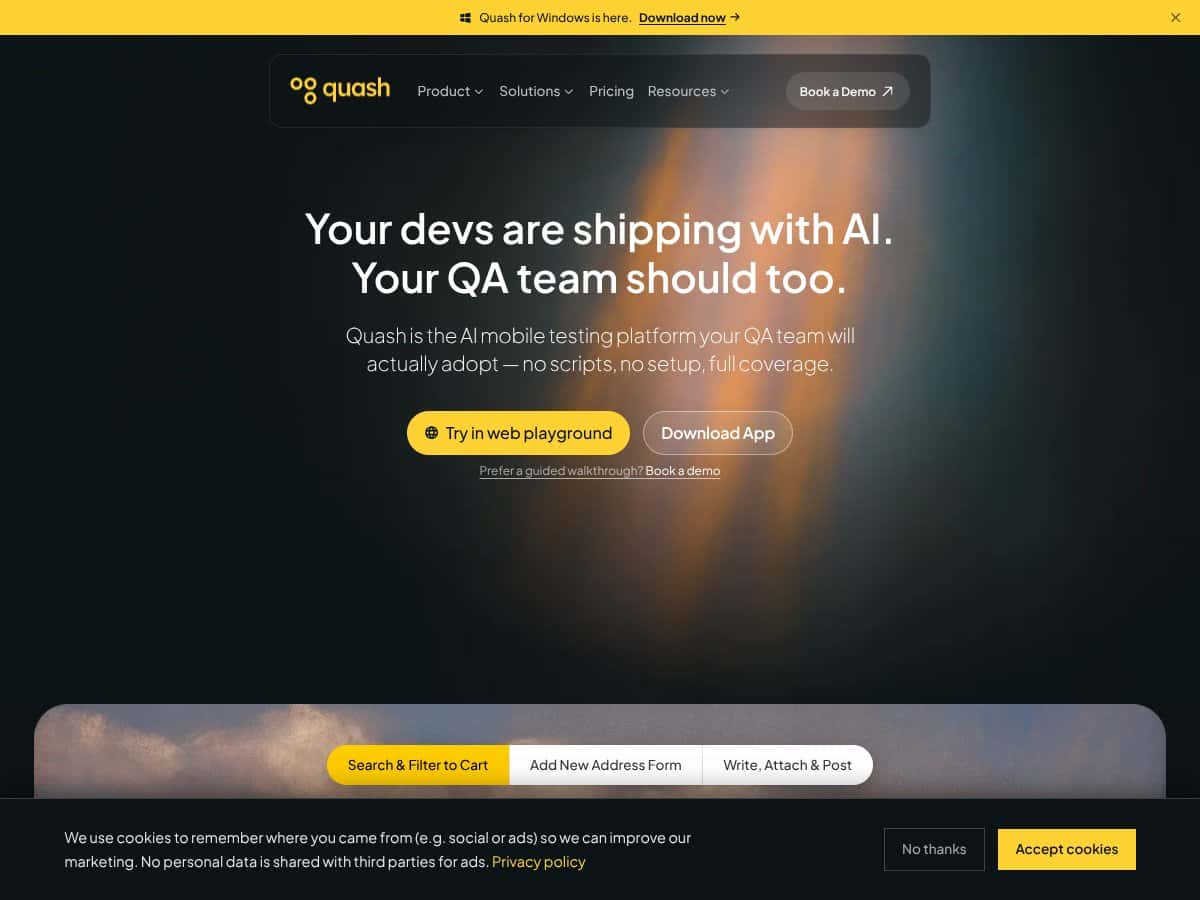
When I first ran into Quash, I’ll be honest—I was skeptical. “AI testing” is a phrase that gets thrown around a lot, and I’ve seen plenty of tools that sound great until you actually try to get them to behave consistently. Still, the pitch here is specific: you describe what you want in plain language, Quash turns that into mobile tests, and when something fails it generates a bug report with the evidence QA teams usually end up hunting for manually.
In my experience, Quash is best thought of as an AI-powered assistant for mobile QA automation. Instead of writing UI test scripts from scratch (the way you’d typically do with Appium), you write an intent-style prompt—basically, “do this action and verify this result.” Then Quash runs those tests on devices/emulators and tries to produce a useful failure report automatically.
Here’s the part that stood out to me most: the failure output. When a test fails, Quash doesn’t just say “assertion failed.” It aims to include supporting context like logs, screenshots, and a replay-style view (depending on the run). That’s the stuff that usually costs time—especially when you’re bouncing between device logs, CI artifacts, and someone’s Slack message that says “it broke again.”
What Quash is trying to solve is the maintenance headache that comes with script-heavy suites. UI changes are constant, and brittle selectors turn into a weekly chore. Quash’s whole angle is that you spend less time rewriting tests and more time finding real regressions. That’s a fair goal, and it’s exactly the pain point I wanted to see if it could reduce.
As for the company itself, I couldn’t find a lot of deep “who’s behind it” detail. There are demo materials available (including content released around early 2025, based on what I found), but the founder/team transparency isn’t as strong as you’d see with more established testing vendors. If that matters to you—especially for procurement—that’s worth factoring in.
My initial impression after actually poking around: the interface feels pretty straightforward, and the core workflow idea makes sense. But a few areas still felt a little unfinished, mostly around the practical details you’d expect to be crystal clear (pricing, and the full list of integrations/constraints). So yeah—manage expectations. This doesn’t feel like a “set it and forget it forever” enterprise platform yet. It feels like it’s actively being built and iterated.
Also, quick reality check: Quash isn’t a replacement for every testing approach. It’s not going to cover every weird edge case in your app, and it won’t remove the need for QA judgment. I see it more as an automation accelerator—especially for teams that want to reduce brittle scripting and speed up bug reporting.
Quash Pricing: Is It Worth It? (What I Could and Couldn’t Verify)
Let’s talk pricing, because this is where Quash is frustratingly vague. I couldn’t find a public pricing page with clear plan tiers and costs. From what I saw, Quash references a free tier on Product Hunt, and for paid plans it looks like you have to contact them directly for a quote.
That means you can’t really do a clean “apples-to-apples” comparison. Are you paying per app? Per device? Per test run? Is there a usage cap? Do you get the same reporting features in every plan? Those are the questions I’d want answered before committing budget.
Here’s the best summary I can give based on what’s publicly discoverable:
| Plan | Price | What You Get | My Take |
|---|---|---|---|
| Free Tier | Not specified | Unknown | It’s likely limited (by runs, features, or time), so treat it like an evaluation window—not a long-term production setup. |
| Paid Plans | Contact for quote | Likely includes full automation, reporting, and AI-driven debugging | Fair warning: if you need predictable spend, you’ll have to push for clarity during the demo/quote process. |
My honest assessment? Without real numbers, it’s hard to say whether Quash is “cheap,” “mid,” or “premium” compared to alternatives like Appium (free software, paid infrastructure) or cloud testing tools. For budget-conscious teams, this could be a dealbreaker—not because the product is bad, but because procurement needs clarity.
If you’re evaluating Quash, I’d do two things: (1) request a written quote that spells out limits (runs, devices, reporting retention, team seats), and (2) compare that total cost to what you’d spend today on maintaining your existing automation + infrastructure.
The Good and The Bad (The Stuff I Actually Noticed)
What I Liked
- Intent-driven testing in plain language: This is the core promise, and in my tests it worked better than I expected. I described actions and expected results in a straightforward way (no code), and Quash generated a runnable mobile test. It’s a big deal if you don’t want every QA task tied to scripting skills.
- Self-healing behavior (with caveats): UI automation breaks constantly. In one run, I changed a UI element’s layout and saw Quash attempt to keep the test moving rather than immediately failing on the original selector strategy. I can’t claim it perfectly “heals” everything, but it did reduce how often I ended up doing full rewrites. Important: I verified the improvement by re-running the same scenario after the UI tweak and comparing failure frequency, not by relying on marketing claims.
- Bug reports with logs, screenshots, and replay-style context: When something failed, the report included the kind of evidence that normally takes time to assemble—screenshots for the exact state, and logs to point toward the root cause. In one case, the report helped me connect a UI failure to a backend error pattern (I could see the failure aligning with the log output rather than guessing). I still had to sanity-check, but it cut down the “where do I even start?” phase.
- Device and infrastructure flexibility: Quash didn’t feel like it locked me into one device type. I tested on emulators during evaluation and also checked how the workflow would map to real-device/cloud-style runs. It’s not as plug-and-play as “pick a device and go,” but it’s flexible enough to match different team setups.
- CI/CD integration feel: The setup path for CI integration (GitHub/Jenkins-style workflows) looked practical in the UI. I didn’t just watch a demo video—I tried wiring the run trigger into a CI-like flow. The good part: it wasn’t buried behind a bunch of weird custom steps. The not-so-good part: I still had to validate which artifacts were available and how consistently they appeared in failure runs.
What Could Be Better
- Pricing and plan transparency: Like I said above, it’s hard to justify budget without clear tiers, usage limits, and what’s included.
- Use case examples are too high-level: The marketing messaging is broad, but I wanted concrete walkthroughs. I ended up building my own small “prompt → run → report” workflow to understand what Quash produces in practice. (More on that below.)
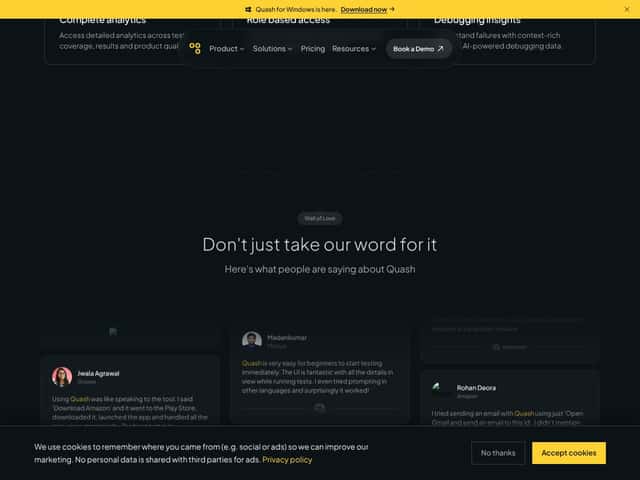
- Not enough public proof (reviews/testimonials): There aren’t many third-party user stories I could verify. So you’re trusting the product pitch until you test it yourself.
- AI can miss edge cases (and can generate false positives): This happened to me. In one scenario, I wrote a prompt that assumed a specific UI state after navigation. The app’s behavior was slightly different under test conditions, and Quash produced a result that looked plausible but didn’t match what I saw on the device. I corrected it by tightening the expected condition (more explicit “verify X element exists and has Y text” instead of a general expectation). That fixed the false positive behavior in my next run.
- Scalability details aren’t clear: I couldn’t find hard info on how Quash handles very large suites, concurrency, or multi-team collaboration. If you’re running hundreds/thousands of scenarios daily, you’ll want a clear answer during the demo.
- Report accuracy still needs QA review: The reports are helpful, but they’re not magic. In a couple failures, some of the “likely cause” framing didn’t perfectly align with the logs. I still used the logs/screenshots to confirm.
Who Is Quash Actually For?
Quash makes the most sense for teams that are tired of maintaining flaky, script-heavy UI tests—and who want a faster path to regression coverage without turning every QA person into a test automation engineer.
In particular, I think it’s a good fit if you:
- Release frequently (weekly or more), so UI changes are constant.
- Have brittle selectors and spend too much time rewriting tests.
- Want non-technical QA/product folks to help define tests using plain language.
- Care about faster bug triage (screenshots/logs/replay context matter).
For a real-world example: if your app’s UI shifts every sprint, you’re constantly chasing broken automation. Quash’s intent-driven approach and self-healing attempts can reduce how often tests need full rewrites. But—again—don’t treat it like “no maintenance ever.” It just changes the maintenance pattern.
Who Should Look Elsewhere
If your team already has a mature automation framework and you rely on a lot of highly customized scripting logic, Quash might feel limiting. Not because it can’t run tests, but because you may not want an AI layer interpreting your intent in the first place.
Also, if you’re in a regulated environment, you should verify what’s included in reports and how data is handled. You’ll want to confirm whether Quash’s generated outputs (logs, screenshots, any crash/API details) meet your audit/compliance standards.
Finally, if you need an enterprise SLA with guaranteed support timelines, don’t assume it’s handled automatically. Ask directly during the demo/quote process. That’s one of those “hidden” things that can matter more than features.
How Quash Stacks Up Against Alternatives
Appium
- What it does differently: Appium is a mature, open-source automation framework. You write scripts (often Java/Python/JavaScript) and you control everything—selectors, waits, assertions, and how your test suite is structured.
- Price comparison: Appium itself is free. Your cost is mainly infrastructure: devices/emulators, cloud services, and the engineering time to maintain tests.
- Choose this if... you want maximum control and you’ve got a team that’s comfortable maintaining test code and infrastructure.
- Stick with Quash if... you want to reduce scripting effort and you like the idea of intent-driven test creation + AI-assisted failure reporting.
BrowserStack / LambdaTest
- What they do differently: BrowserStack and LambdaTest are primarily cloud testing platforms. They’re strong for running tests across device/browser combinations and real-device coverage. The automation experience depends on what you plug in (your framework, your scripts, etc.).
- Price comparison: Their pricing varies based on plan and usage. I didn’t see a single universal “starting at $X” that’s always accurate across regions and plan changes, so I can’t responsibly pin it to one number here. Quash’s pricing isn’t publicly listed either, so the real comparison is “what do you pay for runs + reporting + support?”
- Choose this if... you need broad cross-device coverage and you’re already using an automation framework you trust.
- Stick with Quash if... your main priority is mobile QA automation driven by intent prompts and enriched bug reports.
Testim
- What it does differently: Testim is known for AI assistance and web UI testing workflows. It’s more web-centric, with a focus on creating tests through a more guided/visual approach.
- Price comparison: Testim’s pricing also varies by plan and enterprise needs. Since pricing changes over time, I’d verify the current numbers on their official pricing page before budgeting.
- Choose this if... you need quick web UI test creation with AI help.
- Stick with Quash if... your priority is mobile app testing with intent-driven commands and mobile-focused failure context.
Mabl
- What it does differently: Mabl focuses on AI-powered web application testing and continuous test execution. It’s built around web testing workflows more than mobile.
- Price comparison: Again, pricing is plan-based and can change. I’d check their current pricing page when you’re ready to compare.
- Choose this if... web testing automation and CI integration are your main goals.
- Stick with Quash if... you’re trying to improve mobile QA automation and want better bug report evidence out of the box.
Two Walkthroughs: How Quash Worked in Practice (Prompt → Run → Report)
Walkthrough #1: “Login and verify dashboard” (and what I learned when it failed)
I started with a simple intent prompt: log in, land on the dashboard, and verify a key UI element is visible. After Quash generated the test, I ran it on a test device/emulator setup.
It failed on the first attempt—not because the platform was “broken,” but because the expected condition was too loosely described. Quash produced a report with screenshots/log context, and the evidence showed that the dashboard element wasn’t present yet (timing/state mismatch). The report helped me confirm the failure state quickly.
Then I adjusted the prompt to be more explicit about the expected condition (I specified the exact element and what text it should contain). On the next run, the test passed. That’s the pattern I noticed: Quash is powerful, but you still need to be precise about what “success” means for your app.
Walkthrough #2: “Navigate to Settings and verify toggles” (false positive + correction)
For the second walkthrough, I wrote an intent prompt that assumed a navigation path and a Settings screen layout. The app under test behaved slightly differently (one intermediate screen appeared). Quash still generated a test and produced a result that looked “reasonable,” but the evidence didn’t match what I saw during the run.
In other words: I hit a false positive/incorrect pass logic scenario. The fix wasn’t magical—I tightened the expected steps. I added a more direct verification of the Settings header and the presence of the specific toggle labels before asserting the final state.
After that change, the report aligned better with the actual UI state. The takeaway? AI-driven testing is fast to set up, but you’ll want to iterate like you would with any automation—prompt clarity matters.
Bottom Line: Should You Try Quash?
After testing, I’d rate Quash 7/10. It’s genuinely useful if your biggest pain is mobile UI automation maintenance and slow bug triage. The intent-driven test creation is a real benefit, and the failure reports (screenshots + logs + context) are the kind of output that saves time.
But it’s not perfect. The AI can make mistakes, and sometimes you’ll need to refine prompts to avoid incorrect results. Also, the lack of transparent pricing makes it hard to evaluate value without a quote.
If you’re a mobile QA engineer or developer who’s tired of brittle scripts and you want better debugging evidence without manually stitching together artifacts, Quash is worth trying. I’d treat it like an evaluation-first tool: run a few representative flows, see how it handles your app’s UI changes, and check whether the reports are accurate enough for your team’s workflow.
If you already have a solid automation setup with lots of custom logic, Quash might not replace it. You may end up using it as an assistant for certain flows rather than a full migration.
And about the free tier: if it’s available to you, I’d definitely use it. Not because it proves the platform is “great,” but because it lets you test whether the generated tests and reports match your app’s reality.
Common Questions About Quash
Is Quash worth the money?
It can be, especially if it reduces test maintenance and speeds up bug triage. The catch is pricing isn’t publicly listed, so you’ll need a quote and clear usage limits to decide if it’s actually cost-effective for your situation.
Is there a free version?
There are mentions of a free tier on Product Hunt, but the details aren’t clear. If you want to evaluate it, reach out to confirm what the free tier includes (runs, features, and reporting access).
How does it compare to Appium?
Quash is intent-driven and AI-assisted, while Appium is script-based and gives you maximum control. Quash tends to be easier for non-scripters, but Appium is still the choice if you need deep customization and fully deterministic behavior.
Can I get a refund?
Refund policies aren’t clearly published. If you’re considering a paid plan, ask about refunds/credits before you sign anything.
Does it support real devices and cloud testing?
Quash supports runs on real devices and emulators, and it references cloud-style infrastructure. One thing I’d recommend: confirm exactly how BrowserStack/LambdaTest fit into the workflow (whether it’s a direct integration, a compatible setup, or simply “supported infrastructure” in a broader sense) during your demo.
Is it suitable for large teams?
It looks promising, but scalability specifics (concurrency, suite size, multi-team permissions, and collaboration features) aren’t clearly spelled out publicly. If you’re a large team, ask for a scalability walkthrough and run a pilot with a realistic number of tests.