Table of Contents
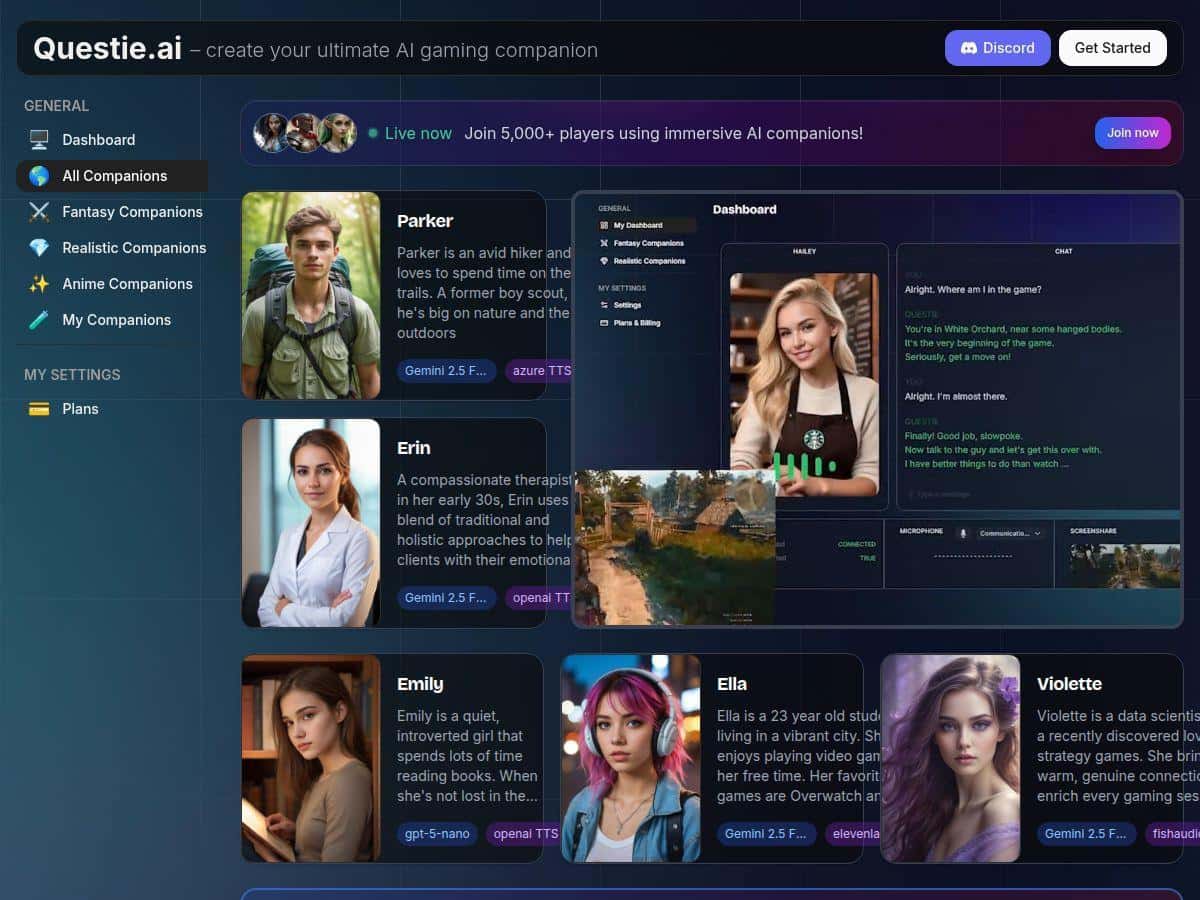
I’ve been messing around with Questie AI for a bit, and honestly, it’s one of the few AI companion tools that actually feels tied to what you’re doing in-game—not just a chatbot you talk to between matches. It reacts, it talks, and it tries to keep up with the vibe of the session.
For this review, I focused on the stuff that matters in real play: how quickly it responds during action, whether the voice chat sounds natural (or robotic), how the “character” customization affects the conversation, and what happens when your internet isn’t perfect. I’ll also break down pricing in a way that’s actually useful—like what you’ll likely hit in a normal week of gaming/streaming.
Questie AI Review: does it actually keep up with gameplay?
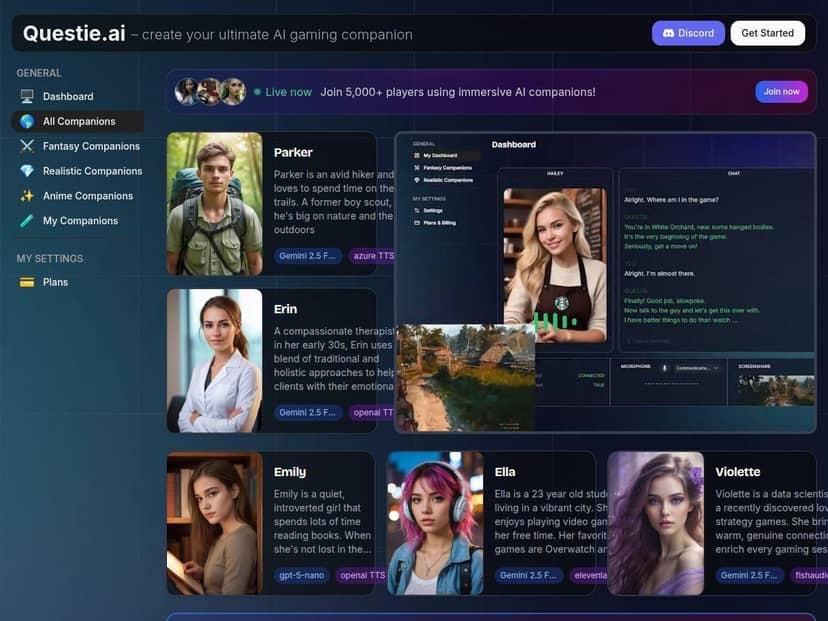
After hands-on testing, I’ll say this: Questie AI is more than “chat with an AI.” It’s designed to react while you’re playing, and that’s where it gets interesting. When the action ramps up, it doesn’t just keep talking—it tries to match the moment with commentary and reactions that feel like they belong in the session.
Here’s what I did first: I set up a custom character (voice + personality) and then tested voice responses in short bursts—like 10–15 minutes at a time—so I could notice any lag or dropouts. In my experience, the biggest difference between “cool” and “annoying” comes down to response timing. When Questie AI answers quickly enough, it feels like a co-pilot. When it lags, it starts to feel like an interruption.
One concrete moment I noticed: during a tense fight (the kind where you’re focused and not talking much), Questie AI didn’t go off on a long monologue. It gave short, situational lines—almost like “watch your positioning” energy—then asked a follow-up that made sense. That’s the kind of back-and-forth that works for both solo play and streaming, because it doesn’t steal your attention for too long.
Another moment: I tested it while switching between calmer moments and faster gameplay. The voice chat stayed readable—no weird stuttering or “robot reading a script” vibe—though I did notice that fast, chaotic moments can cause the AI to take slightly longer to land the next response. It’s not constant, but it’s noticeable if you’re listening for it.
Creating your own AI character is also where you can tell this isn’t a one-size-fits-all tool. You can choose personality and voice type, and then add backstory so the companion has a “reason” to react the way it does. I tried a more dramatic fantasy style first, and later swapped to something calmer. The difference wasn’t just cosmetic—the tone of the commentary changed, and the AI felt more consistent with its own role.
Now for the part that matters if you’re thinking about streaming: the AI can blend into the session, but “seamlessly” depends on your setup. I tested with common streaming workflows and found that the voice layer works best when you’ve got stable audio routing and you’re not constantly switching windows. If you do a lot of alt-tabbing, you may notice occasional delays or awkward timing where the AI responds a beat late.
That said, there are real limitations. Setup can be a little involved at first—especially if you’re picky about audio and want everything to route cleanly. Also, performance is heavily tied to stable internet and solid system resources. If your connection is shaky, you’ll feel it in the voice chat timing. In other words: it’s not magic. But with a decent setup, it can make your sessions feel more alive.
Key Features I actually used (and what they mean in practice)
- Real-time gameplay spectating + commentary — The core idea is that Questie AI reacts while you play. In my tests, it’s strongest when you’re doing something that creates clear context (combat, exploration, objectives). If the game situation is ambiguous, responses can be more general.
- Customizable AI characters — You can build a companion with different personality vibes, voice types, and backstories. I found backstory matters more than I expected: it helps the AI stay “in role” instead of sounding random.
- Voice chat for free-form conversation — The voice responses are the most fun part. I used it mostly as a live “commentator + co-op brain,” not as a strict command system. When your connection is stable, it feels natural. When it isn’t, the delay becomes obvious.
- Cross-platform support — Questie AI is built to work across PC, consoles, and mobile. I didn’t test every single device type equally, but the workflow concept is the same: you set up your companion and then keep the voice layer active during play.
- Memory and learning (personalized interactions) — This is the feature people toss around a lot, so I dug into what it actually does. In practice, “memory” means the companion can reference your preferences and past interactions during a session, instead of resetting to a generic personality every time. “Learning” is less like it suddenly becomes a genius and more like it adapts its tone and suggestions based on what you’ve been doing and how you respond.
- Good for streaming, solo, and roleplaying — If you like roleplay, it’s easier to keep a consistent voice and narrative. If you’re streaming, it gives you something to talk about even during quiet moments—without forcing you to read from a script.
Pros and Cons (based on what I saw during testing)
Pros
- Interactive reactions that feel tied to the moment — When the timing is right, it sounds like a real companion rather than an unrelated chatbot.
- Voice chat is the highlight — The conversations are easy to follow and don’t feel overly scripted when your connection is stable.
- Character customization actually changes the experience — Personality + backstory made the commentary noticeably more consistent.
- Works across multiple play styles — Solo sessions felt more engaging, and streaming sessions had more “live energy.”
- Pricing can be reasonable depending on usage — If you’ll use voice a lot, the value can stack up quickly.
Cons
- Setup complexity for beginners — If you want everything dialed in (audio routing, mic/voice behavior, companion settings), plan on spending some time figuring it out.
- Internet + hardware matter — In my experience, unstable connections show up as slower responses and occasional timing weirdness during fast gameplay.
- Response quality can vary — Depending on the model/settings and what’s happening in-game, it can be sharp in one moment and more generic in another.
- Long sessions can tax your system — If you’re running demanding games plus voice processing, you may see higher CPU/RAM usage. I’d recommend keeping an eye on resource usage if you tend to game for hours.
Pricing Plans: what you’re really paying for
Questie AI has a basic free tier, but the real experience is usually on the paid plans. The premium option is $10 per month, and it’s positioned for people who want full voice chat and companion features without thinking too hard about limits. In my usage, the premium tier made sense if you’re using it a few times a week and you want voice interactions to be the main feature.
There’s also an Ultra plan at $25 per month, which includes more chat credits and extra features. If you’re streaming multiple days per week, or you tend to run longer sessions, credits can become the deciding factor. I’d treat Ultra as the “I’m using this constantly” plan—especially if you’re doing voice chat for extended gameplay and want fewer interruptions from usage caps.
Quick decision guide:
- Pick Premium ($10) if you’ll use Questie AI regularly but not nonstop—think a couple of sessions per week with voice chat as a fun add-on.
- Pick Ultra ($25) if you’re streaming often or you’re the type who plays for hours and wants more room to talk without worrying about credits.
- Try Free first if you’re unsure about voice chat timing and whether it fits your play style.
For the most up-to-date breakdown of plan limits and what’s included, check the official pricing page.
Wrap up
Questie AI is a genuinely fun companion if you like games that reward immersion and you’re into live, voice-based interaction. The customization is more meaningful than I expected, and the voice chat is the feature that makes it feel like a “copilot,” not just a gimmick.
If you’re willing to set it up properly and you’ve got decent internet (and a system that can handle long sessions), it can seriously elevate your gameplay and streaming. If you want something that works flawlessly on shaky connections or with zero setup effort, you might find it frustrating. But for the right setup? It’s easy to get hooked.