Ingredient list and method
Quantified ingredients plus numbered, step-by-step instructions for each dish — written to the difficulty level you choose, from Beginner Friendly to Chef Level.
Automateed is a recipe book maker that generates a complete, consistently formatted cookbook — ingredient lists, steps, prep and cook times, servings, nutrition and a food image for every recipe — then hands you a print-ready PDF, an editable DOCX and a KDP paperback workflow.
Every recipe, ingredient, instruction, photo, and layout remains editable before export.
Real cookbooks published with Automateed
 20 Dishes for Weight LossView on publisher.automateed.com
 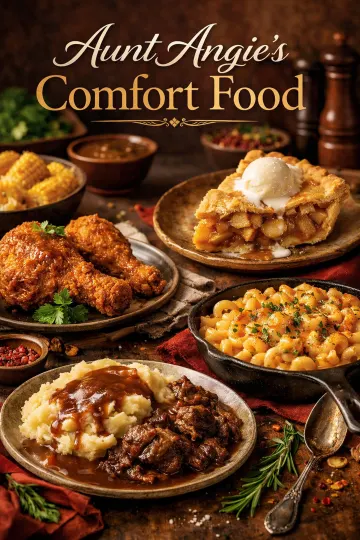 Aunt Angie's Comfort FoodView on publisher.automateed.com
 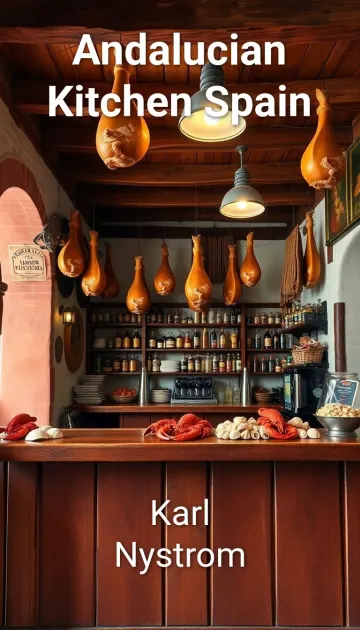 Andalucian Kitchen SpainView on publisher.automateed.com
 Public reader pages from the Automateed catalog — real projects, not mock-ups. The snapshot behind this page counts 869 cookbook projects and 43 public cookbook listings.
The Automateed recipe book creator is an AI cookbook maker that generates a complete recipe book — 5 to 200 recipes with ingredient lists, step-by-step instructions, prep and cook times, servings, per-serving nutrition and an AI food image per recipe — in one of eight designed cookbook styles. You edit every field, export a print-ready PDF or editable DOCX, and prepare an Amazon KDP paperback through the built-in export wizard.
A cookbook fails when recipe 41 looks nothing like recipe 3. The generator writes every recipe into the same anatomy, so the whole book reads like it was edited by one person — because structurally, it was.
Quantified ingredients plus numbered, step-by-step instructions for each dish — written to the difficulty level you choose, from Beginner Friendly to Chef Level.
Every recipe carries its own timings, serving count and difficulty tag, formatted identically across the book so readers can scan and plan.
Calories, protein, carbohydrates and fat are estimated for each recipe. Verify the numbers before making dietary claims — the AI drafts, you approve.
Each recipe gets its own AI-generated food image, and you can replace any of them with your own JPEG, PNG or WebP photo in the editor.
Classic Cookbook, Modern Kitchen, Rustic Farm, Fine Dining, Fun & Colorful, Minimalist, Vintage Heritage or Tropical Paradise — applied to every page.
Open any recipe and rewrite the title, ingredients, steps or notes. This is how a generated draft becomes your family cookbook: overwrite, don’t start over.
Cuisine coverage on the create form spans 18 directions — International, Italian, Asian Fusion, Mexican, Mediterranean, Indian, French, Japanese, Thai, American, Middle Eastern, Korean, Baking & Pastry, Plant-Based/Vegan, BBQ & Grilling, Comfort Food, Healthy & Clean Eating and Quick & Easy — with 13 dietary preferences including Gluten-Free, Keto, Halal, Kosher and Sugar-Free.
A real 31-page Automateed cookbook export with a cover, table of contents, food photography, ingredients, numbered instructions and nutrition pages. Click the arrows or the page edges to turn the pages.
How to Eat Healthy: A Vegan Cookbook
Cover · click the arrows or page edges, or use ← →
Actual pages exported by the Automateed cookbook generator. No mock-up or manually recreated template.
Inside the product
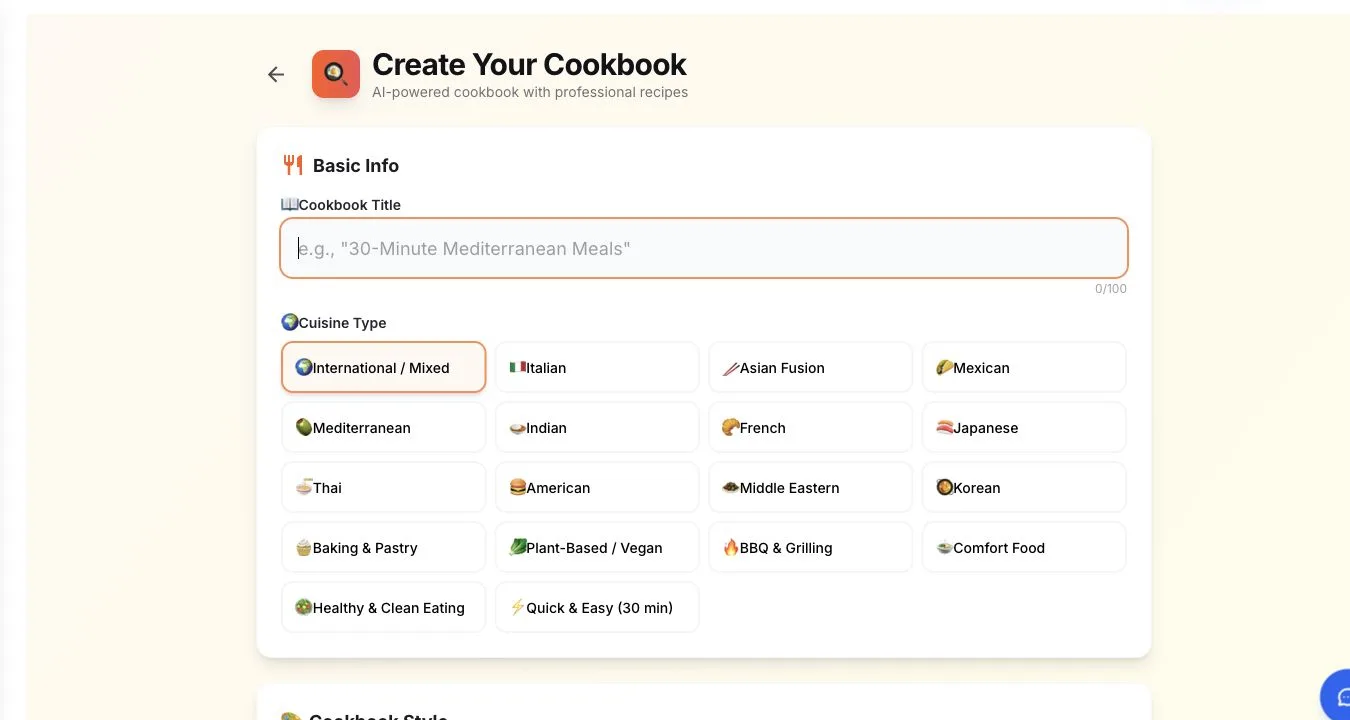
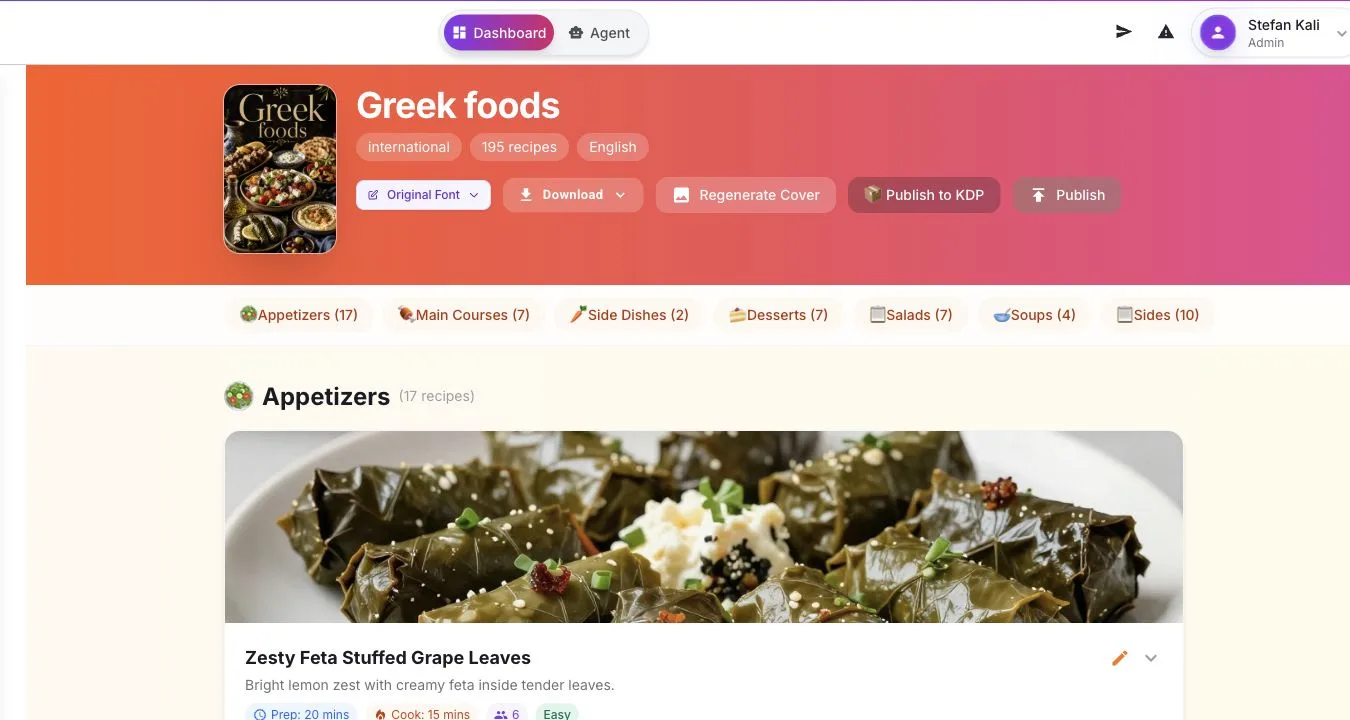
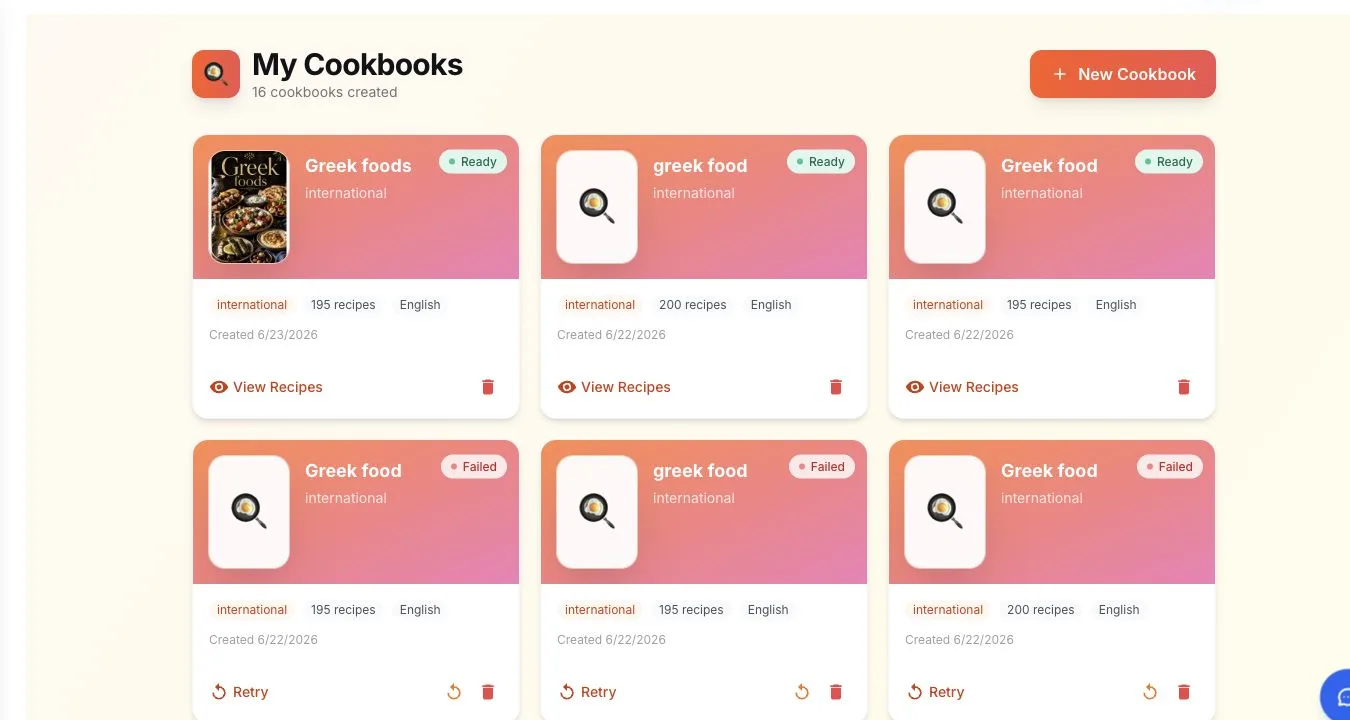
These are real product screens. The workflow starts with culinary constraints, moves into recipe-by-recipe review, and keeps the finished project in your cookbook library. The eight named styles below are selectable design directions in the app; they are not represented here by invented cover mock-ups.
Eight selectable cookbook styles
Traditional recipe hierarchy with restrained typography.
Contemporary spacing and stronger display type.
A warmer editorial direction for seasonal and farmhouse food.
A more formal treatment for chef-led and gourmet collections.
A brighter system for family and child-friendly cooking.
More white space and less decoration around each recipe.
A nostalgic direction for family archives and heirloom recipes.
A lively visual direction for coastal and tropical cuisines.
Step 01
Title, cuisine direction, dietary preference, difficulty and serving size. Custom instructions steer the AI — “budget-friendly”, “one-pot only”, “include wine pairings”.
Step 02
Choose one of the 8 cookbook styles and set the recipe slider anywhere from 5 to 200. The form shows the exact credit cost before you generate.
Step 03
The AI writes every recipe — ingredients, method, timings, servings, nutrition — and creates a food image for each, plus a matching cover you can regenerate.
Step 04
Rewrite any field, replace AI images with your own photos, fix quantities, and cook-test the recipes you plan to publish. You approve every page.
Step 05
Download the styled PDF or editable DOCX, run the KDP export wizard for a paperback, or publish the book to a public Automateed reader page.
The honest path to a printed family cookbook has three parts. First, generation: describe the family’s cooking tradition and let the AI build the structure — a 50-recipe book with consistent pages costs 5 credits and takes minutes, not the months a scrapbook project usually stalls for. Second, replacement: open each generated recipe and overwrite it with the real family version, upload the photo of the actual dish, and keep the story in the recipe notes. The AI’s job is the skeleton; the soul is pasted in by you.
Third, printing. The KDP export wizard prepares the interior for Amazon’s print-on-demand service — you choose paperback or hardcover and a trim size such as the popular 6" × 9" — and every relative orders their own copy from Amazon at print cost plus margin, so nobody fronts money for a box of 200 books. For gift copies, the print-ready PDF also works with any local print shop.
Related reading: paperback publishing, KDP formatting and images for books.
Schools, churches and sports teams have sold community cookbooks for a century; the modern version skips the print run. Collect recipes from supporters by email or a shared document — Automateed doesn’t pretend to have a submission portal, and you don’t need one. Generate a cookbook with the right chapter scope, then paste each contributed recipe over a generated placeholder and credit the contributor in the notes field.
Sell the result two ways at once: the KDP paperback ships directly to each buyer with zero inventory risk, and the PDF sells at events or online — see selling ebooks and worldwide selling for the payment options. A 60-recipe fundraising book uses scaled credit pricing shown upfront, so the whole production cost is known before the first copy sells.
First-party platform data
From the anonymized production snapshot behind our published self-publishing report — descriptive platform counts, not market forecasts or income promises.
869
cookbook projects created with the dedicated recipe workflow
39.8
average recipes per generated cookbook in the snapshot
43
cookbooks published to public Automateed reader pages
77,000+
books created across 216 countries, per our published report
There is no per-template fee and no surprise at export. Cookbook generation uses ebook credits at one credit per 10 recipes for books up to 50 recipes; larger books switch to scaled pricing, so even the maximum 200-recipe cookbook costs 15 credits. The create form displays the exact number next to the generate button, and a free account lets you try the workflow before buying anything — no credit card required.
Credit math from the shipped pricing rules: 1 credit per 10 recipes up to 50 recipes, scaled above that (200 × 0.075 = 15). Your balance and purchase options are shown inside the app.
The Automateed app uses the same account and library as the web editor, so a cookbook you start at the kitchen table continues on the laptop. Generate, review recipes and manage projects from iPhone, iPad or Android.
Start a cookbook project, describe your family’s cooking in the title and custom-instructions field (for example “Sicilian-American Sunday dinners, heavy on braises and baking”), and generate the structured draft. Then open each recipe in the editor and overwrite it with the real family version — every ingredient line, step, timing and note is editable — and upload your own photos in place of the AI images. Export the finished book as a PDF or DOCX when it reads like your family, not like a template.
Yes. The generator drafts every recipe with an ingredient list, step-by-step instructions, prep time, cook time, servings, difficulty and per-serving nutrition. You choose from 18 cuisine directions — Italian, Mexican, Japanese, Middle Eastern, Baking & Pastry, BBQ & Grilling, Comfort Food and more — plus a dietary preference and difficulty level. Always cook and taste-test AI recipes before publishing them under your name.
The recipe slider runs from 5 to 200 recipes per book. Most family and fundraising books land between 30 and 80 recipes; niche Amazon KDP cookbooks are often 40 to 60. Larger projects take longer to generate and use scaled credit pricing, which the form shows before you start.
Eight designed cookbook styles ship in the product: Classic Cookbook, Modern Kitchen, Rustic Farm, Fine Dining, Fun & Colorful, Minimalist, Vintage Heritage and Tropical Paradise. You pick the style before generation and every recipe page in the book follows it, so a 60-recipe book stays visually consistent without manual layout work.
Yes. The AI generates one food image per recipe by default, and each recipe accepts an uploaded replacement in JPEG, PNG or WebP format. That is how family cookbooks get real photos of grandma’s actual stew: keep the generated structure, swap in the photograph you took in her kitchen.
Every generated recipe includes a per-serving nutrition breakdown — calories, protein, carbohydrates and fat. Treat these AI estimates as a starting point: verify the numbers independently before making any dietary or health claim, especially for weight-loss, diabetic or allergy-focused books.
Two document formats: a print-ready PDF styled by your chosen template, and an editable DOCX with the cover and recipe images embedded, which you can refine further in Word or Google Docs. For print, the KDP export wizard prepares paperback-ready files with standard trim sizes such as 6" x 9".
Yes, through print-on-demand. The KDP export wizard walks through book type (paperback, hardcover or ebook), trim size and bleed settings, and produces files you upload to Amazon KDP — Amazon then prints and ships each copy as it sells, with no upfront print run. Our paperback publishing guide covers the full process.
You can create a free account and try the workflow without a credit card. Generation itself uses ebook credits: one credit per 10 recipes for books up to 50 recipes, with scaled pricing above that — a maximum 200-recipe cookbook costs 15 credits. The exact credit cost is displayed on the create form before you commit anything.
Automateed does not have a contributor-submission link, so run collection the simple way: gather recipes from your school, church or team by email or a shared document. Then generate a cookbook with the right chapter scope, and paste each submitted recipe over a generated one in the editor, crediting the contributor in the recipe notes. Sell the finished book as a KDP paperback or a PDF, with proceeds to the cause.
Yes. The language selector on the create form supports 100+ languages, so you can generate a cookbook in Spanish, German, French, Portuguese, Japanese and many more — useful for bilingual family cookbooks or reaching a non-English market on Amazon.
You own the finished book and can sell it anywhere: publish it to a public Automateed reader page (the catalog already lists public cookbooks such as “20 Dishes for Weight Loss”), sell through your own site, or upload the exported files to Amazon KDP. Nothing locks your book to the platform.
Want the editorial side first? Read the complete cookbook writing guide — niche selection, recipe testing and publishing formats.
One subscription unlocks every creator below — same login, same library, same export quality.
Illustrated picture books by age band, with editable pages.
Open creatorComic-style illustrated stories with a consistent art direction.
Open creatorMake a formatted, publish-ready ebook in minutes — PDF & EPUB.
Open creatorConsistent voice across every chapter, in 100+ languages.
Open creatorWrite full-length fiction & non-fiction with AI, KDP-ready.
Open creatorGenerate your first ebook free — 5,000 words, no credit card.
Open creatorGenerate the structure in minutes, replace the drafts with your real recipes, and export a cookbook your family — or your customers — can hold.
Free to try · No credit card · PDF & DOCX export · KDP paperback wizard · 100+ languages


