Table of Contents

What Is Repo Prompt?
Honestly, I was pretty skeptical when I first heard about Repo Prompt. The idea of a Mac-native tool that handles the messy process of giving AI just the right context — without blowing through tokens or losing track of files — sounded too good to be true. As someone who’s wrestled with feeding large codebases into ChatGPT or Claude without running into token limits or forgetting important details, I was curious if this tool could actually do what it promises.
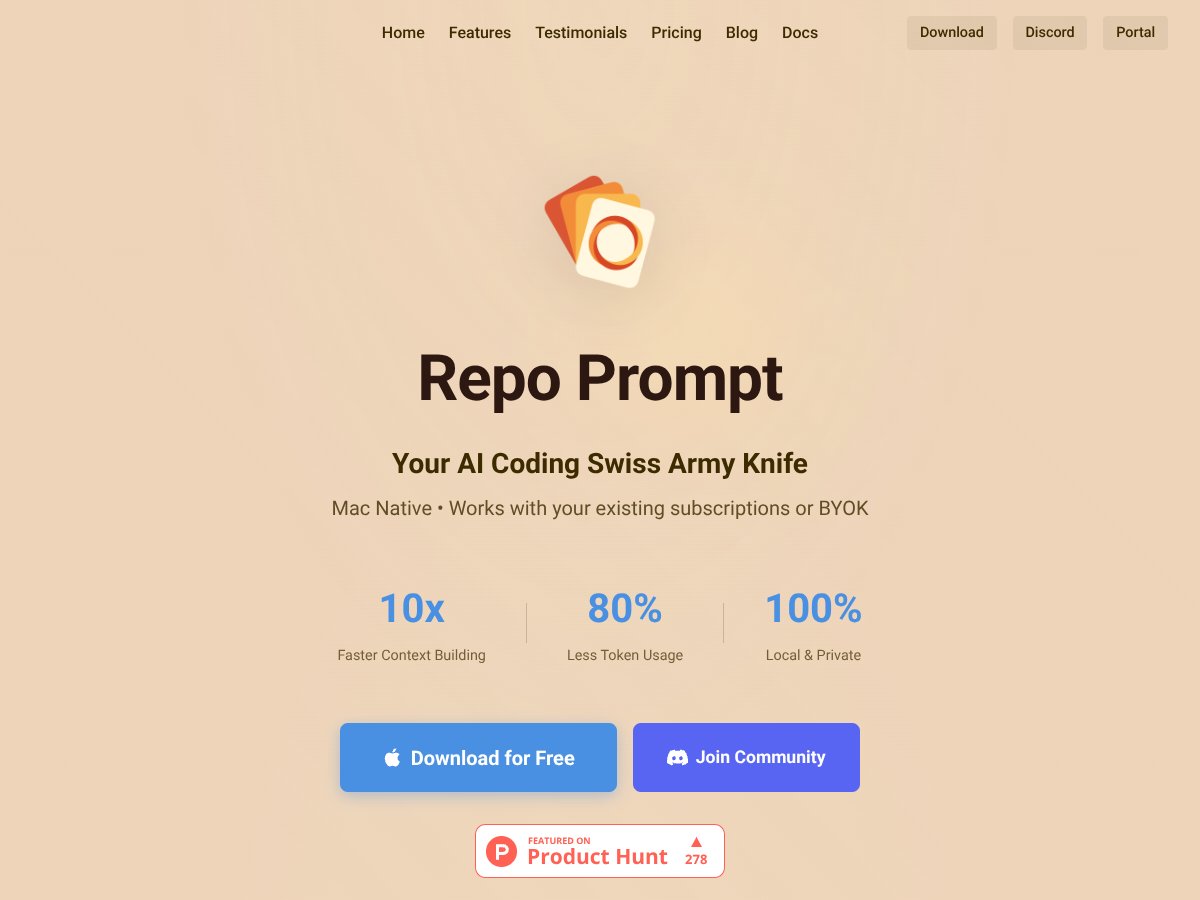
So, what does Repo Prompt actually do? In plain English, it’s a desktop app for Mac that helps you organize and prepare your code so AI models can understand it better. It does this by intelligently selecting relevant files, creating summaries of your code structure, and managing the context across different AI tools and models. Think of it as a helper that figures out what parts of your project matter most for a particular task, then packages that info in a way that’s concise and efficient for large language models to process.
The main problem it aims to solve is the token bottleneck — large codebases can easily overwhelm AI prompts, making it hard to get accurate responses or perform complex edits. This is especially true if you’re working on big proprietary projects where you can’t just upload everything to a cloud service without risking privacy issues. Repo Prompt keeps everything local, which is a plus if security is a concern.
It’s developed by a team that seems pretty focused on improving AI-assisted coding workflows, though I couldn’t find a lot of background info on the company itself. From what I gathered, they’ve built this tool to cater to developers who want smarter, more precise AI interactions without sacrificing privacy or speed. My initial impression was that it’s trying to be a middle layer — not replacing AI, but optimizing how AI sees your code.
One thing I want to be clear about: this isn’t a full IDE or code editor. It’s a context management system that works alongside your existing tools like ChatGPT, Claude, or Cursor. If you’re expecting a one-click magic button that writes code for you, this isn’t that. It’s more of an assistant that prepares your environment for smarter AI interactions.
In terms of expectations, I’d say it’s not a plug-and-play solution that will instantly solve all your AI coding headaches. There’s a bit of setup involved, and some features require understanding how to best organize your code and prompts. But if you’re already using AI for coding, it could be worth exploring how this tool might streamline your workflow.
Repo Prompt Pricing: Is It Worth It?

| Plan | Price | What You Get | My Take |
|---|---|---|---|
| Free Tier | $0 |
|
This is a solid starting point if you're just exploring or working on small projects. You get core features without any cost, but you'll hit limits pretty quickly if you're dealing with large codebases or complex workflows. |
| Monthly Subscription | $14.99/month |
|
This seems fairly priced for individual developers who need more control and efficiency, especially if you’re working on larger projects or want to leverage multiple AI models seamlessly. But keep in mind, you'll need to keep paying monthly unless you opt for the buy-to-own plan. |
| Yearly Subscription | $149.99/year |
|
If you’re committed to long-term use, this offers a good discount. It’s a straightforward way to lock in features at a lower price, but still, it’s a subscription—so if your needs change, you might feel locked in or need to cancel. |
| Buy-to-Own | $349 |
|
This could be a good deal if you want to avoid ongoing payments and are confident the tool will meet your needs long-term. Fair warning: it’s a hefty upfront cost, and you might miss out on future updates unless they’re included or you pay for upgrades. |
Here’s the thing about the pricing: it seems pretty transparent, especially with the free tier letting you test drive core features without commitment. Compared to alternatives like Cursor or GitHub Copilot, which are often subscription-based but lack the same level of context management, Repo Prompt’s tiered approach gives you flexibility. That said, the paid plans aren’t cheap, especially if you’re used to free or cheaper tools. And beware—once you start relying on features like MCP delegation or code maps, the value really depends on how much you code and how complex your projects are. There aren’t obvious hidden costs, but keep in mind that you’ll need API credits for certain models, and some advanced features are gated behind paid tiers. So, if you’re a hobbyist or working on small scripts, the free tier might suffice. For serious enterprise or large codebases, the subscription could be justified.
The Good and The Bad
What I Liked
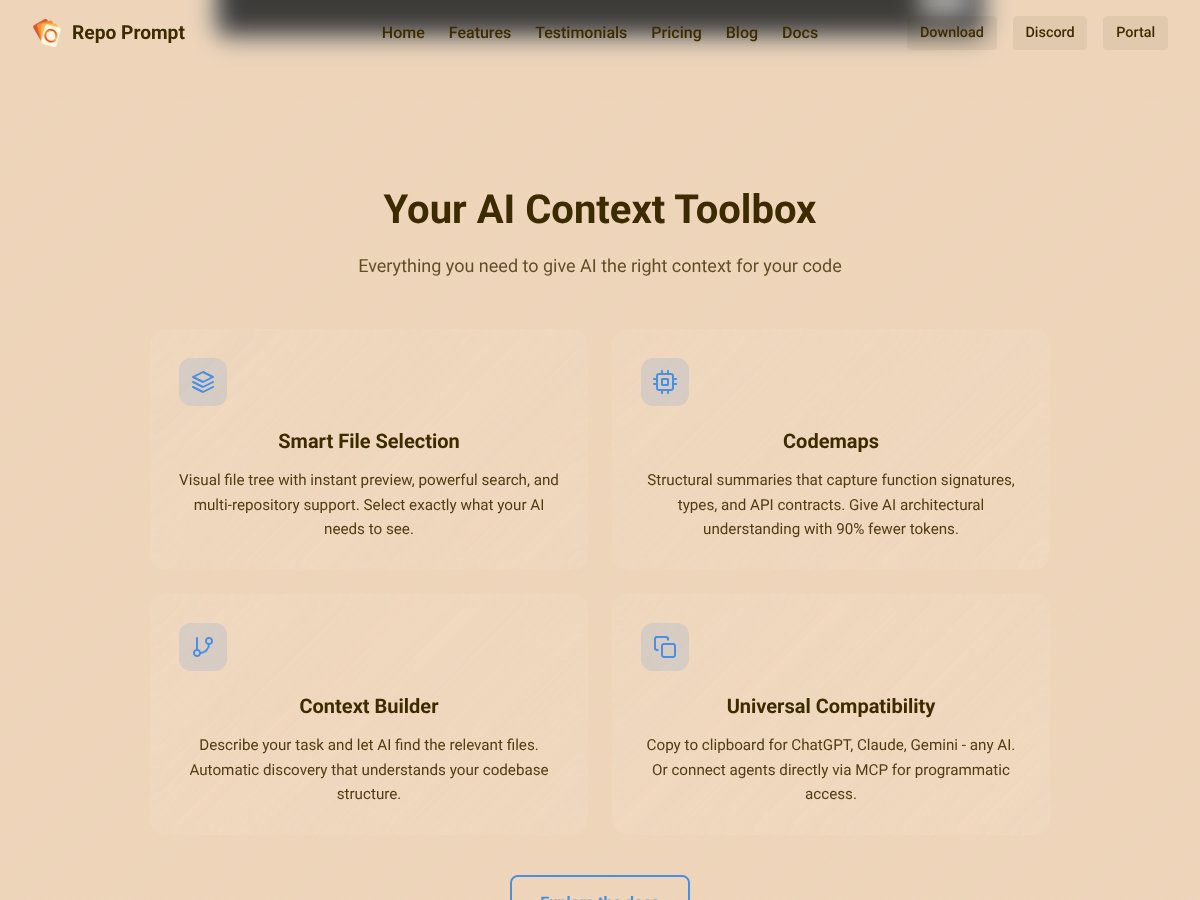
- Smart File Selection: The visual file tree with instant preview and multi-repo support saves a ton of time when selecting relevant files, especially in large projects. I was honestly expecting a clunkier interface, but it’s surprisingly smooth and intuitive.
- Codemaps: These structural summaries help AI understand your code architecture without flooding it with every detail. Giving AI architectural context with 90% fewer tokens is a clear win for efficiency.
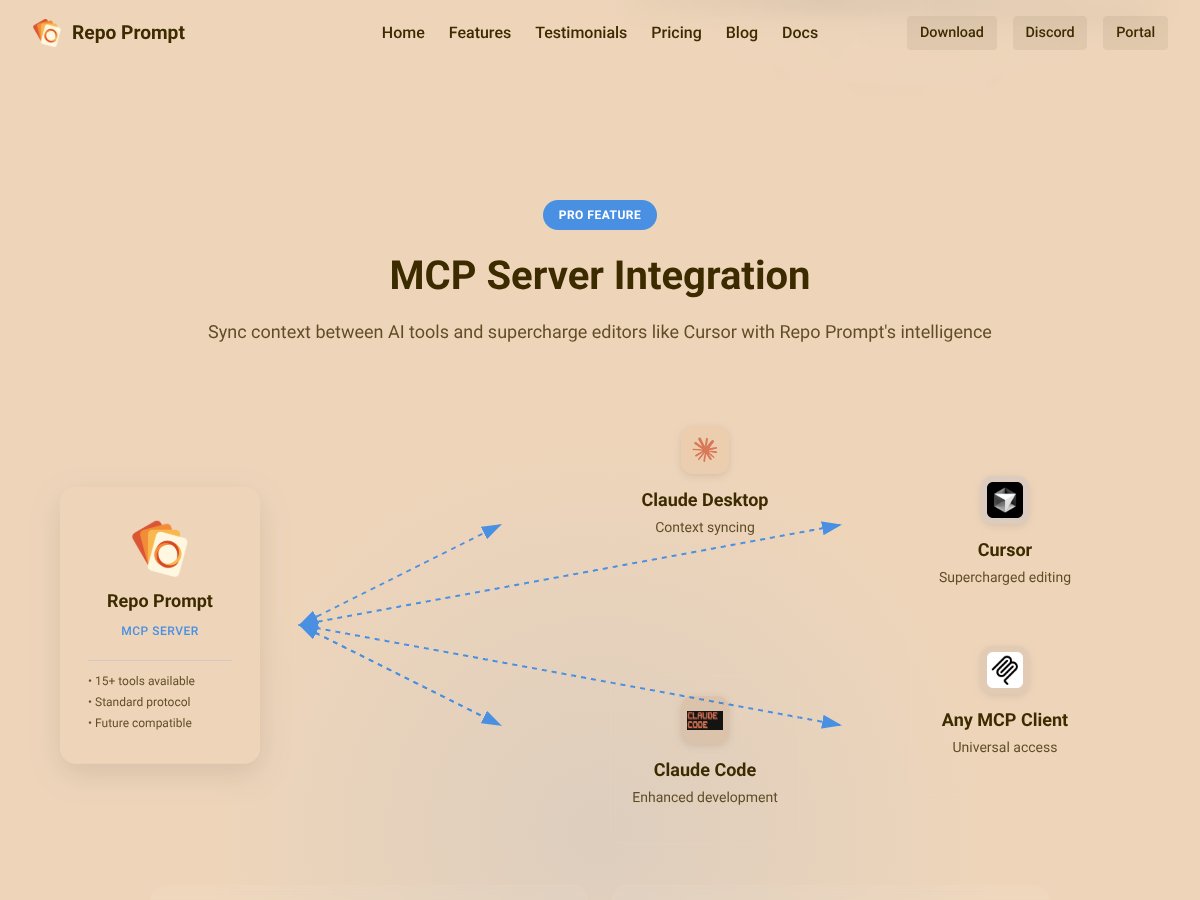
- Persistent Context Sync: The ability to start in one AI environment and seamlessly continue in another—like moving from Claude Desktop to Cursor—is a game-changer, especially for long debugging or refactoring sessions.
- Universal Compatibility: Being able to copy prompts to any AI model or connect via MCP makes it flexible. No vendor lock-in here, which is a relief.
- Agent-to-Agent Collaboration: Letting AI models talk to each other to solve complex problems is pretty impressive. It’s like having a mini team of AI experts working together.
- Token Efficiency and Cost Savings: The benchmarks showing outperforming tools like Cursor in token usage and reasoning speed are promising, especially for large projects where token limits matter.
What Could Be Better
- Steep Learning Curve: Advanced workflows like codemaps, XML editing, or configuring MCP are powerful but can be confusing for newcomers. It might take a while to get comfortable with all the features.
- Mac-Only: If you’re on Windows or Linux, this is a non-starter. Cross-platform support would be a huge plus, especially for teams with mixed environments.
- Pricing Transparency: While the free tier is clear, details about API credit costs for models like GPT-4 or Gemini aren’t specified. This could lead to unexpected expenses if you’re not careful.
- Limited Free Features for Large Projects: The free tier is quite basic. For serious work, you’ll most likely need a paid plan, which might be a dealbreaker if you’re on a tight budget.
- UI/UX for Advanced Features: Some features, especially code maps and file operations, could be more user-friendly. They feel a bit technical to set up initially, which might frustrate casual users.
Who Is Repo Prompt Actually For?

If you’re a professional developer working on complex, multi-repo projects—say, a large enterprise app, a complex microservices architecture, or proprietary SDK—you’ll likely find Repo Prompt invaluable. Its ability to automatically select relevant files, generate code maps, and manage context across multiple AI models can significantly boost productivity. Developers who frequently debug or refactor large codebases, or those integrating AI into their CI/CD workflows, will appreciate the granular control and token efficiency.
For example, a backend engineer working on a cloud-native microservices system could use Repo Prompt to quickly gather the architecture, identify relevant functions, and instruct AI to optimize or troubleshoot specific modules without drowning in irrelevant details. Solo developers managing open-source projects or startups with tight budgets might find the free tier useful, but to unlock its full potential, the paid plans are probably necessary.
In essence, if your workflow depends heavily on precise AI context and you want to streamline large codebase interactions, this tool is a strong candidate. Just be prepared for a learning curve and Mac-only limitation.
Who Should Look Elsewhere
If you primarily work on small scripts, casual coding, or don’t need multi-repo context management, Repo Prompt might be overkill. Its advanced features won’t be fully utilized, and simpler tools like ChatGPT with basic prompts or more affordable code assistants might suffice. Likewise, if you’re on Windows or Linux, this isn’t an option right now, so alternatives like GitHub Copilot or local code assistants would be better suited.
Also, if your main focus is on code editing rather than AI-assisted context optimization—say, you prefer traditional IDEs or lightweight editors—Repo Prompt’s strengths won’t match your needs. The complexity and price point could be a deterrent if you don’t need its advanced multi-model reasoning or MCP integrations.
Fair warning: this isn’t a plug-and-play solution for everyone. It’s tailored for heavy users who need intelligent context management and are comfortable with some setup and learning. For casual or single-repo workflows, it might be more hassle than it’s worth.
How Repo Prompt Stacks Up Against Alternatives

Cursor
- What it does differently: Cursor is primarily focused on token management and prompt optimization within existing AI tools like ChatGPT. It offers file selection features but doesn’t deeply analyze code structure or provide multi-model support.
- Price comparison: Cursor offers a free tier with some limits; paid plans start around $10/month, but costs can add up with API usage.
- Choose this if... You mainly want to optimize prompts and keep things simple without deep code analysis.
- Stick with Repo Prompt if... You need granular control over large codebases, multi-model support, and token efficiency for complex projects.
Claude Code
- What it does differently: Claude Code is tailored for code-specific interactions with Claude, focusing on code generation and review. It lacks advanced context management or multi-file analysis features.
- Price comparison: Usually priced per token or API credits, often more expensive than Repo Prompt’s optimized prompt workflows.
- Choose this if... You prefer Claude’s conversational style and mainly work within Claude’s ecosystem without needing complex context management.
- Stick with Repo Prompt if... You want multi-model support, detailed code maps, or local processing; Claude Code is more limited in those areas.
Aider
- What it does differently: Aider is designed as an all-in-one AI assistant with integrated IDE features, focusing on code assistance, refactoring, and automation within a unified environment.
- Price comparison: Typically subscription-based, around $20–$30/month, with some free tiers. It’s a broader tool but less specialized in context optimization.
- Choose this if... You want an AI assistant that handles code and project management in one place without deep customization.
- Stick with Repo Prompt if... Precise context management and multi-model workflows are your priority—Aider is more of a one-size-fits-all.
GitHub Copilot Workspace
- What it does differently: Copilot Workspace offers integrated AI code suggestions and automation directly within GitHub and VS Code, focusing on inline coding assistance rather than external context engineering.
- Price comparison: Subscription from $10/month, bundled with GitHub plans; no dedicated context management features.
- Choose this if... You prefer seamless IDE integration and quick code suggestions over detailed context handling.
- Stick with Repo Prompt if... You need sophisticated context selection, multi-model support, and token optimization across large, complex codebases.
Bottom Line: Should You Try Repo Prompt?
Overall, I’d rate Repo Prompt around 8/10. It’s a powerful tool for devs who work with large codebases and want to make AI interactions more precise and efficient. The main thing I like is its ability to intelligently manage context without bloating tokens or sacrificing security by keeping everything local. It’s not perfect—especially if you’re after a super simple setup or need cross-platform support—but for serious Mac users working on complex projects, it’s a solid choice.
If you’re someone who regularly feeds large codebases into AI to debug, refactor, or plan features, and you value privacy, give it a shot. The free tier is worth testing out to see if the workflow suits you. If you’re mainly doing small projects or just testing the waters, the free version might be enough. Upgrading to Pro makes sense if you want advanced features like model delegation or the Pro Edit workflow.
Personally, I’d recommend it if your workflow involves large proprietary projects and you want to save time and tokens. If you’re just dabbling or prefer simpler tools, you might be better off with something like Cursor or Copilot.
If your main need is deep code understanding on a smaller scale, stick with lightweight options. But if you’re serious about leveraging AI for large, complex projects on Mac, this is worth a try.
Common Questions About Repo Prompt
- Is Repo Prompt worth the money? It depends on your needs. For large projects and advanced context management, the paid features are a game-changer. If you just want basic prompt optimization, the free tier might suffice.
- Is there a free version? Yes, a free tier offers limited features, mainly for testing. Pro features require a subscription, but they unlock powerful workflows.
- How does it compare to Cursor? Repo Prompt offers better token efficiency and multi-model support, especially for large codebases, while Cursor is simpler and more straightforward for prompt management.
- Can I get a refund? Refund policies depend on where you buy it—check the platform’s terms. Usually, if it’s purchased via their website, refunds are handled case-by-case.
- Does it support local models? Yes, it supports local Ollama models as well as cloud APIs, giving you flexibility in deployment and privacy.
- Is it easy to learn? The core features are straightforward, but mastering advanced workflows like XML edits or code maps can take some time.
- Can it handle very large codebases? Absolutely—its context builder and code maps are designed for big projects, making AI interactions more manageable.
- Is it Mac-only? Yes, currently it’s native to macOS, so Windows or Linux users will need alternatives.