Table of Contents
I’ve been trying to cut down the time I spend typing—especially for things like meeting notes, quick email drafts, and brainstorming lists. So I tested RiverVoice AI in my usual workflow: I talk into my mic, watch the transcript build in real time, then clean it up and format it for whatever I’m writing.
For context, I used it on a laptop with a standard USB microphone, in two different environments: a pretty quiet home office and a slightly noisier room (TV on in the background). I also ran it while switching between common apps (email and docs-style editors). In both cases, it was fast—fast enough that I actually stopped thinking about typing and just spoke. But I’ll be honest: it didn’t always nail every word, especially when I got lazy with enunciation or when there was background noise.
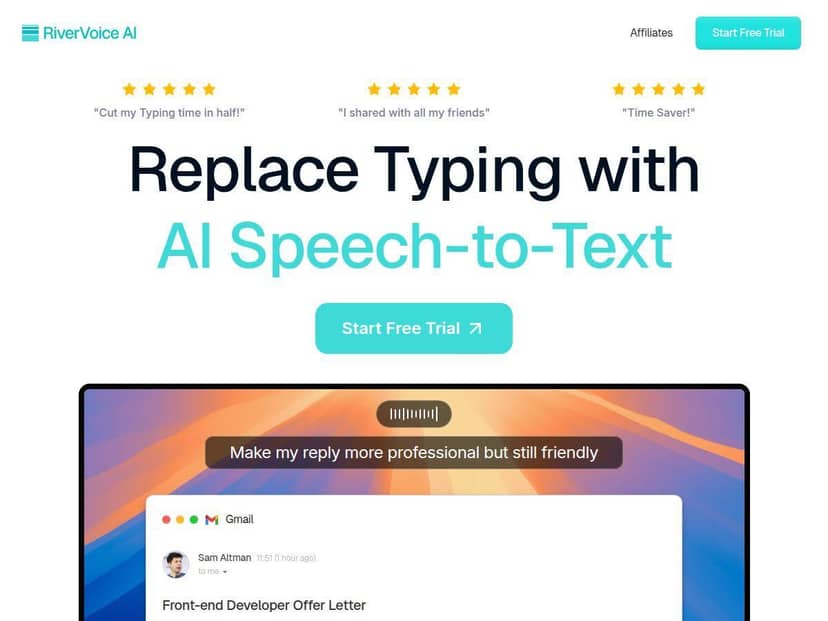
RiverVoice AI Review: What I Noticed After Testing It
Here’s the real deal: RiverVoice AI did exactly what I wanted most—turn my spoken notes into readable text without making me fight the keyboard. The transcript came in real-time, and that alone is a big deal when you’re trying to capture thoughts quickly (before they disappear).
In my quiet test run, dictation was smooth. I spoke a paragraph of meeting-style notes and got punctuation and line breaks that I could actually use. In my noisier test, it was still usable, but I had to do more cleanup. I’m not surprised—speech recognition always struggles when the audio is messy—but it’s worth knowing where the weak spots are.
Auto-formatting: It wasn’t just “words on a screen.” It tried to turn my speech into something structured. For example, when I dictated something like “First, we’ll review the agenda. Second, we’ll talk timelines. Third, assign owners,” the output came back in a more organized, sentence-by-sentence way instead of one giant paragraph.
Voice commands: This is the part I liked most for editing. Instead of stopping to manually correct every little mistake, I used voice to refine the text. I’m not going to pretend every command worked perfectly every time, but the general idea is solid: speak the correction (or tell it to change something), and it updates the transcript without you breaking your flow.
Quick before/after example (from my notes)
Before (what I dictated, rough):
“Today we need to tighten the onboarding flow. Add a short checklist, then confirm the account setup. Also, make sure support gets the ticket summary.”
After (what I saw in the transcript):
“Today we need to tighten the onboarding flow. Add a short checklist, then confirm the account setup. Also, make sure support gets the ticket summary.”
Not mind-blowing… but it’s exactly the kind of output that saves time. I wasn’t retyping the whole thing. I was just polishing.
Where it stumbled: accents and background noise. When I spoke faster, or when I had background sound happening, I saw misrecognized words that were close enough to make sense but wrong enough to require a quick fix. Think “sounds like the right word” problems. If you’re dictating in a café or during a video in the background, expect to spend a little more time editing.
That said, RiverVoice AI felt like it adapted to what I was doing—notes became notes, drafts stayed draft-like. It didn’t try to force everything into some overly formal template, which I appreciated. For professionals who live in meetings and students who need to capture lectures, that’s the difference between “cool demo” and “actually useful.”
Key Features (How They Show Up in Real Use)
- AI-Powered Speech-to-Text with Real-Time Transcription
- Works Across Most Applications Like Email, Docs, and Messaging
- Auto-Formatting and Smart Editing Tools
- Voice Command Mode for Editing and Refining Content
- Context-Aware Text Adaptation
- Supports Over 100 Languages (Claimed—see note below)
Pros and Cons: The Honest Version
Pros
- It genuinely speeds up writing when your goal is “get it down fast.” I noticed I was producing usable first drafts way quicker than typing from scratch.
- Real-time transcription helps you stay focused. You don’t have to wait for the “processing” step like you do with some tools.
- Auto-formatting made my notes readable without tons of manual cleanup.
- Voice commands are great for quick fixes. When you’re editing mid-thought, not having to constantly touch the keyboard matters.
- Works well for multi-app workflows. I tested it across typical writing apps and it didn’t feel like a one-purpose tool.
Cons
- Internet connection matters. If your connection is weak, expect lag or more recognition errors.
- Accuracy drops with accents and noise. In my noisier room, I had more “wrong-but-plausible” words to correct.
- Voice commands take a little practice. The first few minutes felt clunky until I found a rhythm.
- Some details aren’t super clear (especially around languages and pricing). If you care about a specific language, don’t rely only on marketing claims—check the official list.
- Privacy is a real consideration since it’s cloud-based (more on that below).
Pricing Plans (What I Could Verify)
RiverVoice AI advertises a free trial for new users. I didn’t see a fully detailed pricing table in the places I checked, but I did come across a mention of a Pro Plan around $7.67/month when billed annually.
Because I can’t guarantee every offer or price shown in ads will match what you’ll see on the checkout page today, I’d treat that number as a starting point and confirm on the official site before committing. If you’re the type who compares plans (I am), you’ll want to double-check what’s included—especially limits like transcription length or usage caps.
Privacy & Language Support: What’s Clear vs. What’s Not
One thing I always look for with speech-to-text tools: what happens to your audio. RiverVoice AI is cloud-based, which usually means your speech is processed on their servers. That’s not automatically “bad,” but it does mean you should pay attention to retention and deletion policies.
In my testing, I didn’t find an obvious “local-only” mode. I also didn’t see a simple toggle that clearly tells me audio isn’t stored. For that reason, I recommend checking their privacy policy directly before using it for sensitive content (legal details, personal identifiers, etc.). If they offer data deletion or a retention window, it’s worth confirming.
On languages: they claim support for over 100 languages, but I didn’t see a definitive, official list I could fully verify during my run. If you need a specific language or dialect, verify it on their official language documentation before you rely on it for something important.
Wrap up
So—was RiverVoice AI worth testing? For me, yes, especially for meeting notes, quick drafts, and students/professionals who want to capture ideas hands-free. It’s fast, it’s easy to use, and the auto-formatting + voice-command editing combo actually reduces the “type, fix, type again” cycle.
Just go in knowing the trade-offs: you’ll get best results in quieter environments, and you should verify privacy and language support if those matter for your use case. If you want a reliable speech-to-text assistant that helps you move faster without turning your workflow into a mess, RiverVoice AI is a strong candidate.